
Adapty Ads Manager
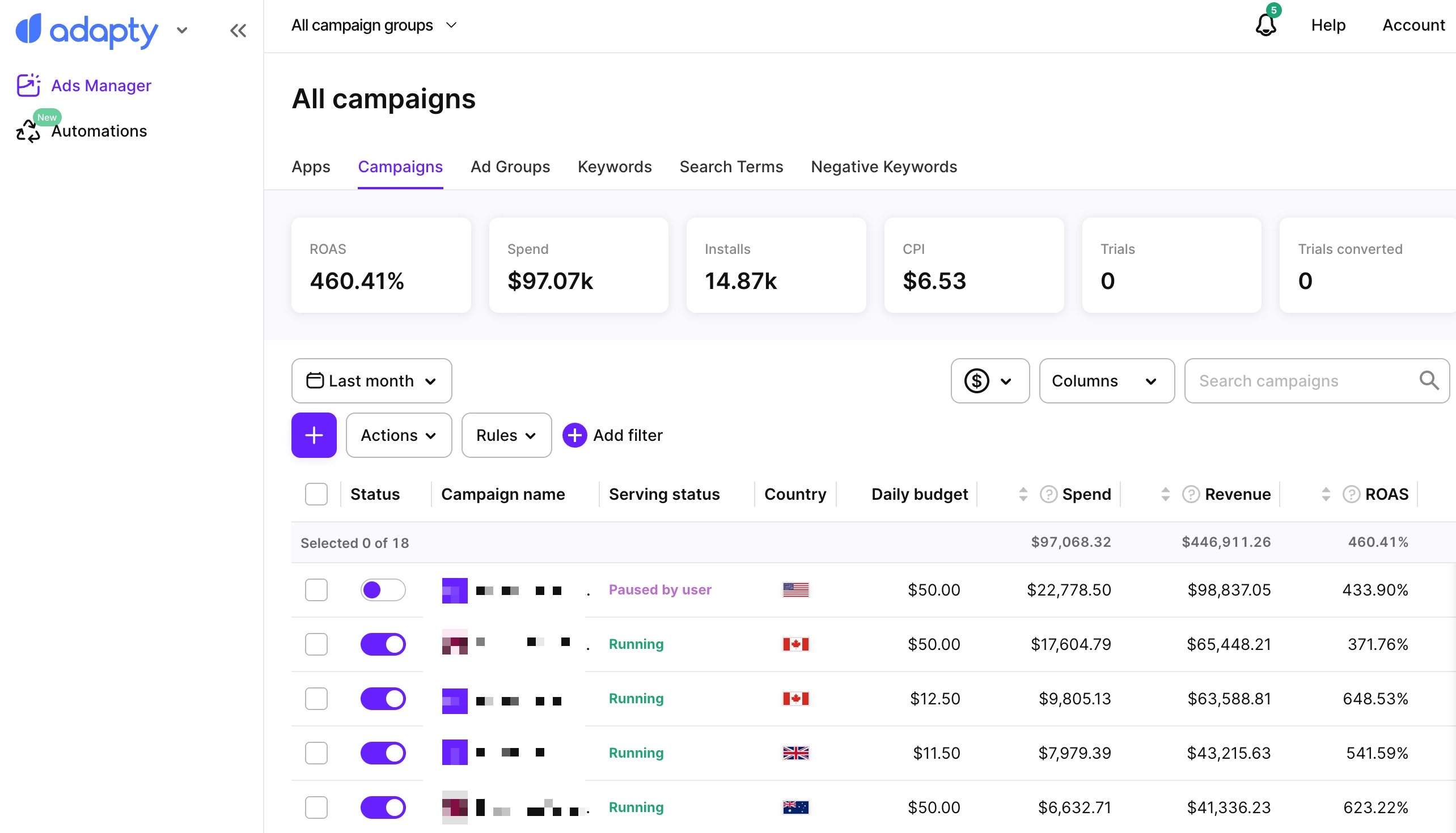
Adapty Ads Managerは、Apple Ads キャンペーンをより効率的に管理・最適化・スケールするために設計されたオールインワンプラットフォームです。MMPなしで、インストール数、トライアル、サブスクリプション、ライフタイムバリューなどの主要な収益指標とApple Search Adsのパフォーマンスを連携させます。
リアルタイム分析、AIによる予測、スマートな自動化機能により、煩雑な手動での入札調整やスプレッドシート管理、手探りの試行錯誤を排除し、明確なインサイトと迅速なアクションを可能にするツールへと置き換えます。
Adapty Ads Manager で得られるもの:
- 概要: 支出、収益、ROAS、CPA などの主要指標を一目で確認 — それぞれ日次トレンドチャート付き
- AI エージェント: 自然言語で質問し、ファネル全体にわたる回答と推奨事項を取得
- リアルタイムパフォーマンスデータ: キャンペーン、広告グループ、キーワード全体を網羅
- エンドツーエンドの収益トラッキング: 検索 → インストール → トライアル → サブスクリプション → LTV まで
- AI 予測と推奨事項: 収益性の高いスケーリングのために
- 一括管理: 入札額、予算、ステータス、構造の管理
- ルールベースの自動化: キーワードのライフサイクル全体を管理
- 市場インテリジェンス: 50 か国以上における競合他社のキーワード戦略
- キーワードサジェスター: 任意のシードフレーズに関連する検索フレーズと Apple カテゴリのコンテキスト
- 検索人気度: 選択した市場、カテゴリ、期間で最も上位にランクされる App Store の検索ワード
- CPP A/B テスト: カスタムプロダクトページを直接比較し、最高のパフォーマンスを発揮するものを特定
- 変更履歴: Adapty 外で行われた変更も含む Apple Ads キャンペーンへの変更と、変更前後の値
- CLI: ターミナルからキャンペーン、キーワード、自動化ルールを管理し、Apple Ads プラグインを通じて AI コーディングツールが指標を読み取り、実行できるようにする
はじめに
Apple Adsの過去データをインポートし、ダッシュボードでリアルタイムの更新を受け取り始めましょう
概要
Apple Adsの主要な指標をすべて1か所で確認でき、各指標にはトレンドチャートが付いています。
AI エージェント
Apple Adsアカウントについて自然言語で質問し、ファネル全体の回答とレコメンデーションを取得できます。
アナリティクス
Adapty Ads ManagerでアプリのAnalyticsを確認する。
キャンペーンの管理
Adapty Ads ManagerでApple Adsキャンペーンを作成・編集する。
広告グループの管理
Adapty Ads ManagerでApple AdsのAdグループを作成・編集します。
キーワードの管理
Adapty Ads ManagerでApple Adsのキーワード、ネガティブキーワード、SKAGキーワードを追加・管理する方法を説明します。
自動化
キーワード、検索語句、広告グループ、キャンペーンのルールでApple Ads キャンペーンを自動化しましょう。
市場インテリジェンス
50カ国以上で競合他社がApple Adsに出稿しているキーワードを確認し、そのままキャンペーンに追加できます。
キーワードサジェスター
シードフレーズを関連するApp Store検索フレーズやAppleカテゴリのコンテキストに展開し、Apple AdsとASOリサーチ向けのキーワードショートリストを作成します。
検索人気度
選択した市場、カテゴリー、期間において最も高くランクされているApp Storeの検索ワードを、Appleが提供する人気シグナルとともに確認できます。
CPP A/B テスト
Apple AdsでカスタムプロダクトページをA/Bテストして、最もパフォーマンスの高いページを見つけましょう。
変更履歴
Adapty 内外で Apple Ads キャンペーンに加えられた変更を確認できます。各変更について、実行者と変更前後の値を確認できます。
Adapty Ads Managerを選ぶ理由は?
市場で最も正確なデータを提供しているからです。
ネイティブのApple Adsコンソールやモバイル計測パートナー(MMP)とは異なり、当社のデータはリアルタイムで欠損なく、トライアル・サブスクリプション・LTVと完全に連携しています。遅延やアトリビューションのギャップは一切ありません。
簡単に導入でき、スムーズな操作感で、複数のツールを行き来することなく、すべてを1か所で管理できます。
始めるには
Adapty Ads Manager を使い始めるには、ガイドをご覧ください。必要な手順は2つ:Adapty SDK のインストールと Apple Ads アカウントの接続です。
同じアカウントはターミナルからも管理できます — CLI から Ads Manager を管理するをご参照ください。