
Tag your ad URLs for web funnels
Tag your ad URLs when your ad sends people to a landing page or web funnel before the store. If your ad goes straight to the App Store or Google Play, use a tracking link as its destination instead — the link carries the campaign data on its own, with nothing to tag.
Adapty Attribution reads the campaign, ad set, and ad from your landing page URL. The ad networks append their own click ID (fbclid, ttclid, or gclid) automatically, which identifies the network but not the campaign, ad set, or ad. To attribute purchases down to the exact ad, add the tracking parameters to your ads.
The steps are the same whichever way your funnel runs — with the Adapty web pixel on your own funnel, or on FunnelFox.
Before you start
Connect Meta Ads, TikTok for Business, or Google Ads to Adapty Attribution and add a campaign configuration. Adapty generates the ad URL parameters per campaign configuration, so you need one to copy them from.
Tag your ads
- In the Web funnel section of the campaign configuration, copy the Ad URL parameters field value.
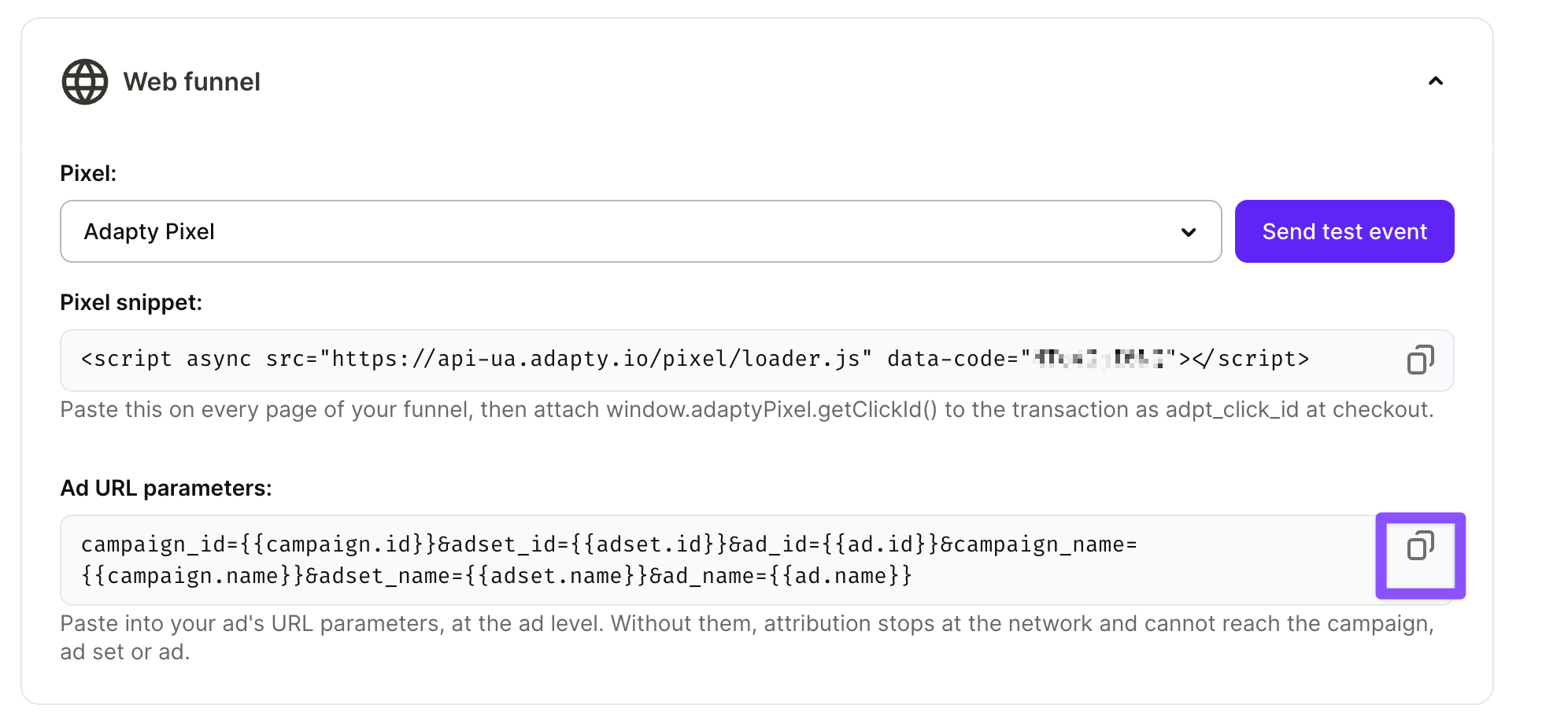
- In the ad network, paste the value:
- Meta: Into the ad’s URL parameters field.
- TikTok: Under the ad’s destination URL, into Build URL parameters.
- Google Ads: In the campaign settings, into Campaign URL options > Final URL suffix. Auto-tagging must also be on in your Google Ads account settings.
The value contains network macros. The network replaces them with the real campaign, ad set, and ad values at click time.
Keep your landing page or funnel URL in the ad’s destination field (Website URL in Meta, Destination URL in TikTok, Final URL in Google Ads) without the parameters. The network appends them to that URL at click time, so you can change the destination URL later without tagging the ad again.
The parameters don’t include utm_* values, so you can keep your own UTM scheme for your own analytics — Adapty doesn’t require it.