
Set up checkout for Adapty Mail
Each email links to a checkout page in the browser, where the purchase takes place. To create one, in Adapty Mail go to Email Destinations, select Web Paywall, and click Create. There are two options:
| Generate with AI | Host your own | |
|---|---|---|
| Who builds the page | Adapty Mail, in the bundled web paywall builder | You |
| Payment provider | Stripe only | Any |
| Project | Must be linked to an Adapty app | Any |
| Your work | Pick plans, then review and publish | Build the page, read the recipient from the URL, report purchases back |
Adapty’s core product has its own web paywalls. They’re a different feature — nothing here applies to them.
Generate with AI
AI generation needs a project linked to an Adapty app — one Adapty created for you the first time you opened Mail from the Adapty dashboard. If you created the project yourself in Adapty Mail, on a standalone account or your Adapty account, host your own paywall.
Under the URL field, find the generate one with AI link. Click it.
Expand the Generation setup panel and complete its six steps in order. Each button opens the page where that step happens, so click Refresh when you come back.
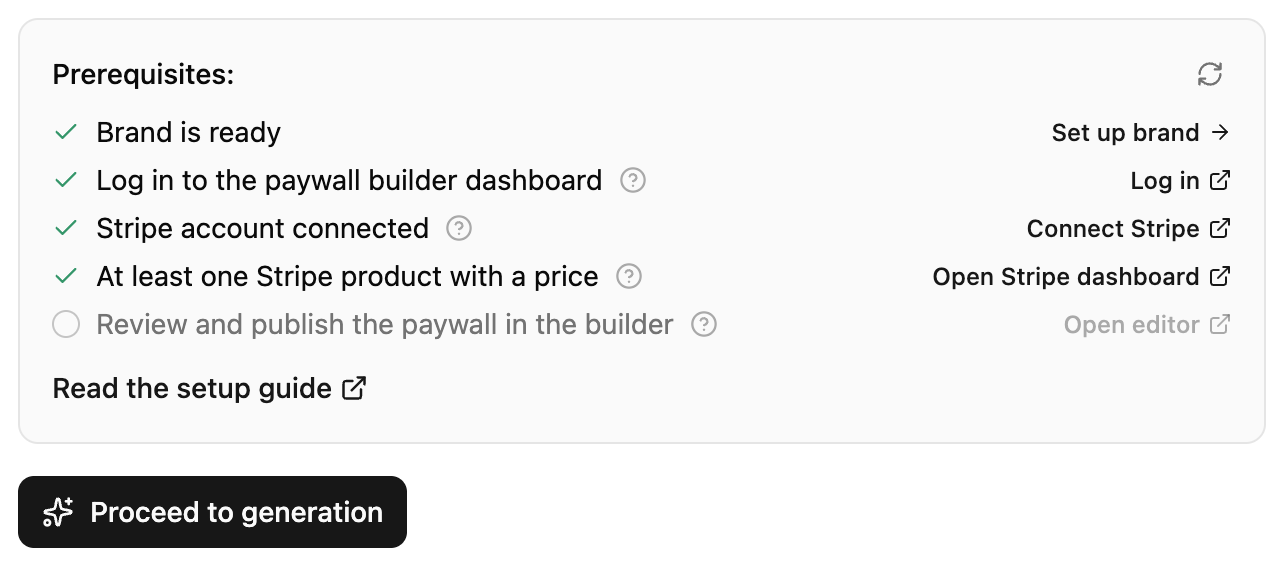
| Checklist item | What to do |
|---|---|
| 1. Brand is ready | Already ticked if you’ve set up your brand. If not, click Set up brand. |
| 2. Log in to the paywall builder dashboard | Click Log in to authenticate the builder. |
| 3. Stripe account connected | Click Connect Stripe and connect your account. |
| 4. At least one Stripe product with a price | Click Open Stripe dashboard and add a product with a price. |
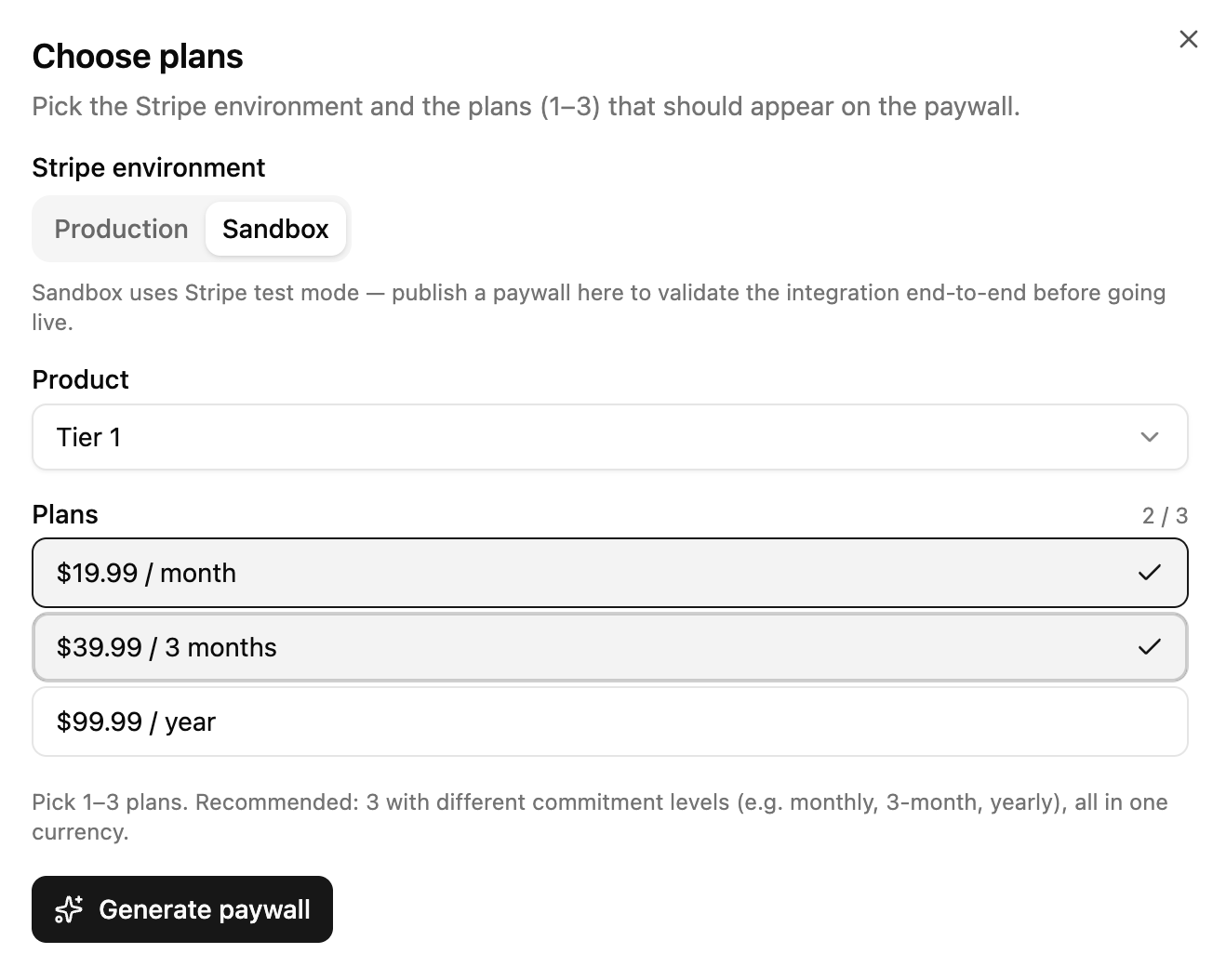
| 5. Generate the paywall | 5.1. Click Generate. 5.2. Pick up to three plans. Click Add plan for each one after the first. 5.3. Give each plan a production price, a sandbox price, or both, all in one currency. Fill the same column for every plan — a partly filled column blocks generation. Without sandbox prices, test emails hit the production paywall, where test purchases don’t work. 5.4. Click Generate paywall. It takes a few minutes, and the URL field fills itself when it’s done. |
| 6. Review and publish the paywall in the builder | Click Open editor, then review and publish. Disabled until you’ve generated the paywall. |
The paywall must be published before it can serve checkout traffic. Unpublished paywalls return an error when users click email checkout links.
Once the paywall is published, click Save.
For payment provider details inside the builder (Stripe accounts, test vs live mode, product setup), see Web paywall configuration.
What a generated paywall looks like
Generation builds four screens, and a recipient clicking from an email meets them in order:
- Email — a heading, a subheading, and an email field. Adapty Mail prefills it from the link, so campaign traffic can go straight on; anyone arriving another way types it.
- Paywall — the sales page, below.
- Payment success or Payment failed — one or the other, never both.
AI writes every part of the paywall screen from your brand:
| Section | What it holds |
|---|---|
| Headline and subheadline | The opening pitch |
| Offer badge | Urgency text, with no invented prices |
| Hero image | Generated from your brand |
| Plans | A title, an offer timer, and the plans you picked |
| Benefits | 3–6 cards |
| Features | 3–8, each with a title and subtitle |
| Social proof | A line of proof text, and 3–5 reviews |
| FAQ | 3–6 questions and answers |
| Guarantee | A money-back or satisfaction line |
A CTA and countdown stay pinned at the top throughout. Payment success shows a generated image and next steps; Payment failed invites another attempt and keeps the checkout state.
Use your own hosted paywall
With this approach, Adapty Mail sends recipients to a page you host. The URL includes placeholders that forward user information. Everything after the click — the offer, the payment, the personalization — happens on your side, with any payment provider.
- Give the destination a Name — you’ll pick it by that name when you attach it to a campaign.
- Paste your hosted paywall URL into URL. It must use HTTPS, and it can carry placeholders for the values that differ per recipient.
- Click Save. The destination is then available to campaigns.
Personalize your URL with placeholders and hooks
Use placeholders and hooks to personalize your paywall URL with values unique to each recipient. Placeholders lists the full set and the rules.
What your page has to do
Adapty Mail doesn’t do anything after the redirect. The following actions are your responsibility:
- Identify the visitor before checkout starts: Read the profile ID or email from the query string and attach it to the purchase, so the payment lands on the customer the email was sent to.
- Report the purchase back: Adapty Mail never sees a payment taken on your own provider, and a purchase it doesn’t know about counts as neither a conversion nor attributed revenue in Analytics — worse, the rest of the sequence keeps going out to someone who already bought. Send it through whichever path already carries your data: the Adapty integration, or a transaction event on the Adapty Mail API.
Test the paywall before launching
Send test email proves the email renders and your page takes payment, but Sandbox isn’t selectable for a paywall added by URL — the modal reports “This paywall has no sandbox products, so only production is available.” So a test goes to your live page with live products: use a real card and refund it, or point the URL at your own test environment while you verify the wiring. See Test your setup.
Troubleshooting
| Issue | Solution |
|---|---|
| Checkout link doesn’t open | Verify the paywall is published in the web paywall builder |
| User not identified at checkout | Check the URL carries a placeholder for the source your data comes from. A placeholder for the wrong source resolves to an empty string, so the parameter arrives blank |
| Purchase not attributed to email | Attribution follows the click on the email’s CTA, so the recipient has to reach checkout through that link, and the purchase has to reach Adapty Mail on the same profile. A purchase already attributed to an earlier email keeps that attribution |