
Migrate to flows
In Adapty, a flow combines an onboarding and a paywall into a single entity behind one placement. A flow replaces the separate onboarding and paywall that you build and serve on their own.
From October 1, 2026, you can’t create new paywalls and onboardings in the legacy builders, and their support stops. Everything you already have keeps working and stays editable — see what changes on that date.
This guide explains what changes when you move to flows, and how to roll the change out without disrupting users on older app versions.
Flows require Adapty SDK v4.0 or later.
Flows vs. onboardings and paywalls
With separate onboardings and paywalls, you maintain two builders and two placements. You also hand users off from the onboarding to the paywall in your own code.
A flow replaces both with one experience — intro screens, a quiz, and the purchase screen — built in one editor and served from one placement. That placement is a new one: a flow is its own content type, so it can’t run on the onboarding or paywall placement it replaces.
The table below compares what each option gives you:
| Flow | Paywall Builder paywall | Onboarding | |
|---|---|---|---|
| Multiple screens | Yes | No — single screen | Yes |
| Rendering | Native | Native | WebView |
| Products and placement | One placement; you add products directly to the flow | One placement; you add products directly to the paywall | One placement, but no products of its own — to sell, you create a separate paywall and serve it from its own placement |
Should you migrate?
If you’re building for the long term, flows are the better foundation — migrate to them when it fits your release schedule.
How to migrate
The migration has four steps. Most of the effort is a one-time SDK upgrade — building and previewing the flow is no-code.
- Build your flow: Convert an existing paywall in one click, or create a flow from a template; no developer needed.
- Preview on device: Check the flow on a real device through the Adapty mobile app; no app build needed.
- Create a new placement for your flow: Create a new flow placement with its own unique ID, and decide how it coexists with your existing placements.
- Update the SDK: Upgrade to the Adapty SDK v4, fetch the flow from its placement, and verify a sandbox purchase. This is the main developer task.
Build your flow
If your paywall was built in the legacy Paywall Builder, convert it rather than rebuilding it. The Move to new builder action recreates it as a draft flow in one click — layout, copy in every locale, and products with prices as variables — and your original stays live while you edit and test. See Convert a paywall into a flow.
To build something new instead, pick the route that fits:
- Start from a template: A starter template or a blank flow in the Flow & Paywall Builder, with no code.
- Use the agent skill: Your own AI coding tool authors and edits flows from the terminal — useful for quizzes, branching, and adding locales in bulk.
Reference while you build:
- Flow & Paywall Builder documentation: Walks you through the builder and what you can create.
- Common flow recipes: Step-by-step guides for the most common screens.
- Ask AI: Use the chat on any docs page when you get stuck.
Preview on device
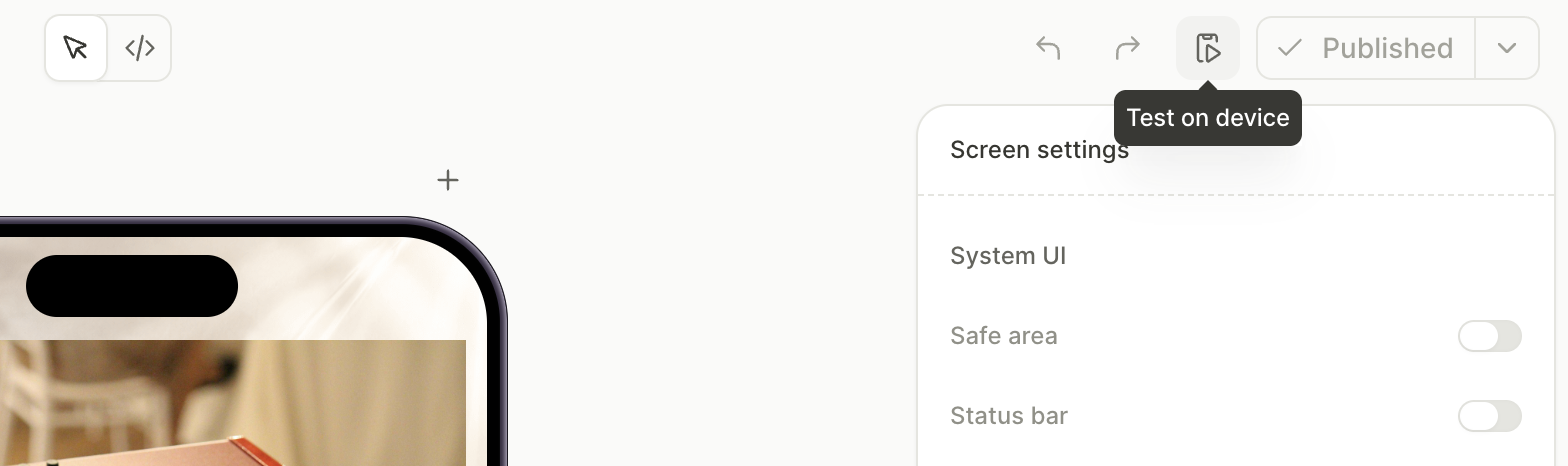
You can preview the flow on a real device without touching the app. Download the Adapty mobile app for iOS or Android, and sign in with the Adapty account you use in the dashboard. Then, in the Flow & Paywall Builder, click Test on device, choose a locale, and scan the QR code with your device. This shows the real screens, branching, copy, and design.
In the preview mode, Adapty can’t reach your products in the stores, so the prices shown in the preview aren’t real. Real purchases are verified later, in the v4 build with a sandbox account — see Update the SDK.
Create a new placement for your flow
Flows, paywalls, and onboardings are three different content types, and each of them is measured with its own metric set — which is why a placement serves one type only. A placement’s type is fixed when you create it, so there’s no way to convert an existing onboarding or paywall placement into a flow placement (see placement types). Every flow you serve needs a new placement of its own.
Give the new flow placement a completely new, unique placement ID.
Placement IDs are unique across your whole app rather than per type, so a flow placement can’t reuse the ID of a paywall or onboarding placement — not even the one whose content the flow replaces. Reusing the ID isn’t a matter of preference: the Dashboard rejects it.
Keep your old placements live during the transition
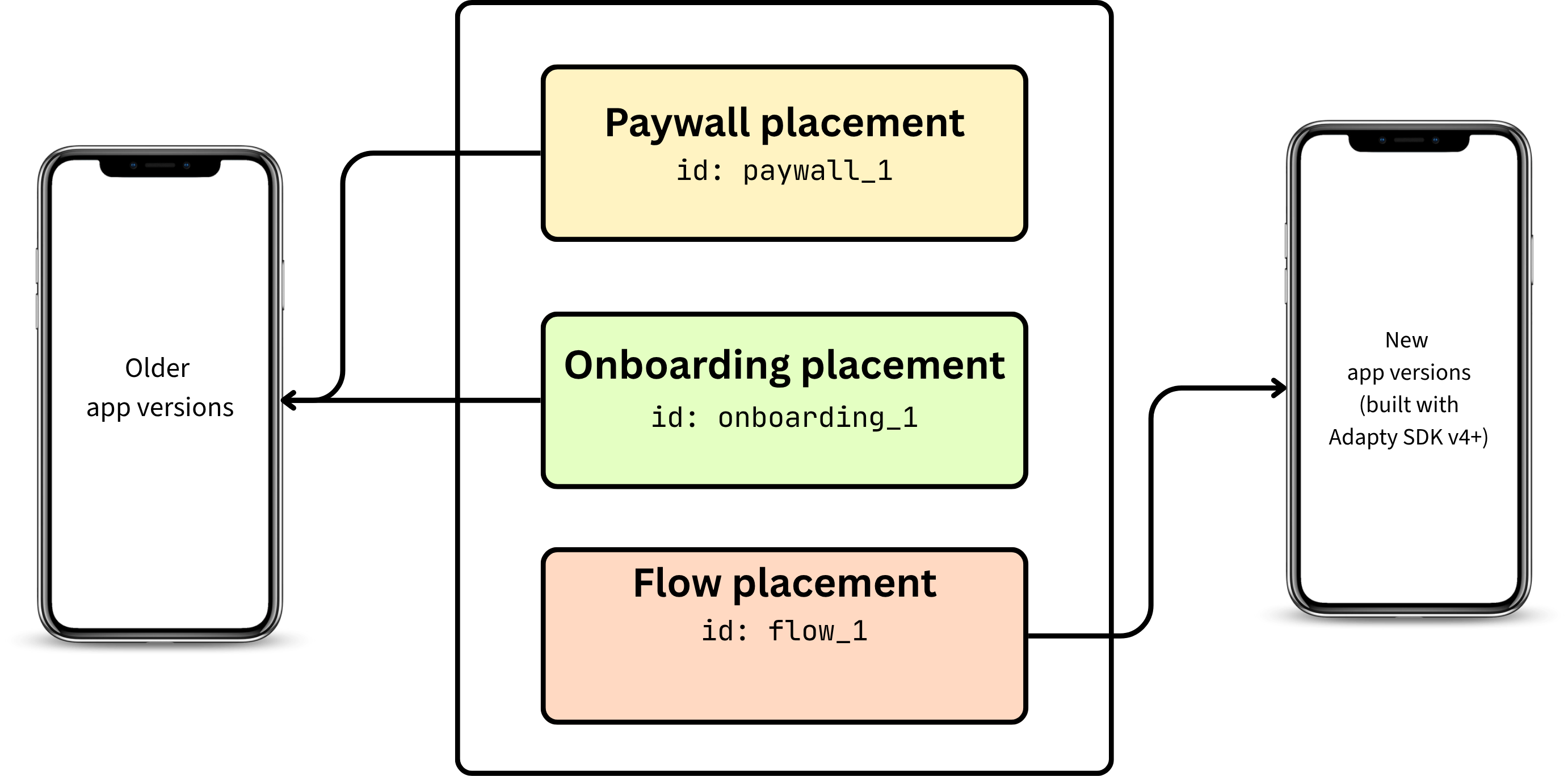
Users on older app versions have your onboarding and paywall placement IDs compiled into the app. They keep calling the onboarding and paywall methods and see your existing onboarding and paywall until they update. Retire the old placements only once your SDK v4 adoption is high enough.
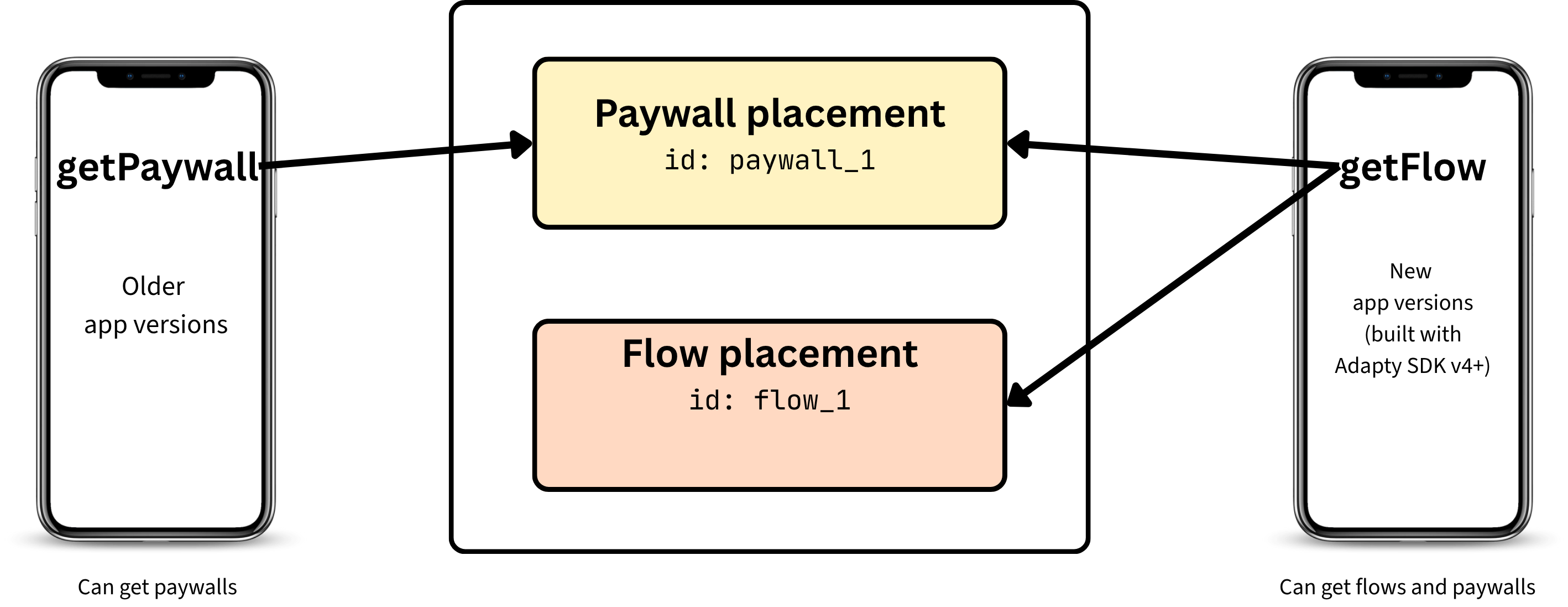
You don’t have to move every location to flows at once. In SDK v4, the getFlow method fetches from both flow placements and paywall placements, so your app calls the same method everywhere. Keep Paywall Builder paywalls in the placements where you want them, and use flows in the rest.
During the transition, each placement type tracks its own metrics. While both old and new app versions are live, your data splits across two sets of placements. The old onboarding and paywall placements cover older versions; the new flow placement covers SDK v4+. Compare these as separate cohorts, and expect the flow placement’s share to grow as users update.
You can continue running A/B tests with flows. Run a Regular A/B test across flow variants on a flow placement, or a Crossplacement A/B test across several flow placements. You can’t put a flow and a paywall into one A/B test, Regular or Crossplacement: they are different content types with different metrics.
Create the placements with an agent skill
With more than a handful of placements to move, the migrate-placements skill creates them from your own AI coding tool instead. It reads every placement in your app through the Adapty CLI, groups them by the paywall each one serves, asks per paywall where the flow comes from, then creates one flow placement per paywall placement in scope and hands back the old-to-new ID mapping and the getFlow call your app has to ship.
Your paywall placements are read and never edited, so they keep serving while you work, and every placement ID the skill proposes waits for your approval.
Update the SDK
With your flow placement ready, point the app at it. Flows render only on the Adapty SDK v4 and later. Upgrade the SDK and fetch the flow from your new placement with getFlow. See the v4 migration guide for your platform — iOS, Android, React Native, Flutter, Unity, Kotlin Multiplatform, or Capacitor — for specific upgrade steps.
Once the flow is wired in, verify it like any other purchase flow: run it on a device or simulator and make a sandbox purchase to confirm that products, the purchase, and the access level all work. See the testing guide for your platform: iOS, Android, React Native, Flutter, Unity, Kotlin Multiplatform, or Capacitor.
Users see flows only after they install the app built with SDK v4+. Anyone on an older app version keeps getting your existing onboarding and paywall, which is why the old placements stay live during the transition.
Custom tags from the old Paywall Builder
If you convert a paywall that uses custom tags, the flow has a regular custom variable in place of each of them. To show your app’s values again, replace each variable with a custom tag. Custom tags in flows differ from the old ones in the following ways:
- Tag creation: You can’t type a custom tag into a text element. Create the tag in the Variables panel, then select it from the Add variable dropdown.
- Fallback: Each custom tag has one Initial value for all locales, instead of a fallback line for each locale.
To reuse the values that your app passes to old Paywall Builder paywalls, give each custom tag in the flow the same name as the old tag.