
Get started with Adapty Ads Manager
Adapty Ads Manager is your optimization and analytics platform for Apple Ads.
In this guide, you will learn how to start working with Adapty Ads Manager in two steps:
- Install the Adapty SDK and let it track your purchase data.
- Connect Adapty Ads Manager to your Apple Ads account to import your historical data and start tracking real-time updates.
Adapty Ads Manager does not use the Apple Ads integration from App settings.
To use Adapty Ads Manager, you only need to complete the setup described in this guide.
1. Install the Adapty SDK
Adapty Ads Manager is a standalone product. You can use it even if your paywalls, subscriptions, or analytics are not handled by Adapty — migrating your entire stack to Adapty is not required.
To get accurate revenue data, the minimum setup is to install the Adapty SDK in the observer mode and enable App Store server notifications in Adapty.
To connect your revenue data with the campaign performance, let Adapty keep track of your purchases:
- The first step depends on whether you already have in-app purchases implemented:
- If you already have in-app purchases implemented with Adapty, you don’t need to do anything else at this stage.
- If you already have in-app purchases implemented without Adapty and don’t plan to migrate to Adapty, install the Adapty SDK for your platform in the observer mode. At this stage you only need to add the SDK to your project, activate it with the observer mode enabled, and report transactions:
- If you don’t have in-app purchases implemented yet and want to use Adapty, complete the steps from the quickstart guide to delegate handling purchases to Adapty.
- To receive revenue-related updates directly from the App Store, enable App Store server notifications in Adapty.
2. Connect Apple Ads
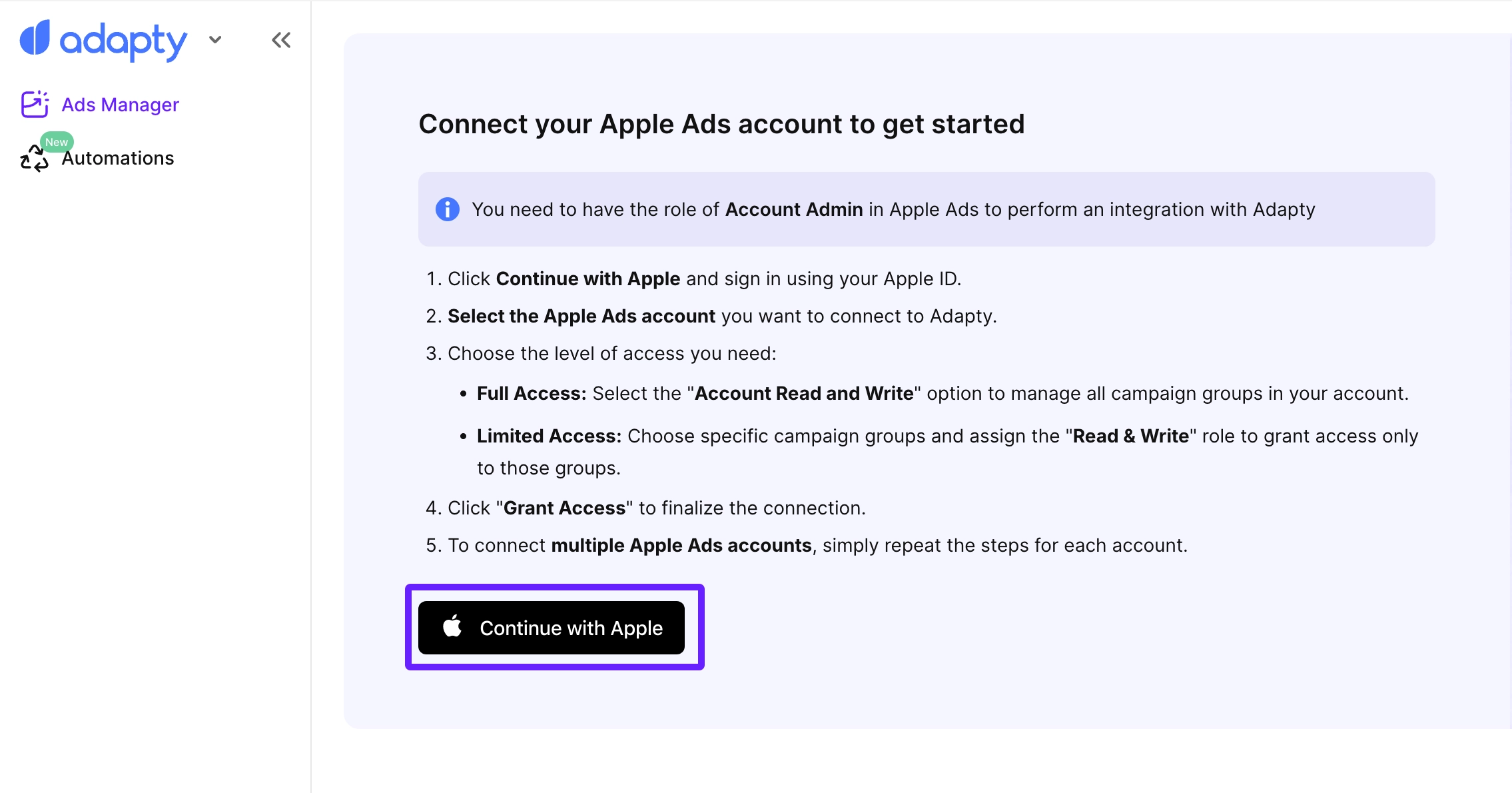
You need to have the Account Admin role in Apple Ads to connect Apple Ads to Adapty.
Now, you need to connect your Adapty Ads Manager account to your Apple Ads account:
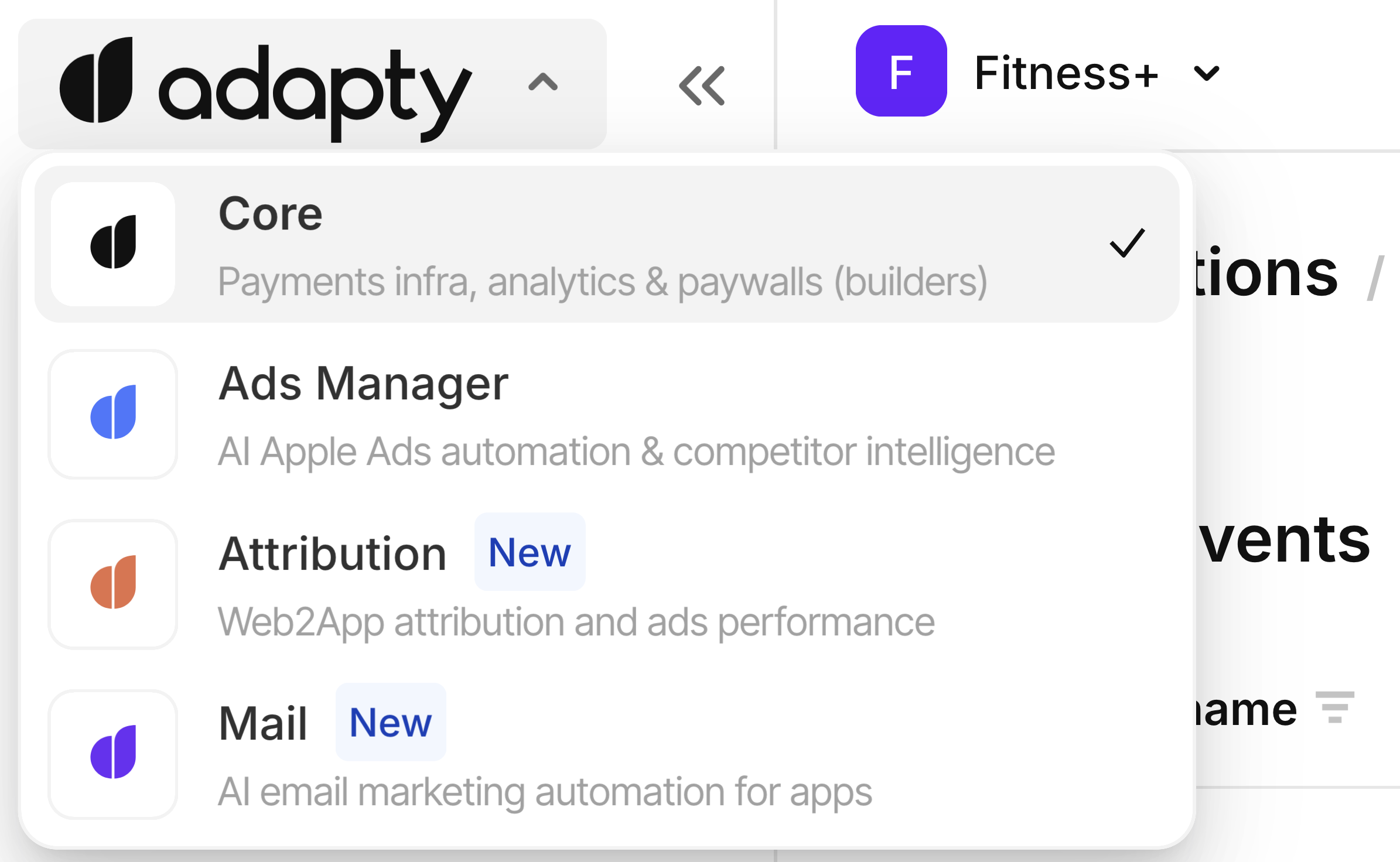
- Click the Adapty logo in the header and choose Search Ads.
- Click Continue with Apple.
- Sign in to your Apple account.
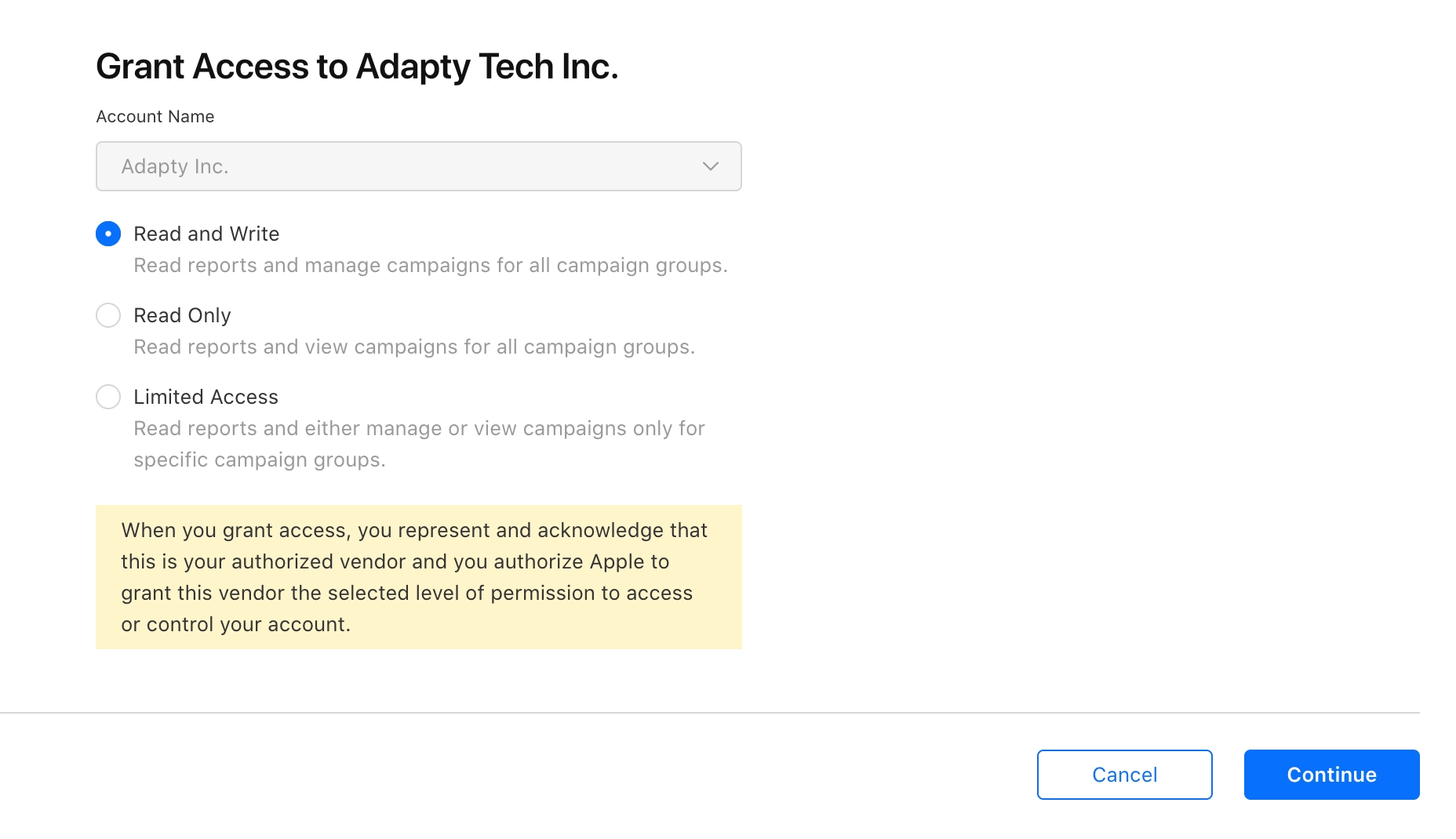
- Select which access you want to give to Adapty Ads Manager:
- Read and Write: Provide access to all campaign groups.
- Limited access: Choose specific campaign groups and assign the Read & Write role to grant access only to those groups.
- Click Grant access.
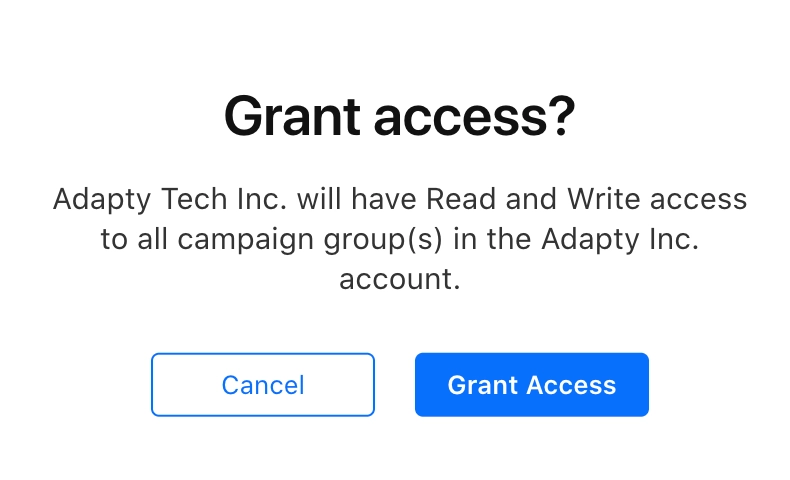
After that, Adapty will start syncing your historical data from Apple Ads. You can already start exploring Adapty Ads Manager, but it will take some time until all the historical data is imported.
Adapty Ads Manager shows your data only when your Apple Ads account has at least one campaign. If the account has no campaigns yet, the page stays on Syncing your historical data… To finish connecting, create a campaign in Apple Ads in Advanced mode, then wait for the sync to complete.
What’s next
After you’ve successfully synced your transaction data, proceed with learning how to: