
Keyword Suggester in Adapty Ads Manager
Keyword Suggester turns a seed phrase into keyword ideas for your Apple Ads campaigns and helps you find terms you’re not bidding on yet. It returns two kinds of results from Apple data: related search phrases with their popularity, and the App Store category context around your seed. Use it to build a keyword candidate list from Apple-provided signals instead of brainstorming alone.
Use it to:
- Expand an idea into real search language: Enter a product, feature, or user intent and see the phrases Apple associates with it.
- Review an existing keyword list: Look up the phrases you already collected against Apple’s phrase index before you research them further.
- Discover adjacent concepts: Category context shows how Apple classifies your seed, so you can spot related intents and use them as the next seed.
Keyword Suggester results are not scoped to a market. To see which search terms rank highest in a specific country and App Store category, use Search Popularity. To see which keywords your competitors bid on, use Market Intelligence.
Get keyword suggestions
To start a search, in the left sidebar, go to Keyword Suggester.
- Select a search mode:
- Explore a phrase: Expands one seed — a product, feature, or user intent — into related phrases.
- Look up a list: Looks up phrases you already have — up to 50 per search — in Apple’s phrase index. Enter one phrase per line, or separate them with commas.
- Select the search sources: Phrases, Categories, or both. List lookup returns phrase matches only, so switching to Look up a list clears the Categories checkbox.
- Enter the seed phrase and click Find matches.
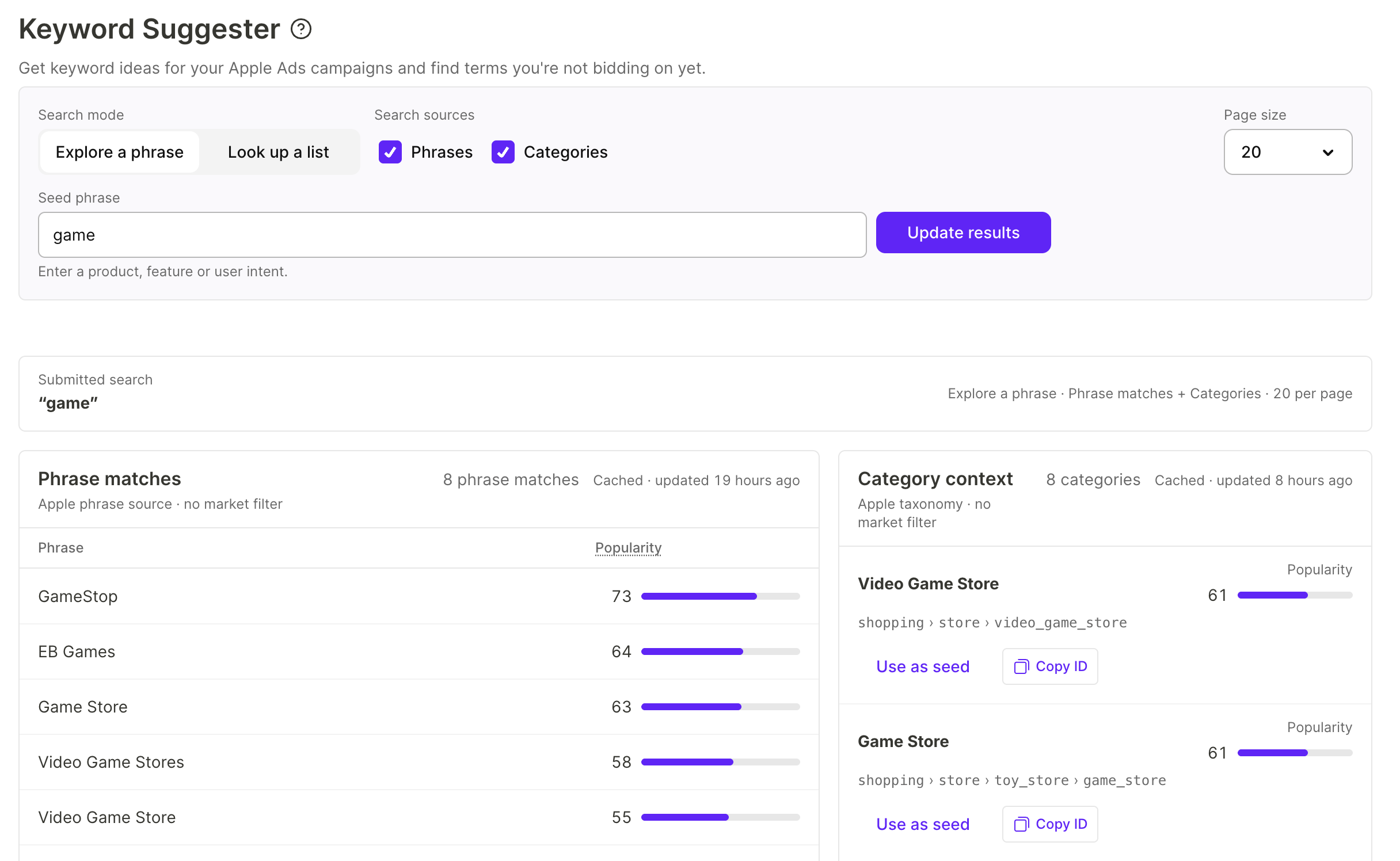
After you edit a submitted search, the results keep showing the previous search until you click Update results.
Phrase matches
The Phrase matches section lists search phrases that Apple returns for your seed, exactly as Apple returns them. Each phrase has a Popularity value — a relative signal returned by Apple, not search volume, installs, or a conversion rate.
To collect candidates for your shortlist, click the copy icon in the phrase’s row. When you’re ready to bid on the phrases you collected, add them to an ad group as described in Manage keywords.
Category context
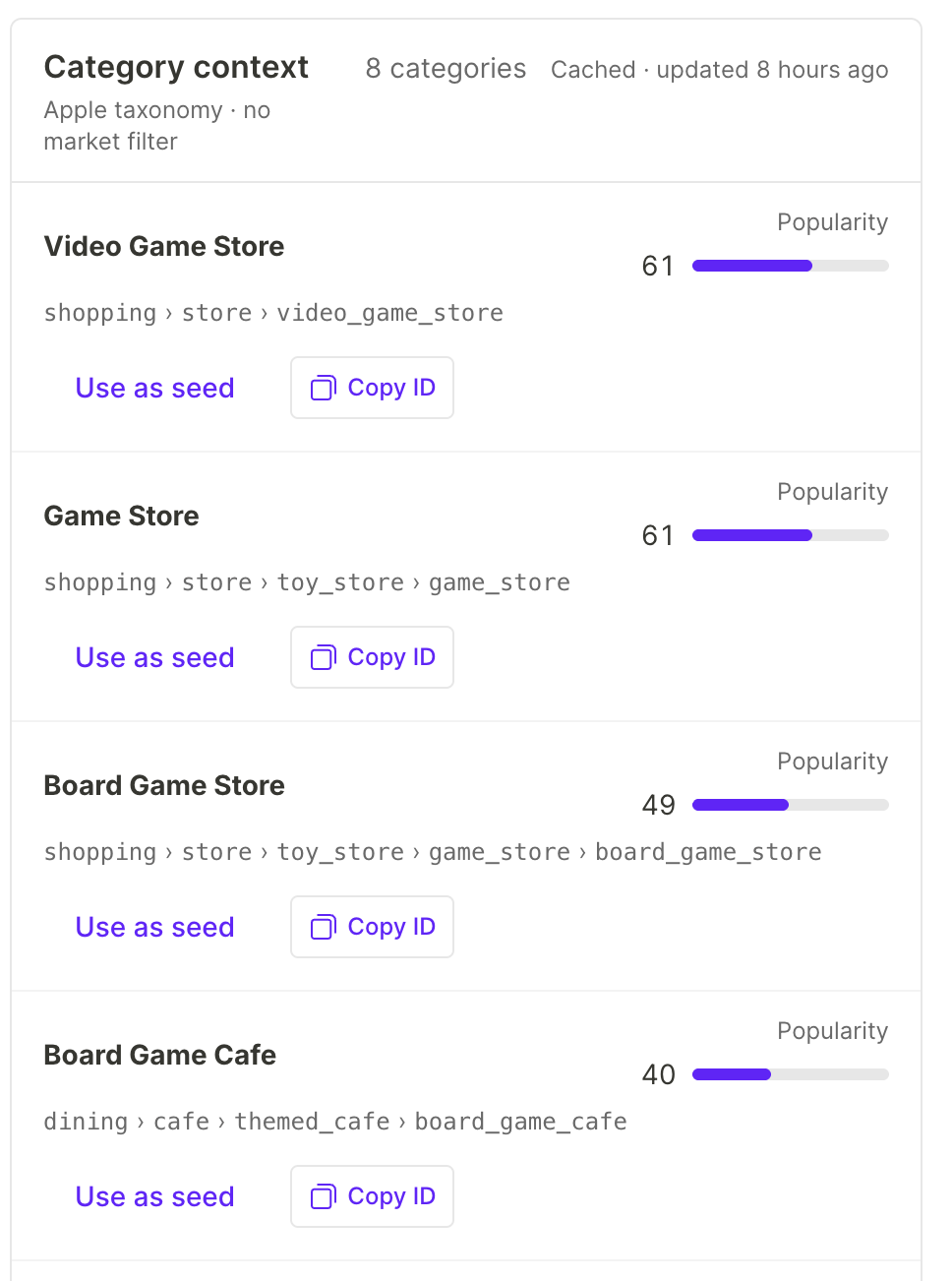
The Category context section shows the Apple taxonomy around your seed: each card has a category name, its popularity, and the full category path. Categories are context that reveals adjacent concepts — they are not keywords to bid on.
Each category card has two actions:
- Use as seed: Fills the seed field with the category name, so you can explore the adjacent concept next. To run the new search, click Update results.
- Copy ID: Copies the qualified category ID, so you can reference the exact category later.
Limitations
- Phrase and category results accept no market, category, or period filter, so they are not scoped to a country or a time period. For market-specific rankings, use Search Popularity.
- Results are not specific to your app.
- A phrase Apple doesn’t return is not proof that nobody searches for it.
- Results are cached for up to six hours and are not real-time.