
Enable App Store server notifications
Setting up App Store server notifications is crucial for ensuring data accuracy as it enables you to receive updates instantly from the App Store, including information on refunds and other events.
Adapty iOS SDK 2.10.0 or later is required for full App Store Server Notifications V2 support.
- Copy the URL for App Store server notification in the Adapty Dashboard.
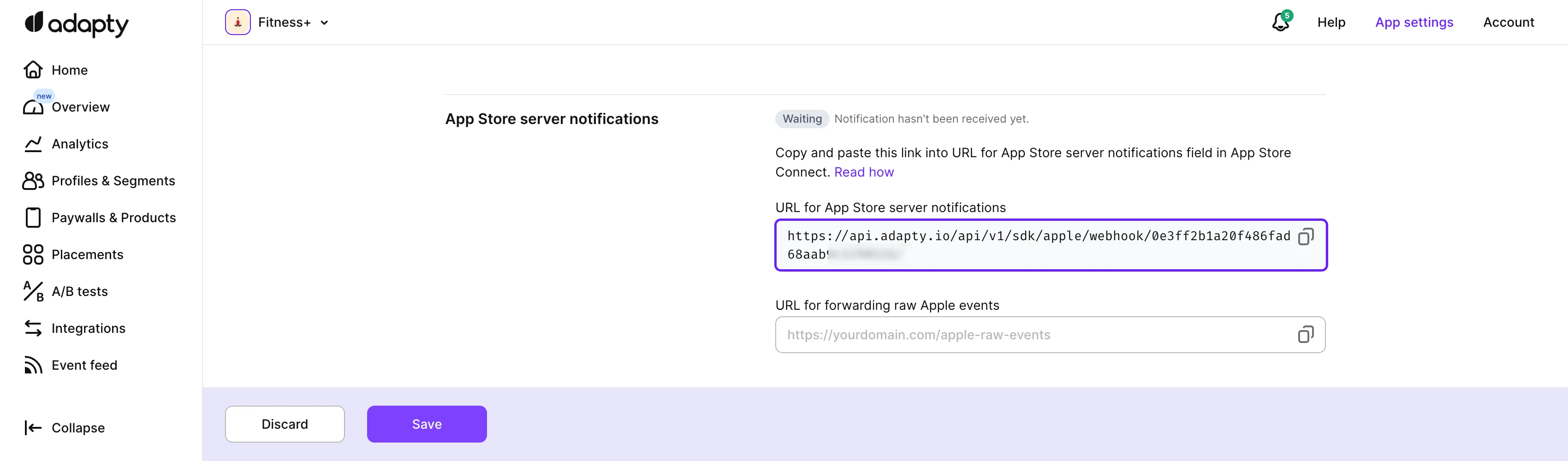
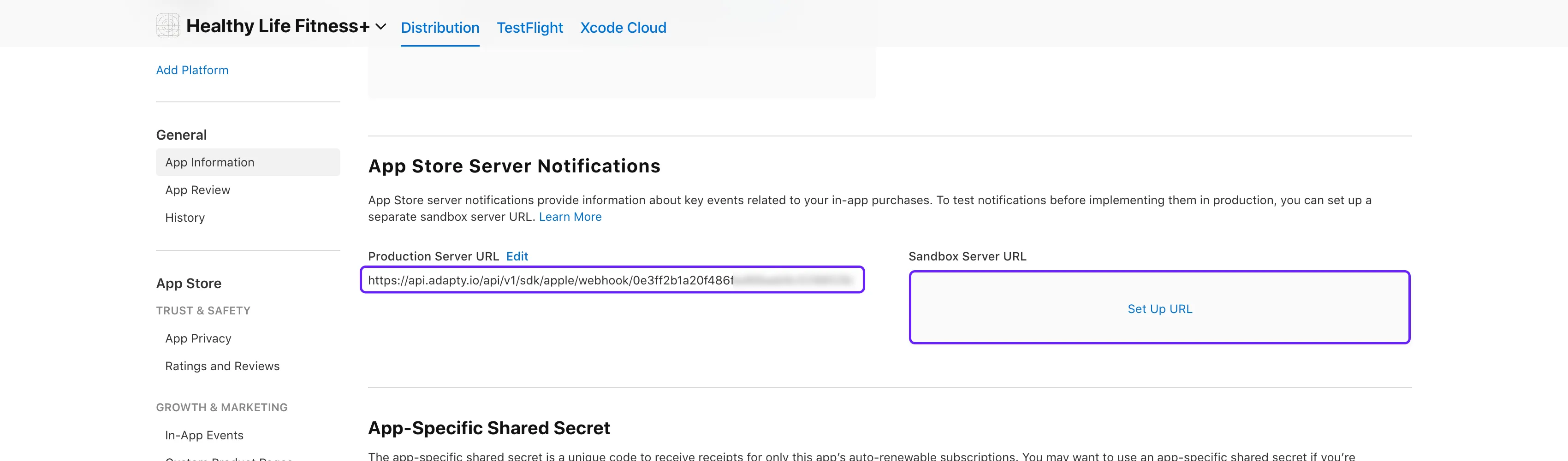
- Open App Store Connect. Select your app and proceed to General → App Information section, App Store Server Notifications subsection.
- Paste the copied URL for App Store server notification into the Production Server URL and Sandbox Server URL fields.
After you save the URLs, the notifications status in the Adapty Dashboard changes only when Apple sends the first real notification — that is, when the first subscription event, such as a purchase or a renewal, occurs. Apple’s test notification doesn’t change it. A waiting status right after setup doesn’t mean the connection is broken.
Raw events forwarding
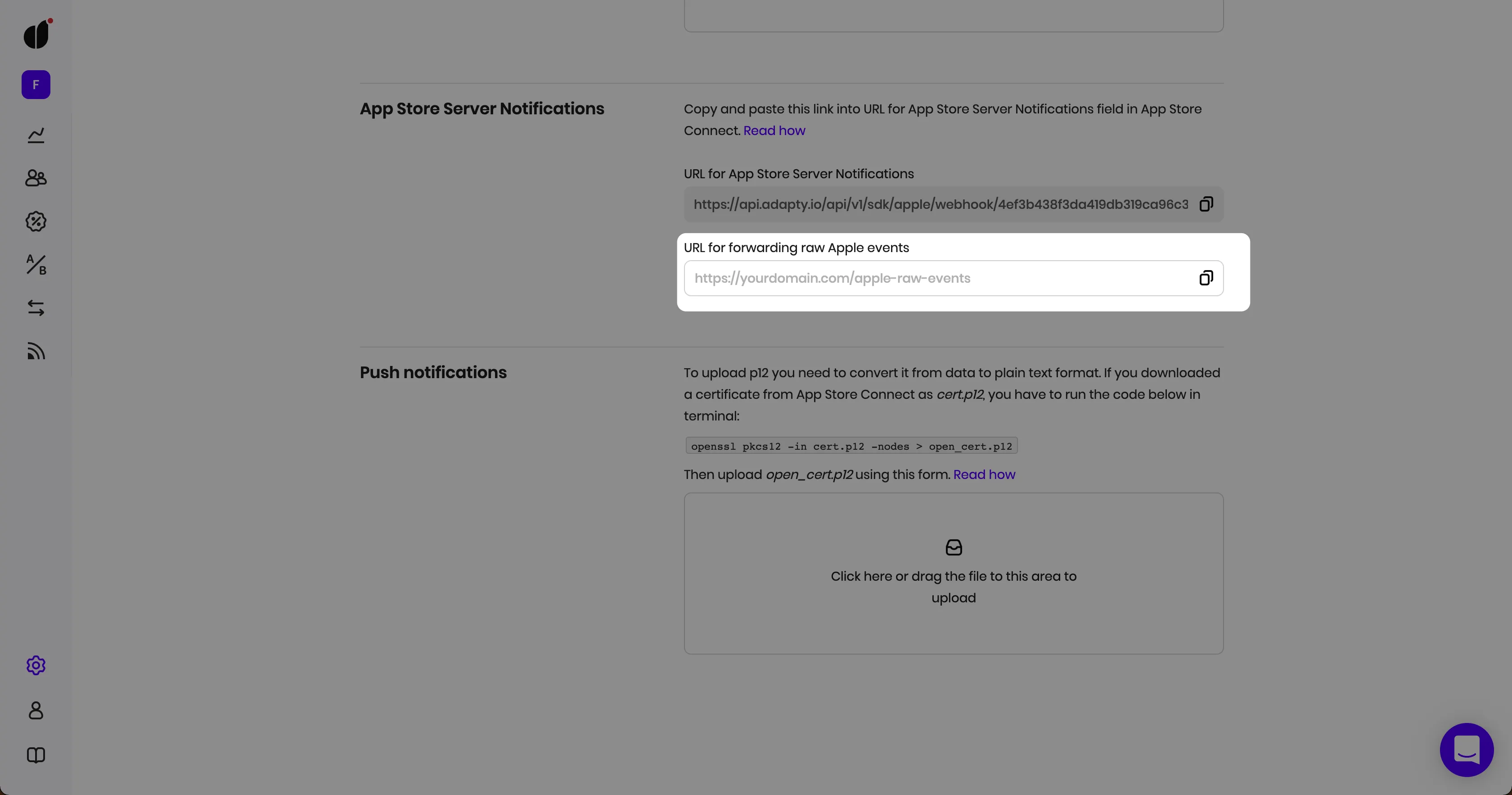
Sometimes, you might still want to receive raw S2S events from Apple. To continue receiving them while using Adapty, just add your endpoint to the URL for forwarding raw Apple events field, and we’ll send raw events as-is from Apple.
If notifications stop reaching Adapty, new transactions, renewals, and refunds stop appearing. Adapty doesn’t flag it — see If updates stop arriving.
Notification authenticity
Adapty doesn’t verify the origin of incoming App Store server notifications beyond the notification URL itself — it doesn’t verify the sender’s IP address or validate Apple’s JWS signature. Treat the notification URL as a credential: anyone who has it can post a payload to it.
Apple’s Sandbox TEST notification type is never stored, regardless of who sends it, so sending one manually never creates an event in the Event Feed.
What’s next
Set up the Adapty SDK for: