
Integrate Meta Ads with Adapty Attribution
Adapty Attribution’s Meta integration lets you track and optimize campaign performance across Facebook, Instagram, Messenger, and Audience Network.
Step 1. Connect your Facebook account
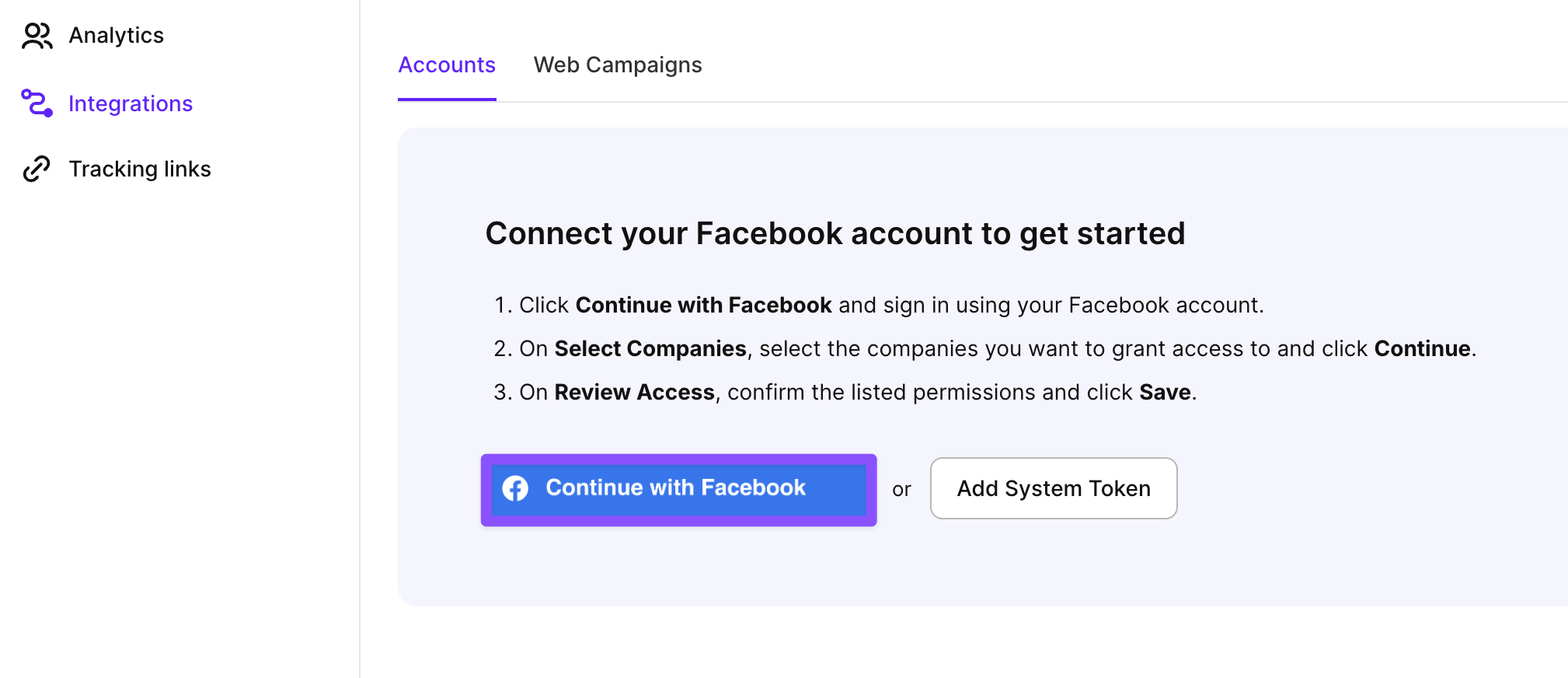
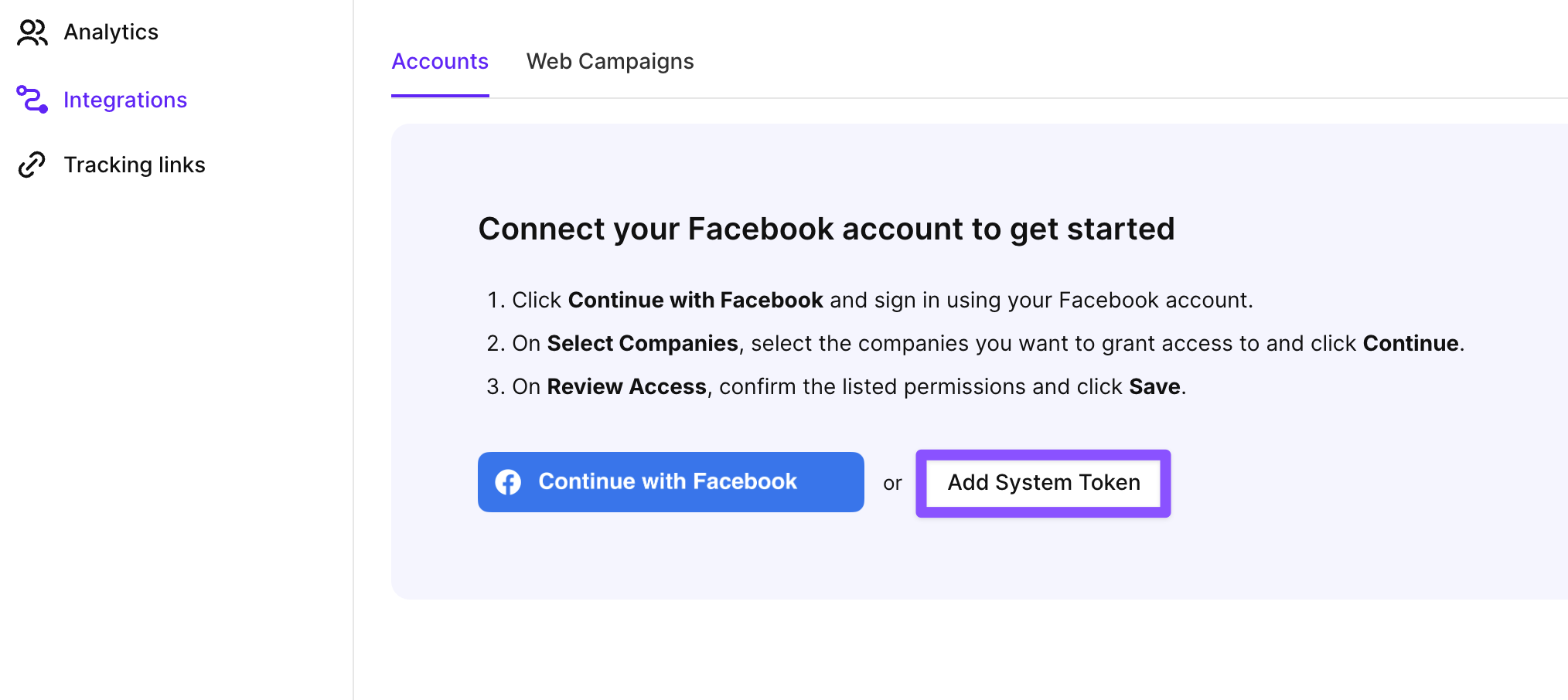
To connect Meta Ads to Adapty Attribution, go to Integrations > Meta from the left sidebar. You have two options:
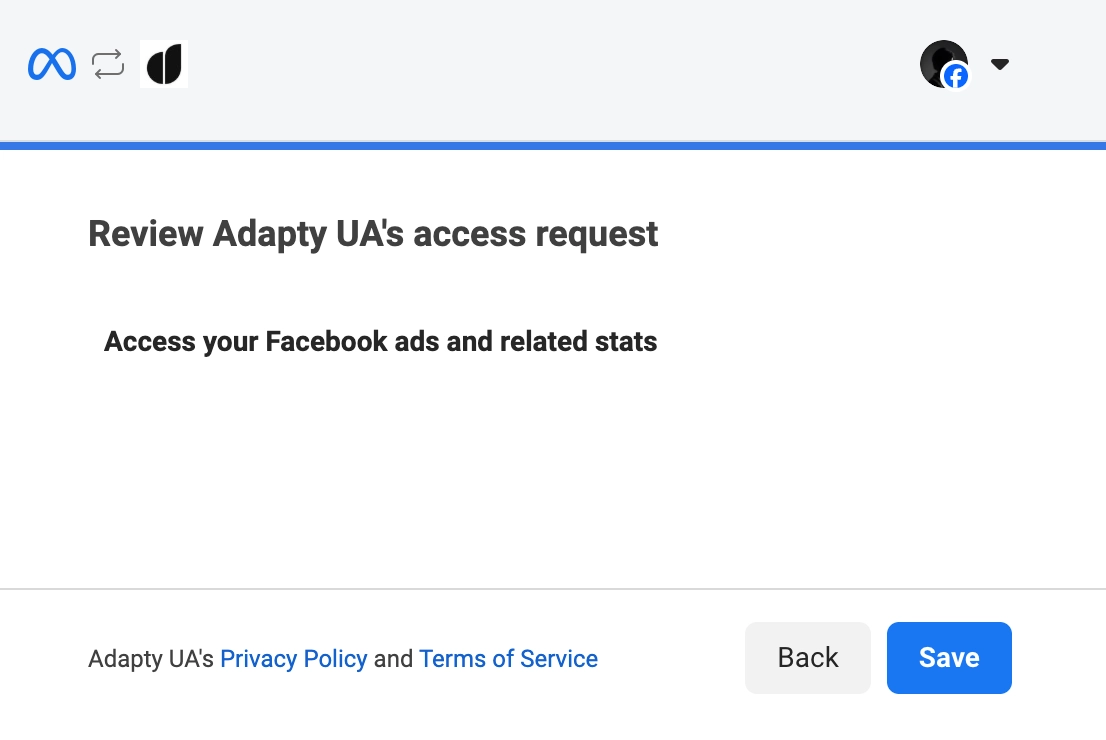
- Continue with Facebook: Connects via OAuth. Use this if you sign in to Meta Ads Manager with your personal or business Facebook account.
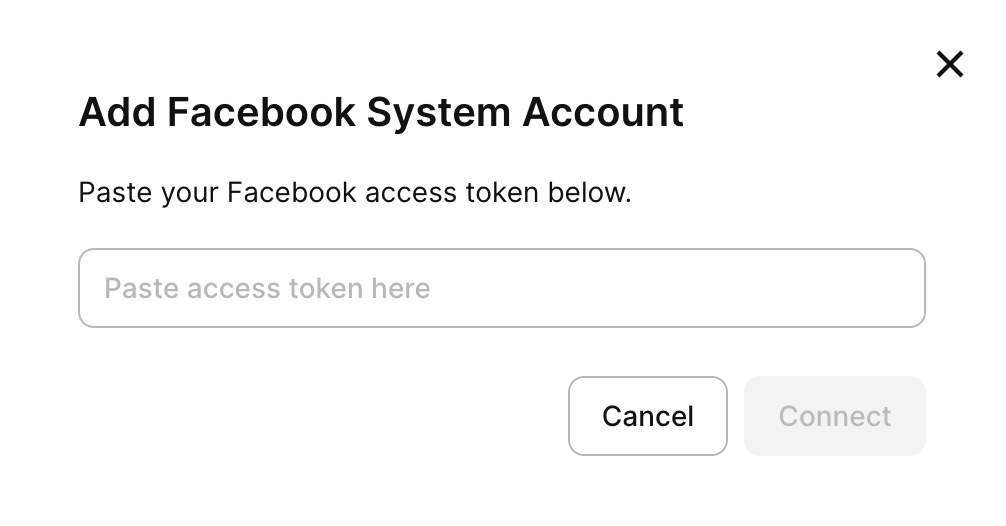
- Add system token: Connects using a permanent system user token. Use this if your organization manages ad accounts through a Meta Business system user.
After that, all your ad accounts will be added to Adapty Attribution. You can proceed with adding campaigns.
Step 2. Add campaigns
A single campaign can cover the App Store, Google Play, and your web funnel at once. Two pieces make the connection work:
- Tracking link: Goes into your ad. When a user taps the ad, Adapty records the click, sends the user on to the destination, and later attributes the install and purchases to that ad. Each destination gets its own link.
- Pixel: Selected in the campaign, from the pixels in your Meta account. Carries those conversions back to Meta, so Meta can optimize the campaign on real purchases. One pixel can serve all three destinations, or each destination can have its own.
To add a new Meta campaign to Adapty Attribution:
-
Switch to the Web Campaigns tab and click Create configuration.

-
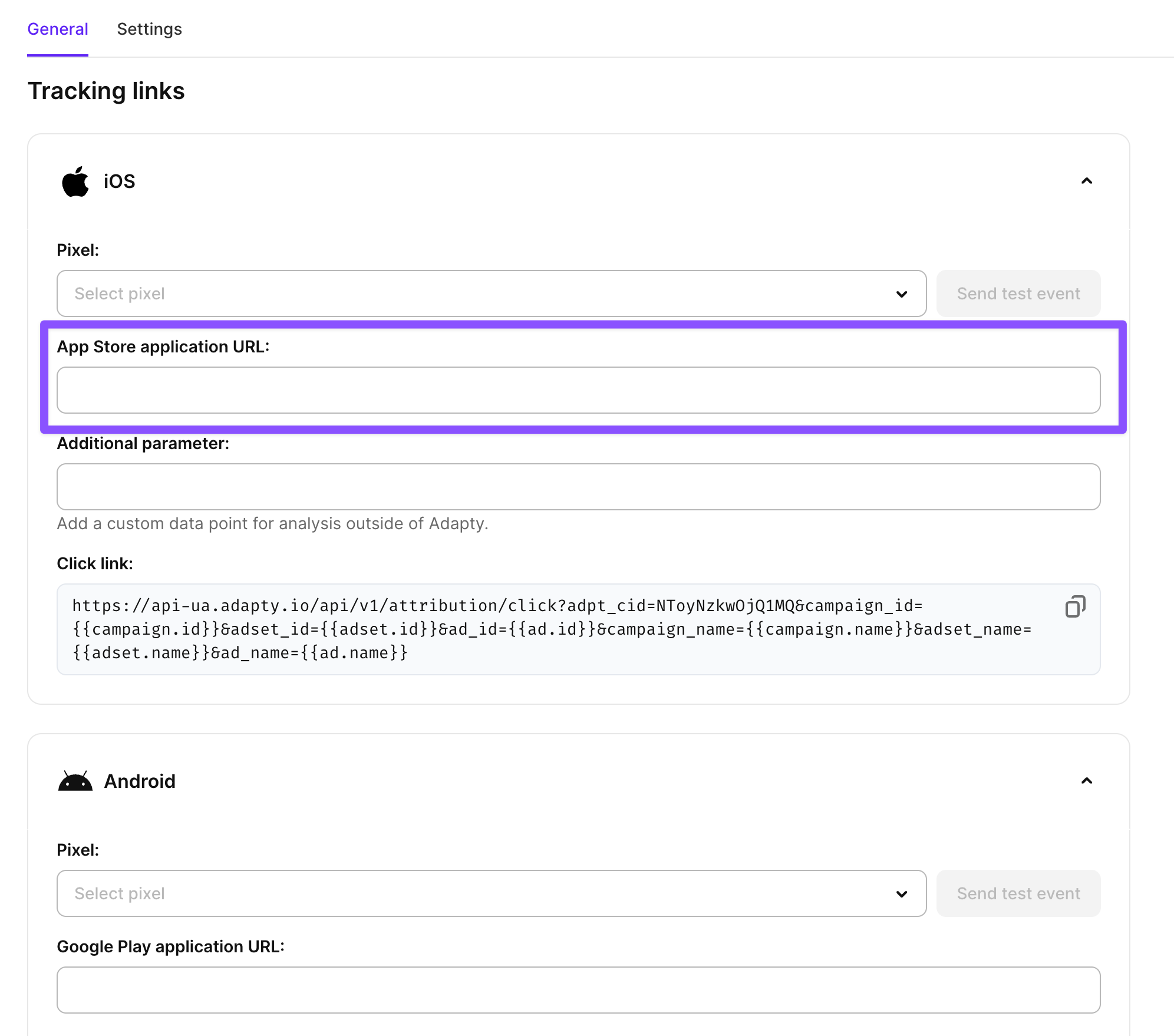
In the General tab, expand the iOS and/or Android section and paste App Store and/or Google Play application URLs.
-
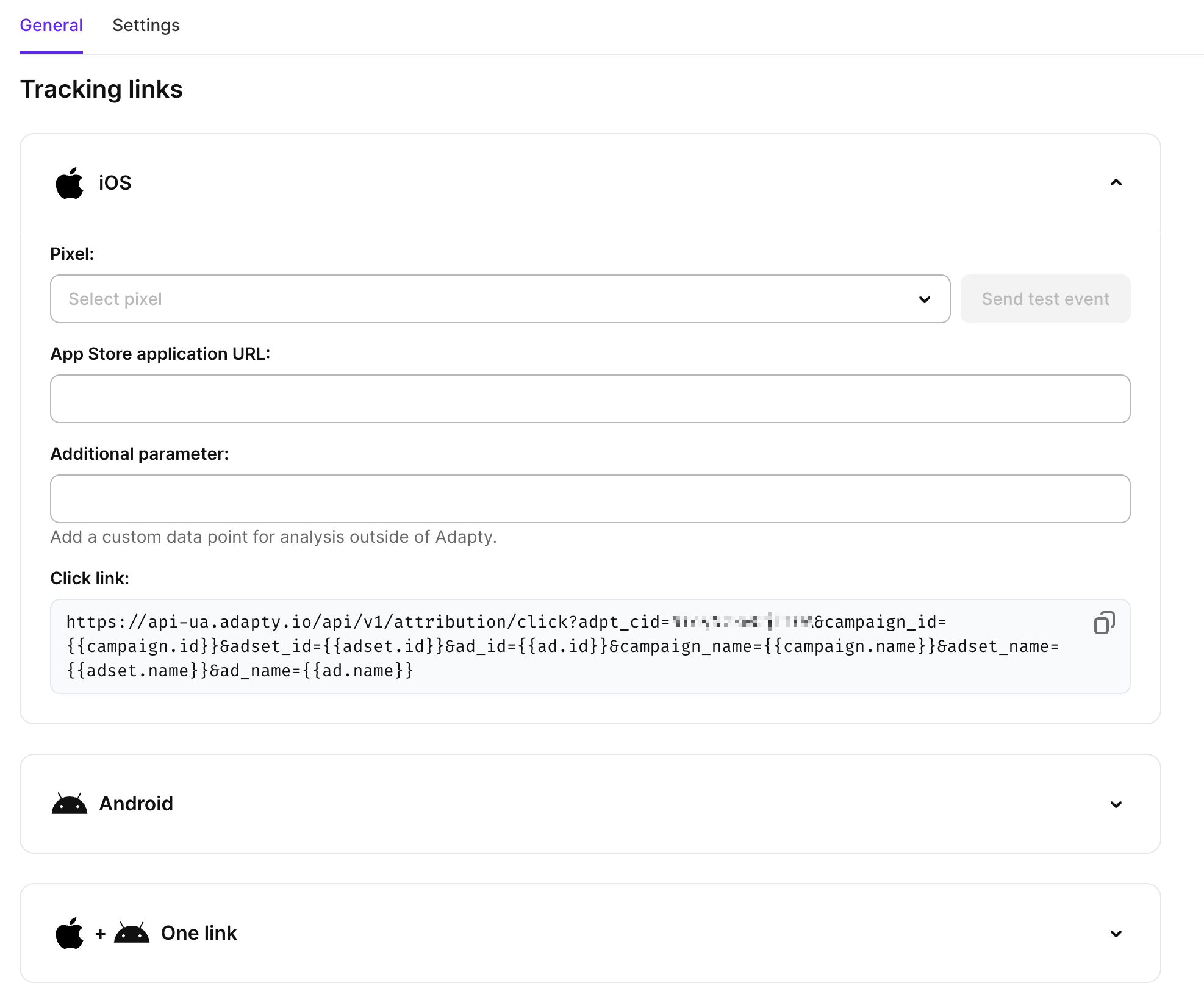
Copy the Click link field value. Then, in Meta Ads Manager, open your ad and split the link between the Website URL and URL parameters fields, as described in Create ads. This will allow Adapty to connect installs and purchases to ads in Meta.
-
To send the conversion events back to Meta, you can also associate your pixels from Meta with campaigns in Adapty Attribution. To do that, select one of your existing pixels in the Pixel dropdown. After selecting a pixel, you can click Send test event to verify the connection.
The Web funnel section works the same way. Purchases on a web funnel happen outside your app, so Meta learns about them only through the pixel you select here. The same section gives you the snippet to install the pixel on your funnel and the parameters to tag your ad URLs.
A different pixel per destination keeps iOS, Android, and web purchases separate for optimization and reporting; the same pixel everywhere combines them. The Web Campaigns list shows that choice per configuration, under Pixel (iOS), Pixel (Android), and Pixel (Web), as the pixel’s name and ID. A section without a pixel shows a dash, and one pixel selected in all three sections appears three times.
Step 3. Map events
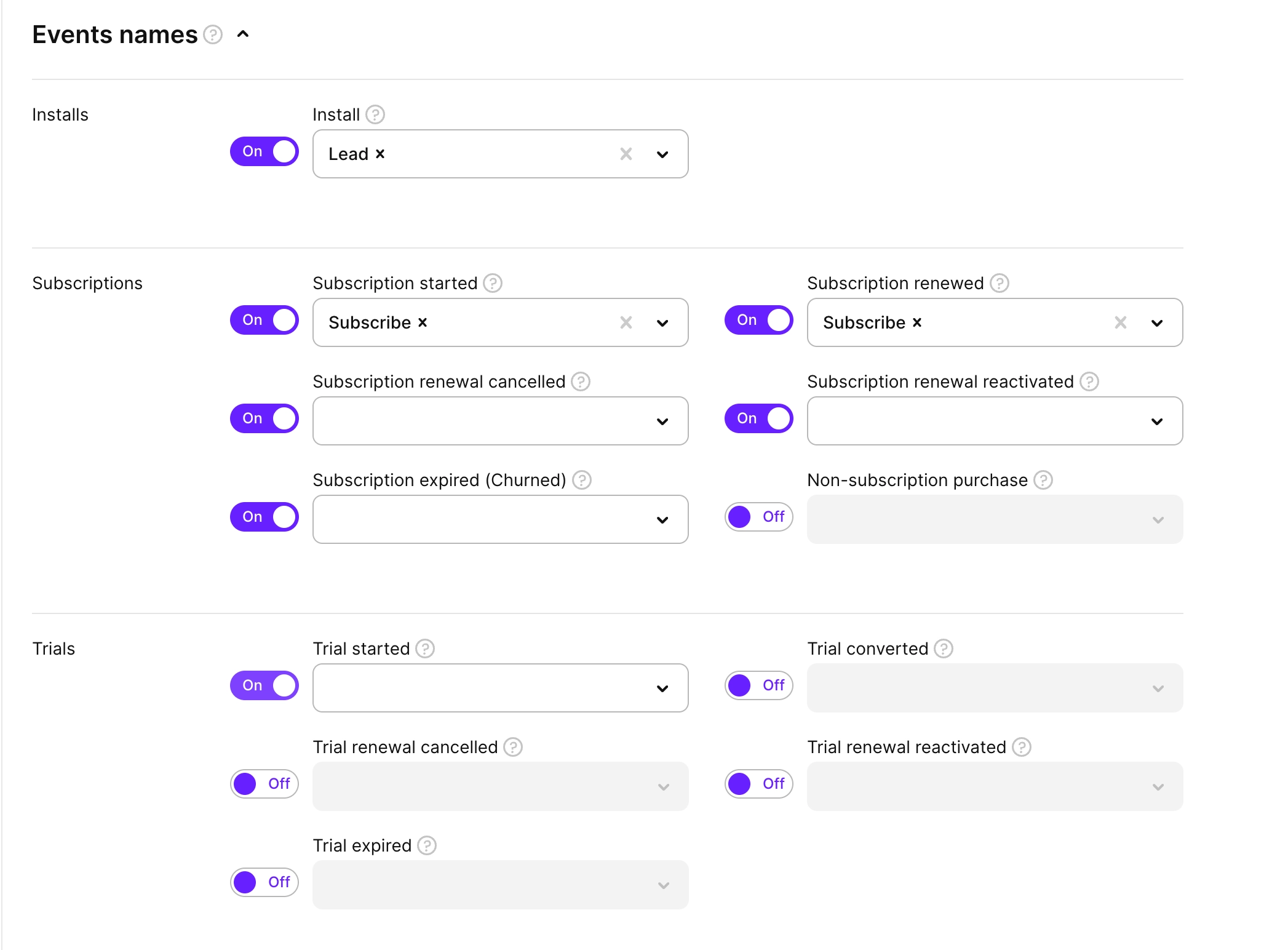
To send conversion events back to Meta for campaign optimization, you need to configure event mapping in the Events mapping section. This allows Adapty to automatically send subscription events when users perform actions in your app.
In the Events mapping section, toggle on the events you want to track in Meta Ads Manager. For each enabled event, select the corresponding Meta event from the dropdown or set a custom one. By default, Adapty maps Adapty events to Meta’s standard events.
Click Save to apply your event mapping configuration.
Additional configuration
Additional parameters
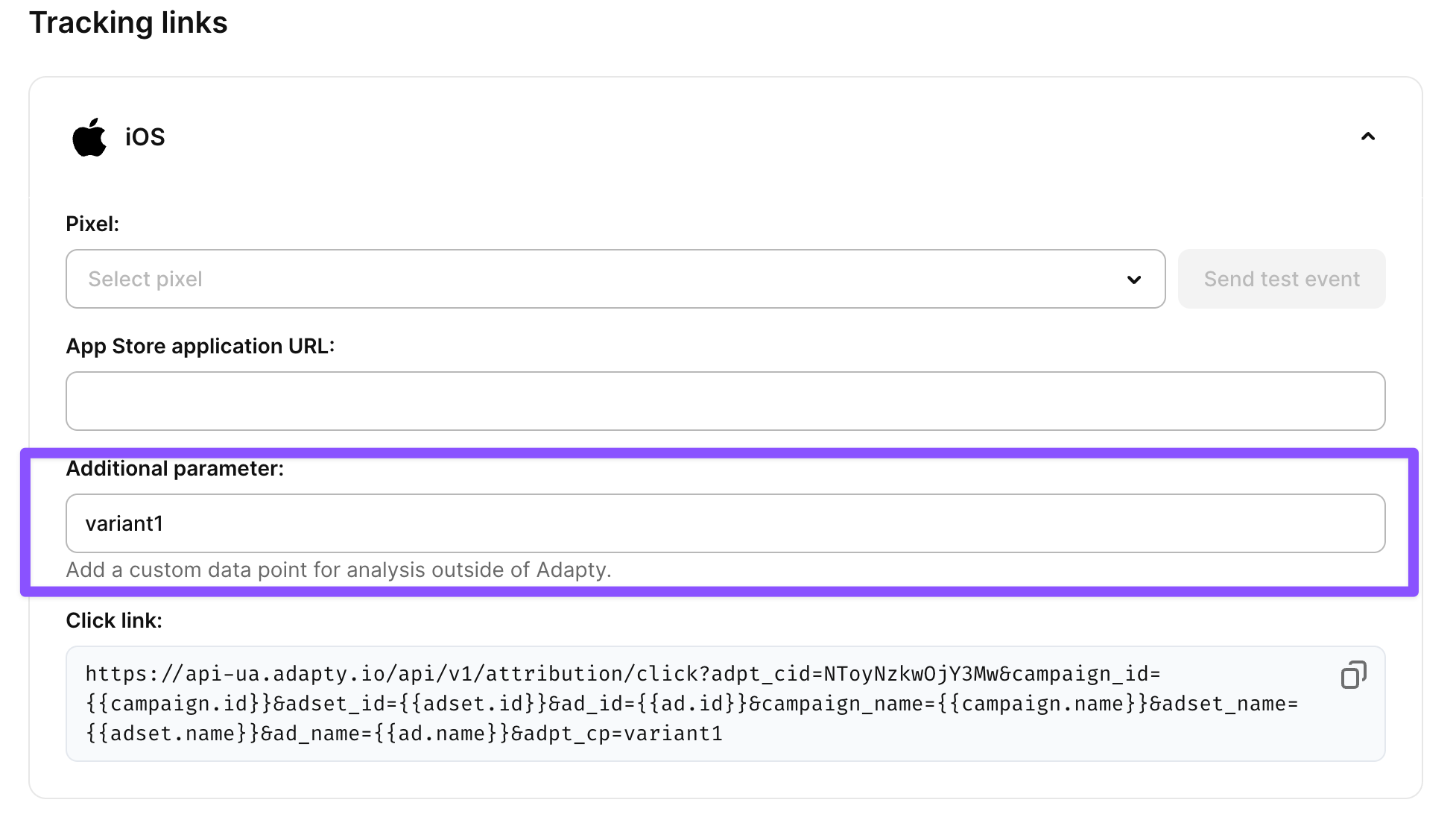
The Additional parameter field allows you to add custom data points for analysis outside Adapty. This is useful when you need to pass specific campaign or user data to external analytics tools or attribution partners.
In the Additional parameter field, enter any custom data you want to include with your attribution tracking. The additional parameter will be included in all attribution data sent to Meta and can be used for advanced campaign analysis and optimization.
For example, if you’re running multiple variations of the same campaign, you could add variant=A or variant=B to distinguish between different creative approaches.
Additional parameters change the Click link you paste in Meta Ads Manager. If you have already copied this link there and added a custom parameter later, ensure you copy and paste an updated click link that contains the custom parameter.
Settings
The Settings tab controls how Adapty matches an install to a click on your Meta ad. The settings apply to this campaign configuration only.
Adapty uses two kinds of matching:
- Deterministic matching works on Android only. Google Play passes the ID of the tapped click to your app through the Play Install Referrer, so Adapty matches the install to that exact click. iOS has no equivalent, so iOS installs are never matched deterministically.
- Probabilistic matching works on iOS and Android. Adapty compares the install with clicks from the same IP address range and operating system, and matches the install to the click that scores best on time since the click, device language, and country. For a click more than 6 hours before the install, the device model and OS version must match too. Adapty doesn’t use the IDFA or the Google Advertising ID, so probabilistic matching covers all iOS users, including those who denied tracking in the App Tracking Transparency prompt.
On Android, Adapty tries deterministic matching first and falls back to probabilistic matching.
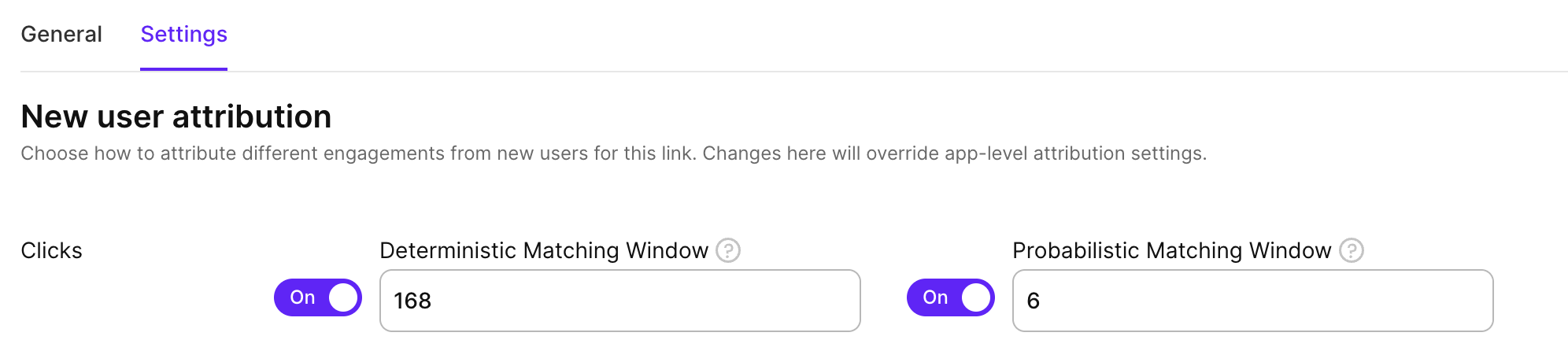
To set how long after a click an install can still be matched to it, on the Settings tab, in the New user attribution section, enter the window in hours:
- Deterministic Matching Window: 168 hours (7 days) by default, from 1 to 720 hours.
- Probabilistic Matching Window: 6 hours by default, from 1 to 24 hours. A longer window matches more installs, but more of those matches are wrong. For campaigns with high click volumes, reduce it to 1–2 hours.
To stop deterministic or probabilistic matching for this configuration, turn off the switch beside its window and save. The change takes effect within 5 minutes.
iOS installs can be matched only probabilistically. If you turn off probabilistic matching, iOS installs from this configuration’s links are not attributed. If you turn off both, no installs from its links are attributed.
Revenue override
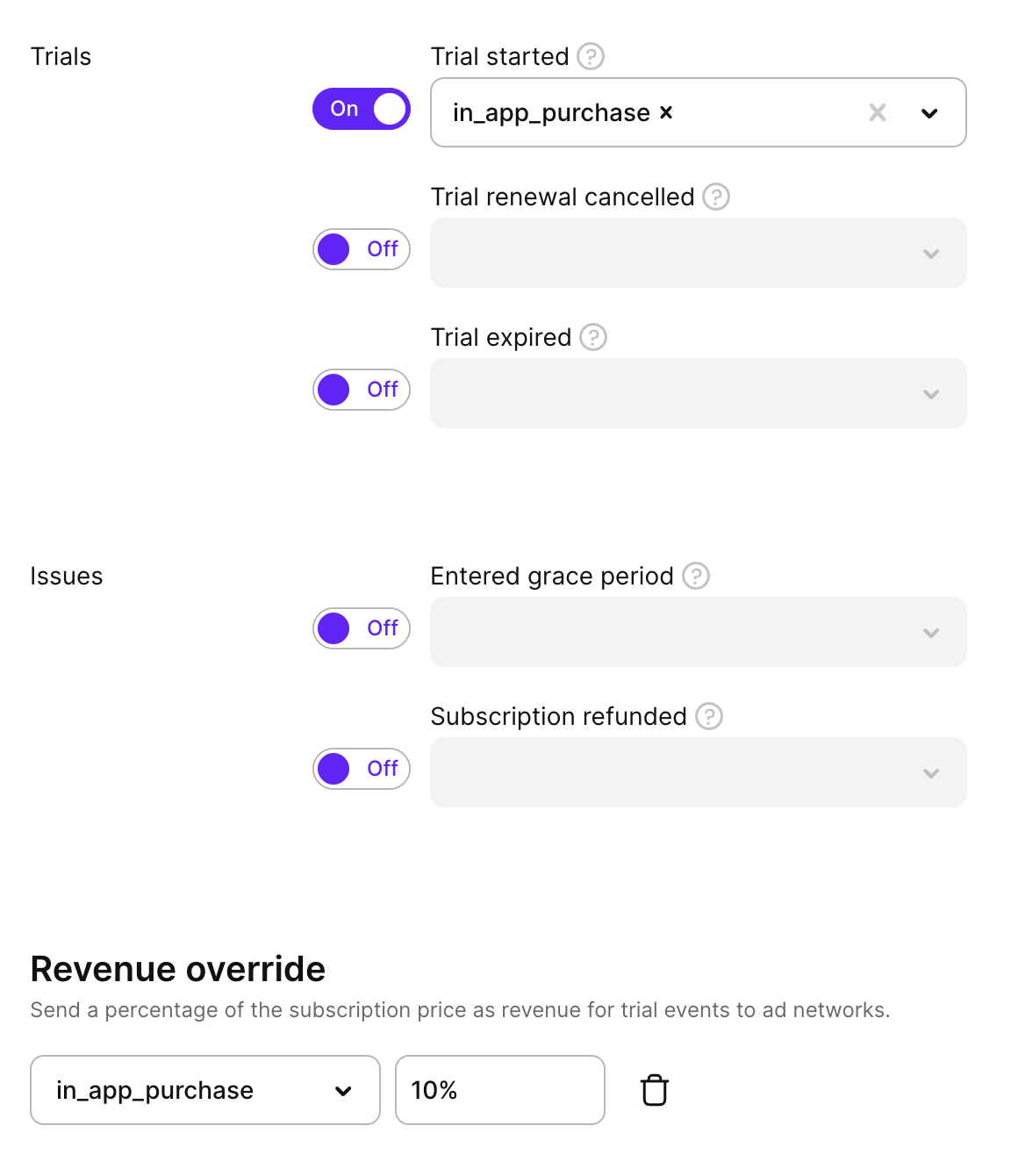
If you track trial events and want Meta to attribute revenue to them, use the Revenue override section. It appears when the Trial started event is enabled. The override applies to Trial started only — Trial converted and Subscription started always carry their actual revenue.
For each trial event target, set the percentage of the subscription price to report as revenue. For example, at 30%, Adapty sends 30% of the subscription price as the conversion value for trial events.
To add an override:
- Enable Trial started in the Events mapping section.
- In Revenue override, click Add event.
- Select the target event and enter a revenue percentage (0–100).
- Click Save.
Qualified trial
Adapty Attribution delays the trial event by up to 24 hours and sends it only if the user hasn’t cancelled. If an MMP also forwards trial_started or trial_active, Meta receives the same trial more than once.
A trial qualifies once it survives a given number of hours without being cancelled. Use the Qualified trial section to hold trial events until they qualify, so that Meta receives only the trials users kept.
For each trial event target, set the number of hours to wait. Adapty counts the hours from the trial start and sends the event when the deadline passes. If the user turns off auto-renewal before the deadline, Adapty never sends the event. If the user turns auto-renewal back on before the deadline, Adapty sends the event as planned.
To hold a trial event until it qualifies:
- Enable Trial started in the Events mapping section.
- In Qualified trial, click Add event.
- Select the target event and enter the number of hours to wait, from 1 to 24.
- Click Save.

Adapty sends the qualified event with the original trial start time, so Meta reports it on the day the trial started.
Adapty matches qualified trials by their App Store or Google Play transaction, so the hold applies to in-app trials only. Trial events from web purchases, such as FunnelFox, are sent immediately.
Revenue override and Qualified trial work independently, and you can apply both to the same trial event. Revenue override changes the value Meta receives; Qualified trial changes when Meta receives it. With both, Adapty holds the event until the trial qualifies, then sends it with the overridden revenue. Neither is recommended over the other — test what works for your campaigns.
Predicted LTV
Meta’s value optimization bids on what a conversion is worth, but on its own it sees only the payment being reported — so a monthly trial and a yearly subscription look almost alike at bid time. Use the Predicted LTV section to send Meta a predicted lifetime value alongside the conversion, so Meta bids on what the user is likely to be worth over the horizon you choose.
Adapty produces the prediction from your own app’s realized revenue, grouped by country, store, device, and locale, and attaches it to a conversion it has already sent.
Predicted LTV unlocks for an app once its data can carry a meaningful prediction. Adapty recalculates this daily and shows the app’s current position in the Predicted LTV section. Trial started and Subscription started are measured separately, and either one unlocks the app by clearing both bars:
- At least 100 Meta-attributed conversions of that event in each of the last 4 full weeks.
- At least 5 distinct predicted values, with the highest at least 3× the lowest.
Meta adds two requirements that Adapty can’t verify for you: the dataset must be out of Core Setup, and the ad account must have a validated value model in use.
To send predicted values for a campaign:
- In Events mapping, enable Trial started or Subscription started and map it to a Meta event.
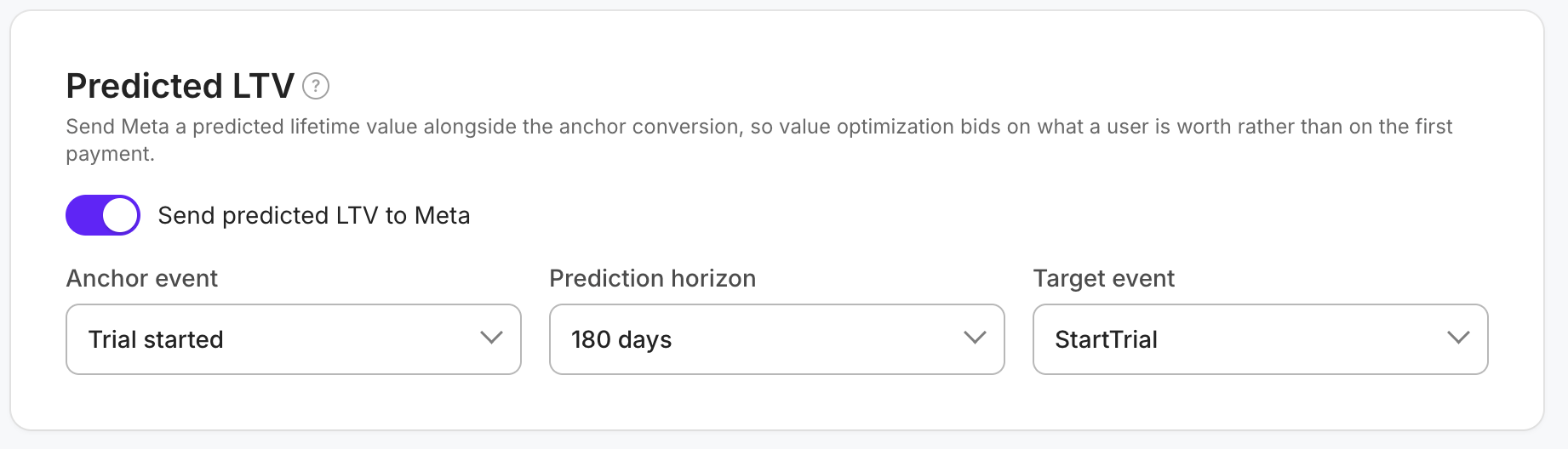
- In Predicted LTV, turn on Send predicted LTV to Meta.
- In Anchor event, select the event you mapped in step 1.
- In Prediction horizon, select how far ahead the value looks: 30, 90, 180, or 365 days.
- In Target event, select the Meta event the predicted value attaches to. The list shows only the events this campaign maps the anchor to. Meta accepts predicted values on Purchase, Subscribe, StartTrial, CompleteRegistration, AddPaymentInfo, and custom events only.
- Click Save.
- To let Meta use the values, in Events Manager, open your dataset and select the target event in Value and Currency Metrics. Click Set up pLTV and choose After [Event Name] events, because Adapty delivers the value after the conversion, not with it.
Meta learns from the anchor event and the horizon you picked. Changing either one on a live setup restarts Meta’s learning phase, and ROAS before and after the change is not comparable. Meta also calculates ROAS differently for each optimization setting, so compare a pLTV campaign only with other pLTV campaigns.
Meta accepts one anchor event and one horizon per dataset, so campaigns sharing a pixel have to send the same pair. Saving a campaign whose pair disagrees with another enabled campaign on that pixel is rejected, and the error names the campaign to align with.
Adapty prepares the predicted value when it sends the anchor conversion, then delivers the value 24 hours later — inside Meta’s 7-day window for attaching a value to a conversion. Three cases change what Meta receives:
- When the anchor event is held by Qualified trial, the 24 hours start once the trial event reaches Meta. A trial cancelled before it qualifies sends neither the conversion nor a predicted value.
- When Adapty has no prediction for that user’s group — a country you started buying in recently, for example — the conversion still goes out, without a predicted value.
- Turning off Send predicted LTV to Meta also drops the predicted values still waiting to be delivered.
Adapty sends predicted values in USD.
Once Events Manager shows no open issues for the integration, Meta needs about two weeks to train its model before you start the first pLTV campaign. To read the results, in Ads Manager, add the pLTV column for the target event, such as StartTrial pLTV, through Columns > Customize columns > Results ROAS. Adapty delivers each value a day after the conversion, so wait one day after a campaign ends before reading its final numbers.
Send all events
By default, Adapty only reports the events of users who came from one of your Meta campaigns. The Send all events option reports every install and transaction instead, including those from organic and non-attributed users.
We don’t recommend it unless your campaigns send Meta too few conversions to optimize on, because mixing organic and non-attributed events with your campaign events makes Meta’s optimization less precise.
If you decide to turn it on, in the campaign settings select Send all events (forward organic/non-attributed events to this pixel) and click Save.