
Adapty Ads Manager
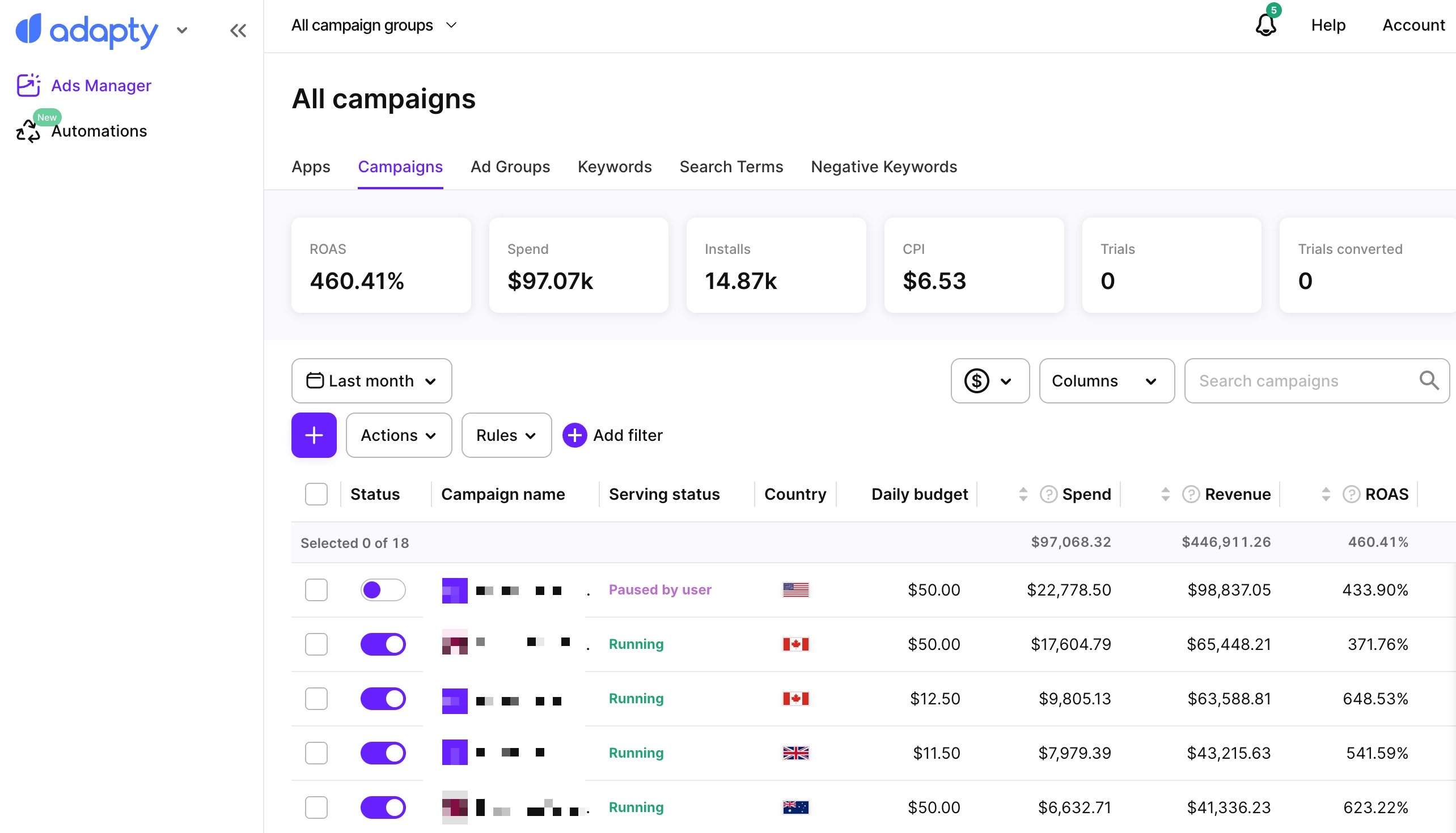
Adapty Ads Manager is an all-in-one platform designed to help you manage, optimize, and scale your Apple Ads campaigns more efficiently. It connects your Apple Search Ads performance with key revenue metrics such as installs, trials, subscriptions, and lifetime value without requiring an MMP.
With real-time analytics, AI-driven forecasts, and smart automation, Adapty Ads Manager eliminates tedious manual bid changes, spreadsheets, and guesswork, and replaces them with clear insights and tools that help you take action faster.
With Adapty Ads Manager, you get:
- Overview: All key metrics at a glance — spend, revenue, ROAS, CPA, and more — each with a daily trend chart
- AI Agent: Ask plain-language questions and get full-funnel answers and recommendations
- Real-time performance data: Across campaigns, ad groups, and keywords
- End-to-end revenue tracking: From search → install → trial → subscription → LTV
- AI predictions & recommendations: For profitable scaling
- Bulk management: Of bids, budgets, statuses, and structures
- Rule-based automations: Manage the full keyword lifecycle
- Market Intelligence: Competitor keyword strategies across 50+ countries
- Keyword Suggester: Related search phrases and Apple category context for any seed phrase
- Search Popularity: The App Store search terms that rank highest in a selected market, category, and period
- CPP A/B Tests: Compare custom product pages head-to-head and find the best performer
- Change History: Changes to your Apple Ads campaigns, including those made outside Adapty, with the values before and after
- CLI: Manage campaigns, keywords, and automation rules from the terminal, and let AI coding tools read your metrics and act on them through the Apple Ads plugin
Get started
Import your historical data from Apple Ads and start getting real-time updates on the dashboard
Overview
See all your key Apple Ads metrics in one place, each with a trend chart.
AI Agent
Ask plain-language questions about your Apple Ads account and get full-funnel answers and recommendations.
Analytics
See the app analytics in Adapty Ads Manager.
Manage campaigns
Create and edit Apple Ads campaigns in Adapty Ads Manager.
Manage ad groups
Create and edit Apple Ads ad groups in Adapty Ads Manager.
Manage keywords
Add and manage Apple Ads keywords, negative keywords, and SKAG keywords in Adapty Ads Manager.
Automations
Automate your Apple Ads campaigns with keyword, search term, ad group, and campaign rules.
Market Intelligence
See which keywords your competitors run Apple Ads on across 50+ countries, and add them directly to your campaigns.
Keyword Suggester
Expand a seed phrase into related App Store search phrases and Apple category context, and build a keyword shortlist for Apple Ads and ASO research.
Search Popularity
See the App Store search terms that rank highest in a selected market, category, and period, with Apple-provided popularity signals.
CPP A/B Tests
Compare custom product pages in Apple Ads and find the best performer.
Change History
Find out what changed in your Apple Ads campaigns, in Adapty or outside it. For each change, see who made it and the values before and after.
Why choose Adapty Ads Manager?
Because we give you the most accurate data in the market.
Unlike the native Apple Ads console or MMPs, our data is real-time, lossless, and fully connected to trials, subscriptions, and LTV — without delays or attribution gaps.
With its easy implementation and smooth user experience, you can manage everything in one place without having to switch between multiple tools.
Get started
To get started with Adapty Ads Manager, follow the guide. It covers the two steps you need: installing the Adapty SDK and connecting your Apple Ads account.
You can also manage the same account from the terminal — see Manage Ads Manager from the CLI.