
Sharing paid access between user accounts
When a user makes a purchase, Adapty assigns a new access level to their active profile. This access level authorizes the buyer to access paid content.
The buyer’s profile may inadvertently change if they reinstall your app, or log into a new in-app account. To ensure uninterrupted access, Adapty automatically shares the user’s access level between the original profile and the ones that follow.
This approach works best for most applications. But if your business logic demands it, you can select a more limited paid access sharing policy.
Open the General Settings page to set an access level sharing policy. To facilitate testing, you can change this setting for the sandbox environment only.
If your application doesn’t authenticate users, you can ignore this setting. Anonymous profiles associated with the same store account always share their access level.
Which access sharing policy should I choose? (Click to expand)
| My app… | Best option |
|---|---|
| Does not have authentication capabilities, and only uses Adapty’s anonymous profile IDs. | Use the Enabled (default) setting. |
| Can authenticate users, but allows them to make purchases without an account. | Enable the Transfer access to new user setting. The users will be able to sign up and claim anonymous purchases. |
| Requires customers to create an account before a purchase, but can link a single product to multiple Customer User IDs. | Enable the Transfer access to new user setting. Multiple accounts will be able to access the product, but only in sequence. |
| Requires customers to create an account before purchasing, with strict rules that tie purchases to a single Customer User ID. | Disable access level sharing. |
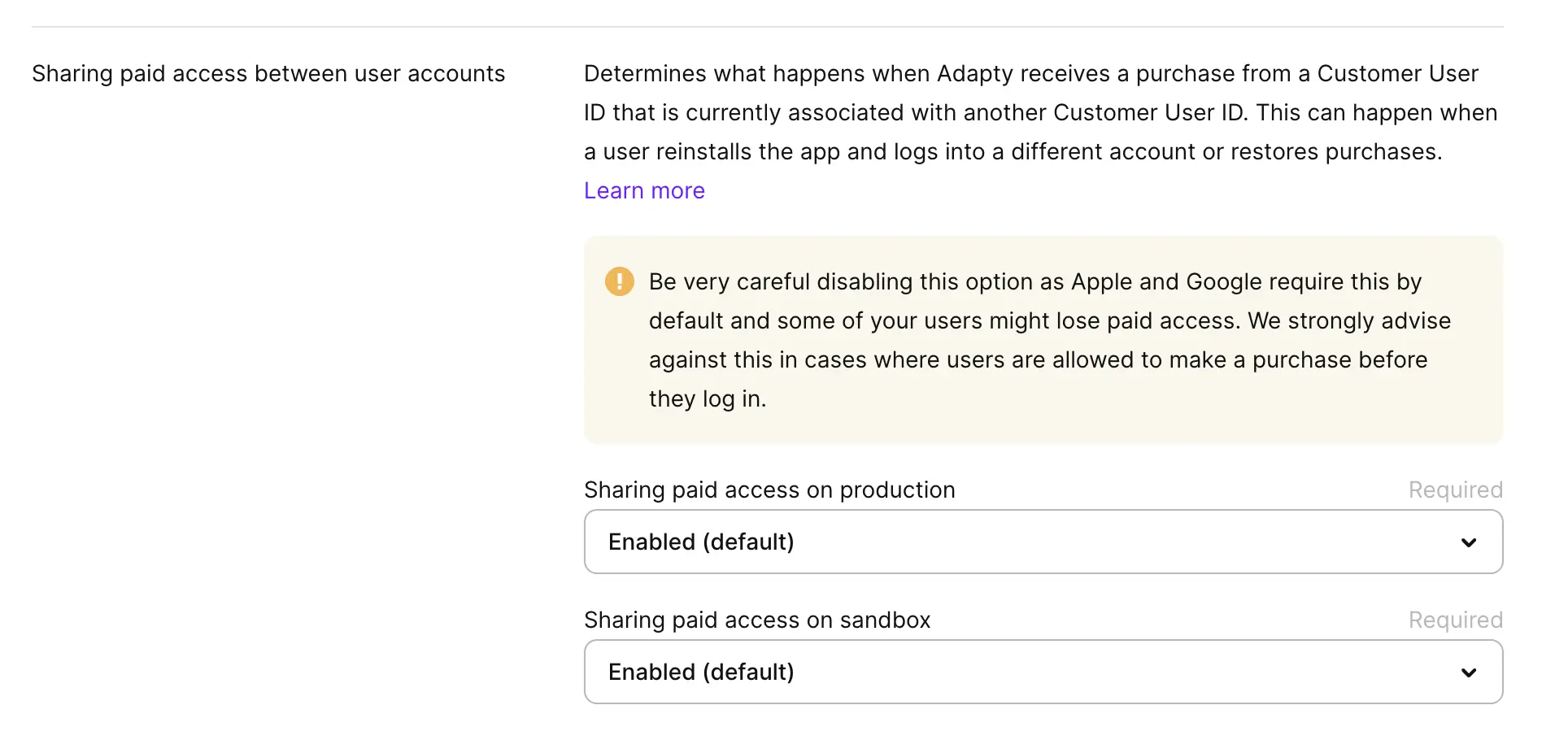
Enabled (default)
This setting works best for applications without built-in authentication. After the purchase, all profiles associated with same store account automatically inherit the access level.
- If a user logs into your app with a new set of credentials, they retain access to paid content.
- If a user reinstalls your application after a factory reset, they retain access to paid content.
- If a user installs the application on other devices with the same store account, the purchase is made available on all devices. Even if each instance of the application has its own customer profile.
Transfer access to new user
This setting works best for applications that allow purchases with or without authentication, or want to enforce a one-device-per-user policy.
Adapty limits purchase access to 1 customer ID at a time. The device owner can reinstall the app, log in and out, but cannot access the same product from more than one customer ID simultaneously.
With this setting enabled, anonymous profiles (for example, a profile that becomes active after the user logs out) always inherit the access level of the last active customer ID. This is necessary to prevent loss of access later on.
When you disable the default setting, and enable Transfer access to new user, Adapty does not immediately update the access levels of existing customer profiles.
The switch occurs when a user triggers a new store event: for example, renews the subscription, or restores their purchases.
Adapty revokes the old profile only when the new profile has a Customer User ID at the moment the SDK propagates the transaction. If restorePurchases runs on an anonymous profile, both the old Customer User ID and the new anonymous profile end up with the access level. The old profile is revoked later, when you identify the anonymous profile.
To avoid this, call the SDK methods in order: activate → identify → restorePurchases.
Transfer moves the access level itself, not just the store purchase. When a restore transfers access to a new profile, Adapty revokes that access level from the previous profile even if a different store granted it — for example, a web (Stripe) purchase that maps to the same access level. If web and in-app purchases must stay independent, map their products to separate access levels.
Disable paid access sharing
This setting is only appropriate for applications with mandatory authentication or an independent access management implementation. In other cases, the users may not be able to access their purchases, and your application risks failing the mandatory store review.
If you disable paid access sharing, Adapty ties the product to the active customer ID at the time of the purchase, and does not share the access level with any other customer profiles. This policy allows for strict 1-to-1 product distribution.
When you disable paid access sharing, you prevent customer IDs from inheriting paid access. If a customer ID inherited paid access in the past, it cannot be revoked automatically.
In emergency situations, you may need to delete a user profile in order for the next available profile (whether identified or anonymous) to claim its access level.
Practical reference
After you pick a mode, the contracts below describe what to expect: which profiles see the access, when the old profile loses it, and which webhook events fire.
| Mode | Multiple profiles share one purchase? | Old profile revoked on transfer? | When the old profile is revoked | Webhook events when a second profile claims the subscription |
|---|---|---|---|---|
| Enabled (default) | Yes — every profile that restores or signs in inherits access | Never | N/A | access_level_updated (is_active=true) for each new profile that inherits |
| Transfer access to new user | No — exclusive, but movable between profiles | Yes | Immediately when the new identified device propagates the transaction (restorePurchases, identify, or the next store-side event) | New profile: access_level_updated (is_active=true). Old profile: access_level_updated (is_active=false) |
| Disabled | No — one Customer User ID per purchase, permanently | N/A — access never transfers | N/A | None on the second profile. The SDK shows no access for it |
Sharing paid access on sandbox
You can set a sharing paid access policy specifically for the sandbox environment. When you test purchases in the sandbox environment, expect the following behavior:
- Apple stores information about your past purchases in the account’s purchase history. The Adapty SDK can access it, too.
- If you reinstall the application, and Adapty detects that the product has already been purchased, the active profile will inherit the access level.
- If Apple detects an existing purchase for the product, it won’t allow you to make the same purchase twice, even if the active profile doesn’t have the necessary access level.
This behavior occurs independently of your sharing paid access setting. Your app doesn’t display the paywall, you can’t buy the product. The only solution is to clear your account’s purchase history. Follow the sandbox testing guide for in-depth instructions.
Sandbox subscriptions on Apple auto-renew every few minutes. These rapid renewals can swap which profile Adapty treats as the parent — a chain pattern production rarely reproduces. Test the mode you ship in production, and confirm behavior with a real Apple ID before drawing conclusions from sandbox.
Paid access sharing in analytics
- Adapty logs transactions as they occur. A single transaction may be associated with more than one profile, but isn’t counted more than once.
- If two or more profiles share the same access level, the purchase is attributed to the parent profile.
- Access level inheritance does not impact installation statistics. To determine how Adapty counts installations, you can select one of the two available installation definitions on the settings page.