
Churned (expired) subscriptions
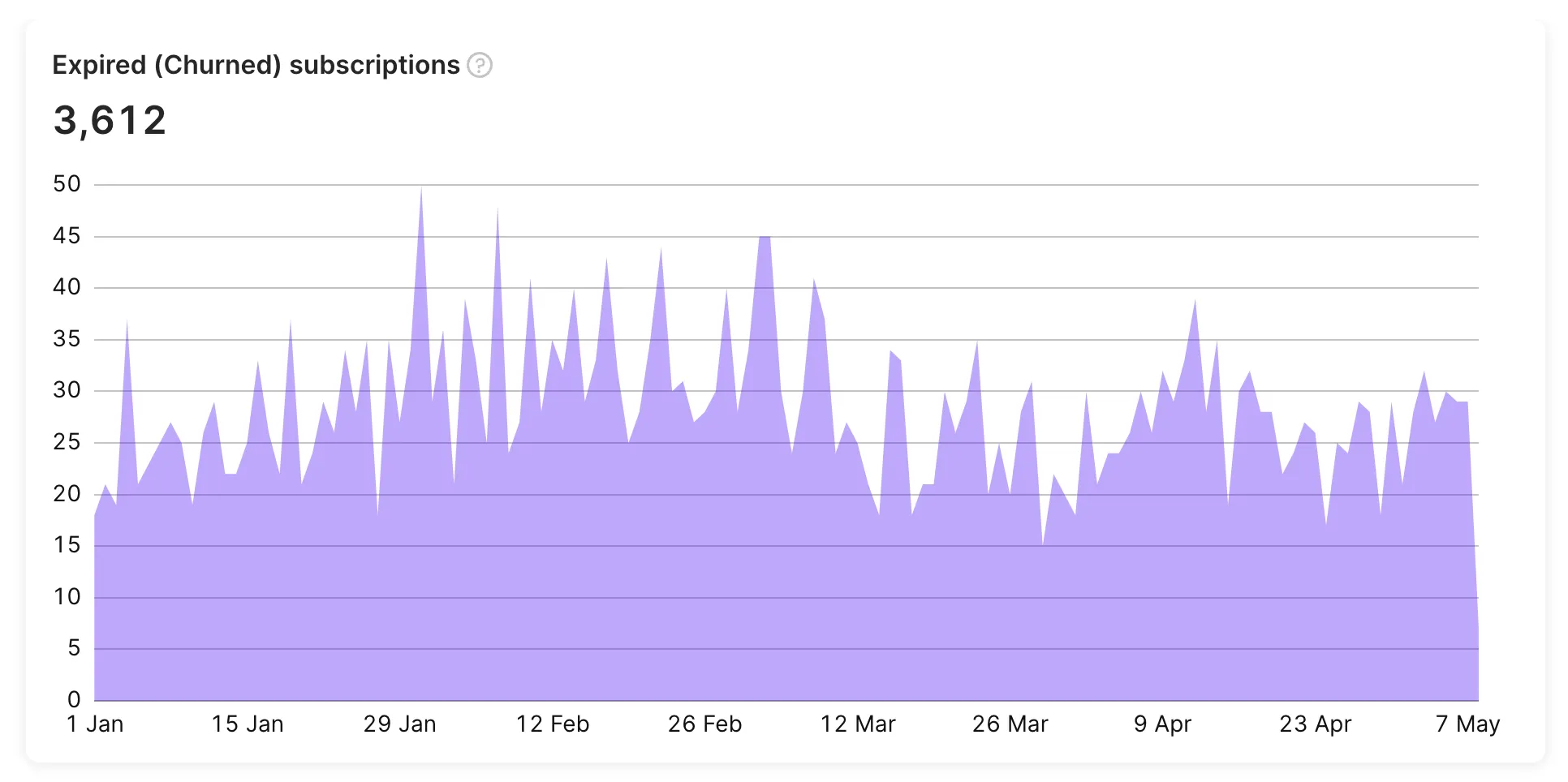
The churned (expired) subscriptions chart displays the number of subscriptions that have expired, meaning that the user no longer has access to the premium features of the app. Typically, this occurs when the user decides to stop paying at the end of the subscription period for the app or encounters a billing issue. Group by expiration reason to separate voluntary churn from billing-driven churn.
Save subscribers before they cancel. Retention Messaging shows a custom message inside Apple’s Cancel Subscription screen — a reason to stay, right when a subscriber taps Cancel.
Calculation
The churned (expired) subscriptions metric counts subscriptions that expired during the period — the user lost access to premium features. This includes both users who chose not to renew and those who lost the subscription due to a billing issue.
Available filters and grouping
Main article: Analytics controls
- ✅ Filter by: Attribution, Audience, Country, Paywall, Flow, Flow screen, A/B tests, Placement, Segment, Store, Product, and Duration.
- ✅ Group by: Expiration reason, Product, Country, Store, Paywall, Flow, Flow screen, Audience, Placement, Duration, Segment, and Attribution.
Similar metrics
For a side-by-side comparison of these metrics, see the Metric comparison table.