
启用 App Store 服务器通知
设置 App Store 服务器通知对于确保数据准确性至关重要,它能让你即时接收来自 App Store 的更新,包括退款及其他事件信息。
Important
完整支持 App Store Server Notifications V2 需要 Adapty iOS SDK 2.10.0 或更高版本。
- 在 Adapty 看板中复制 URL for App Store server notification。
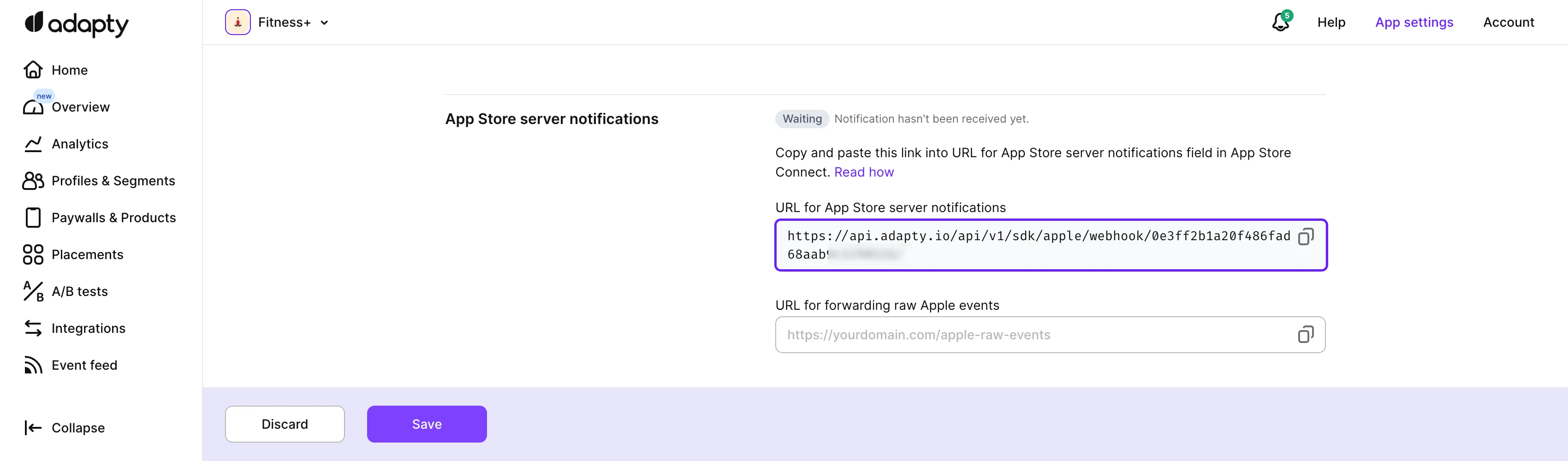
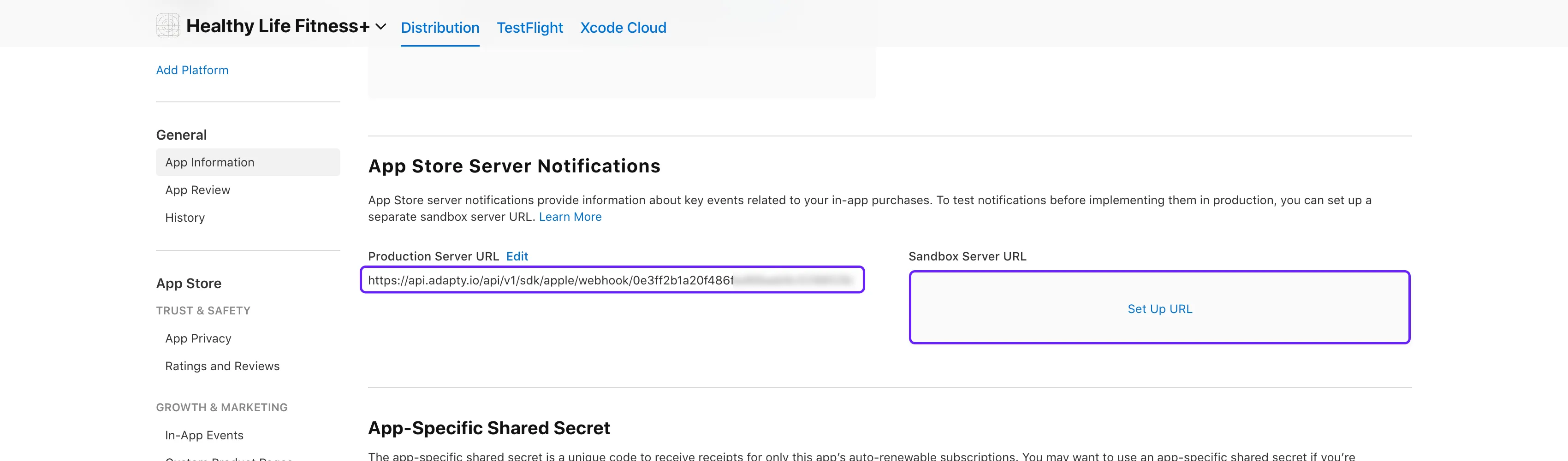
- 打开 App Store Connect。选择您的应用,进入 General → App Information 部分下的 App Store Server Notifications 子部分。
- 将复制的 URL for App Store server notification 粘贴到 Production Server URL 和 Sandbox Server URL 字段中。
保存 URL 后,Adapty 看板中的通知状态只有在 Apple 发送第一条真实通知时才会更新——即发生首个订阅事件(如购买或续订)时。Apple 的测试通知不会触发状态变更。设置完成后显示等待状态,并不代表连接存在问题。
原始事件转发
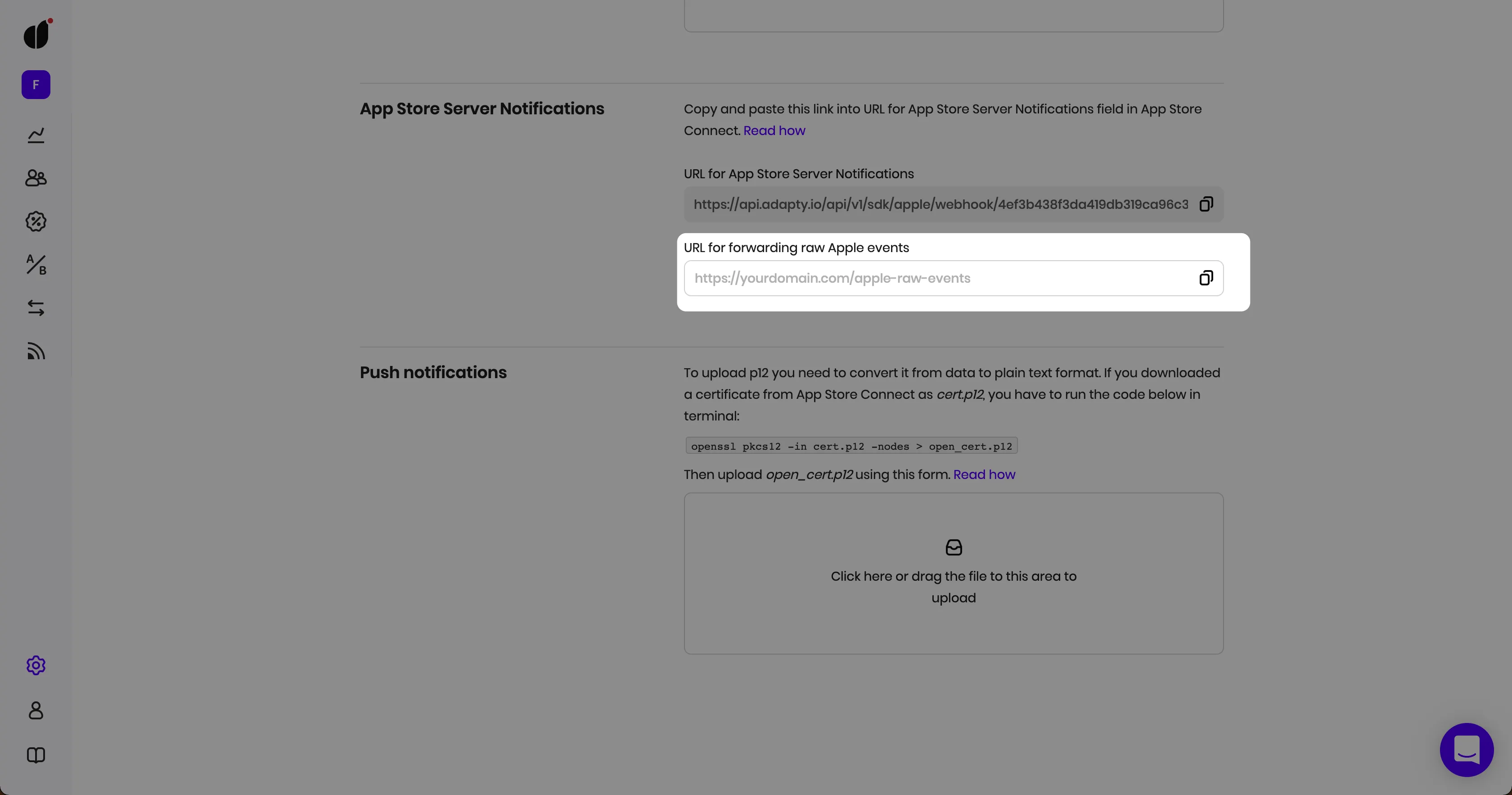
有时,您可能仍希望直接从 Apple 接收原始 S2S 事件。如需在使用 Adapty 的同时继续接收这些事件,只需将您的端点添加到 URL for forwarding raw Apple events 字段,我们会将 Apple 的原始事件原封不动地转发给您。
Warning
如果通知停止发送到 Adapty,新交易、续订和退款将无法显示。Adapty 不会对此发出警告——请参阅如果更新停止到达。
通知真实性
Adapty 不会对接收到的 App Store 服务器通知的来源进行验证——既不验证发送方的 IP 地址,也不验证 Apple 的 JWS 签名,唯一的验证依据是通知 URL 本身。请将通知 URL 视为一种凭证:任何持有该 URL 的人都可以向其发送有效载荷。
Apple 沙盒的 TEST 通知类型不会被存储,无论是谁发送的,因此手动发送此类通知不会在 Event Feed 中生成任何事件。
下一步
为以下平台配置 Adapty SDK: