
Localize a flow with remote config
A flow’s remote config can hold a separate JSON payload for each locale. At runtime, the SDK returns the payload that matches the user’s locale, so you can serve translated copy, different images, or other locale-specific values without shipping a new app version.
Add a locale
To add a locale to a flow’s remote config:
-
Open the flow in the Flow & Paywall Builder.
-
Click the remote config icon above the screen preview.
-
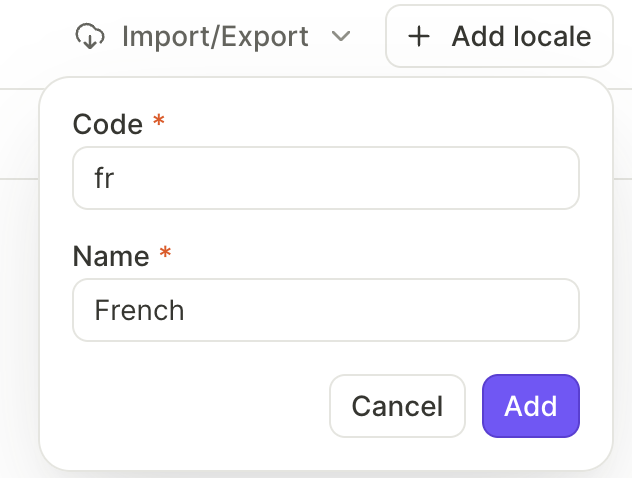
Click Add locale above the editor.
-
Fill in the dialog:
- Code: The locale code, for example
en,fr, orde. - Name: The display name, for example English or French.
Adapty adds a new column to the JSON editor for the locale.
- Code: The locale code, for example
Edit values per locale
Each locale’s column accepts its own JSON-formatted data. Use the same keys across columns and translate the values for each locale.
For example, the English column:
{
    "title": "Try for free!",
    "cta": "Continue",
    "trial_days": 7
}
And the Spanish column:
{
    "title": "¡Prueba gratis!",
    "cta": "Continuar",
    "trial_days": 7
}
Columns are independent — editing one doesn’t affect the others.
Read the matching locale in your app
The SDK exposes one AdaptyRemoteConfig entry per locale on AdaptyFlow.remoteConfigs. Pick the entry whose locale matches your user, then read its dictionary or jsonString to use the values at runtime.
Back up or move locales
Use the Import/Export menu above the editor to back up your remote config or copy it across flows. The exported JSON file holds every locale’s payload at once. See Customize flow with remote config for the file format.