
Countdown timer
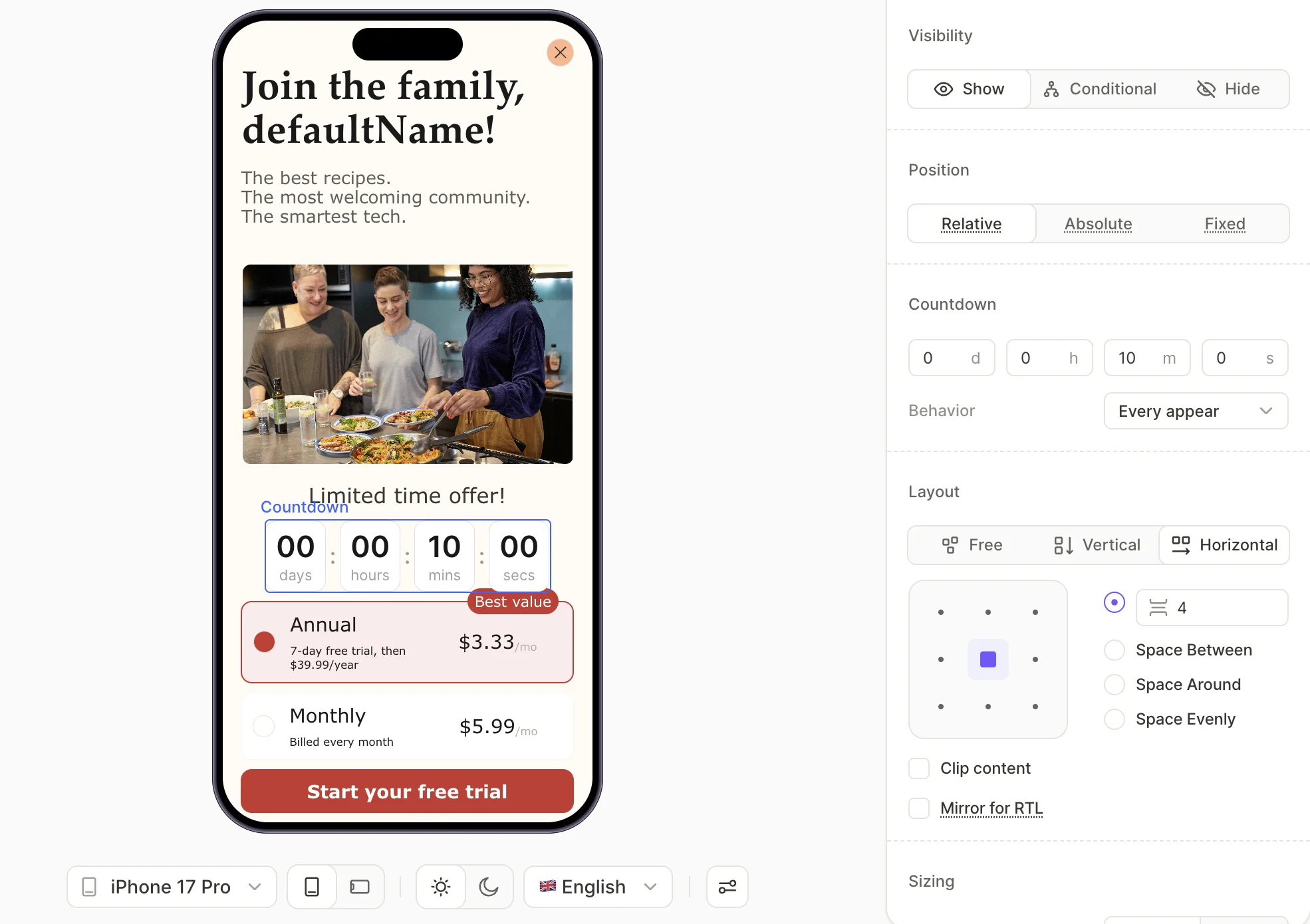
The Countdown timer counts down from a fixed duration to zero — once it reaches zero, the display freezes.
Templates
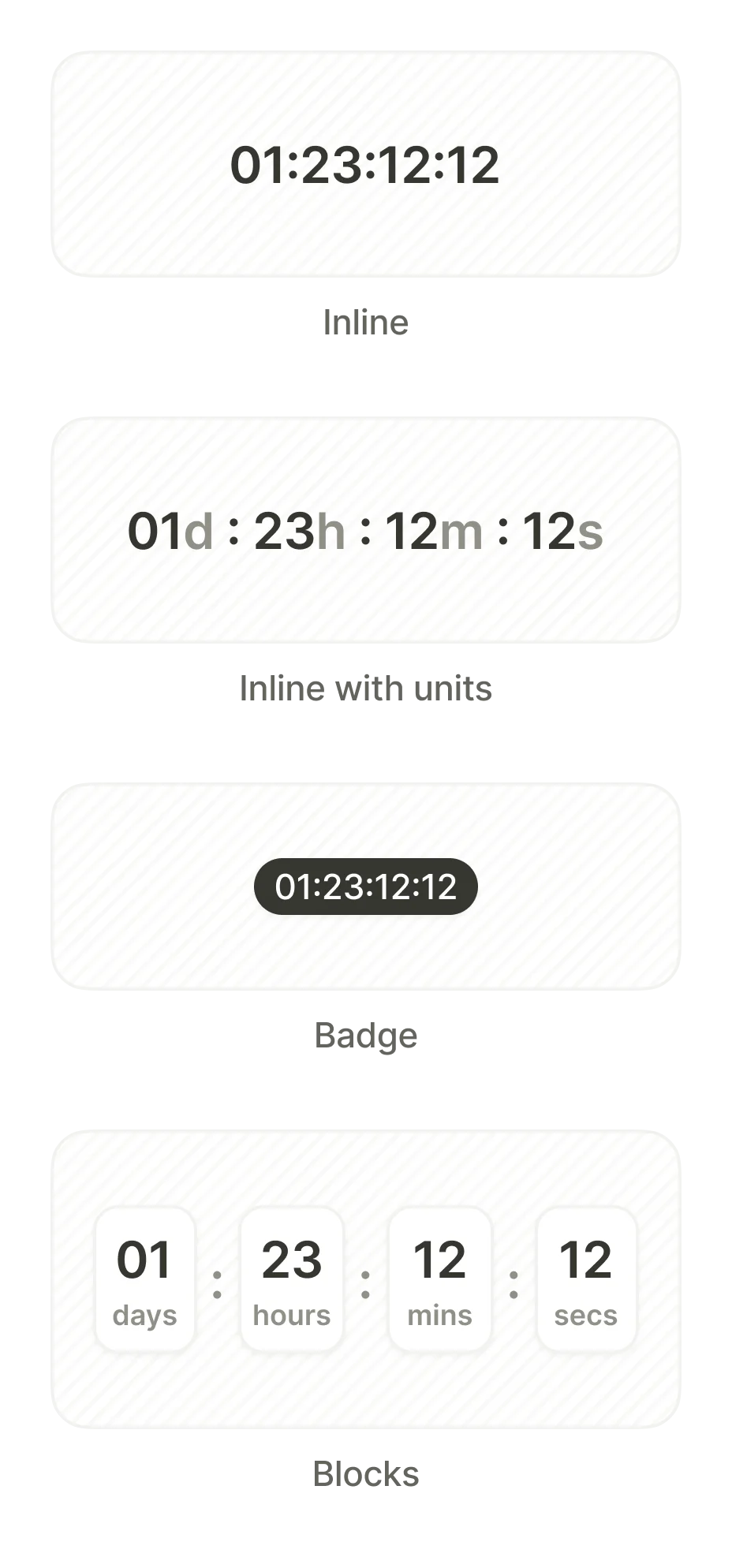
The category provides four visual variants:
- Blocks — Days, hours, minutes, and seconds in separate labeled cells.
- Inline Units — Single-line text with unit suffixes
- Inline — Pure digits
- Badge — A pill-shaped digit display.
Settings
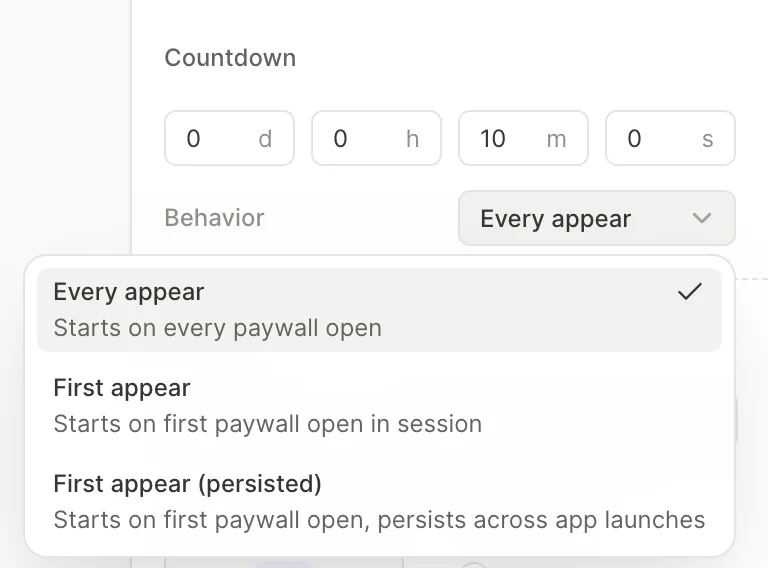
Set the duration
In the Countdown section of the right panel, enter the starting duration in days, hours, minutes, and seconds.
Configure the behavior
The Behavior dropdown controls when the timer starts:
- Every appear — Restarts every time the user opens the screen. Default.
- First appear — Starts on the user’s first screen view in the current app session. Keeps counting if they return during the same session; resets on a fresh app launch.
- First appear (persisted) — Starts on the user’s first screen open and keeps counting across app launches.
Trigger an action when the timer ends
Main article: Actions
Add an On timer end trigger to run an action when the countdown reaches zero — for example, navigate to another screen or hide a discount badge.
Delay when a close button appears
The Flow & Paywall Builder has no direct setting to delay when a button becomes visible — unlike the old Paywall Builder’s close button, which had a Show after delay option. Recreate the delay with a hidden Countdown timer:
- Add the Close button to the screen (see Buttons), and set its Visibility to Hide in the Design panel.
- Add a Countdown timer element to the same screen, and hide it the same way — you only need its countdown logic, not its display.
- Set the timer’s duration to the delay before the close button should appear (see Set the duration).
- On the timer, add an On timer end trigger with a Show action that targets the close button (see Actions — Show/hide elements).
When the timer reaches zero, the Show action reveals the close button. Replace this workaround with a native delay setting if the builder adds one.