
Manage your growth plan
After you complete the analysis, Adapty presents your growth plan — a list of actionable improvement hypotheses. Each item suggests a new price point or design improvement.
Open a hypothesis to try it out with an A/B test.
Each placement has its own growth plan. As market conditions change, you can re-run the analysis to refresh suggestions. Past runs stay in the version history.
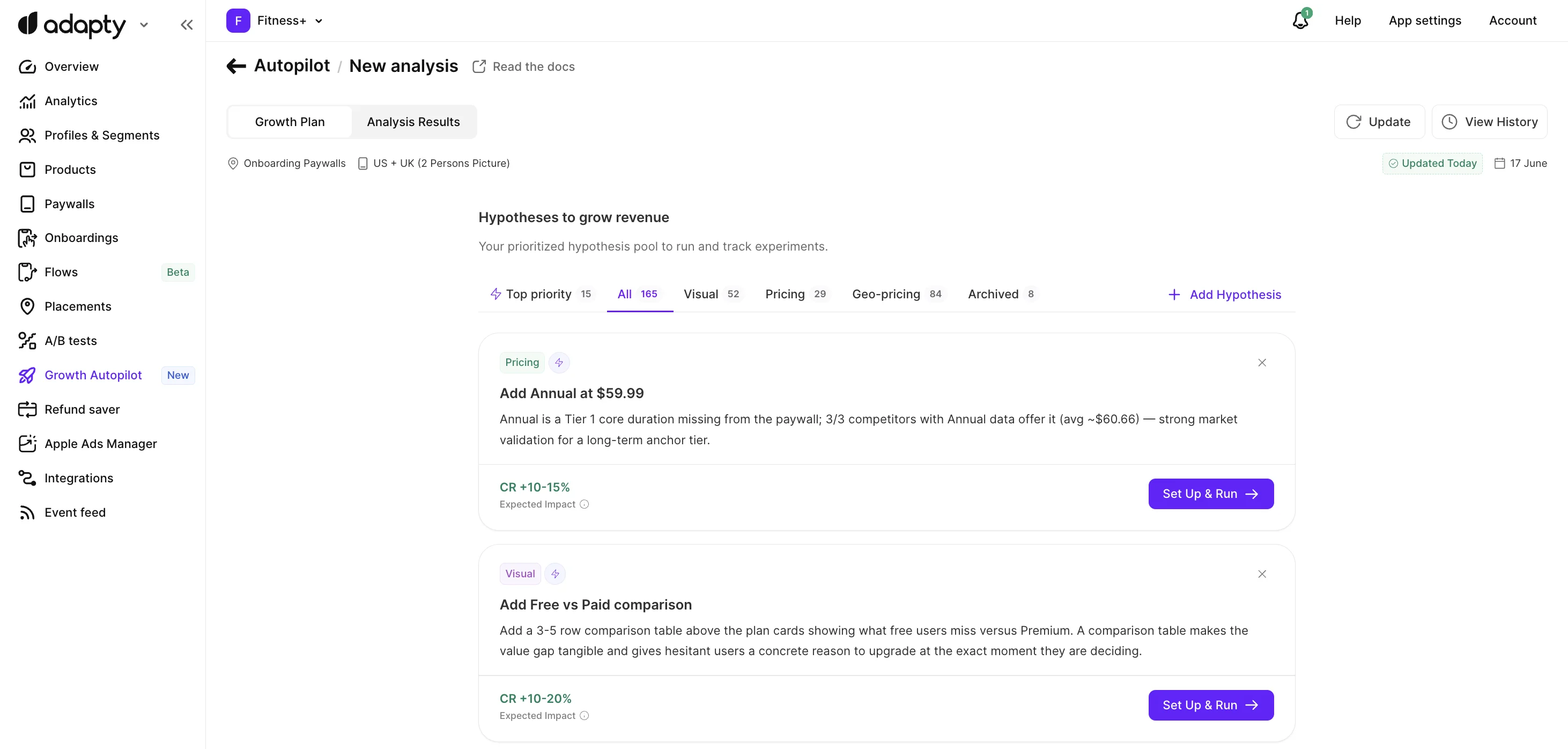
Hypotheses
Switch between tabs at the top of the growth plan to filter hypotheses by type:

- Top priority includes the highest-impact hypotheses that deserve your attention. When no hypothesis qualifies, this tab is hidden.
- All shows every hypothesis from your active plan.
- Pricing hypotheses explore new price points or trial configurations. Each is based on a specific recommendation from the paywall diagnostic or market insights report.
- Visual hypotheses are design improvement suggestions. They may involve changes to copy, layout, or other visual elements.
- Geo-pricing hypotheses test country-specific price adjustments.
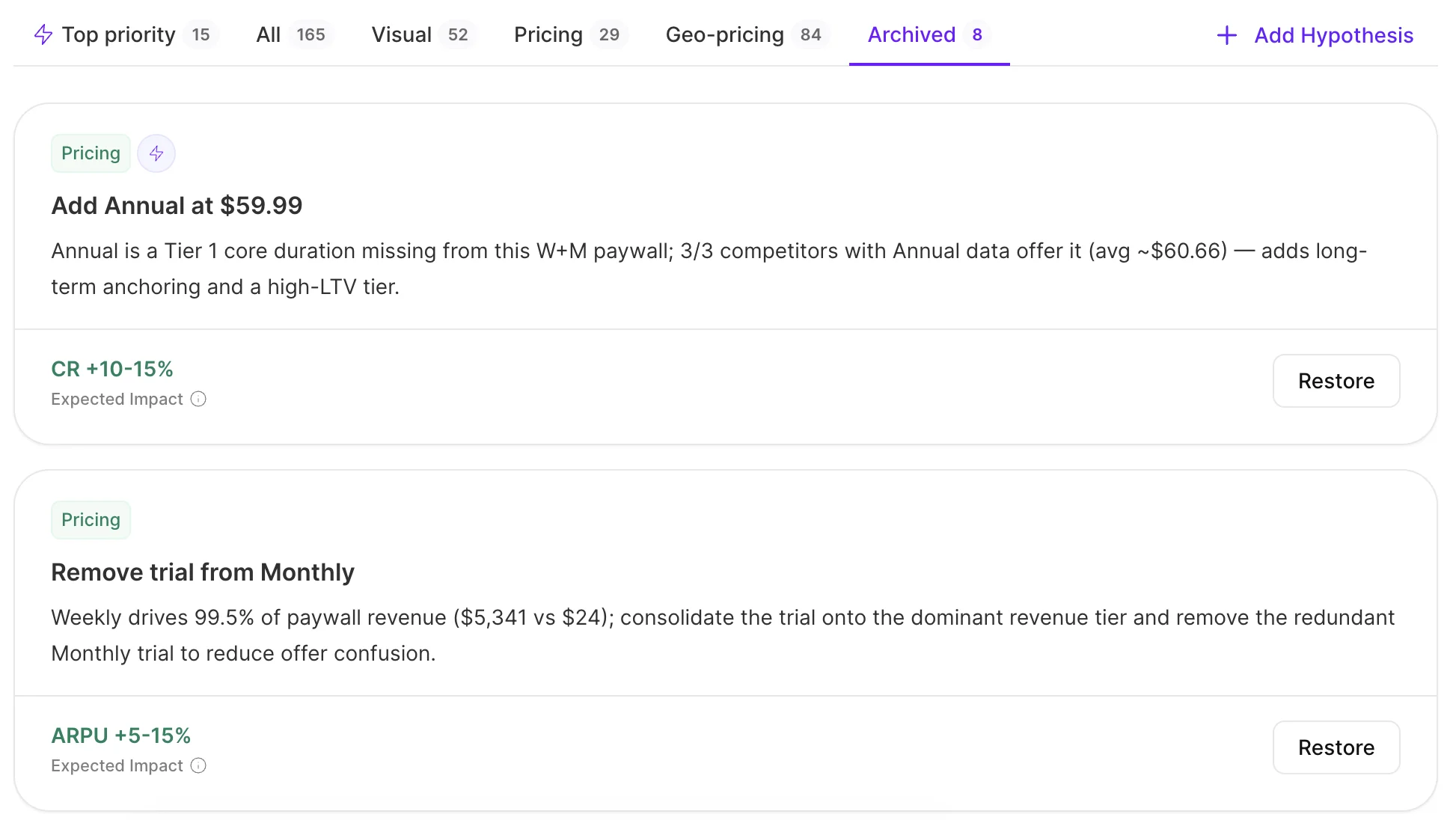
- Archived hypotheses are suggestions you removed from your active plan. Restore them anytime.
You can add your own hypothesis, or archive any you don’t want to test.
Test these hypotheses one at a time, in any order. Geo-pricing tests are the exception — their audiences don’t overlap, so they can run in parallel.
Geo-pricing hypotheses
One-time purchases are not eligible for regional price optimization.
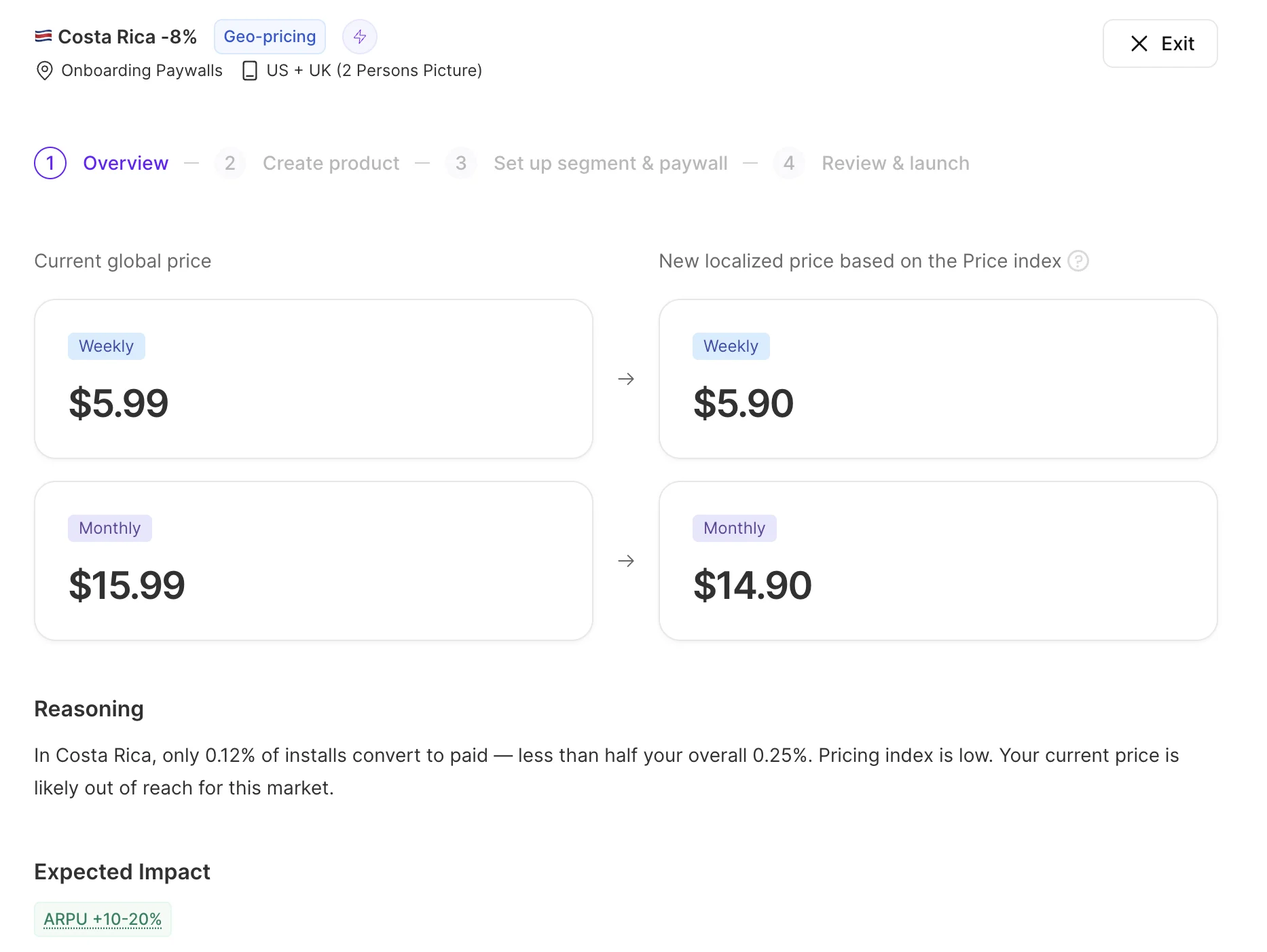
Open the Geo-pricing tab to see the list of geo-pricing recommendations. Each recommendation targets one country with a single price change and runs as a separate A/B test.
Adapty detects countries that require pricing adjustments and provides data-driven recommendations validated by the Adapty Pricing Index.
How Adapty makes geo-pricing suggestions
- Pricing recommendations are based on App Store data. The resulting A/B test can run on both App Store and Google Play.
- The price change percentage is the same across all subscription durations.
- All prices are rounded to the nearest App Store price tier.
- Prices appear in local currency (for example, EUR or GBP) if Adapty has transaction data for that country. When no local data is available, prices are shown in USD.
Hypothesis status badges
- Lightning bolt — indicates top-priority suggestions.
- Product sync status — appears when a product action is required to launch the A/B test.
- Draft — the product setup is incomplete (Adapty-side)
- Action required — the product setup is incomplete (Store-side)
- Pending… — Adapty is waiting for the store to complete the review or the initial sync.
- Approved — the product has been approved by the store and is ready for testing.
- Rejected — the store rejected the product.
- Not connected — the product isn’t linked to the store yet.
- A/B test status — appears when you launch the A/B test:
- Draft test — the test is drafted but not running yet.
- Running — the test is live.
- Completed — the test has finished.
- Archived test — the test was archived without conclusion.
Get new AI-generated hypotheses
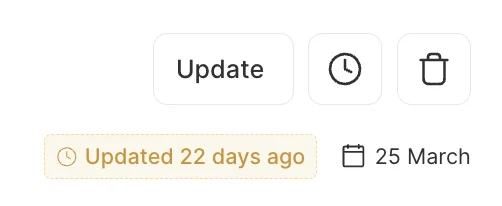
After each test, Adapty automatically updates your hypotheses based on the outcome.
To pull in fresh competitor pricing, conversion benchmarks, and category trends, click Update in the growth plan header — or Update Analysis on the AI Growth Advisor homepage. Click Get New Ideas when prompted.
Adapty opens the analysis wizard with your placement pre-selected. Repeat the paywall analysis and competitor research, and Adapty identifies new hypotheses from the result.
Pick the ones you want to add, or click Add All To Plan to accept everything. Newly added hypotheses appear at the top of the list. Your existing AI-generated hypotheses, custom hypotheses, and any A/B tests in progress are unaffected.
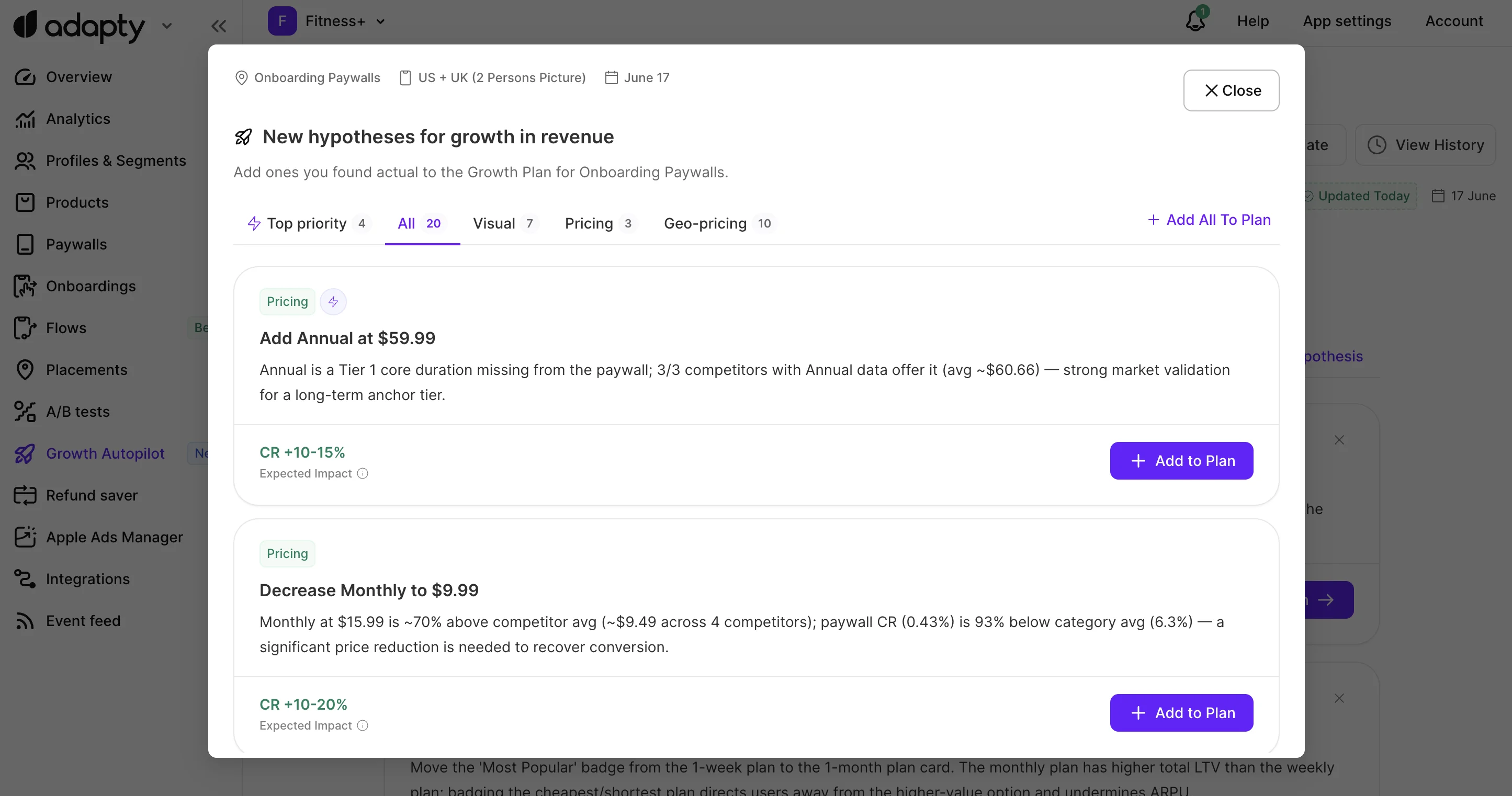
If you exit an update before finishing, you can resume it to continue, or discard it to start anew.

Add your own hypothesis
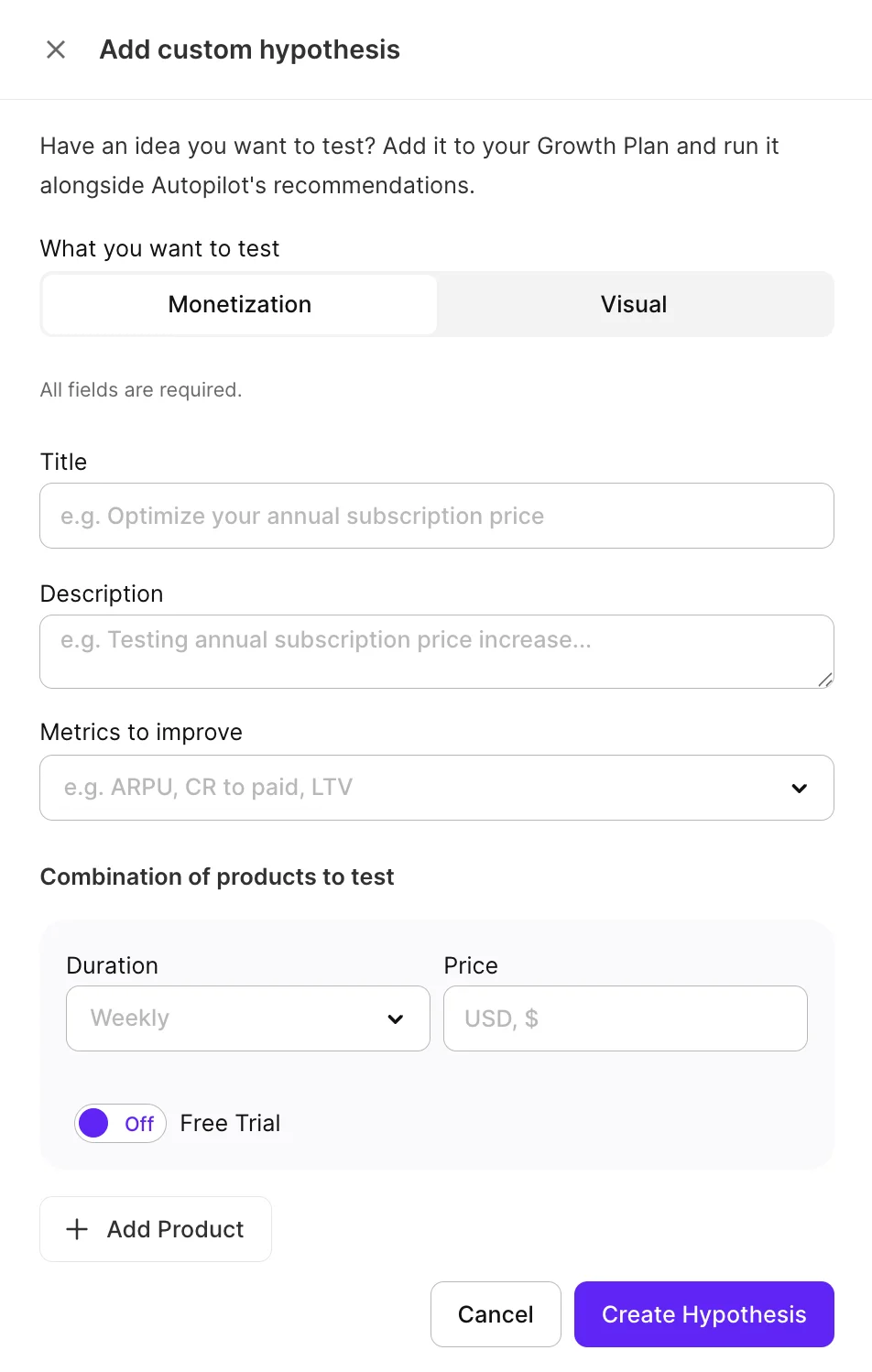
Click Add Hypothesis to create your own pricing or visual suggestion.
Fill the form: title, description, and hypothesis type (Monetization or Visual).
- Select the metrics you hope to improve from the dropdown menu.
- Monetization hypotheses also require selecting test products.
Archive a hypothesis
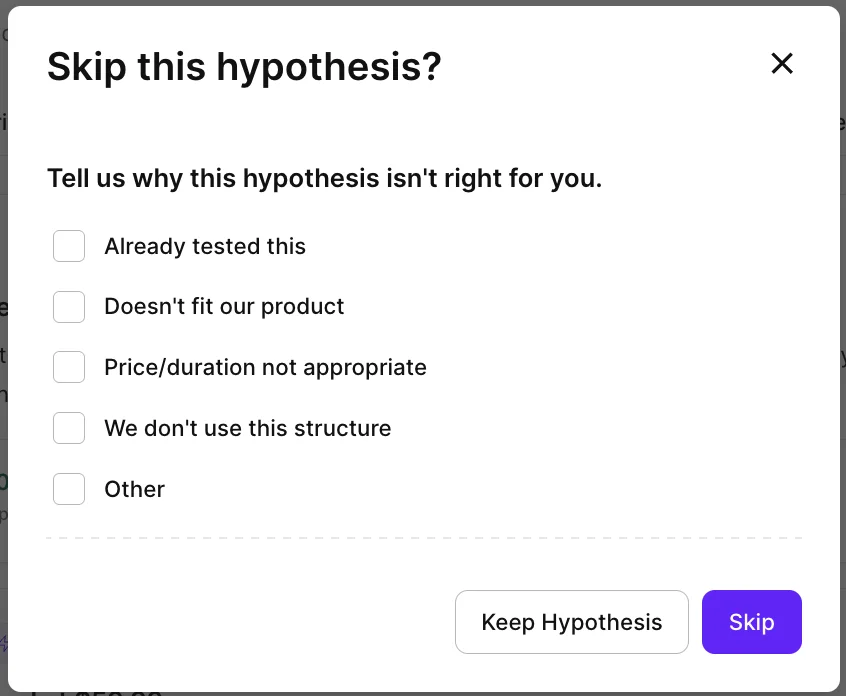
To archive a hypothesis, click the button, then Skip to confirm. You can optionally explain why — it helps Adapty refine future suggestions.
The hypothesis moves to the Archived tab.
To restore an archived hypothesis to your active plan, click Restore on the card.
Revisit and reuse old hypotheses
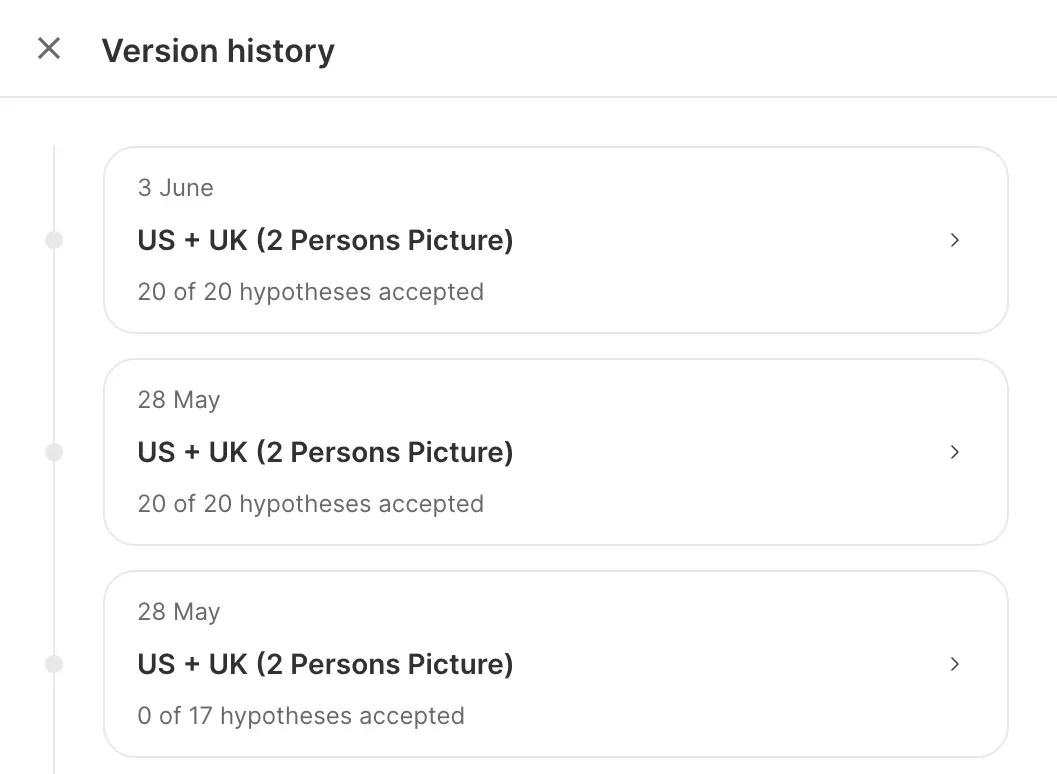
To browse suggestions generated by past analyses, click Clock in the growth plan header. The Version history modal lists every past run for the placement — date, paywall, and how many of its hypotheses you accepted at the time.
Click a past run to see the hypotheses it produced. You can add any of them to your active plan with Add to Plan — useful for revisiting suggestions you didn’t pick up the first time.