
Common issues
This article collects the issues that come up most often while building a flow in the Flow & Paywall Builder, each with its cause and its fix.
A flow won’t preview or publish
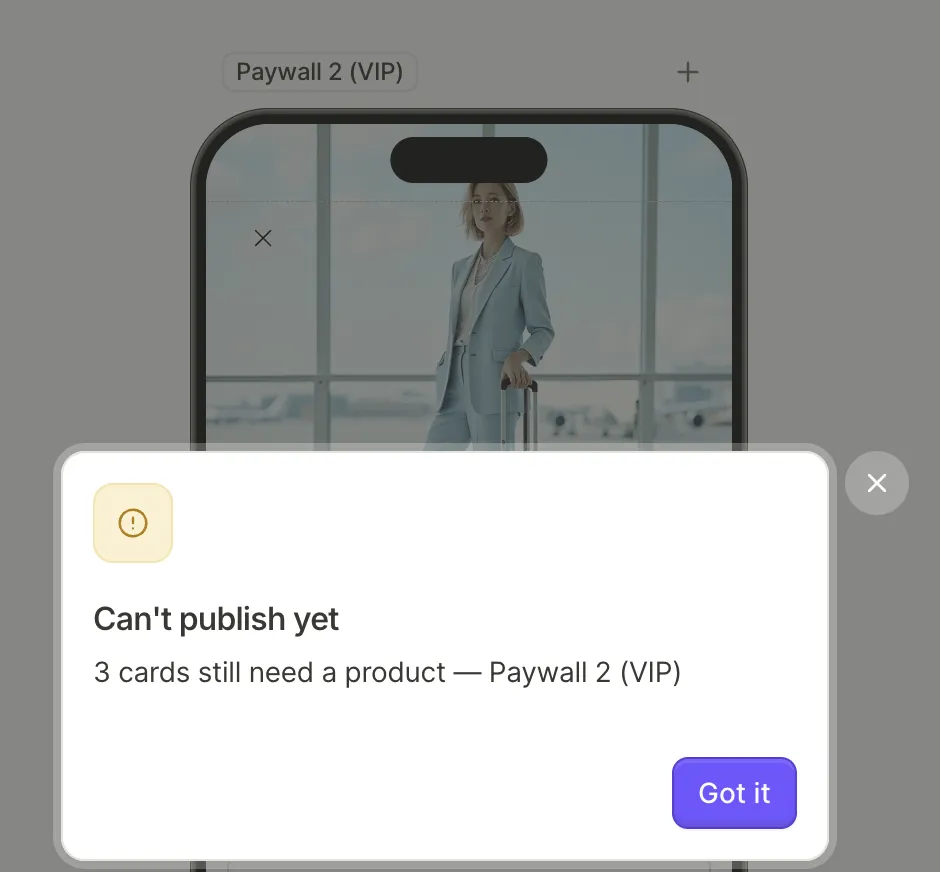
You may encounter the following errors when you try to preview or publish the flow:
| Message | Cause and fix |
|---|---|
| No product selected | A product card has no product. Pick one, or delete the card. |
| This product no longer exists, This offer no longer exists | The product or offer was deleted from your Dashboard. Pick another one where it’s used, or use Replace in N places on the Missing entry in the Products panel to fix every use on the screen at once. |
| This product is off this screen, This offer is off this screen | A text variable, condition, or action refers to a product that isn’t on the screen’s list, for example after you removed it in the Products panel. Add the product back in the panel, or edit the reference. |
| Offer required | offer_price, offer_billing_period, or offer_full_duration is used with a product that has no offer. Pick an offer for the product, or use a prod_* variable instead. |
| Product reference is invalid | A product reference is malformed. Re-select the product. |
| Purchase action has no product to buy | A Purchase action has no product, either left empty or pointing at a deleted card. In the element’s Interactions tab, set Product to a product or to products.selectedProduct. |
| Select product action has no product to select | The card a Select product action pointed at is gone: deleted, moved out of its product group, or on another screen. In the element’s Interactions tab, point the action at a card on this screen. |
| Flow has no screens, Screen ”…” has no elements | Add content to the empty screen, or delete it. A flow that carries only remote config content is exempt. |
| Invalid interaction action | An action is incomplete: Open URL without a URL, Navigate to screen with no destination, Set variable with no assignment, Custom without an Action ID, Show alert with neither title nor message, Show or Hide with no element, a web-payment Purchase with no Web Paywall URL. Open the element’s interactions and complete or remove the action. |
| Missing navigation target | A Navigate to screen action points at a screen that was deleted. Pick an existing screen or remove the action. |
| Missing product target, Invalid product target, Product target on another screen, Ambiguous product target, Select Product inside a component | A Select product action targets a card that was deleted, isn’t in a product group, is on another screen, shares its element ID with an element on another screen, or sits inside a footer or header shared across screens. Point the action at a card in a product group on the same screen, with a unique ID. |
| Missing selectable group | An element points at a selectable group that no longer exists. Reconnect it, or recreate the group. |
| Invalid visibility condition | A conditional visibility rule is incomplete. Complete it in the condition builder. |
| Missing Default Locale Content | An Open URL action has a URL in another locale but none in the default locale. Add the default URL in the Localizations panel. |
| Missing product reference | An older flow uses a product that isn’t registered on the screen. Open the screen and add the product in the Products panel. |
Preview the flow in the Adapty app regularly while you build. A flow that can’t publish won’t load there either, and the error message names the issue.
To find out whether your flow is ready for production, run the flow-audit skill. It checks what publication errors don’t: dead buttons, store compliance, unfinished copy, and translation coverage. For each issue, the report names the element and its screen.
Publishing fails with “Something went wrong” and no details
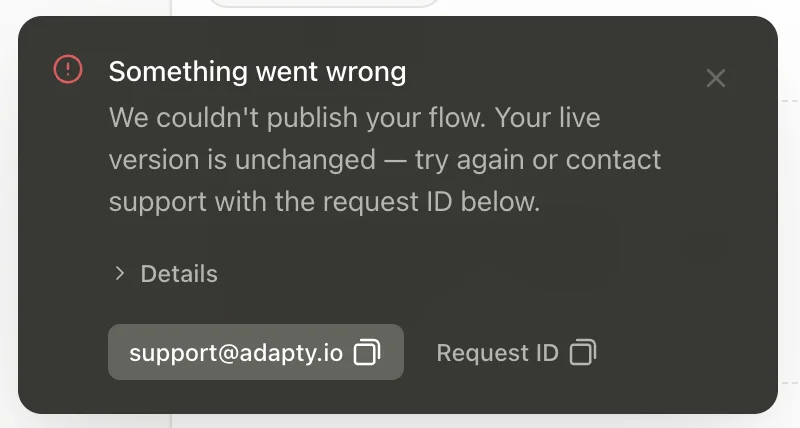
The publish request failed on the Adapty side, not because of your flow. Your live version is unchanged. Wait a few minutes and publish again. If it fails again, copy the Request ID from the notification and send it to support@adapty.io so the team can locate the failed request.
An offer doesn’t apply at purchase
The builder only checks that the offer still exists in Adapty. Whether the discount applies is decided by the store at purchase time: introductory offers depend on the customer’s eligibility, and App Store promotional offers need a valid In-App Purchase Key. Both cases are covered in Product and price discrepancies.
An offer price is empty in the preview
The builder preview can’t reach the stores, so offer_price, offer_billing_period, and offer_full_duration show the variable name in braces instead of a value. They resolve when the SDK renders the flow in your app. To preview the conditions that depend on the offer type, see Preview products and offers.
Publishing fails after entering a shorthand hex color
Enter every color as exactly six hex digits, such as #FFFFFF. The color field accepts a shorter value and never expands it, so a shorthand such as #FFF reaches the SDK configuration malformed and the publish is rejected. Opacity is unrelated — the same value fails at 100% opacity. A four-digit value is the exception that costs the most: it publishes, and renders a color you didn’t pick.
Typography edits don’t reach an element state
Once a state, such as Selected, has its own typography settings, edits to the Default state’s typography — including applying a different text style — don’t affect that state. Edit the state’s typography directly.
Position, size, and spacing controls are missing for an element
The element and its container both use the Free direction. That leaves only one possible position and size: Absolute, with a fixed width and height. Adapty hides the controls for everything else — the Position toggle, the Spacing section, and the Fill and Hug options. To get the controls back, change the element’s Direction to Vertical or Horizontal.
Conditions and variables break after an element ID change
Conditions and text variables reference elements by Element ID, and changing the ID doesn’t update the references — they silently stop resolving. Set the Element ID before referencing it. If you have to change it, update every condition and variable reference to match. The exception is progress-bar segments: renaming a segment updates its references automatically.
A condition or variable resolves to an empty value
The variable picker lists fields from every screen, so a condition or text variable can reference an input the user hasn’t filled in yet. At runtime, such a reference resolves to an empty value. Reference only fields collected earlier in the flow.
Users see a custom tag’s Initial value instead of your app’s value
Users see the Initial value of a custom tag in the following cases:
- Your app passes no value: The code that opens the flow doesn’t pass a value for the tag, or the user hasn’t updated your app to the version that does.
- The name doesn’t match: The name in your app’s code differs from the tag’s name in the builder. Names are case-sensitive and include the group. For example, if the
usergroup contains astreaktag, the tag’s exact name isuser.streak. - Another tag in the same text element has no value: If one custom tag in a text element has no value, every tag in that element shows its Initial value. Pass a value for every custom tag in the text element.
The Adapty mobile app passes no values for custom tags, so its preview only shows Initial values. To see the values your app passes, open the flow in a build of your app.
Users see nothing in place of a custom tag
Users see nothing in place of a custom tag in the following cases:
- Your app passes an empty string: Adapty treats an empty string as a value, so the Initial value doesn’t appear as a fallback. To show the Initial value instead, pass no value for the tag.
- The tag has no Initial value: To show a fallback when your app passes no value, enter an Initial value for the tag.
A Set variable action doesn’t change the selected product
Which product is selected isn’t a variable you can assign, so Set variable can’t move the selection. Use the Select product action instead.
An image or video won’t upload
A file outside the Flow & Paywall Builder’s media limits won’t upload. Verify the file against the Image and Video requirements:
| Element | Formats | Maximum file size | Other limits |
|---|---|---|---|
| Image | .JPG, .PNG, .WEBP | 20 MB | — |
| Video | .MP4, .WEBM | 50 MB | 30 seconds maximum; 640×640 pixels minimum |
These formats aren’t supported:
- Animated GIFs and animated WEBPs: To add motion, use a Video element instead.
- SVG: Export the file as PNG or WEBP. For icons, you don’t upload anything — the Icon element draws from the bundled Tabler Icons library.
A footer doesn’t render
A footer renders only on a screen where Vertical scroll is enabled. Enable Vertical scroll in Screen settings > Scroll.