
A/B testing in Adapty Mail
An A/B test in Adapty Mail compares two or more full email campaigns against each other. Each variation is a complete, independent campaign. When a user matches the test’s segment in a flow, Adapty Mail routes them to one of the variations using the configured weights and tracks delivery, engagement, and revenue per variation.
What a variation is
Each variation is a full campaign. Variations can differ in copy, hero images, tone, sequence length, or delay timing between emails. Each variation has its own translations. For a fair comparison, localize every variation into the same languages.
Variations can’t differ in who receives them, or when. One segment covers the whole test. Every campaign in it shares one purpose — the lifecycle moment it addresses, named the same way a flow names its trigger. That’s what decides which flow the test can run in.
You write each campaign separately, then add them as variations.
Create an A/B test
- Create the campaigns first in Campaigns. Each variation needs its own campaign, and they all need the same purpose.
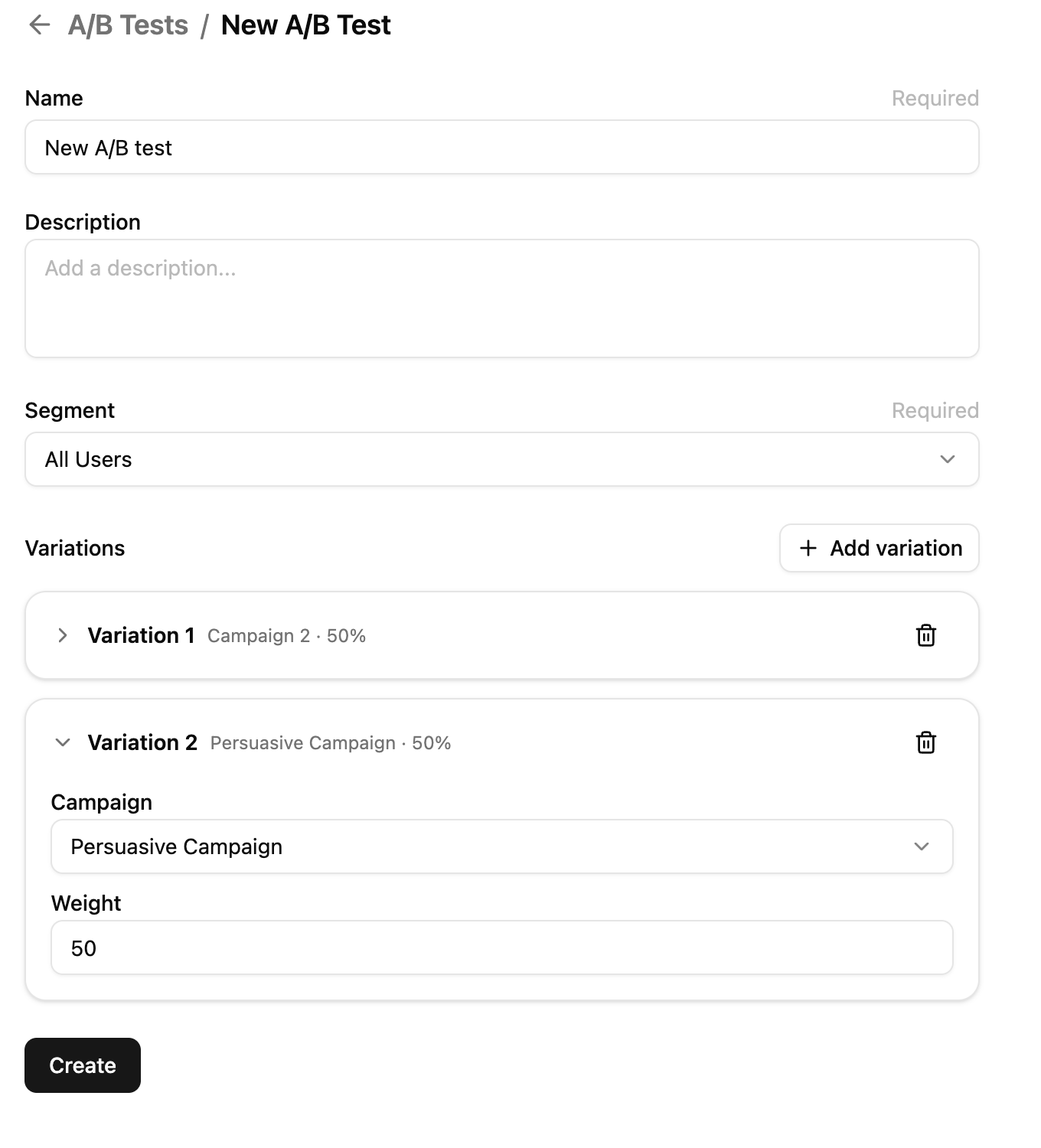
- In Adapty Mail, go to A/B Tests and click Create.
- Add each campaign as a variation and set its weight. Weights must total 100%.
- Assign a segment to control which users the test applies to.
- Save.
The test is saved as a draft and doesn’t send anything yet. To go live, it has to be attached to a flow.
Launch from a flow
You launch and finish an A/B test from the flow, not from the A/B Tests page.
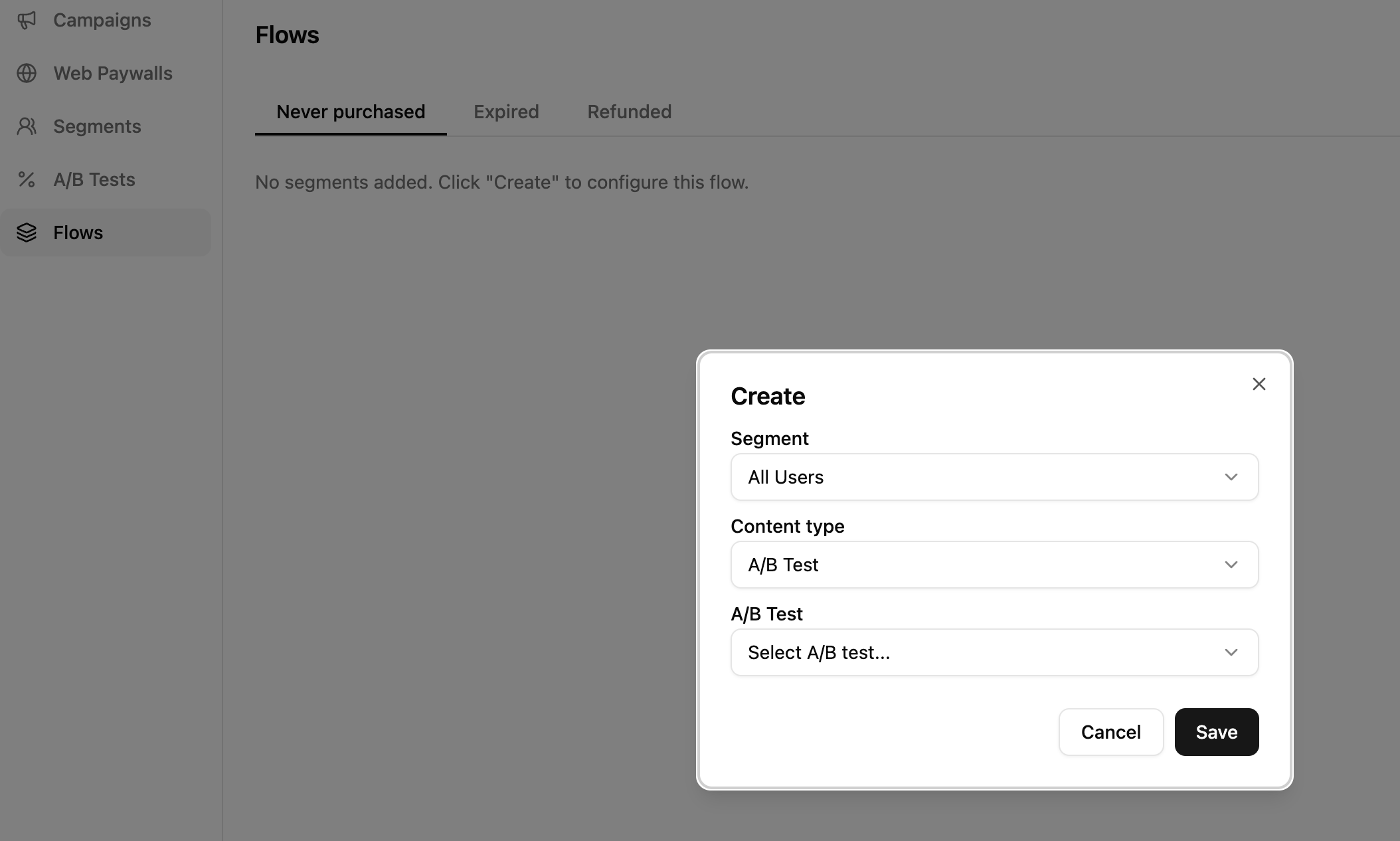
- In Adapty Mail, go to Flows and open the trigger that should start the test.
- Click Create on a new row. In the dialog, set Content type to A/B Test, pick the test you saved, and click Save.
- On the row, click Launch A/B test.
The test’s state moves from draft to live and incoming users who match the segment start being routed to variations. Manage segments in a flow covers the rest of what you can do there.
How routing works
When a user hits the flow’s trigger and matches the A/B test’s segment, Adapty Mail picks a variation using weighted random selection — each variation’s weight determines its share of the draw. Routing is not deterministic per user.
Read results
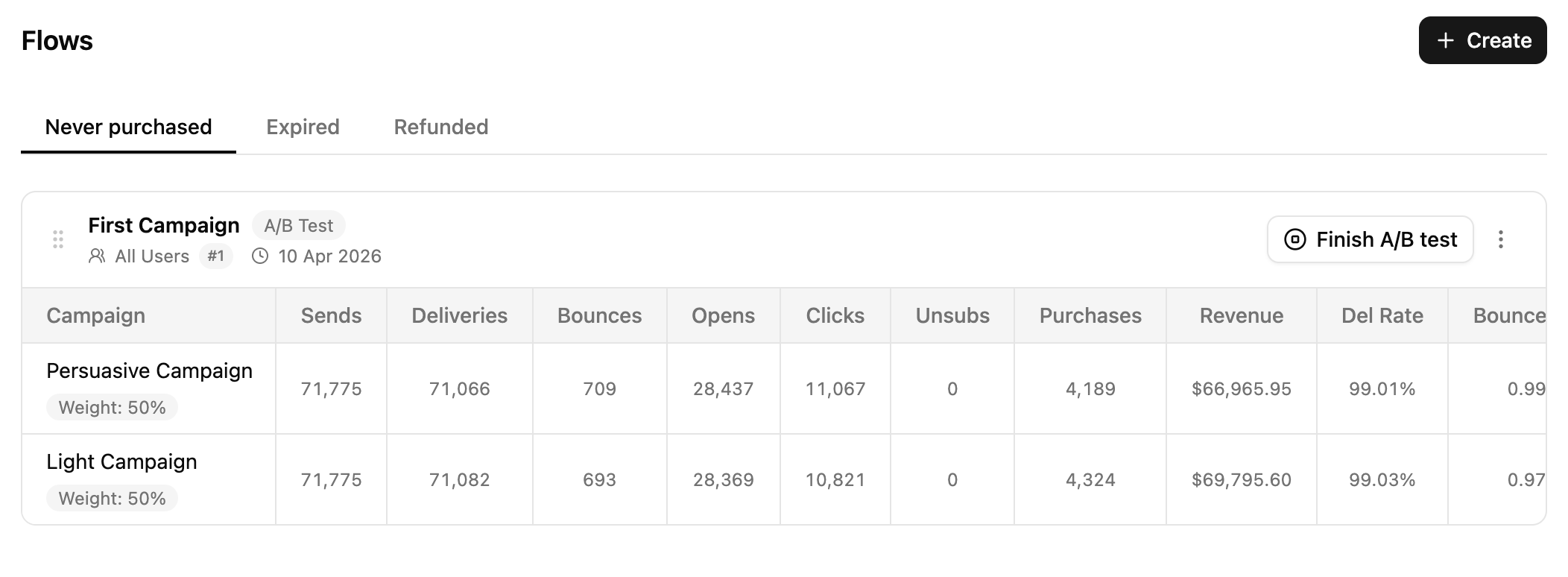
On the A/B Tests page, each variation shows its raw counters and derived rates:
- Delivery: Sends, Deliveries, Bounces.
- Engagement: Opens, Clicks, Unsubs.
- Revenue: Purchases, Revenue.
Campaign analytics covers what each metric counts and how revenue is attributed.
Finish the test
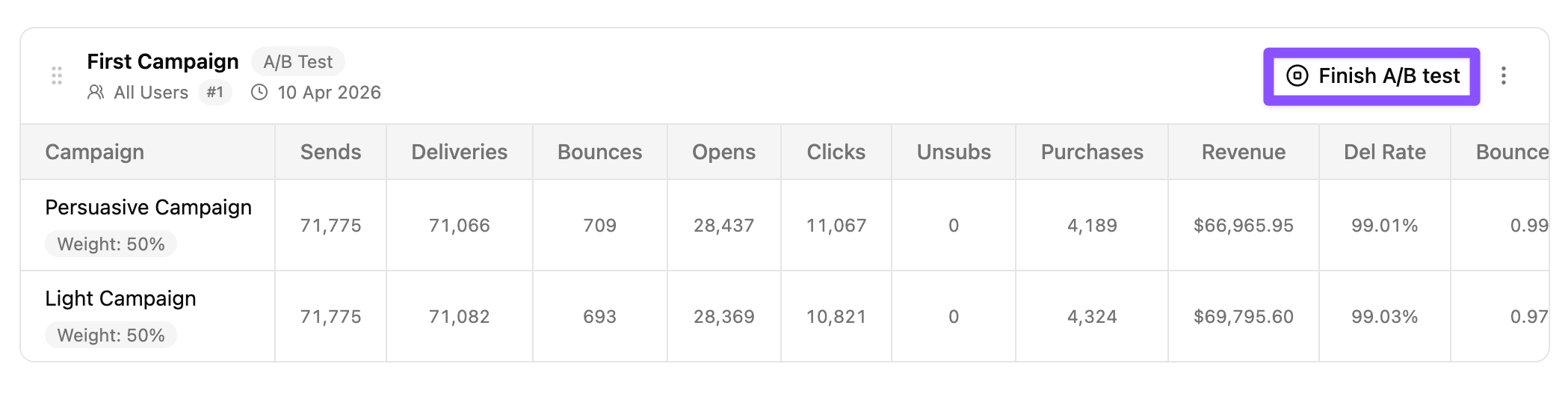
- Open the trigger that starts the test.
- Click Finish A/B test.
- In the Finish A/B test dialog, pick the winning campaign from the Replace with campaign dropdown — or leave it empty to remove the segment from the flow entirely.
- Confirm.
Users who are already mid-sequence in any variation — winning or losing — keep receiving their scheduled emails. They aren’t switched to the winner.
Lifecycle
An A/B test moves through four states:
- Draft: Created, not yet added to a flow.
- Live: Attached and launched; routing incoming users.
- Finished: Stopped via Finish A/B test.
- Archived: Soft-deleted from the list.