
Integrate FunnelFox with Adapty Attribution
FunnelFox is a web2app funnel platform, which allows you to acquire and charge users outside the App Store — bypassing its fee and other restrictions.
Configure this integration to send FunnelFox purchase data to Adapty. Adapty then matches your web revenue against your ad spend, so you can see what each campaign, ad set, and ad earned.
How it works
When a user completes a purchase in your FunnelFox funnel, FunnelFox sends the transaction event to Adapty Attribution. Adapty uses the Project ID to identify which app the transaction belongs to. The event is then stored and appears in Adapty Attribution analytics.
Once the integration is running, each transaction in Adapty includes:
- Subscription lifecycle event: started, renewed, cancelled, trial converted, refunded, and more
- Attribution channel: Facebook, TikTok, Google, or organic. Adapty determines it from the click ID, which the ad networks add on their own — you don’t configure it.
- Attribution data: campaign, ad set, and ad identifiers; UTM parameters; platform click IDs (fbclid, ttclid, gclid). The campaign, ad set, and ad arrive only if your ads carry Adapty’s tracking parameters.
- Funnel and experiment data: FunnelFox funnel name and experiment name, so you can compare A/B test variants
- Cohort date: the date of the first trial start or purchase. Web purchases have no app install event, so Adapty cohorts them by that date instead.
Configure integration
You don’t need the Adapty web pixel on a FunnelFox funnel — FunnelFox reports purchases to Adapty directly.
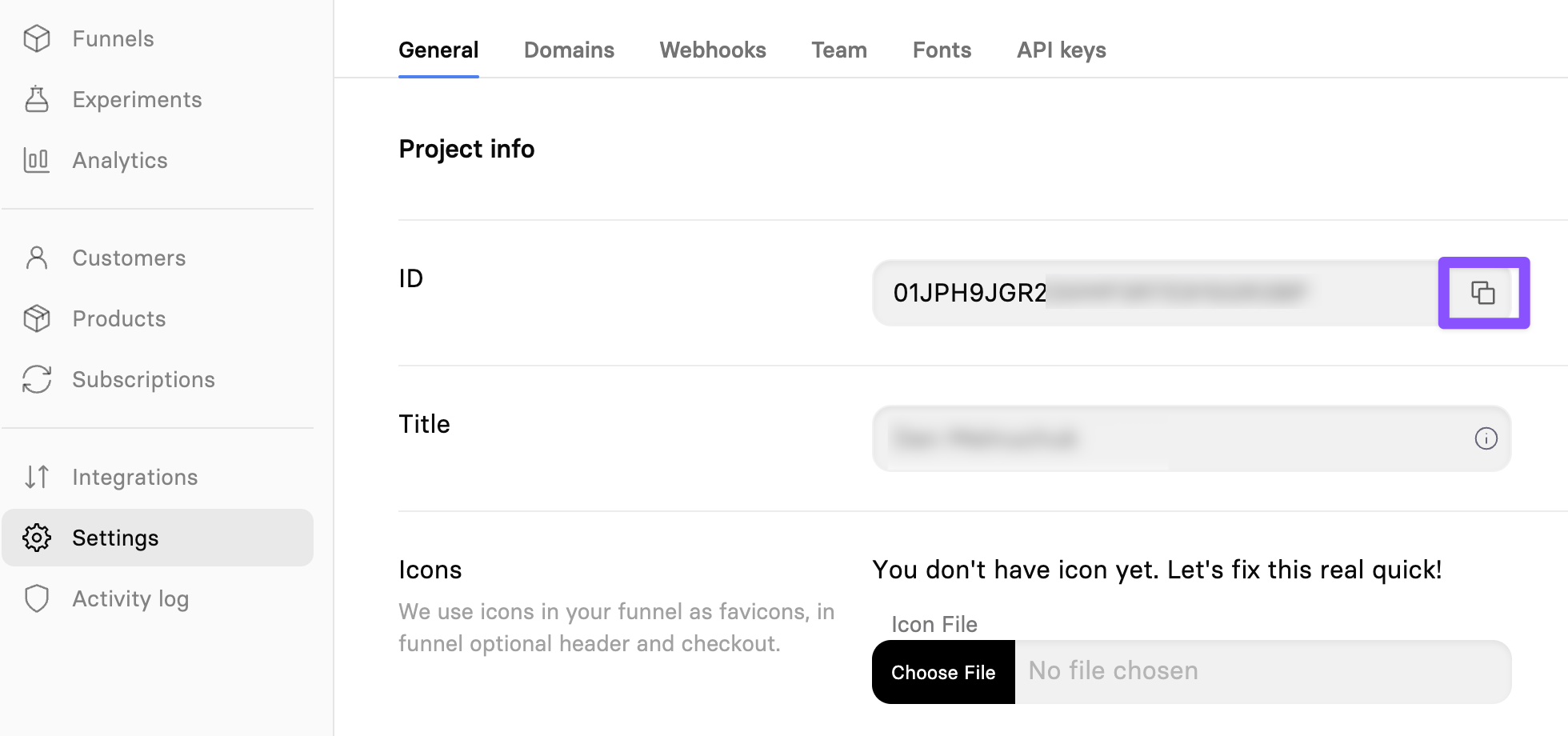
Step 1. Get your Project ID in FunnelFox
- In your FunnelFox dashboard, click Settings in the left sidebar.
- In the Project info section, copy the ID value.
Step 2. Add the project in Adapty Attribution
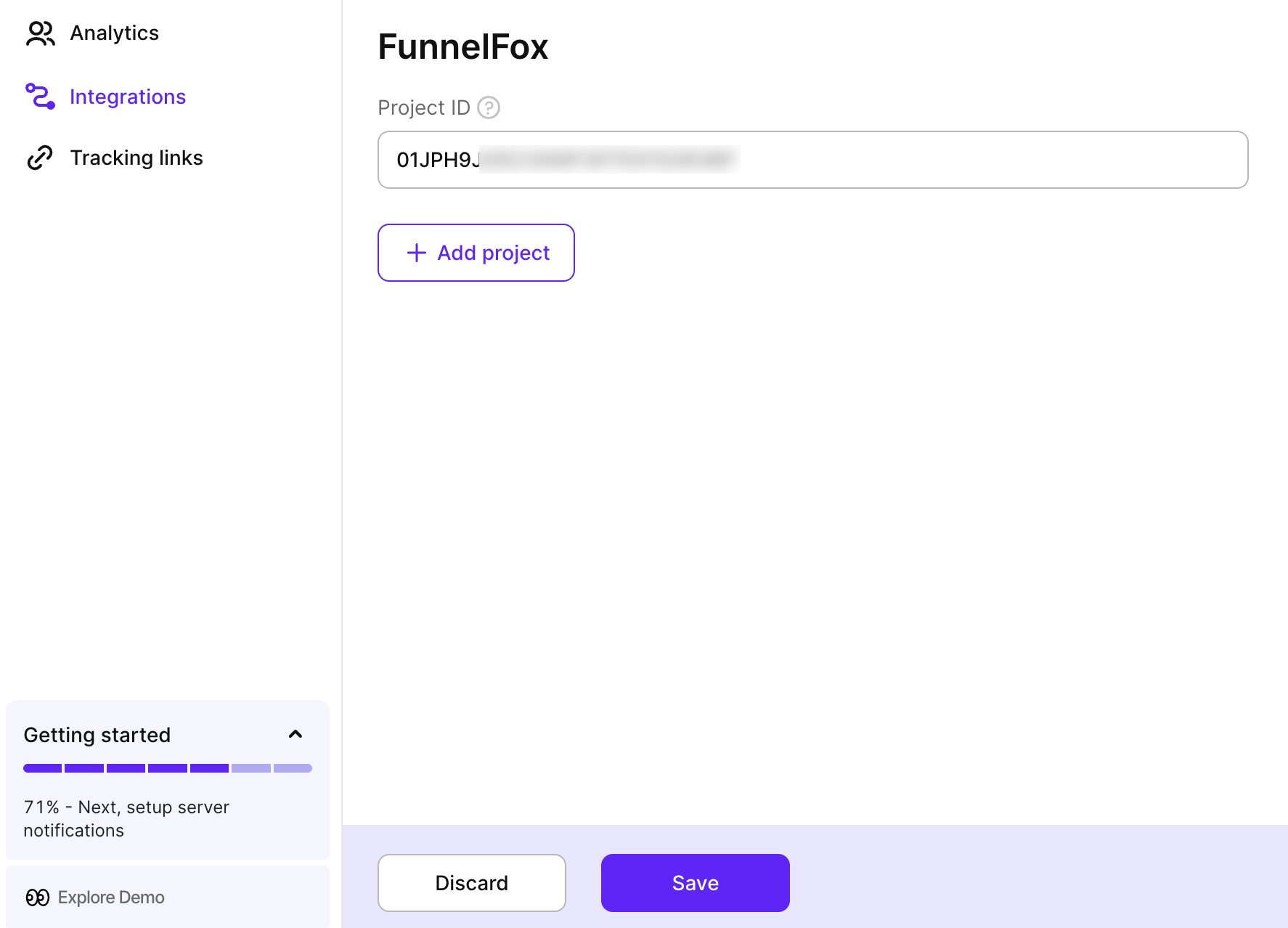
- In Adapty Attribution, go to Integrations > FunnelFox.
- Paste the Project ID you copied from FunnelFox.
- Click Save.
To connect additional FunnelFox projects, click Add project and repeat this step for each one.
Step 3. Tag your ad URLs
FunnelFox can only pass on campaign data that reaches your landing page URL, and it reads that URL when the visitor first lands — not at checkout. Add Adapty’s tracking parameters to your ads, as described in Tag your ad URLs for web funnels.
Step 4. Turn on campaign attribution in FunnelFox
This setting is off by default, and FunnelFox doesn’t backfill: transactions completed before you turn it on never reach Adapty.
- In FunnelFox, go to Integrations > Adapty.
- Turn on Campaign attribution.
Turn this on for every FunnelFox project you connected.
Your FunnelFox project must belong to an organization, and your ad accounts must be connected in Adapty.
For the events FunnelFox sends through this channel, see Adapty integration in the FunnelFox docs.