
创建留存消息
留存消息让您可以在取消流程中触达即将流失的订阅用户。当用户进入 iOS 的”取消订阅”界面时,Apple 会根据其产品和语言区域向其展示对应的消息。
留存消息分为两种类型:
- 默认:简单的赢回消息,包含标题、正文和可选图片。当促销消息不可用时作为备用方案。
- 促销:向订阅用户提供特别优惠或其他方案的赢回消息。只有已分配默认消息的产品才能创建促销消息。
开始前准备
创建消息
在 Adapty 看板中打开 Retention Messaging 页面。点击 Create Default 创建默认消息,或点击 Create Message 创建促销消息。

选择环境——沙盒消息用于测试,生产消息面向真实用户。在你配置生产 URL 并通过沙盒性能测试之前,生产选项将保持禁用状态。
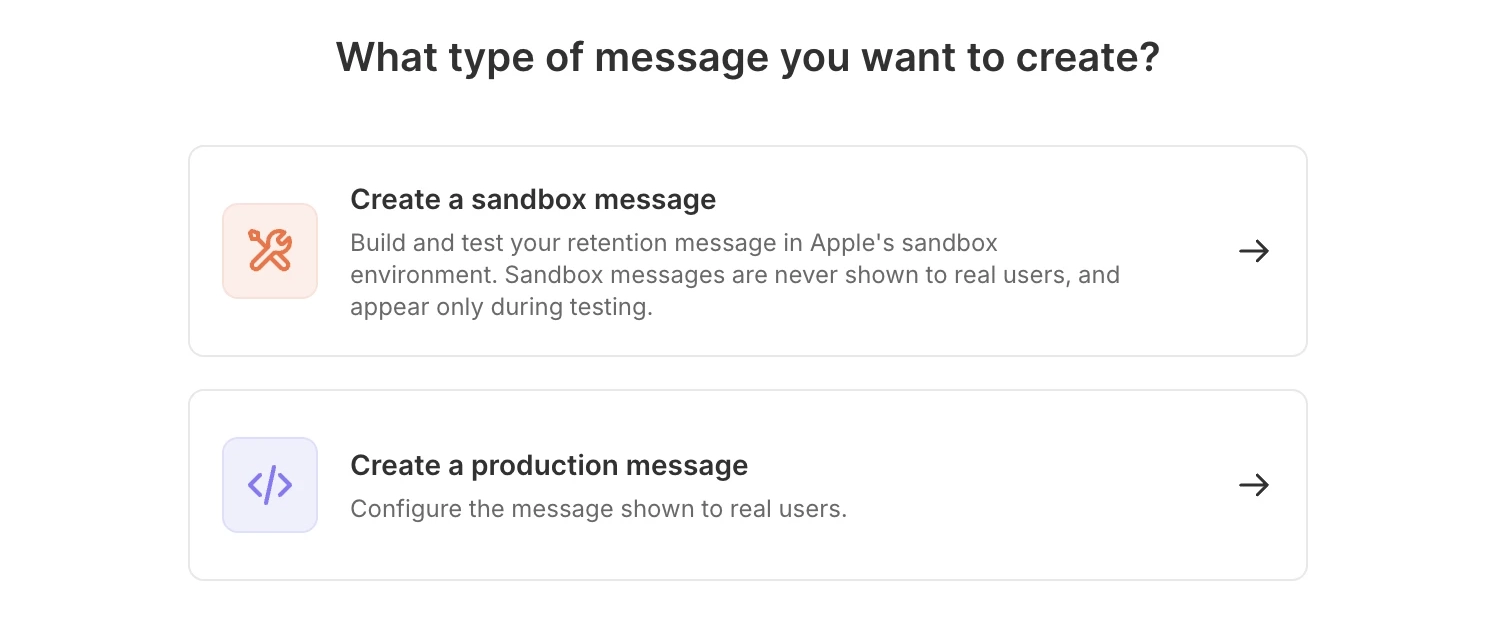
通用
为消息命名,并添加取消时将触发该消息的产品。
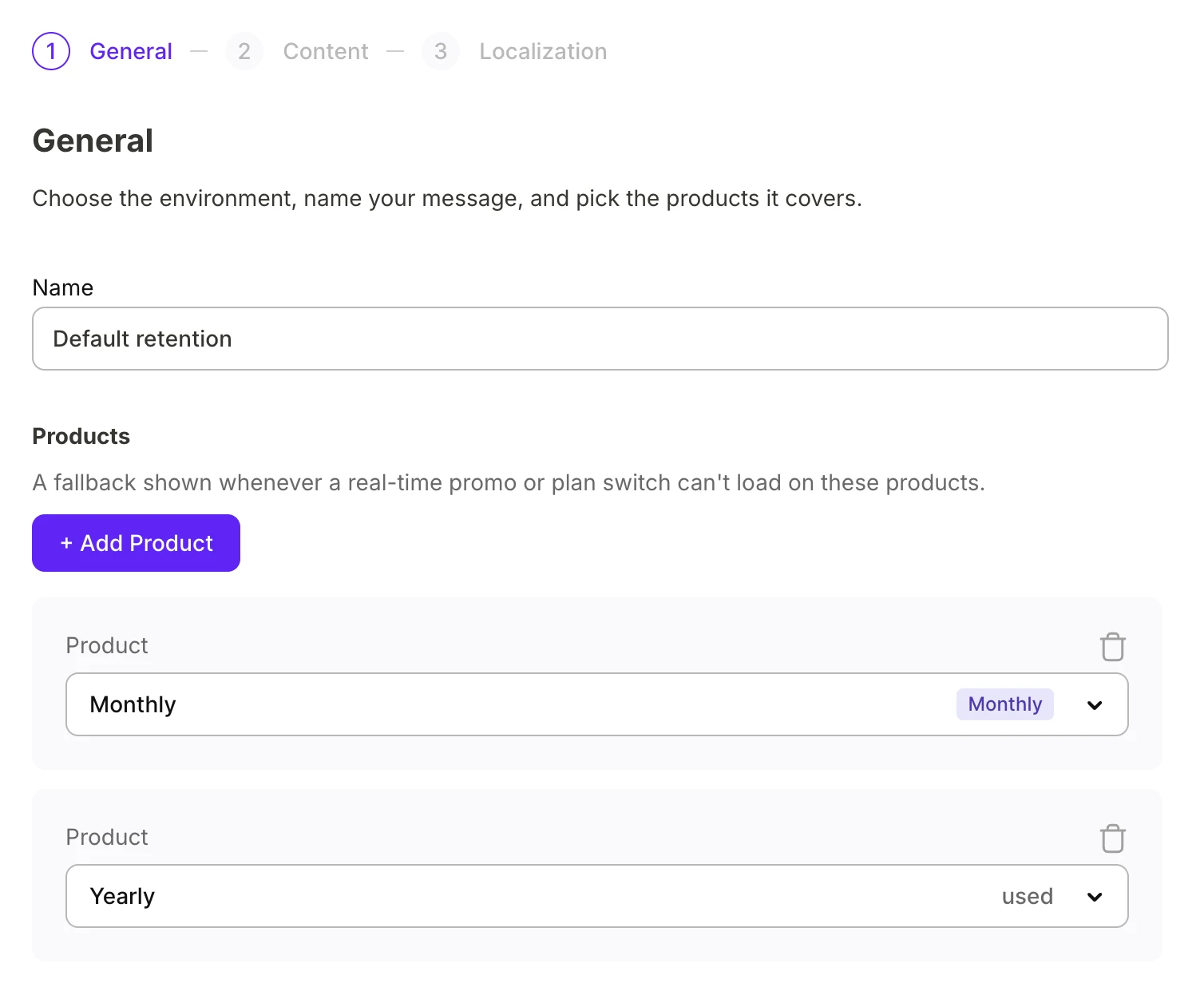
对于促销活动消息,请配置说服订阅者留下来的激励内容:
-
促销优惠:您之前为产品设置的促销活动。
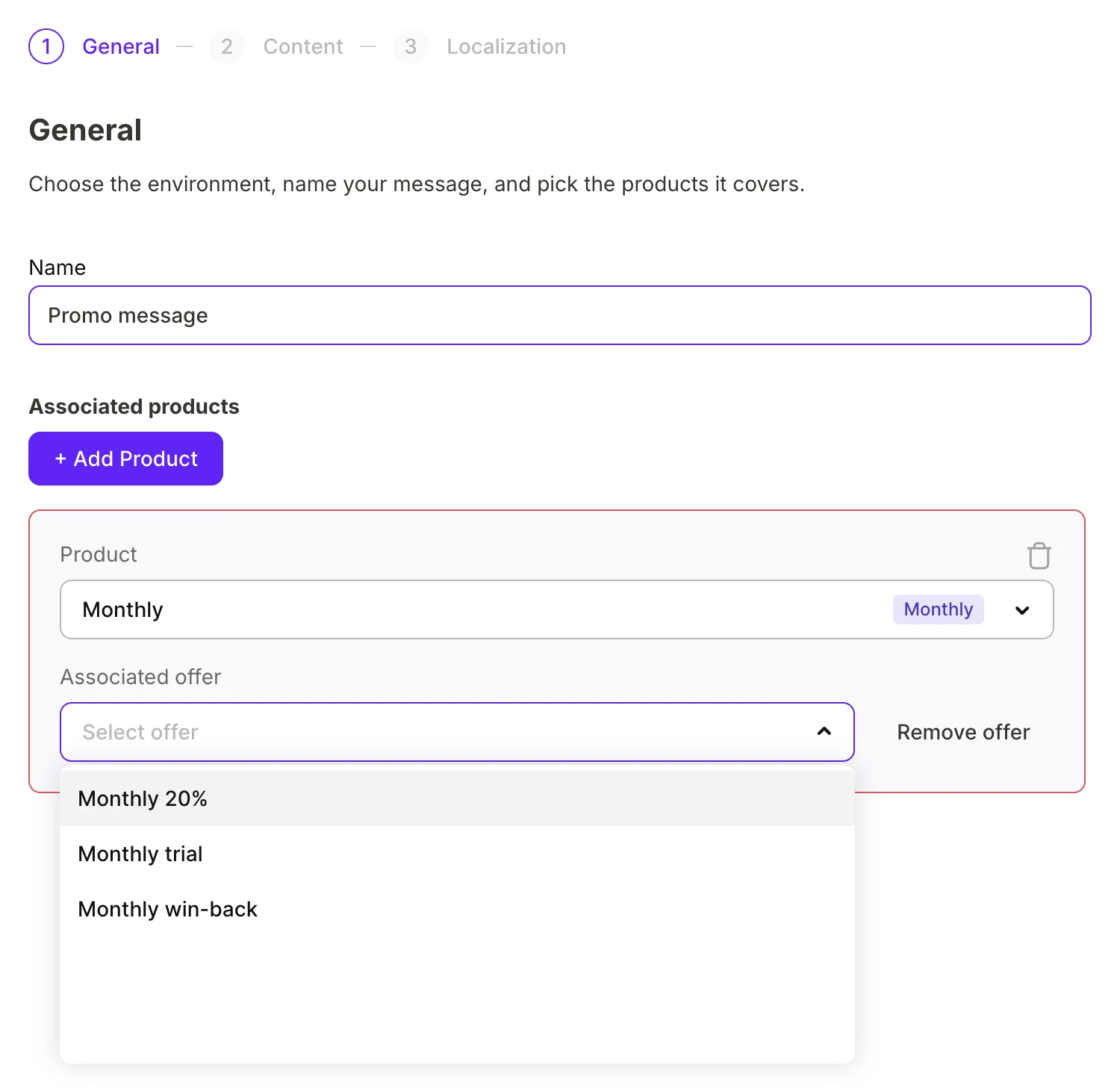
-
Plan switch(切换方案):从您的产品目录中选择另一个产品。
内容
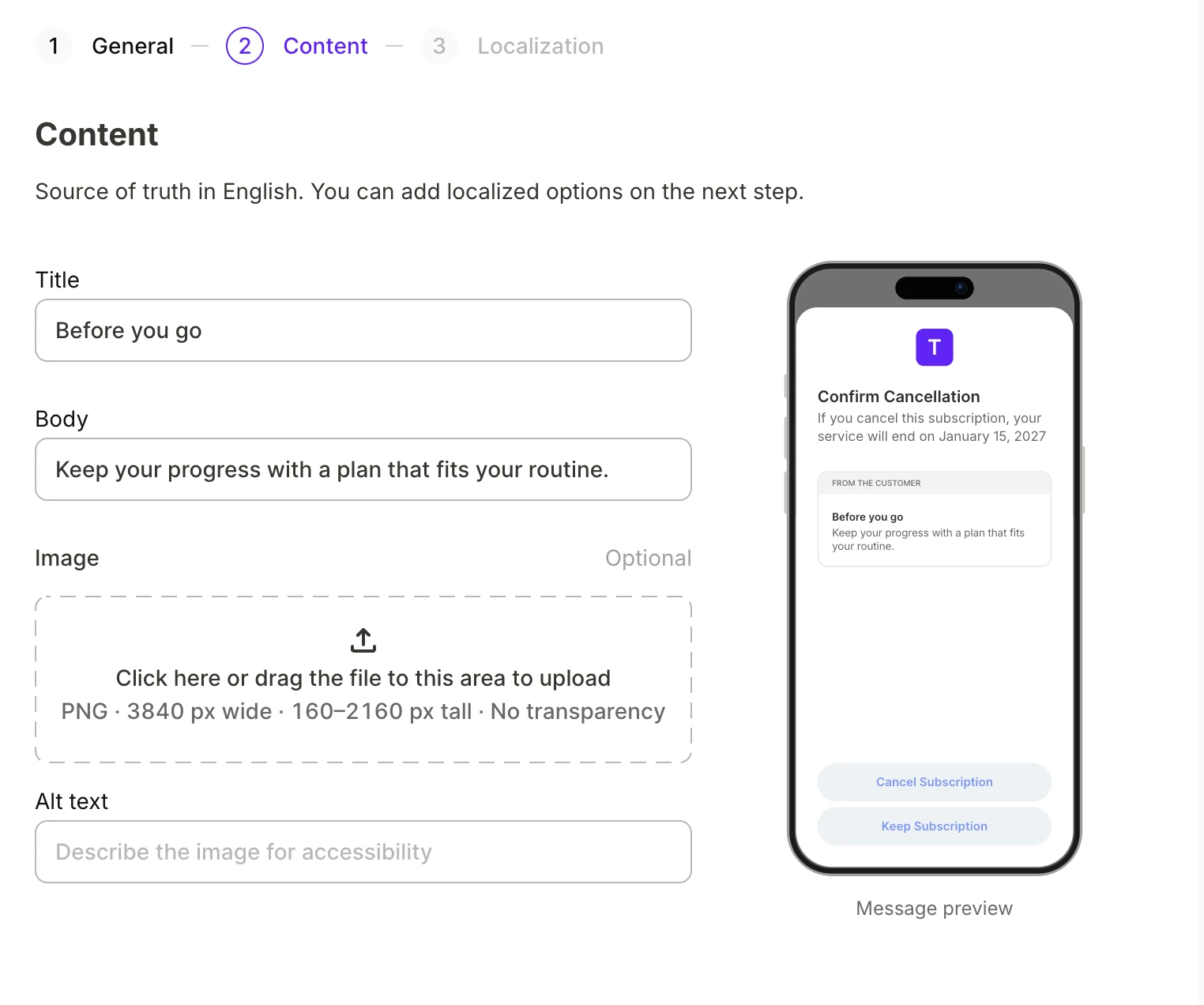
请用英文填写消息内容。右侧预览区会随您的输入实时显示取消订阅界面的效果。
Default 消息可以包含图片。
本地化
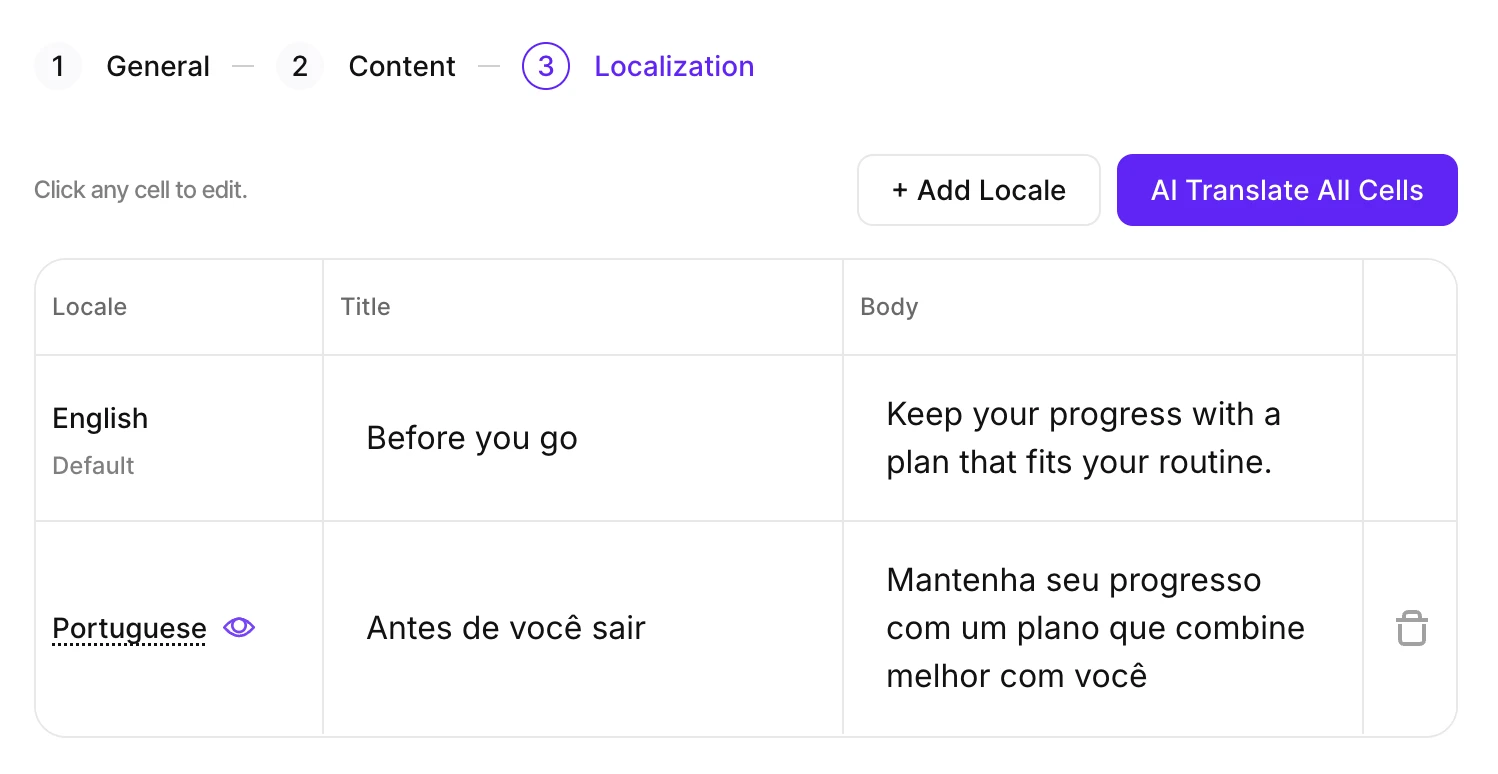
英语是源语言。添加订阅者使用的其他语言,然后翻译内容。
- 点击 Add Locale,选择需要支持的语言区域。
- 点击 AI Translate All Cells,自动翻译内容。
- 点击任意单元格可编辑译文。
每个语言区域必须符合与英语源文本相同的字符限制:标题不超过 66 个字符,正文不超过 144 个字符。超出限制的译文会阻止 Submit To Review 操作,需缩短后方可提交。
将鼠标悬停在某个语言区域上,可在取消订阅界面预览其效果。
如果 Apple 尚未审核通过目标语言的翻译版本,Adapty 将回退使用 en-US 版本。
提交审核
消息准备好后,点击 Submit To Review。Adapty 会将消息上传至 Apple,涵盖你所添加的所有语言区域,Apple 随即开始审核。你可以在 Retention Messaging 页面监控提交的状态。
Adapty 仅在提交时才会保存消息。
消息状态
提交消息后,Apple 会对每个语言区域分别进行审核。各语言区域独立审核,但只有所有语言区域都通过审核后,消息才会正式上线。Retention Messaging 页面上的 State 列可以帮助你追踪消息的审核进度:
| 状态 | 含义 |
|---|---|
| In review | Apple 尚未收到该消息,或尚未完成所有语言区域的审核。 |
| Live | Apple 已批准该消息,Adapty 会将其展示给正在取消订阅的用户。 |
| Rejected | Apple 拒绝了至少一个语言区域的提交——请尝试提交其他版本。 |
| Inactive | 您已停用该消息。现在可以为相同产品创建新消息。 |
您可以随时编辑任何消息——包括正在向用户提供服务的消息。如果您编辑一条 Live 消息,或为其添加新的语言区域,该消息将立即失去上线状态,重新变为 In review 消息。
停用与重新激活
若要将消息从 Apple 下架但不从 Adapty 中删除,请打开该消息所在行的菜单,然后点击 Deactivate。
若要重新上架,请点击 Activate。重新激活无需 Apple 审核,消息可能需要几分钟才能送达所有订阅者。
每个产品最多只能有一条默认消息和一条促销消息。如果该消息处于停用期间,另一条同类型的消息已占用该产品,则激活将失败。
后续步骤
- 消息上线后,跟踪其表现。