
Elde tutma mesajı oluşturma
Elde tutma mesajları, iptal sürecinde ayrılmak üzere olan abonelere ulaşmanızı sağlar. Bir kullanıcı iOS Aboneliği İptal Et ekranına ulaştığında Apple, ürün ve dile göre eşleşen mesajı kullanıcıya gösterir.
İki tür geri kazanma mesajı vardır:
- Default: Başlık, gövde ve isteğe bağlı bir görsel içeren basit bir geri kazanma mesajı. Promosyon mesajı mevcut olmadığında yedek olarak kullanılır.
- Promo: Abonelere özel bir teklif veya farklı bir plan sunan bir geri kazanma mesajı. Promo mesajları yalnızca halihazırda bir Default mesajı atanmış ürünler için oluşturulabilir.
Başlamadan önce
- Mesajın kapsayacağı en az bir ürün oluşturun.
- Retention Messaging’i sandbox modunda test edin.
Mesaj oluşturma
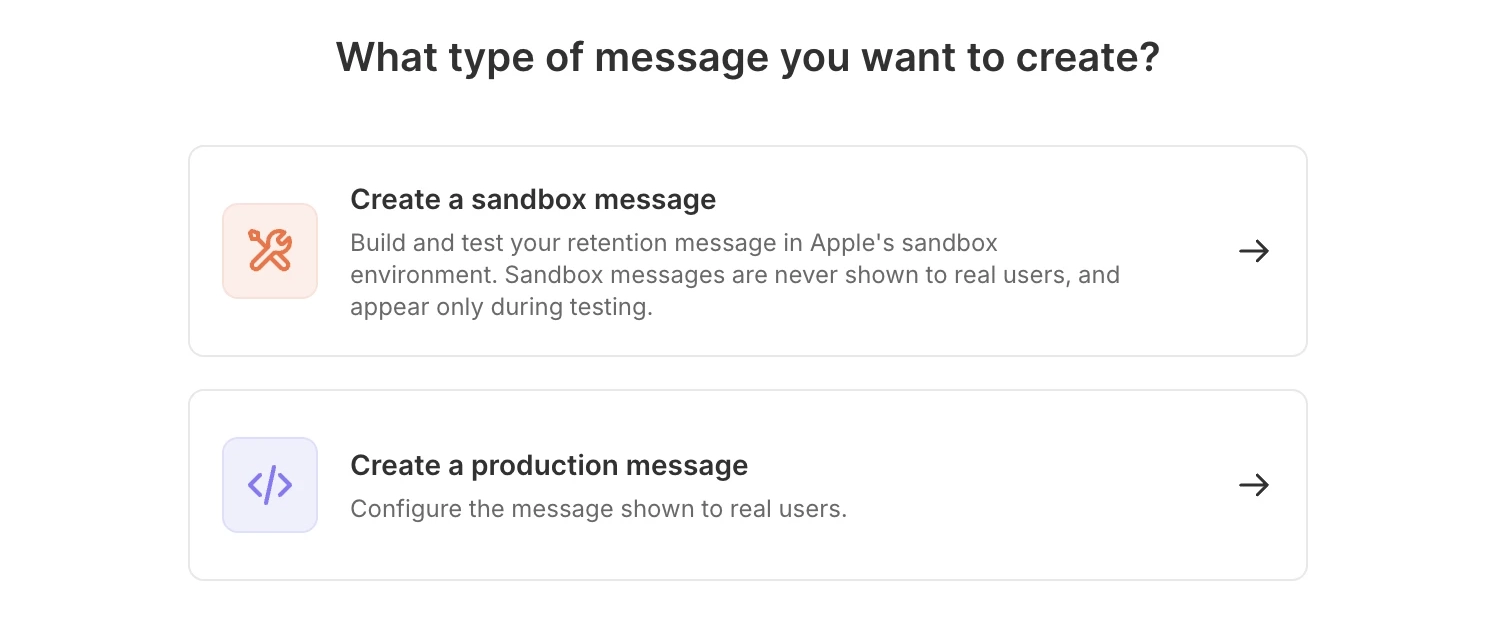
Adapty Kontrol Paneli’nde Retention Messaging sayfasını açın. Varsayılan bir mesaj için Create Default, promosyon mesajı için ise Create Message düğmesine tıklayın.

Ortamı seçin — test için sandbox mesajı ya da gerçek kullanıcılar için production mesajı. Production URL’yi yapılandırana ve sandbox performans testini geçene kadar production seçeneği devre dışı kalır.
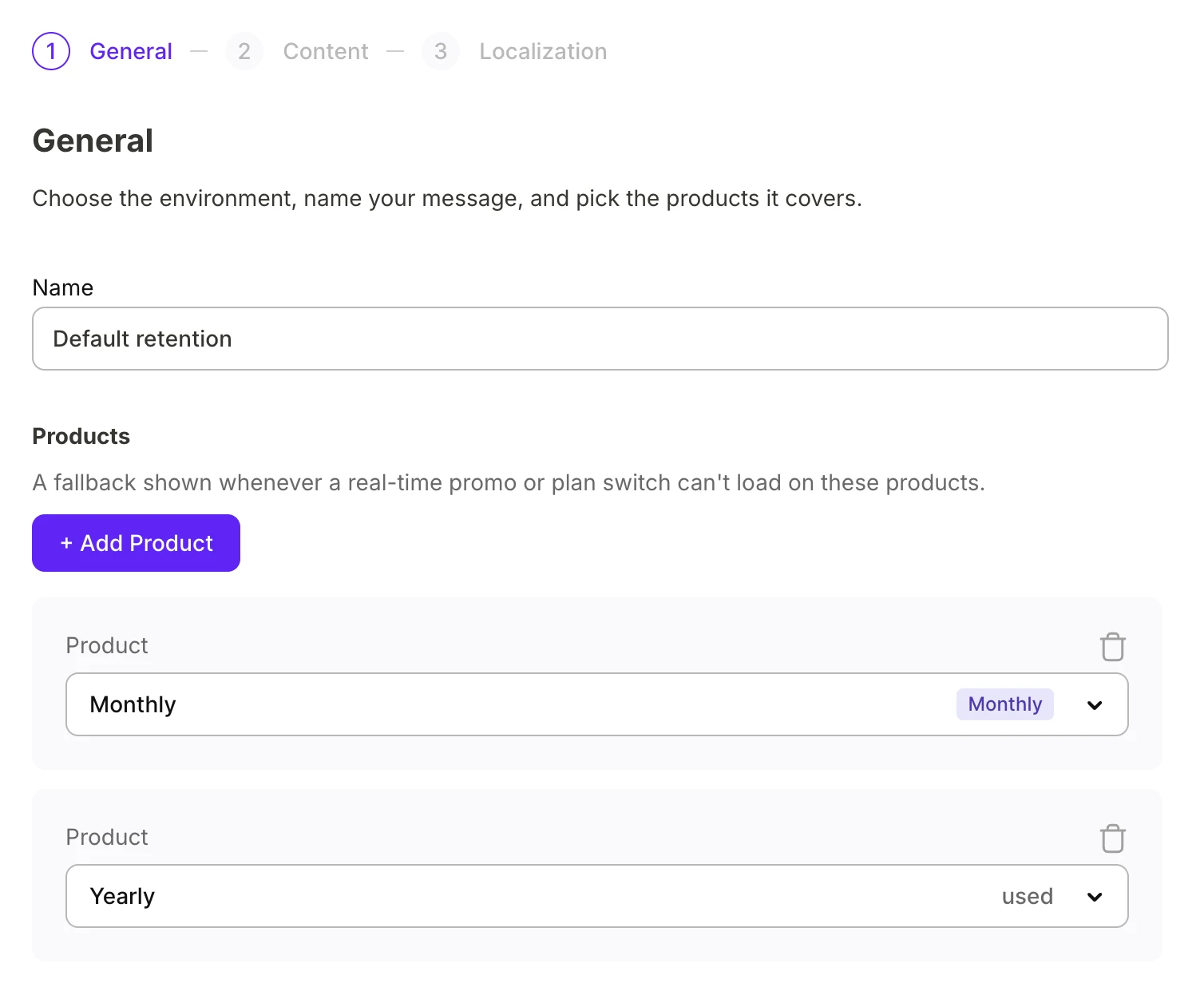
Genel
Mesajı adlandırın ve iptal edildiğinde bu mesajı tetikleyecek ürünleri ekleyin.
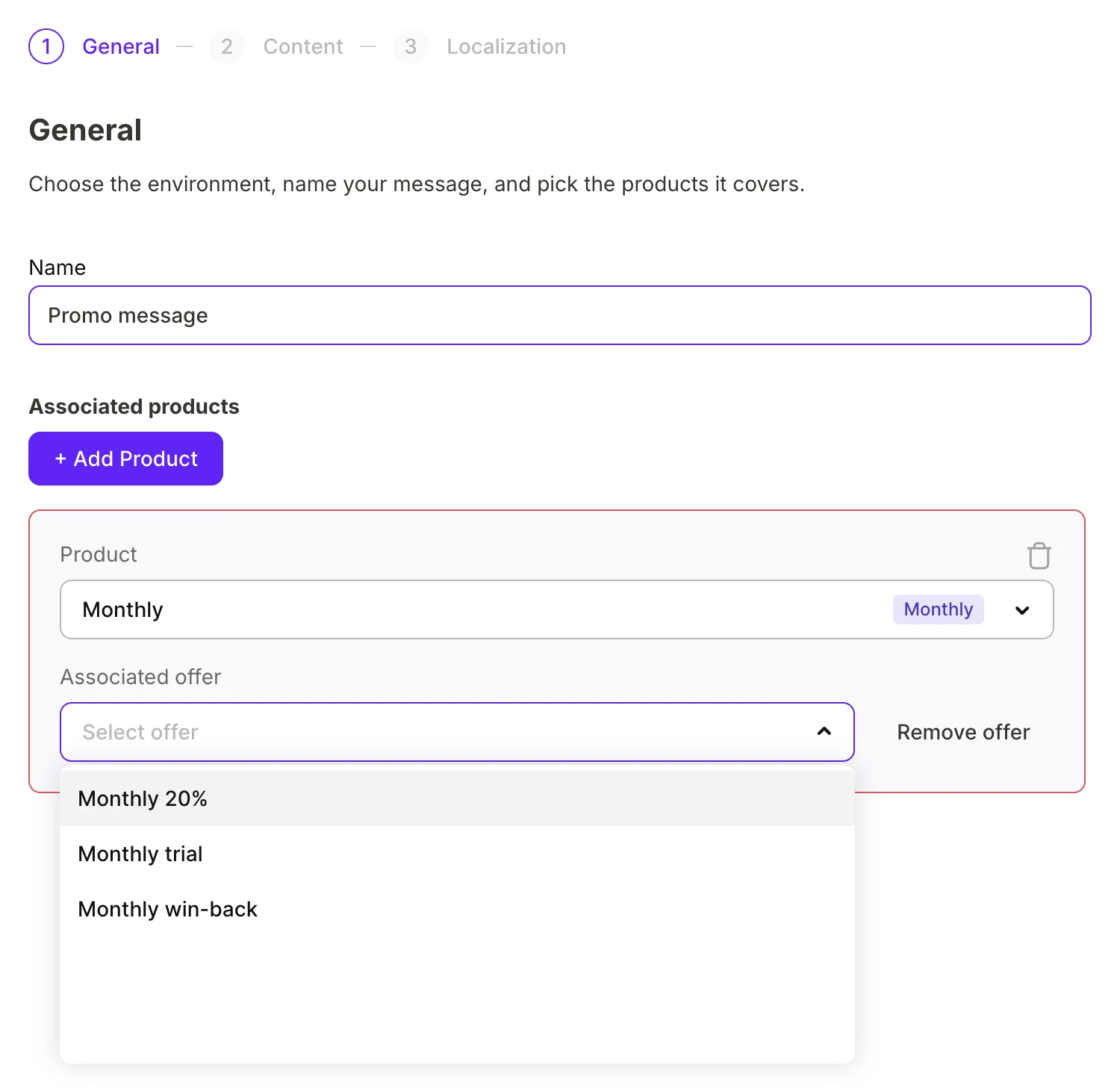
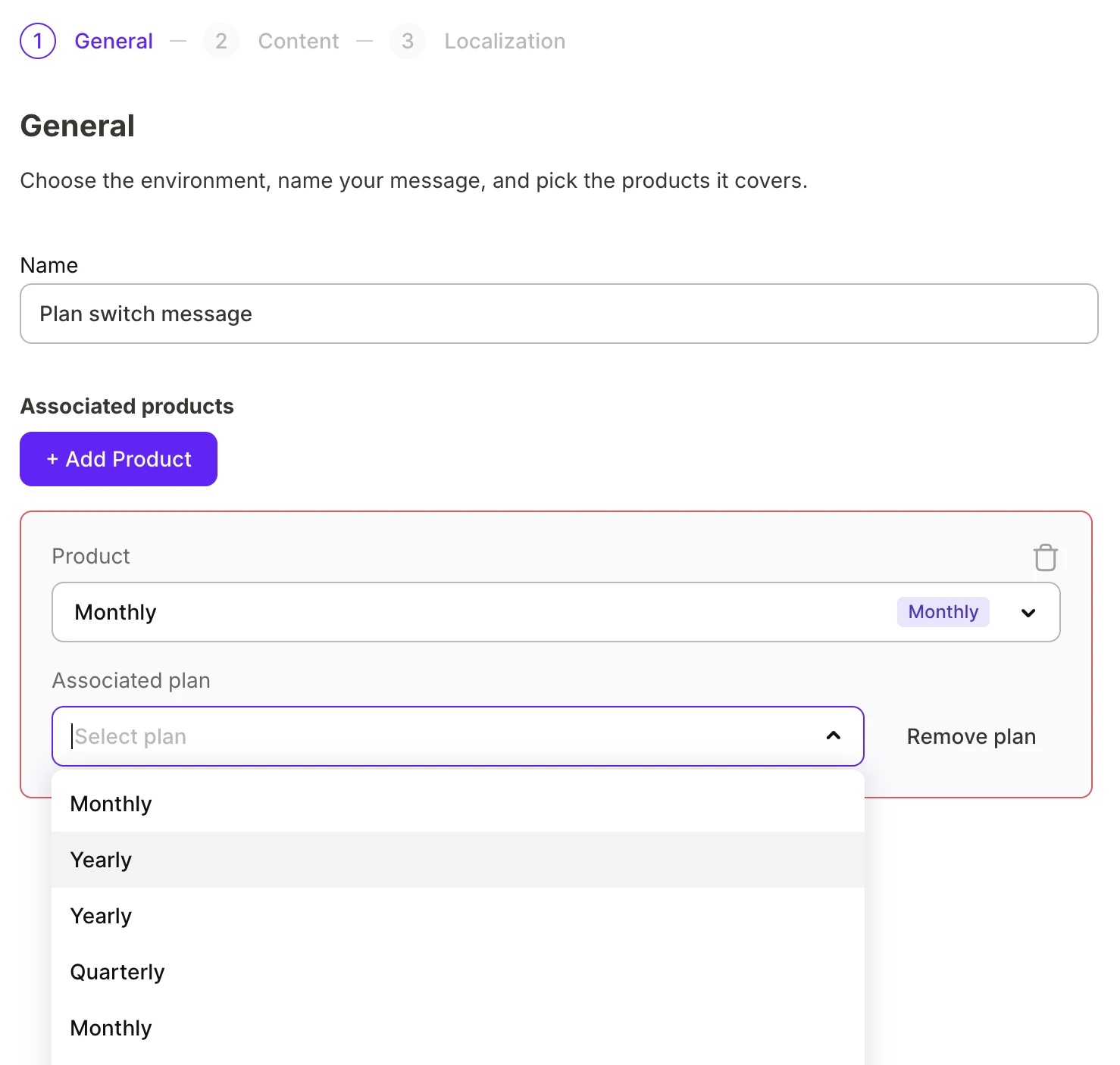
Bir promo mesajı için, aboneyi elde tutmaya ikna edecek teşviki yapılandırın:
-
Promo offer: Daha önce ürün için ayarladığınız bir promosyon teklifi.
-
Plan switch: Kataloğunuzdan farklı bir ürün.
İçerik
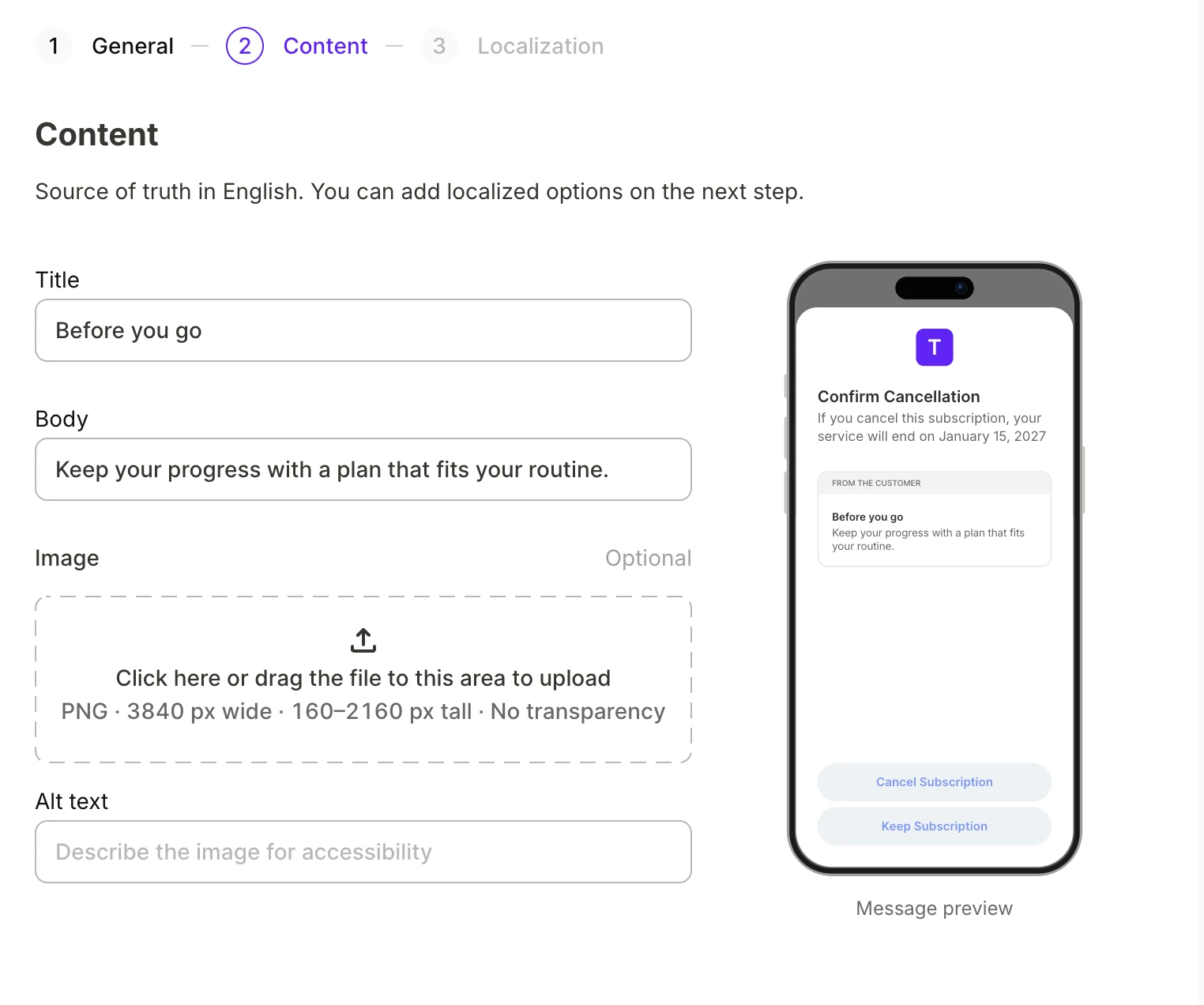
Mesajı İngilizce yazın. Sağdaki önizleme, siz yazarken mesajı Aboneliği İptal Et ekranında gösterir.
Default mesajı bir görsel içerebilir.
Yerelleştirme
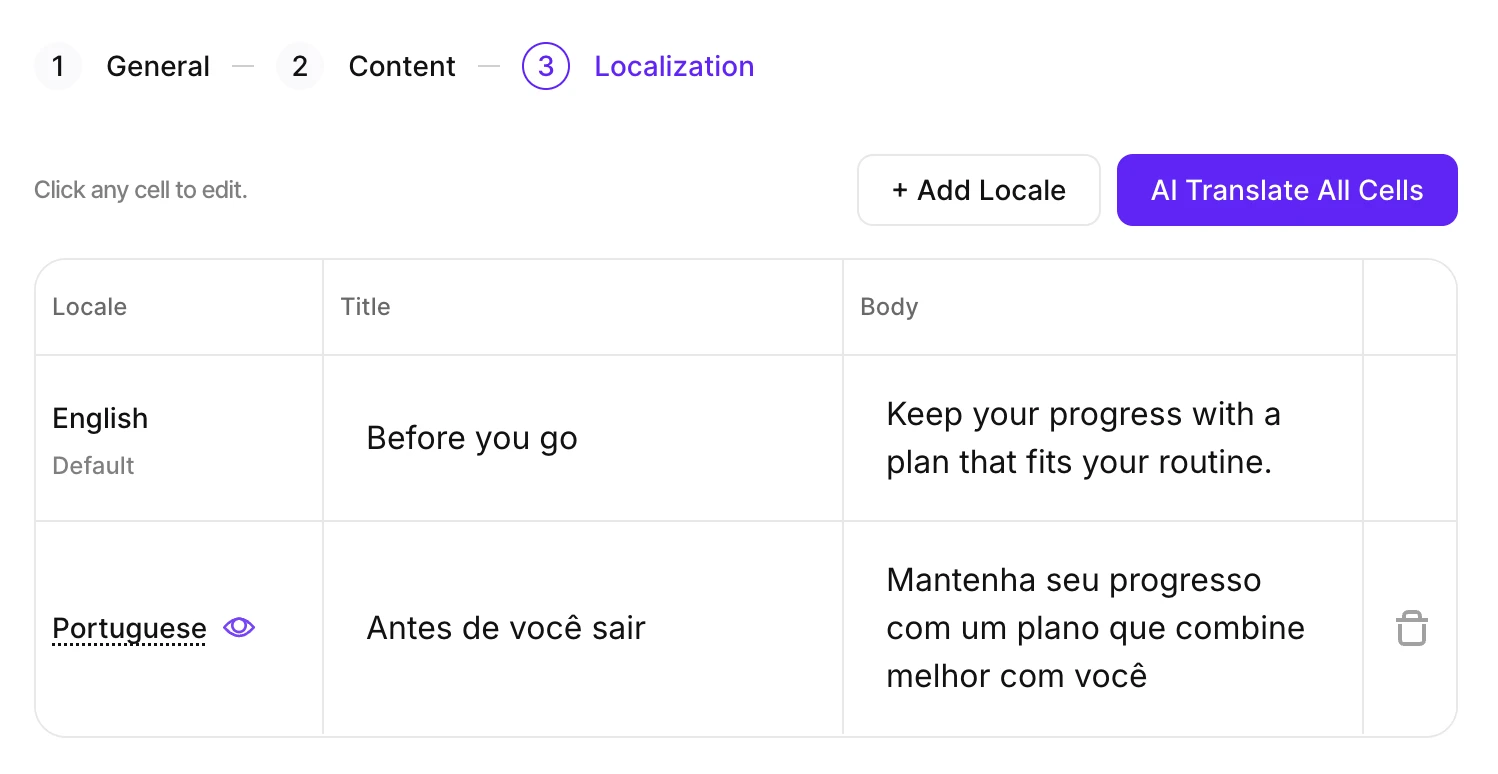
İngilizce kaynak dildir. Abonelerinizin kullandığı diğer dilleri ekleyin, ardından içeriği çevirin.
- Add Locale seçeneğine tıklayın ve hangi yerel ayarları destekleyeceğinizi seçin.
- AI Translate All Cells seçeneğine tıklayarak içeriği otomatik olarak çevirin.
- Bir çeviriyi düzenlemek için ilgili hücreye tıklayın.
Her yerel ayar, İngilizce kaynakla aynı sınırlara uygun olmalıdır: başlık için 66, gövde için 144 karakter. Bu sınırı aşan bir çeviri, kısaltılana kadar Submit To Review seçeneğini engeller.
İptal Abonelik ekranında önizlemek için bir yerel ayarın üzerine gelin.
Adapty, hedef yerel ayar için Apple henüz bir çeviriyi onaylamamışsa en-US sürümüne geri döner.
İnceleme için gönder
Mesaj hazır olduğunda Submit To Review butonuna tıklayın. Adapty, mesajı eklediğiniz tüm yerel ayarlar için Apple’a yükler ve Apple inceleme sürecini başlatır. Gönderiminizin durumunu Retention Messaging sayfasında takip edebilirsiniz.
Adapty, mesajı yalnızca gönderdiğinizde kaydeder.
Mesaj durumları
Mesajı gönderdikten sonra Apple, her yerel ayarı ayrı ayrı inceler. Her yerel ayar ayrı değerlendirilir; ancak mesaj yalnızca tüm yerel ayarlar onaylandığında yayına girer. Retention Messaging sayfasındaki State sütunu, mesajın ilerleme durumunu takip etmenizi sağlar:
| Durum | Ne anlama gelir |
|---|---|
| In review | Apple henüz mesajı almamış ya da tüm yerel ayarlar için incelemeyi tamamlamamış. |
| Live | Apple mesajı onayladı ve Adapty bunu iptal eden abonelere sunuyor. |
| Rejected | Apple, en az bir yerel ayar için gönderiyi reddetti — alternatif bir sürüm göndermeyi deneyin. |
| Inactive | Mesajı devre dışı bıraktınız. Artık aynı ürünler için yeni bir tane oluşturabilirsiniz. |
Herhangi bir mesajı istediğiniz zaman düzenleyebilirsiniz; hatta müşterilerinize o an sunulan mesajları bile. Live durumdaki bir mesajı düzenler ya da yeni bir yerel ayar eklerseniz, mesaj anında canlı statüsünü kaybeder ve tekrar In review durumuna geçer.
Devre dışı bırakma ve yeniden etkinleştirme
Bir mesajı Adapty’den silmeden Apple’dan kaldırmak için mesajın satırındaki menüyü açın ve Deactivate seçeneğine tıklayın.
Mesajı geri getirmek için Activate seçeneğine tıklayın. Yeniden etkinleştirme Apple’ın inceleme sürecini atlar ve mesajın tüm abonelere ulaşması birkaç dakika sürebilir.
Bir ürünün en fazla bir varsayılan mesajı ve bir promosyon mesajı olabilir. Bu mesaj devre dışıyken aynı türden başka bir mesaj ürünü üstlenmişse, etkinleştirme başarısız olur.
Sonraki adımlar
- Yayına girdikten sonra mesajın performansını takip edin.