
Cấp quyền cho tài khoản dịch vụ trong Google Play Console
Adapty đọc các sản phẩm của bạn và xác thực các giao dịch mua thông qua tài khoản dịch vụ. Cho đến khi bạn mời tài khoản đó vào Google Play Console và cấp quyền, nó sẽ không có quyền truy cập vào dữ liệu ứng dụng của bạn.
Trước khi bắt đầu
Tạo tài khoản dịch vụ và chuẩn bị sẵn địa chỉ email của tài khoản đó. Bạn sẽ cần địa chỉ này để gửi lời mời.
Cấp quyền
-
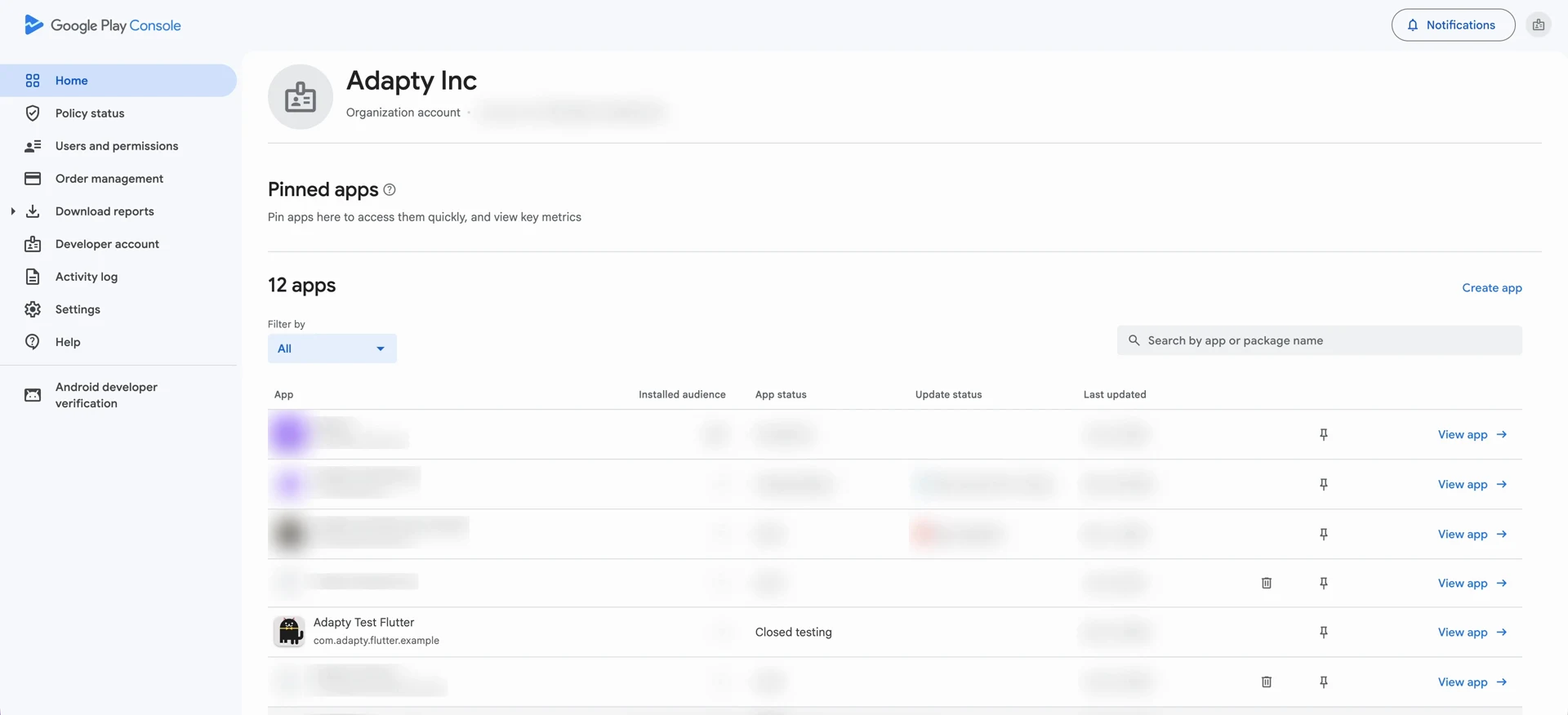
Mở Google Play Console và vào Users and permissions.
-
Nhấp vào Invite new users.
-
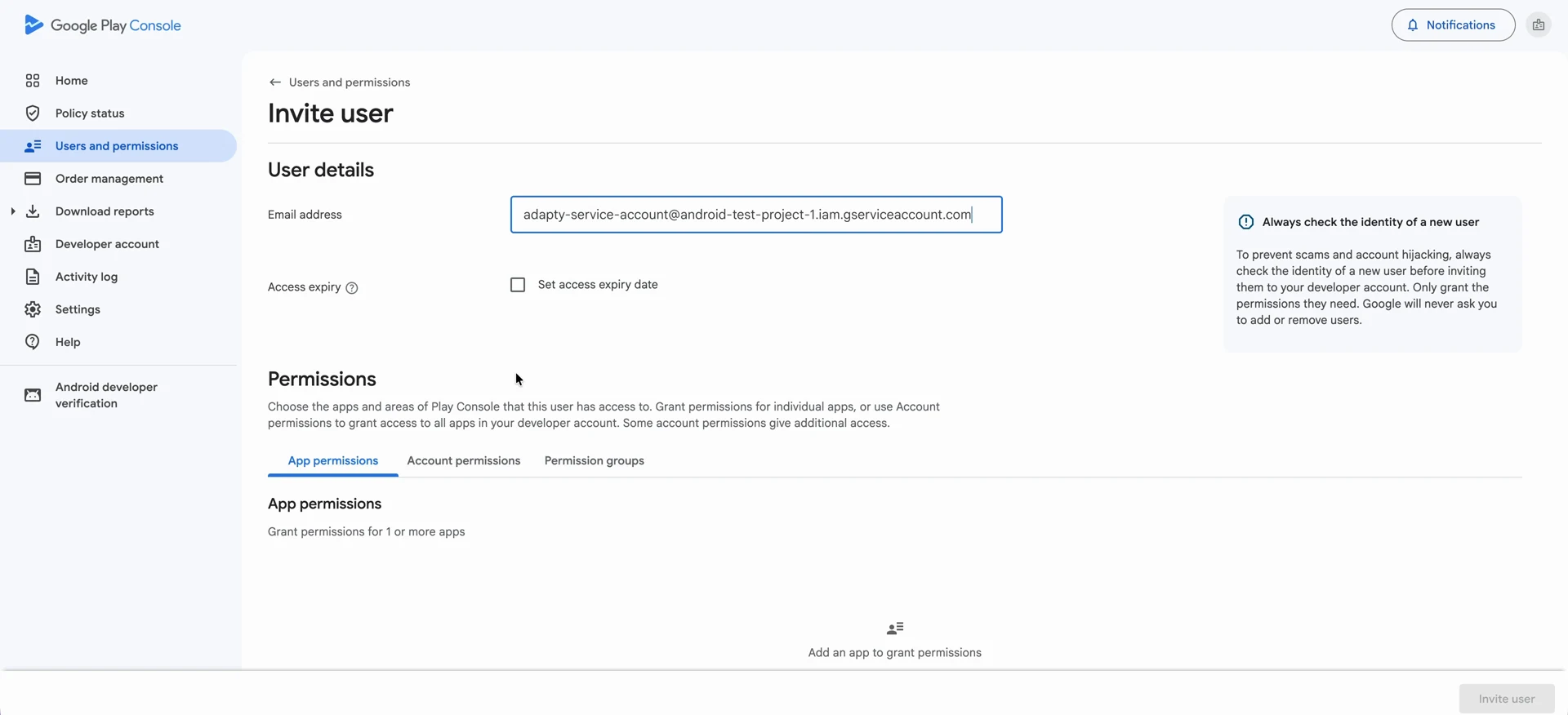
Trong Email address, dán địa chỉ email của service account vào.
-
Mở tab Account permissions. Các quyền được cấp tại đây áp dụng cho mọi ứng dụng trong tài khoản nhà phát triển của bạn, còn tab App permissions chỉ áp dụng cho những ứng dụng bạn chọn riêng lẻ.
-
Chọn bốn quyền sau:
- View app information and download bulk reports (read-only)
- View financial data, orders, and cancellation survey responses
- Manage orders and subscriptions
- Manage store presence
-
Nhấp Invite user, sau đó xác nhận bằng Send invite. Tài khoản dịch vụ sẽ xuất hiện trong danh sách người dùng.
Bước tiếp theo
Tạo file khóa tài khoản dịch vụ, được Adapty sử dụng để xác thực với tài khoản này.