
在 Google Cloud Console 中创建服务账号
服务账号是一种特殊的 Google 账号,Adapty 将通过它访问你的 Google 项目和应用。
开始之前
在同一个 Google Cloud 项目中启用开发者 API。在 API 开启之前,服务账号没有任何可调用的接口。
创建服务账号
-
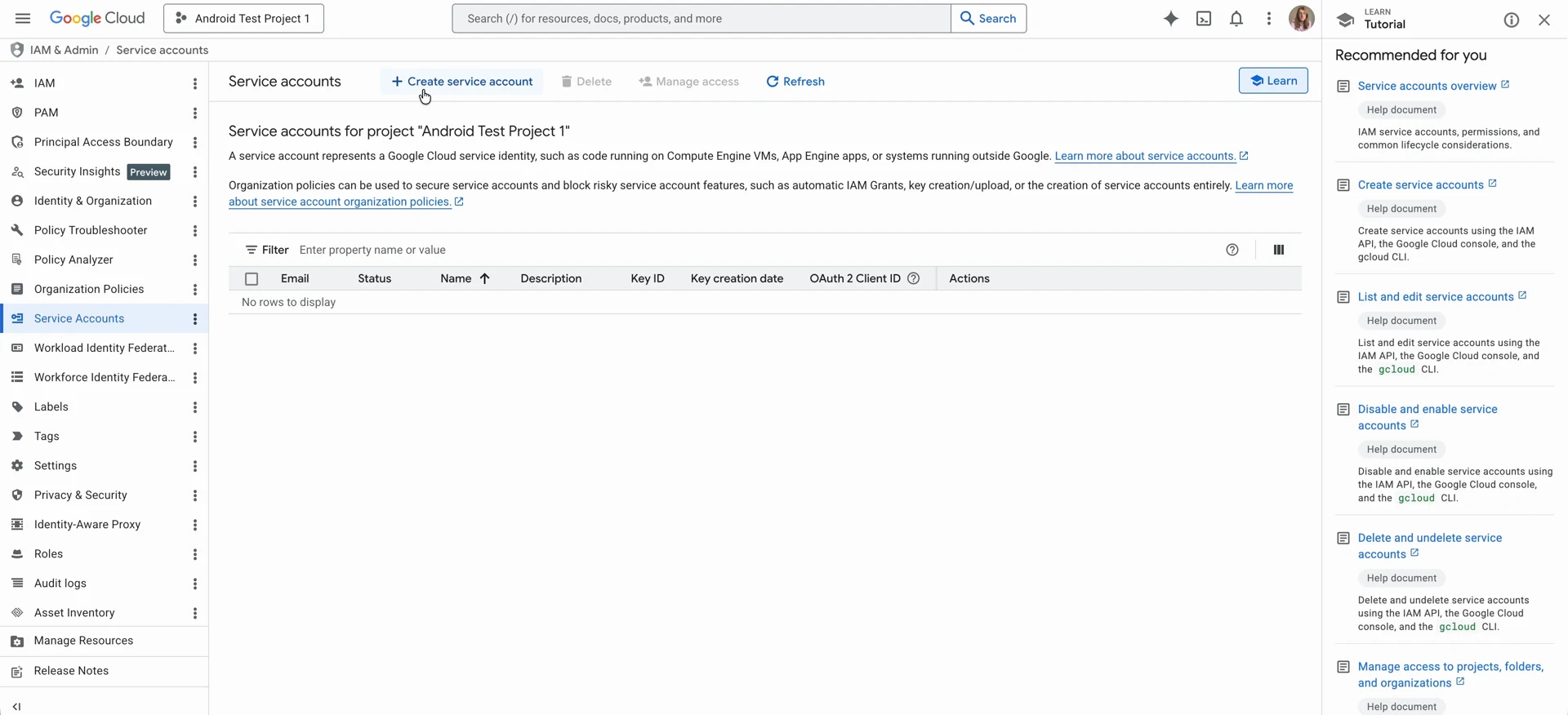
在 Google Cloud Console 中打开 IAM & Admin > Service accounts,确认你处于正确的项目中。
-
点击 Create service account。
-
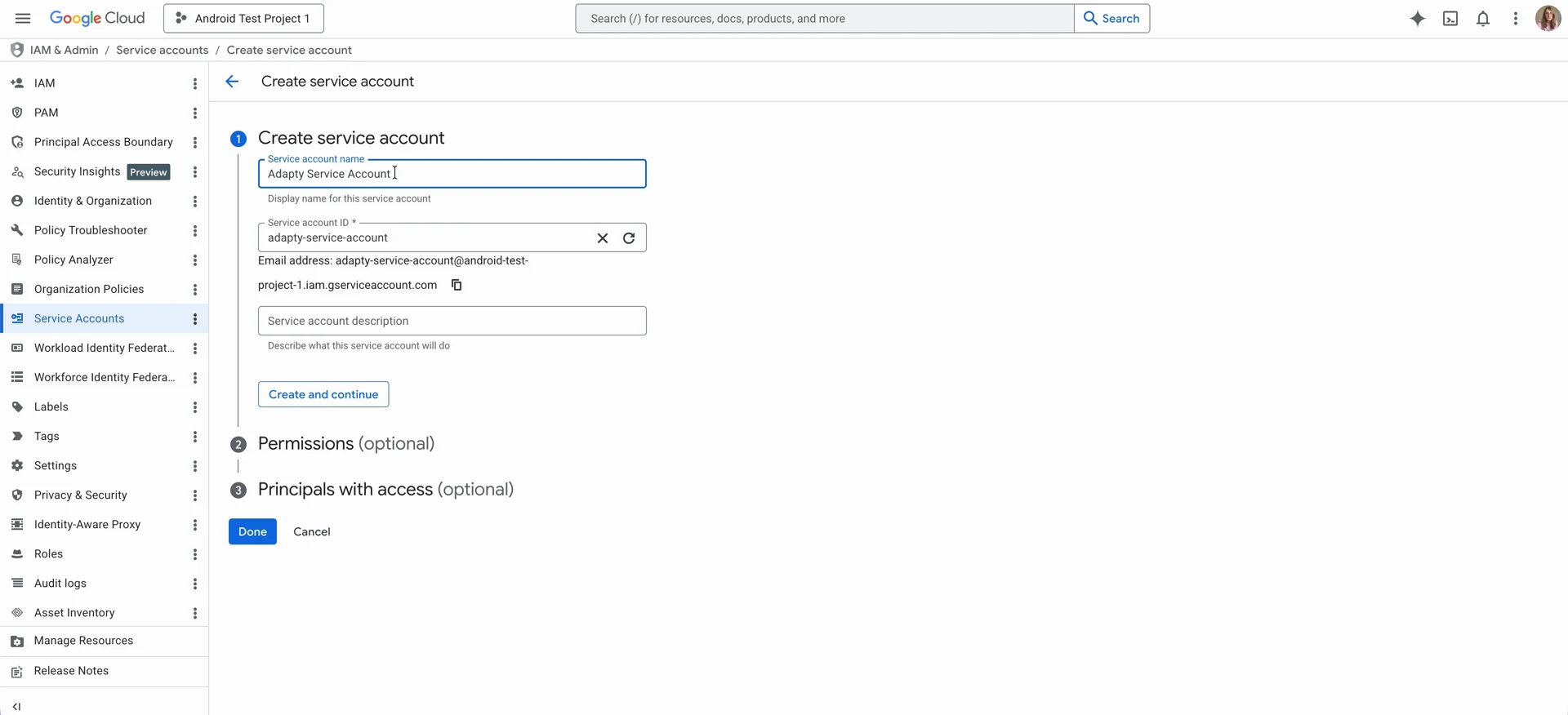
填写 Service account name,建议在名称中包含”Adapty”,以便清楚地标识该账号的用途。Service account ID 字段会自动填充。
-
复制该账号的电子邮件地址。您将使用它在 Play Console 中分配所需权限。
-
点击 Create and continue。
-
为新创建的账号赋予 Pub/Sub Admin 角色。Adapty 需要该权限来接收实时开发者通知。点击 Select a role,然后选择 Pub/Sub > Pub/Sub Admin。
-
为其分配 Monitoring Viewer 角色。Adapty 需要此角色来监控通知队列。点击 Add another role,然后选择 Monitoring > Monitoring Viewer。
-
点击 Continue。
-
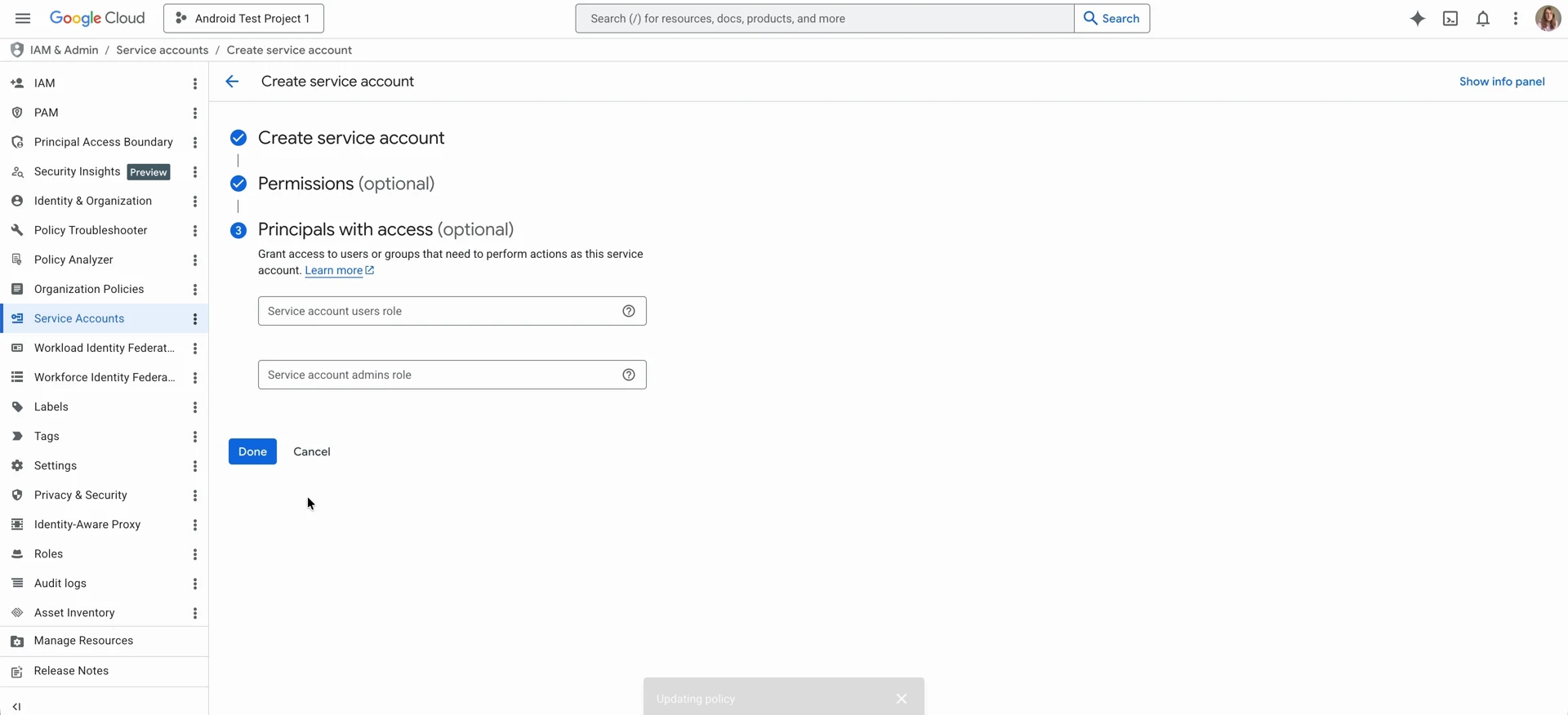
跳过 Principals with access,然后点击 Done。
使用自定义角色替代 Pub/Sub Admin
如果您的安全策略限制使用预定义的 Admin 角色,可授予具有以下权限的自定义 IAM 角色,以替代 Pub/Sub Admin:
pubsub.topics.listpubsub.topics.createpubsub.topics.setIamPolicypubsub.topics.attachSubscriptionpubsub.subscriptions.listpubsub.subscriptions.create
Adapty 本身的配置仅会调用 Pub/Sub 的主题和订阅 API,不会调用 Monitoring API。单独的 Monitoring Viewer 角色是为了让你能查看通知队列,Adapty 的调用并不需要它。
下一步
在 Google Play Console 中为服务账号授予权限,以便其访问您的应用数据。