
Adjust
Adjust 是领先的移动归因平台(MMP)之一,用于收集和呈现营销活动数据,帮助公司追踪其广告投放效果。
Adapty 提供了一套完整的数据,让您可以在一个地方追踪来自各应用商店的订阅事件。借助 Adapty,您可以轻松了解订阅用户的行为规律、掌握他们的偏好,并据此进行精准有效的沟通。因此,本集成支持您在 Adjust 中追踪订阅事件,精确分析每个推广活动带来的收益。
Adapty 与 Adjust 的集成主要通过以下两种方式实现。
- Adapty 从 Adjust 接收归因数据 完成 Adjust 集成配置后,Adapty 将开始从 Adjust 接收归因数据。你可以在用户的用户画像页面轻松查看这些数据。
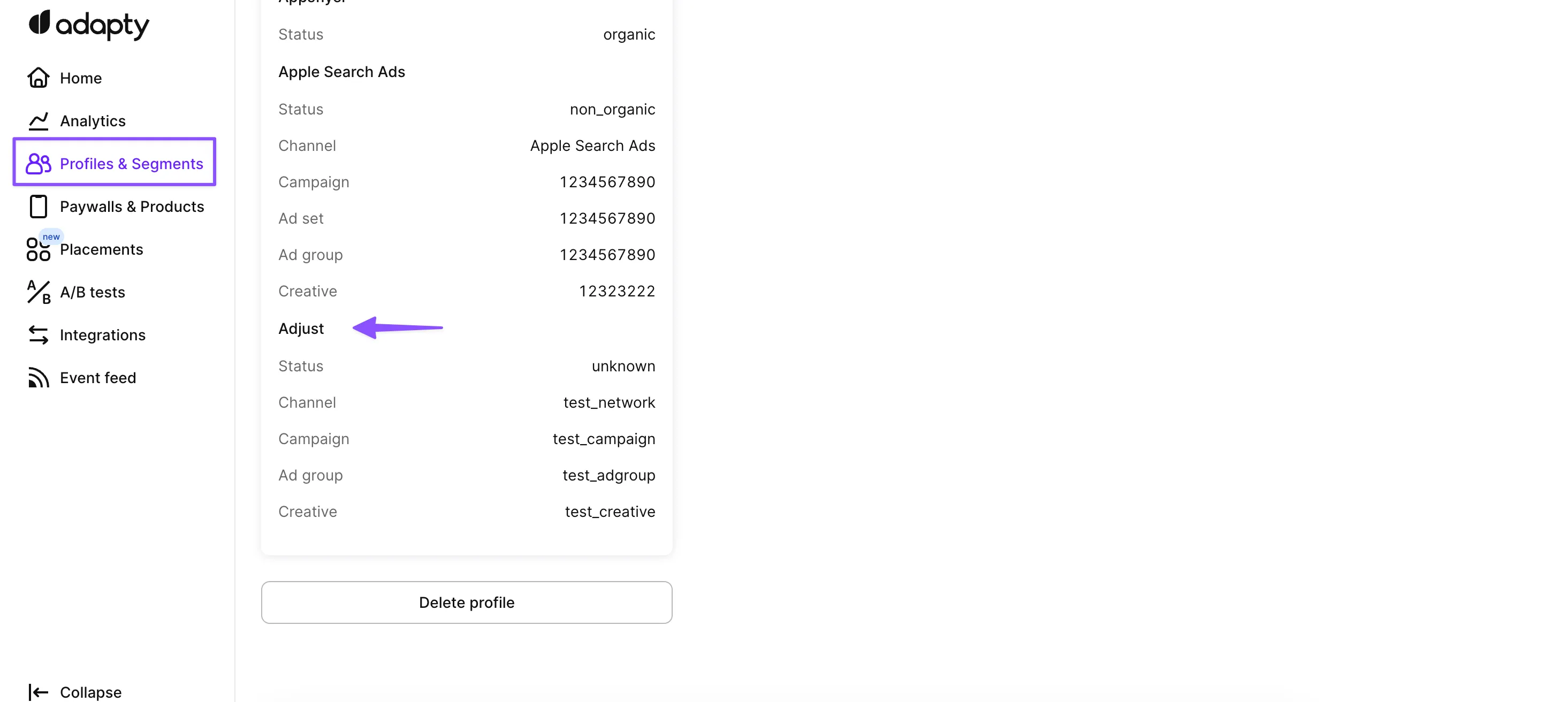
- Adapty 将订阅事件发送至 Adjust Adapty 可以将所有在集成中配置的订阅事件发送至 Adjust,从而让你在 Adjust 看板中追踪这些事件。这一集成有助于评估广告活动的效果。
设置集成
将 Adapty 连接到 Adjust
-
打开 Adapty 看板,进入 Integrations > Adjust。
-
将页面顶部的开关打开。
-
填写各字段,并设置您的访问凭据。
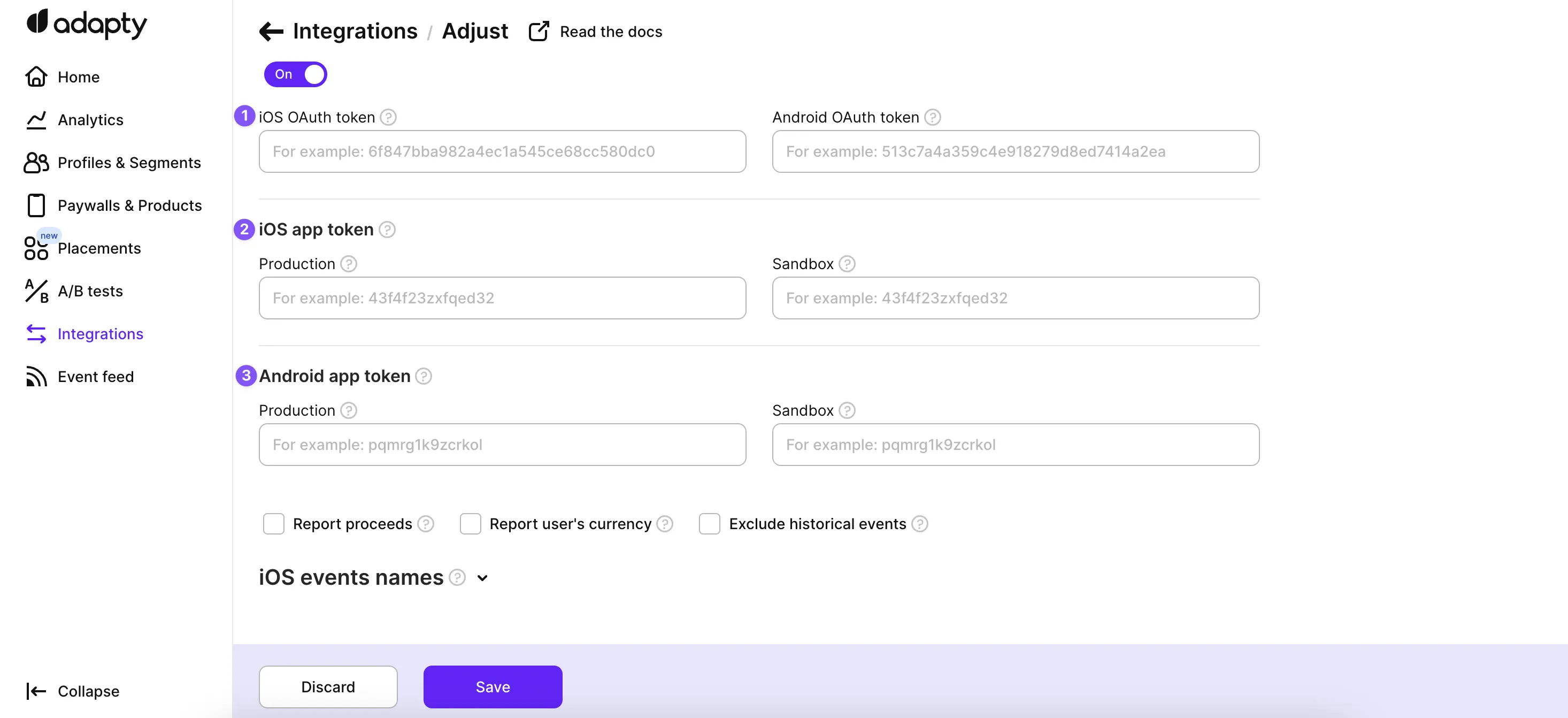
- 如果您在 Adjust 平台上启用了 OAuth 授权,则在集成 iOS 和 Android 应用时必须提供 OAuth Token。
- 接下来,提供您 iOS 和 Android 应用的 app tokens。打开 Adjust 看板,即可看到您的应用。
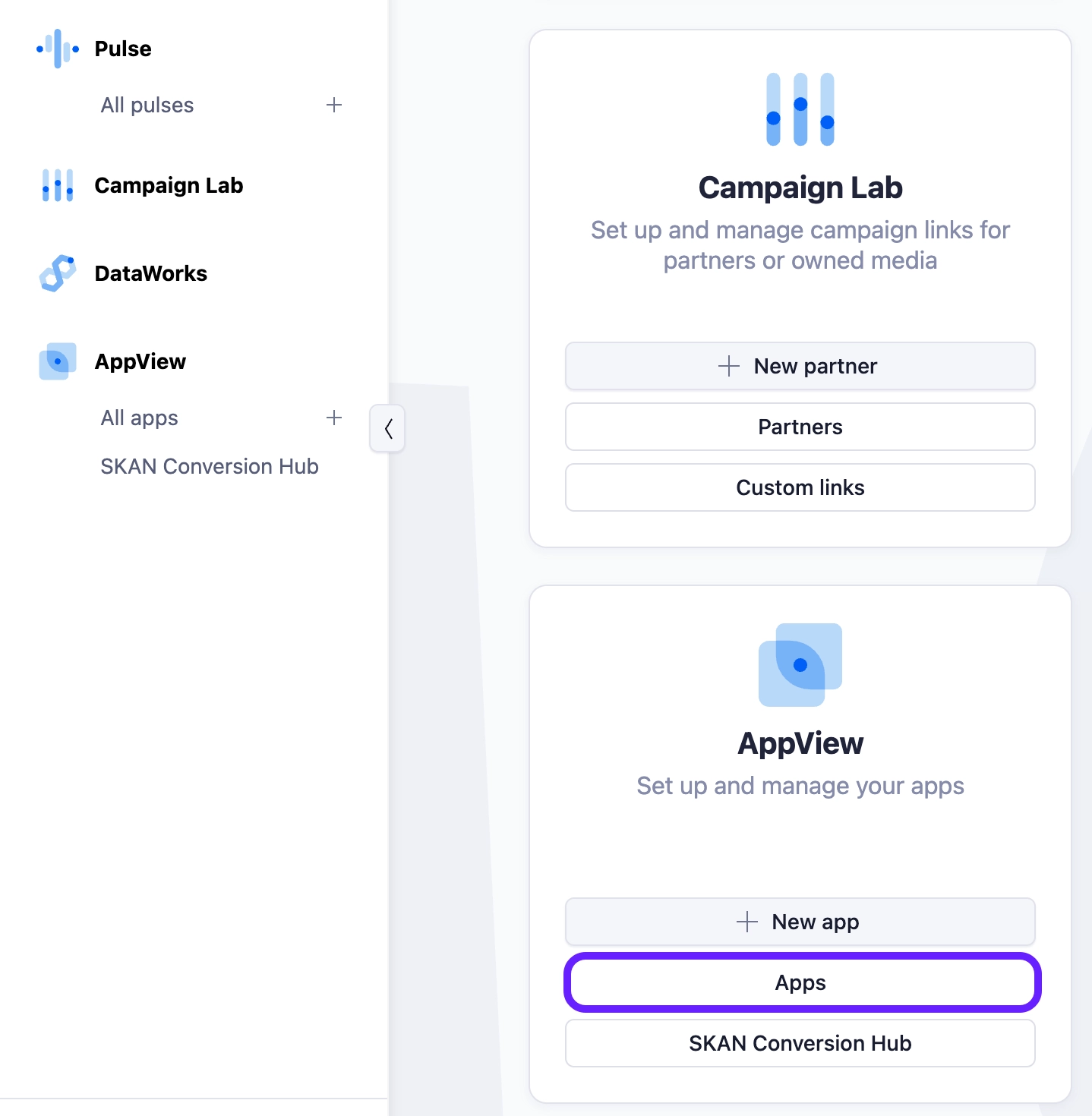
您在 iOS 和 Android 上可能有不同的 Adjust 应用,因此在 Adapty 中为此提供了两个独立的配置区域。如果您只有一个 Adjust 应用,直接填写相同的信息即可。
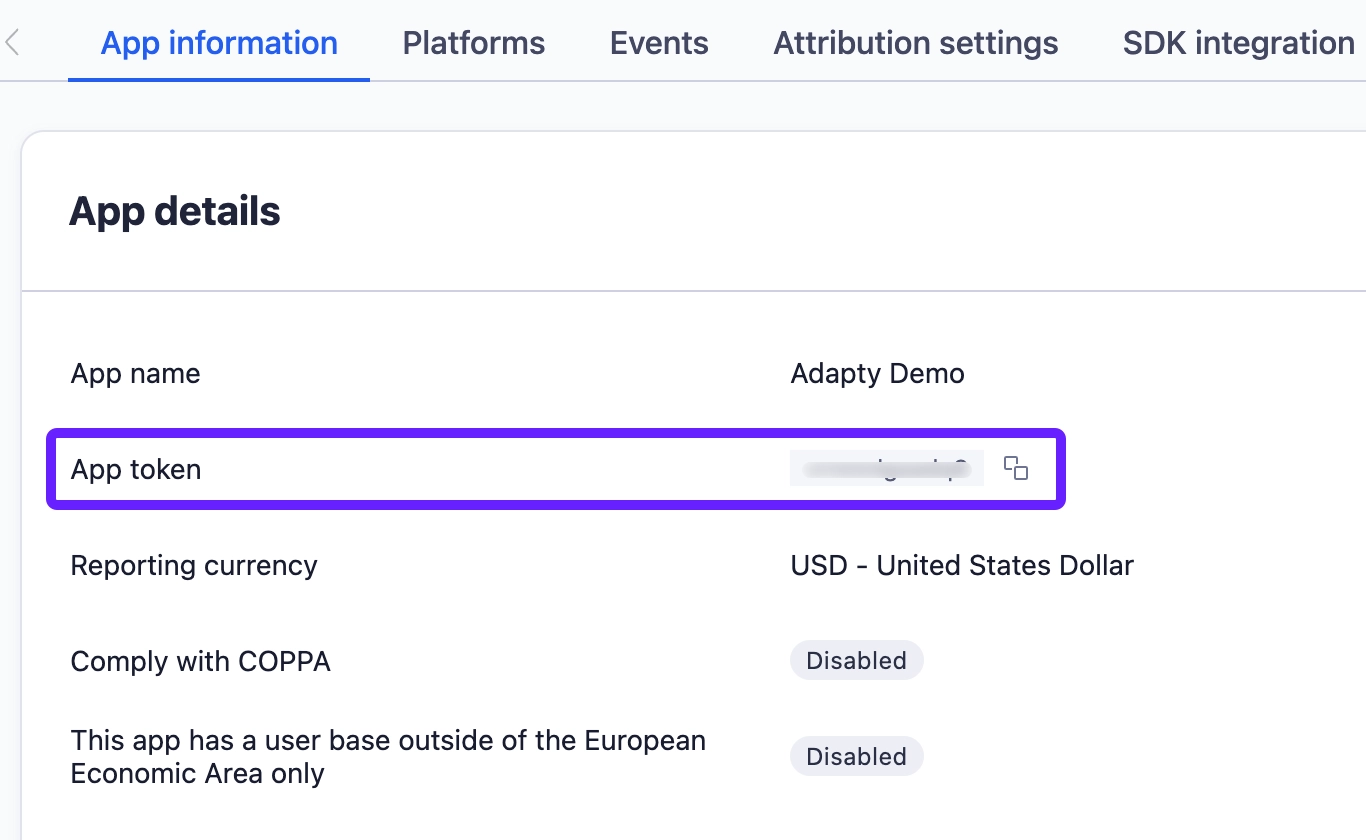
- 从列表中选择您的应用,并复制 App Token。将该 token 粘贴到 Adapty 看板中对应的字段里。
Adapty 会将 Stripe 和 Paddle 购买 通过买家安装您应用所在平台的 App Token 发送给 Adjust。如果您发布了 Android 应用并在网页端销售,请填写 Android App Token。若未填写,Android 买家的网页购买将失败,并提示 Missing integration credentials。
配置事件和标签
Adjust 的工作方式与其他平台略有不同。你需要在 Adjust 看板中手动创建事件,获取事件令牌,然后将其复制粘贴到 Adapty 中对应的事件里。
因此,第一步是找到你希望 Adapty 发送的所有事件的事件令牌。具体操作如下:
- 在 Adjust 看板中,打开你的应用并切换到 Events 标签页。
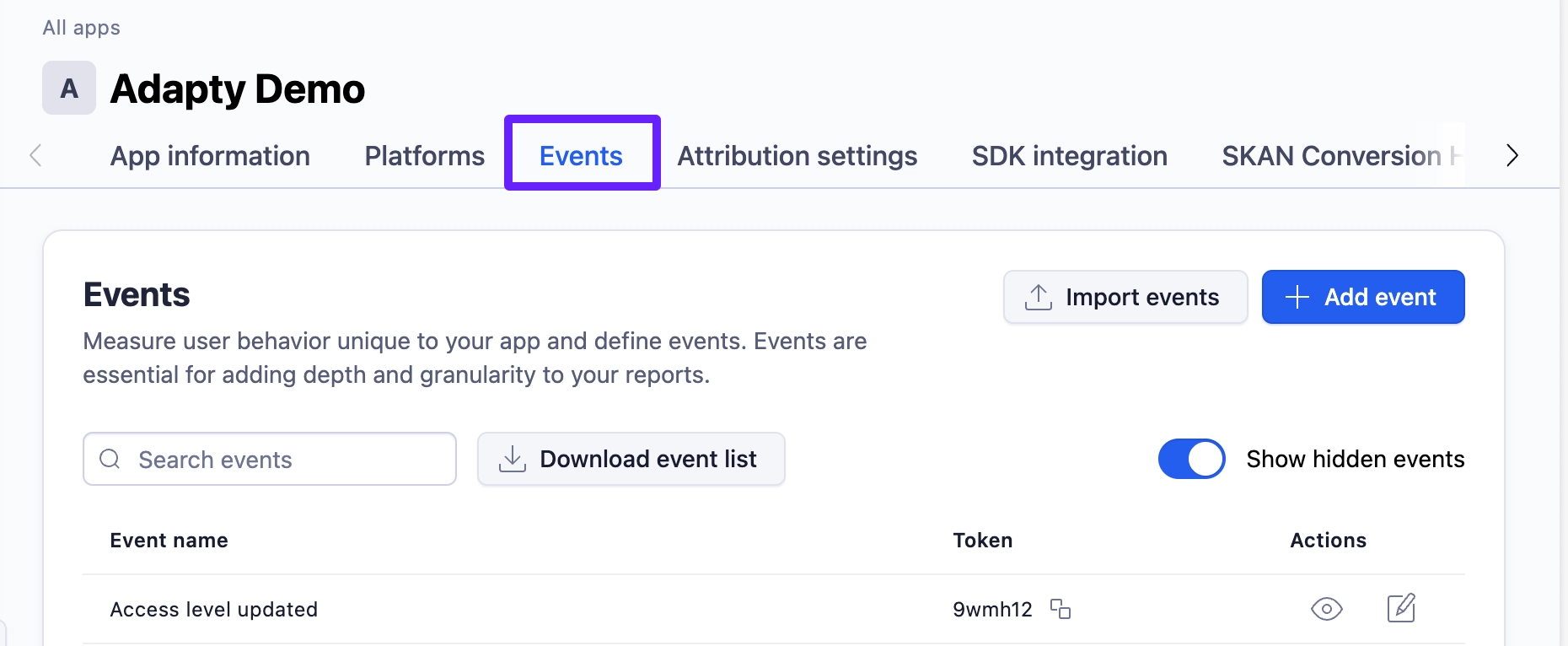
- 复制事件 token 并粘贴到 Adapty 中。在凭据下方,有三组事件可从 Adapty 发送到 Adjust。点击此处查看 Adapty 提供的完整事件列表。
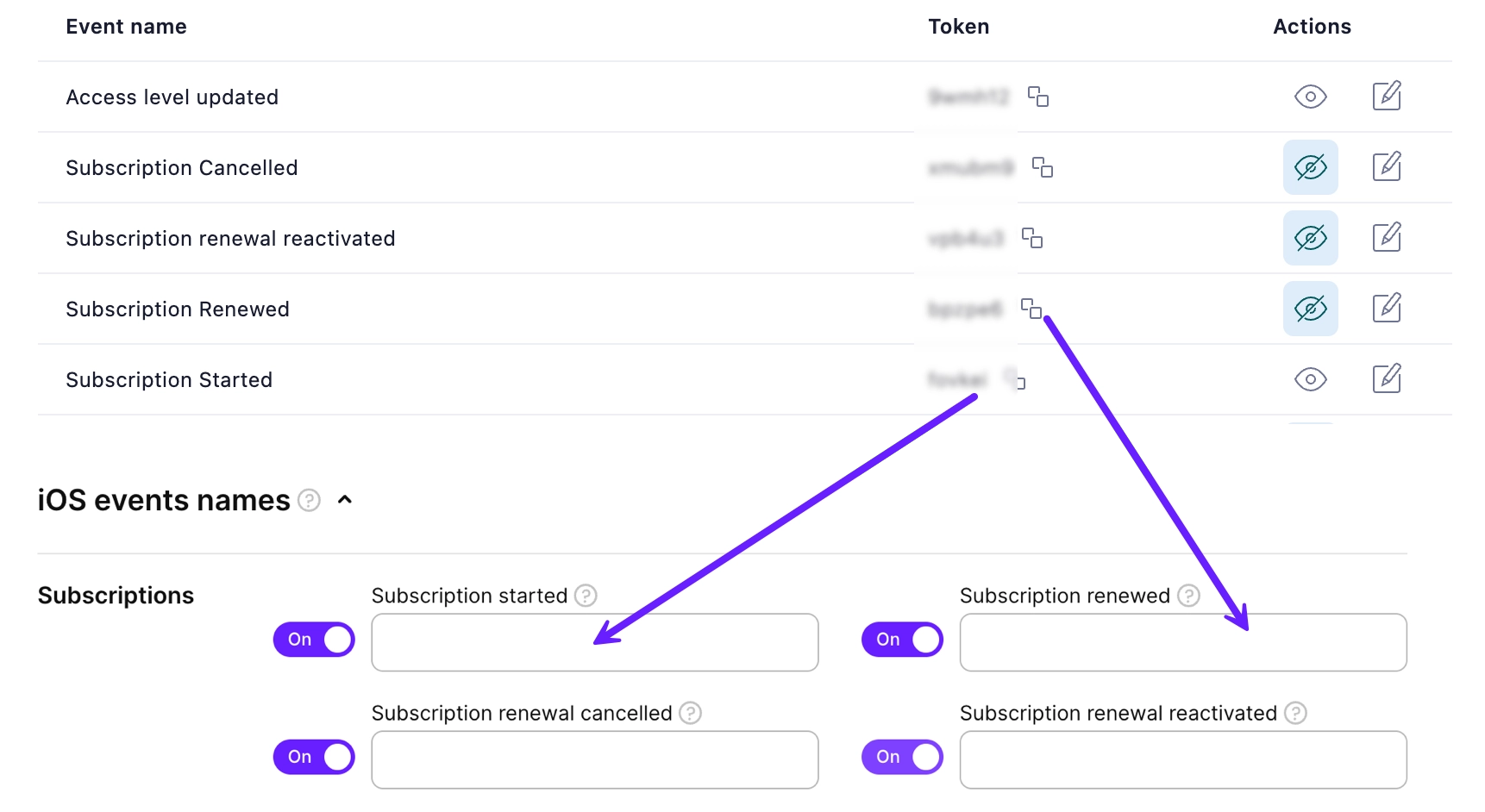
Adapty 将通过服务器到服务器的集成方式向 Adjust 发送订阅事件,让你可以在 Adjust 看板中查看所有订阅事件,并将其与获客活动关联起来。
请注意以下几点:
- Adjust 不支持 58 天以前的事件。如果某个事件超过 58 天,Adapty 仍会将其发送给 Adjust,但事件时间戳会被替换为当前时间。
- Adjust 不支持 IPv6。如果你在 App settings 或 SDK 激活时禁用了 IP 收集,后端可能只会发送 IPv6,导致追踪失败——请保持 SDK 的 IP 收集功能开启,以确保使用 IPv4。
将您的应用连接到 Adjust
完成上述步骤后,将以下两个方法添加到您的应用中。它们将建立您的应用与 Adjust 之间的通信:
- 向 Adjust 发送订阅数据:将 Adjust 设备 ID 传递给
setIntegrationIdentifier()SDK 方法 - 从 Adjust 接收归因数据:使用
updateExternalAttribution()SDK 方法更新归因数据(在 SDK 4.1 版本之前该方法名为updateAttribution())
如果使用 Adjust 5.0 或更高版本,请参考以下示例:
Web 购买(Stripe 和 Paddle)
Adjust 会接收 Stripe 和 Paddle 的购买记录,与 App Store 和 Google Play 的购买记录一同处理。Web 购买发生在应用之外,因此本身没有移动平台属性。Adapty 会使用买家的平台信息代替。当其 Adapty 用户画像是通过 App Store 或 Google Play 创建时,Web 购买会以该商店的来源发送给 Adjust:
| 买家的用户画像存储 | Adapty 随购买发送的内容 |
|---|---|
| App Store | 您的 iOS App Token 和 OAuth Token,以及买家的 idfa 和 idfv。 |
| Google Play | 您的 Android App Token 和 OAuth Token,以及买家的 android_id 和 gps_adid。 |
购买事件会与安装时的同一设备关联发送至 Adjust,因此 Adjust 可以将其归因到引入该用户的广告系列。
Adjust 集成页面没有单独的 Stripe 或 Paddle 字段。Web 端购买会复用 Connect Adapty to Adjust 中配置的 iOS 和 Android 凭据。
从未打开过移动端应用的买家没有 Adjust 设备 ID,其用户画像是在 Stripe 或 Paddle 上创建的。Adapty 会使用您的 iOS App Token 将其购买事件发送给 Adjust,但不携带任何广告 ID。因此,Adjust 无法通过任何标识符将该购买与某次安装关联起来。
事件结构
Adapty 会将所选事件发送到 Adjust,具体配置在 Adjust 集成页面 的 Events names 部分完成。每个事件的结构如下:
{
   "event_token": "EVENT_TOKEN_FROM_CONFIG",
   "app_token": "APP_TOKEN_FROM_CONFIG",
   "s2s": 1,
   "environment": "production",
   "created_at_unix": 1709294400,
   "currency": "USD",
   "revenue": 9.99,
   "customer_user_id": "user_12345",
   "external_device_id": "user_12345",
   "ip_address": "192.168.100.1",
   "user_agent": "Mozilla/5.0 (Linux; Android 14; SM-S901B) AppleWebKit/537.36 (KHTML, like Gecko) Chrome/120.0.0.0 Mobile Safari/537.36",
   "android_id": "875646c2-4a56-4211-8931-168532479006",
   "gps_adid": "875646c2-4a56-4211-8931-168532479006",
   "callback_params": "{\"integration_event_id\":\"550e8400-e29b-41d4-a716-446655440000\",\"customer_user_id\":\"user_12345\",\"vendor_product_id\":\"com.example.app.yearly.premium\",\"transaction_id\":\"GPA.3312-4512-1100-55923\",\"original_transaction_id\":\"GPA.3312-4512-1100-55923\",\"store\":\"play_store\",\"store_country\":\"US\",\"price_usd\":9.99,\"proceeds_usd\":8.49,\"price_local\":9.99,\"proceeds_local\":8.49,\"net_revenue_usd\":8.49,\"net_revenue_local\":8.49,\"tax_amount_usd\":0.0,\"tax_amount_local\":0.0,\"consecutive_payments\":3,\"rate_after_first_year\":false}",
   "partner_params": "{\"integration_event_id\":\"550e8400-e29b-41d4-a716-446655440000\",\"customer_user_id\":\"user_12345\",\"vendor_product_id\":\"com.example.app.yearly.premium\",\"transaction_id\":\"GPA.3312-4512-1100-55923\",\"original_transaction_id\":\"GPA.3312-4512-1100-55923\",\"store\":\"play_store\",\"store_country\":\"US\",\"price_usd\":9.99,\"proceeds_usd\":8.49,\"price_local\":9.99,\"proceeds_local\":8.49,\"net_revenue_usd\":8.49,\"net_revenue_local\":8.49,\"tax_amount_usd\":0.0,\"tax_amount_local\":0.0,\"consecutive_payments\":3,\"rate_after_first_year\":false}"
}
位置
| 参数 | 类型 | 描述 |
|---|---|---|
app_token | String | 集成设置中的 Adjust App Token。 |
event_token | String | 与特定 Adapty 事件映射的 Adjust Event Token。 |
s2s | Integer | 服务器到服务器事件标志。 |
environment | String | sandbox 或 production。 |
created_at_unix | Integer | 事件的时间戳(以秒为单位)。 |
currency | String | 交易的货币代码(例如 “USD”)。仅在收入超过 0.001 时包含,因为 Adjust 要求收入和货币必须一起发送。 |
revenue | Float | 交易收入金额。仅在值超过 0.001 时包含。请注意,退款事件不包含收入属性,因为 Adjust 不支持负收入值。 |
customer_user_id | String | 用户的 Customer User ID。 |
external_device_id | String | 与 customer_user_id 相同。 |
ip_address | String | 用户的 IP 地址(仅限 IPv4)。 |
user_agent | String | 设备 User Agent 字符串。 |
adid | String | Adjust Device ID(如已知)。 |
android_id | String | 仅限 Android。Google Advertising ID。 |
gps_adid | String | 仅限 Android。Google Advertising ID。 |
idfa | String | 仅限 iOS。广告主标识符(ID for Advertisers)。 |
idfv | String | 仅限 iOS。供应商标识符(ID for Vendors)。 |
callback_params | String | 包含所有可用事件字段的 JSON 字符串。仅包含非空字段。 |
partner_params | String | 与 callback_params 相同。 |
故障排查
收入数据不一致
如果 Adapty 与 Adjust 之间存在收入数据差异,可能是因为并非所有用户都在使用包含 Adapty SDK 的应用版本。为确保数据一致性,您可以强制用户将应用更新至集成了 Adapty SDK 的版本。
access_level_updated 在事件流中显示为失败
access_level_updated 是一个仅限 Webhook 的事件。Adapty 不会将其发送到此集成。但 Adapty 会为每个已启用的集成记录结果,不支持的事件将显示为失败。