@MainActor
struct AdaptyTimerResolverImpl: AdaptyTimerResolver {
func timerEndAtDate(for timerId: String) -> Date {
switch timerId {
case "CUSTOM_TIMER_6H":
Date(timeIntervalSinceNow: 3600.0 * 6.0) // 6 hours
case "CUSTOM_TIMER_NY":
Calendar.current.date(from: DateComponents(year: 2025, month: 1, day: 1)) ?? Date(timeIntervalSinceNow: 3600.0)
default:
Date(timeIntervalSinceNow: 3600.0) // 1 hour
}
}
}
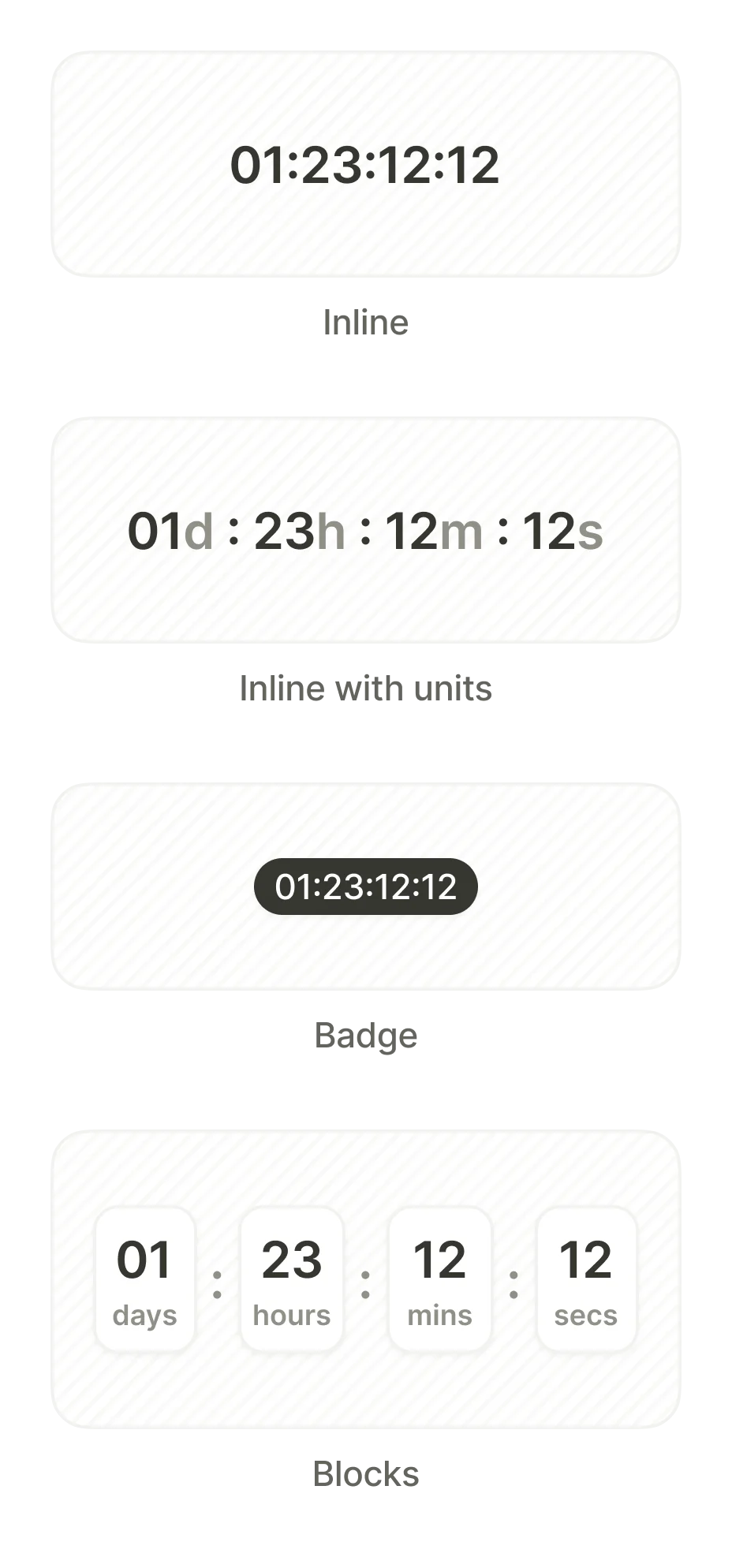
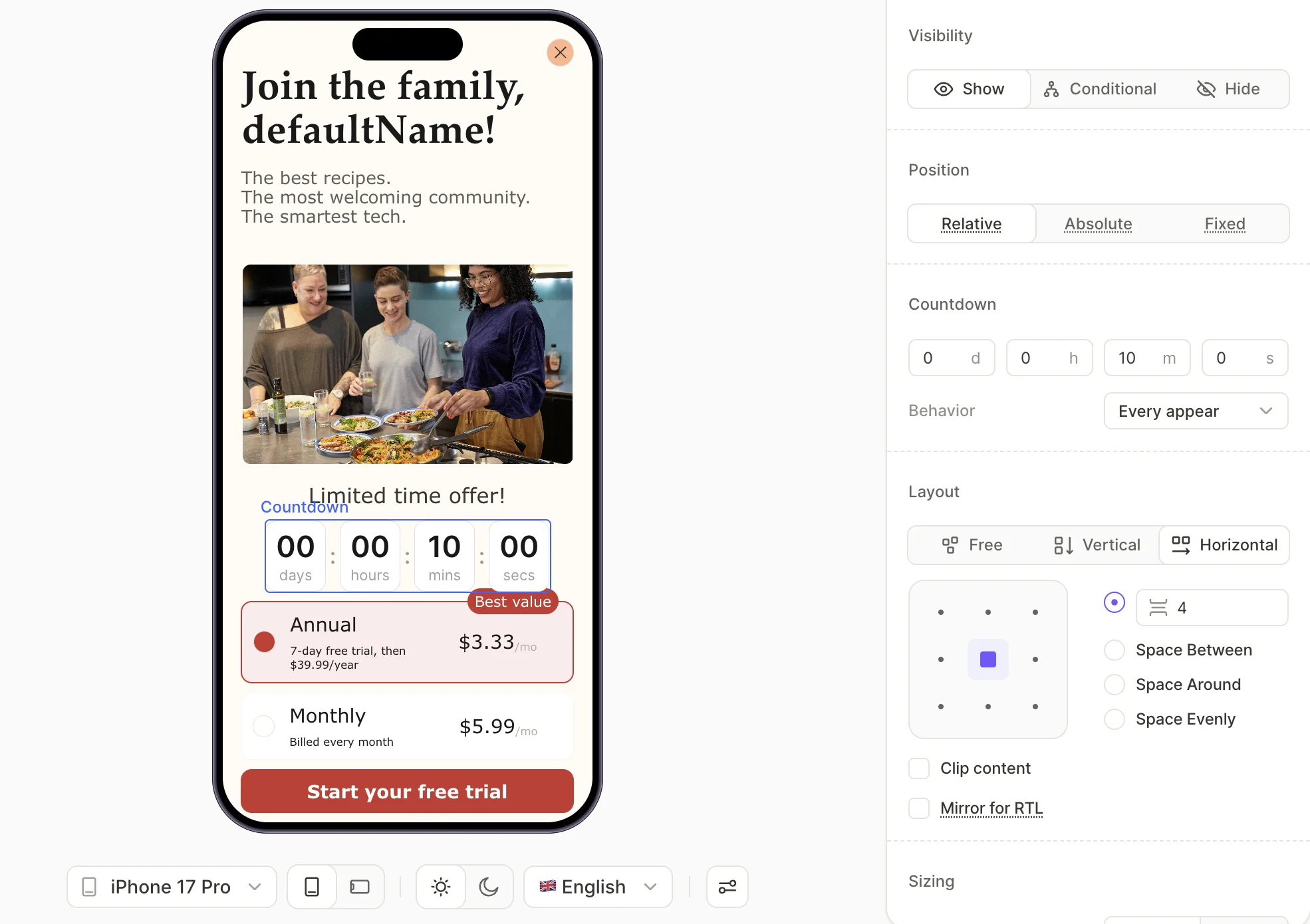
在此示例中,CUSTOM_TIMER_NY 和 CUSTOM_TIMER_6H 是您在 Adapty 看板中设置的开发者自定义计时器的 Timer ID。timerResolver 确保您的应用动态地为每个计时器更新正确的值。例如:
CUSTOM_TIMER_NY:距计时器结束(如元旦)的剩余时间。
CUSTOM_TIMER_6H:用户打开付费墙后开始的 6 小时内剩余的时间。
import java.util.Calendar
import java.util.Date
import java.util.TimeZone
...
val customTimers = mapOf(
"CUSTOM_TIMER_NY" to Calendar.getInstance(TimeZone.getDefault()).apply { set(2025, 0, 1) }.time, // New Year 2025
)
val timerResolver = AdaptyUiTimerResolver { timerId ->
customTimers.getOrElse(timerId, { Date(System.currentTimeMillis() + 3600 * 1000L) /* in 1 hour */ } )
}
在此示例中,CUSTOM_TIMER_NY 是您在 Adapty 看板中设置的开发者自定义计时器的 Timer ID。timerResolver 确保您的应用动态地为计时器更新正确的值——例如 13d 09h 03m 34s(计算方式为计时器结束时间(如元旦)减去当前时间)。
import java.util.Calendar;
import java.util.Date;
import java.util.TimeZone;
...
Map<String, Date> customTimers = new HashMap<>();
customTimers.put(
"CUSTOM_TIMER_NY",
new Calendar.Builder().setTimeZone(TimeZone.getDefault()).setDate(2025, 0, 1).build().getTime()
);
AdaptyUiTimerResolver timerResolver = new AdaptyUiTimerResolver() {
@NonNull
@Override
public Date timerEndAtDate(@NonNull String timerId) {
Date date = customTimers.get(timerId);
return date != null ? date : new Date(System.currentTimeMillis() + 3600 * 1000L); /* in 1 hour */
}
};
在此示例中,CUSTOM_TIMER_NY 是您在 Adapty 看板中设置的开发者自定义计时器的 Timer ID。timerResolver 确保您的应用动态地为计时器更新正确的值——例如 13d 09h 03m 34s(计算方式为计时器结束时间(如元旦)减去当前时间)。
try {
final view = await AdaptyUI().createPaywallView(
paywall: paywall,
customTags: ...,
customTimers: {
'CUSTOM_TIMER_6H': DateTime.now().add(const Duration(seconds: 3600 * 6)),
'CUSTOM_TIMER_NY': DateTime(2025, 1, 1), // New Year 2025
},
preloadProducts: ...,
);
} on AdaptyError catch (e) {
// handle the error
} catch (e) {
// handle the error
}
在此示例中,CUSTOM_TIMER_NY 和 CUSTOM_TIMER_6H 是您在 Adapty 看板中设置的开发者自定义计时器的 Timer ID。timerResolver 确保您的应用动态地为每个计时器更新正确的值。例如:
CUSTOM_TIMER_NY:距计时器结束(如元旦)的剩余时间。
CUSTOM_TIMER_6H:用户打开付费墙后开始的 6 小时内剩余的时间。
var parameters = new AdaptyUICreateViewParameters()
.SetCustomTimers(
new Dictionary<string, DateTime> {
{ "CUSTOM_TIMER_6H", DateTime.Now.AddHours(6) }, // 6 hours
{ "CUSTOM_TIMER_NY", new DateTime(2025, 1, 1) } // New Year 2025
}
)
AdaptyUI.CreateView(paywall, parameters, (view, error) => {
// handle the result
});
let customTimers = { 'CUSTOM_TIMER_NY': new Date(2025, 0, 1) }
//and then you can pass it to createPaywallView as follows:
view = await createPaywallView(paywall, { customTimers })
在此示例中,CUSTOM_TIMER_NY 是您在 Adapty 看板中设置的开发者自定义计时器的 Timer ID。timerResolver 确保您的应用动态地为计时器更新正确的值——例如 13d 09h 03m 34s(计算方式为计时器结束时间(如元旦)减去当前时间)。