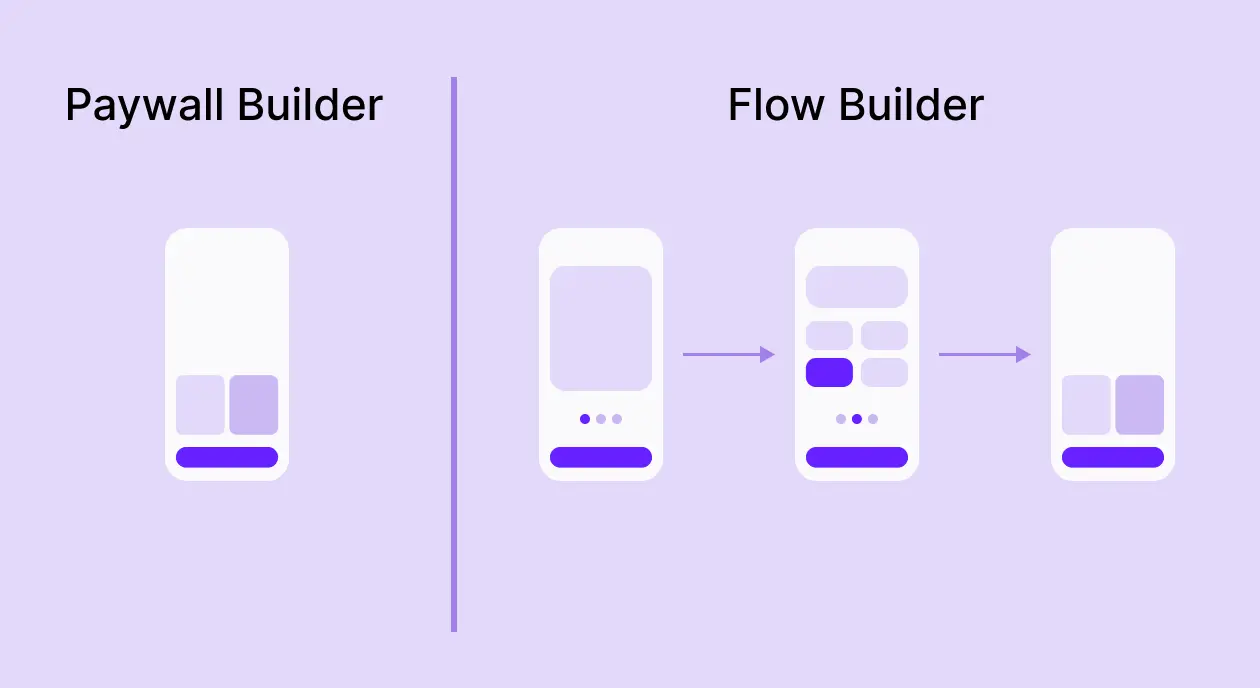
Flow & Paywall Builder: onboarding and paywalls, no code

TL;DR:
- Build and change onboarding and paywalls in one editor, then ship any screen to live users with no engineering and no app release. Your testing runs at your pace, not the dev cycle's.
- The paywall and onboarding adapt to each user, so a paywall can reflect what someone answered a few screens earlier.
- Win-backs and post-purchase upsells live in the same flow, with no extra build.
- Screens render as native UI that loads instantly, and you A/B test onboarding and paywall as one journey to purchase.
- Your existing paywalls keep running untouched. Flows are currently supported on iOS, Android, React Native, Flutter, and Capacitor SDK v4 and up. Support for other platforms and frameworks is coming soon.
The Flow & Paywall Builder is live in beta: one no-code editor for everything between a user's first open and their first payment.
You already built paywalls and onboarding without code. What you couldn't do was connect them. They lived in separate builders, each with its own test and its own numbers, so you could never personalize a paywall from an onboarding answer or measure the two as one funnel.
The advanced moves, a paywall that reacts to what someone told you in onboarding, or an offer that continues after the purchase, still took engineering.
The Flow & Paywall Builder puts onboarding and paywalls in one flow and takes the developer out of those moves. Your existing paywalls keep running untouched. Let me walk you through what changes and what stays put.
Can you change a screen without a build?
Open a paywall or an onboarding question, edit it, and publish to live users in one click, with no build and no store review. You draft changes while the current version keeps serving, so nothing goes dark while you work, and the update reaches every user without an app release.
That speed changes how much you can test. When a change ships in minutes instead of a release cycle, you run more experiments, and that's where the revenue compounds: Adapty data shows teams running 50+ experiments earn 18.7x more than single-experiment apps.
What can you build in a flow?
The Flow & Paywall Builder hands you a blank canvas, not a fixed template, so you can build the paywall or onboarding screen you sketched but gave up on before. The pieces you work with:
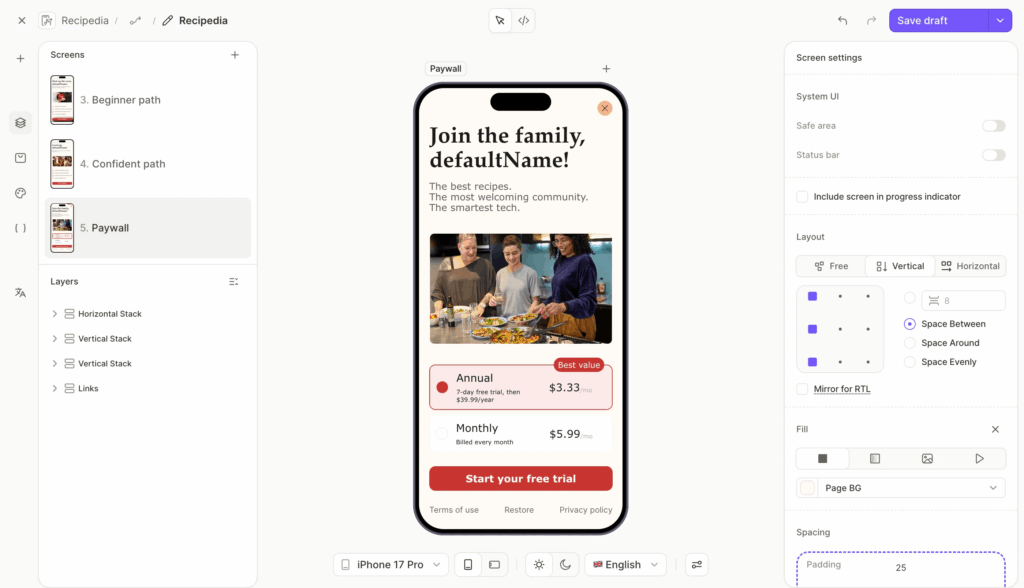
- Build any screen you want. Start from a blank canvas instead of a fixed template, and lay it out yourself with text, images, video, and buttons.
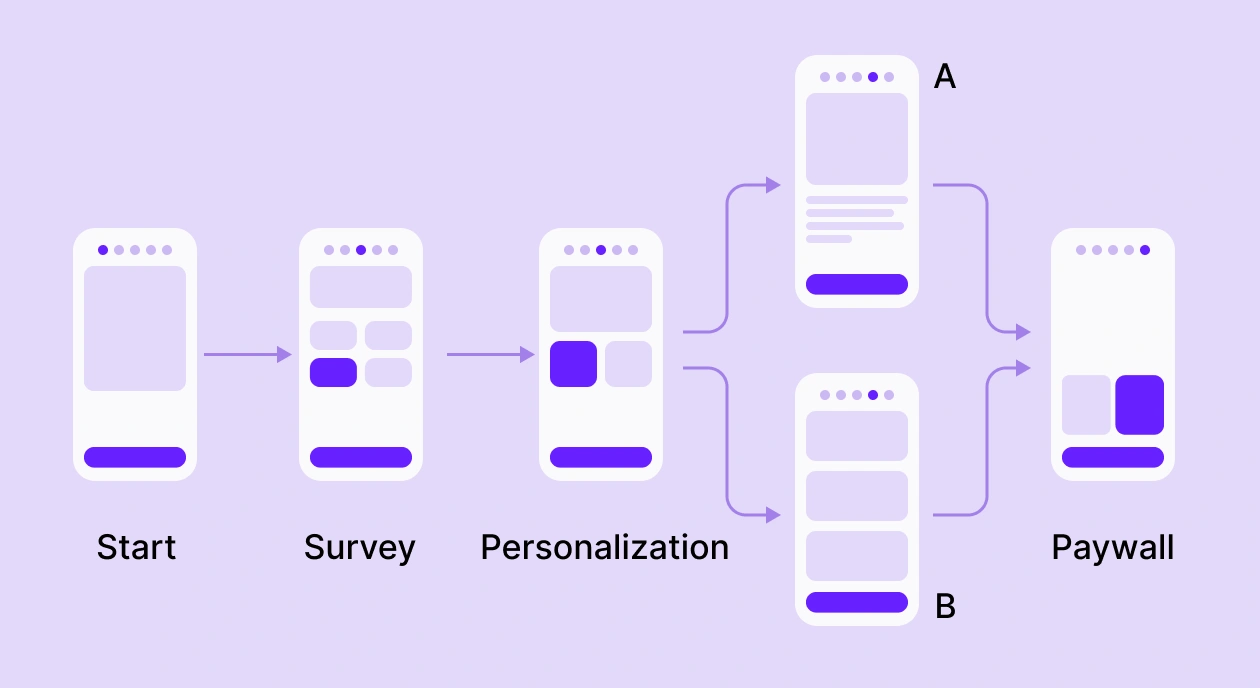
- Ask questions and keep the answers. Multiple choice, text, email, or a number, and the flow stores each answer to use on later screens.
- Branch by what people pick. Send a beginner and a power user down different screens, so each one sees the version that fits.
- Add the finishing touches. Loading screens, progress bars, permission prompts, and elements that show only when they should.
With these, you can build almost anything: a single-screen paywall, a multi-step onboarding quiz, a free-trial signup with a personalized welcome, or a localized flow for a new market. For the full rundown, see what Adapty's Flow & Paywall Builder is.
Can you personalize the whole journey?
Because onboarding and the paywall live in one flow, they share state. An answer or a computed value carries forward, so the paywall opens with the price and message that fit what the user just told you. A standalone paywall never knew any of that.
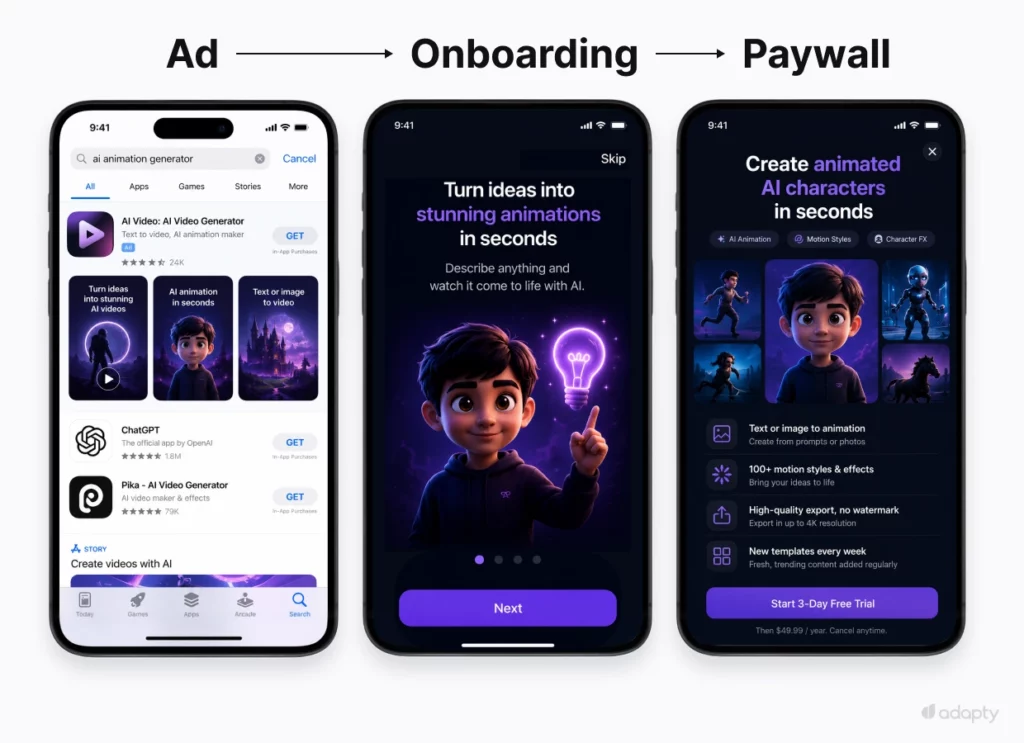
You can take personalization all the way back to the ad. Adapty owns the attribution layer (Apple Ads, Meta, Google, TikTok) and the builder, so a flow can change based on how the user arrived, down to the keyword or the creative they tapped.
Someone who found you through the Apple Ads keyword "ai animation generator" already knows what they came for, so you lead with the paywall that matches it, animated AI characters, and a 3-day trial, and save the onboarding for after. Someone who tapped a broad video ad needs the value shown first, so they get the full onboarding before any ask. Organic users see the complete pitch. You set this once as a targeting rule on the placement, and because the whole flow runs on one targeting engine, you never duplicate rules between onboarding and paywall.
Owning the attribution and the builder together is what makes per-keyword targeting possible.
Can you add offers after the paywall?
The flow doesn't stop at the sale. You can add screens after the purchase, space most tools leave empty:
- Upsell the moment someone subscribes. A post-purchase screen can pitch an annual upgrade or an add-on while intent is highest, all in the sequence you already built.
- Win back the ones who cancel. Send cancelled subscribers into a win-back flow with a countdown timer on a discounted annual plan, shown only at a churned-user placement.
How do the screens render?
Your screens render as real native UI through the Adapty SDK. No WebView, so users never wait on an HTML page to load, and stores never flag the screen as a remote paywall. Adapty serves the configs over a CDN with 300+ points of presence, and offline fallbacks keep the flow on screen when a device loses its connection.
You edit a draft while the live version keeps running, then publish in one click, and the change reaches every user without an app release.
Can you test onboarding and paywall together?
Until now, onboarding and paywalls lived in separate tools, each with its own test and its own numbers. So you could tune a paywall for weeks and never learn whether the real drop-off was a screen three steps earlier.
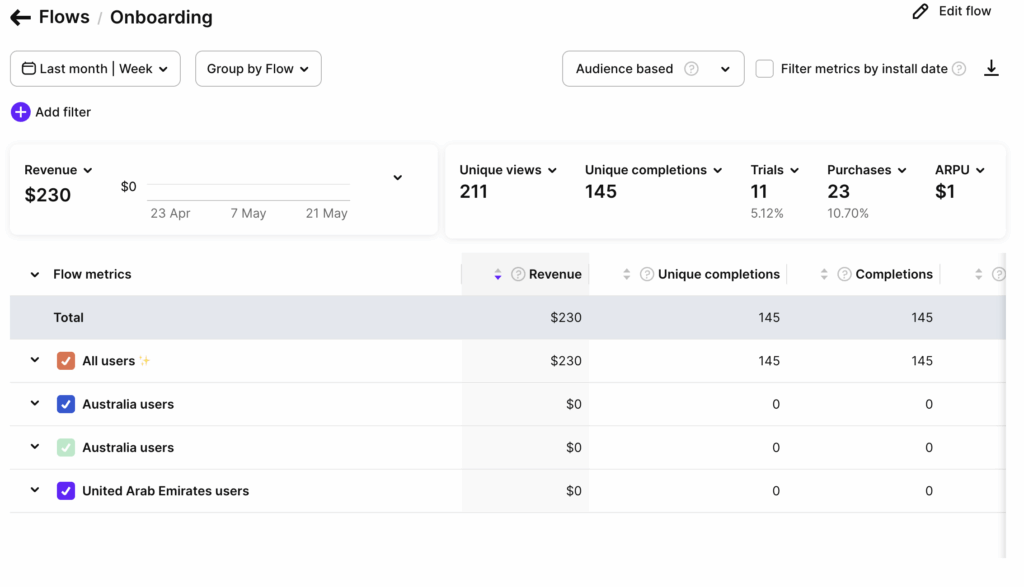
Flow-level A/B testing runs complete flows against each other. You measure a new onboarding sequence and a new paywall design together and see their effect on the full path to purchase, so a win on one screen can't quietly cost you another. Per-screen analytics show where users drop, and revenue ties back to the exact screen, flow variation, and placement that earned it.
Does your current paywall still work?
Yes. Everything you've shipped keeps serving the same way it did yesterday, and nothing migrates on its own. The Paywall Builder stays fully functional. From here, though, new features and updates go into the Flow & Paywall Builder, so your live paywalls are safe, and your next build belongs in a flow.
Moving over costs you nothing. Flows do everything the Paywall Builder did, including plain single-screen paywalls, and every element, theme, product tag, remote config, and localization you set up carries straight into a flow. When you're ready to move an existing paywall over, the migration guide walks you through it. On Enterprise and want your paywalls rebuilt as flows? Adapty's team will do it with you.
Should you migrate? Eventually, yes. New features ship to flows from here, so they're the foundation worth building on. Nothing forces your hand, though. Your current paywalls and onboardings keep working, so move over when it fits your release schedule.
What's coming next?
Some of it is already rolling out, so check the dashboard for what's live:
- AI flow generation drafts a full flow from a plain-language prompt, the way you'd brief an AI coding agent.
- Responsive layouts fit one flow to small phones, large phones, and iPads with no separate builds.
- A template library so you start from a working flow instead of a blank canvas.
- Charts and screen animations for a more engaging onboarding.
- Figma import and "copy from my app" to rebuild the screens you already have.
Get started
Your first flow is an afternoon of work, and it ships without an app release.
- Update the Adapty SDK. That's the one prerequisite.
- Open the builder and build a screen or two. Start from a blank canvas (templates are coming) and drop in the paywall you already run.
- Add a survey question up front. Store the answer, then branch so each user lands on the screen that fits.
- Publish and point a placement in the flow. The change reaches users with no release.
- Watch the per-screen numbers and fix the screen that's losing people.
The bottom line
If you're on Adapty today, nothing you've shipped breaks, and you get a much bigger canvas the day you want it. Your paywalls stay exactly as they are.
Flows are where Adapty goes from here, so they're where your next build belongs. The first one takes an afternoon, and the upside compounds every time you test.