Paywall Builder vs Flow & Paywall Builder: onboarding and paywalls in one editor

TL;DR:
- One editor covers onboarding and paywalls, so you edit any screen between install and subscribe and push it live without a build or a store review.
- The paywall reads what someone told you in onboarding, so the offer reflects their goal instead of showing everyone the same page.
- Screens after the purchase decision are yours too: promos, winbacks, and follow-up offers, without engineering.
- Everything renders natively, so the screens load fast and feel like the rest of your app.
- You A/B test onboarding and the paywall as one journey, so a lift on one screen cannot quietly cost you another.
You already tested onboarding and paywalls. The question is not whether the work pays off; it is how much of it you can get through in a quarter. Most teams find out that the answer depends on the release calendar. You want to reword a question, reorder two screens, or try a different price framing, and the change goes into the next build.
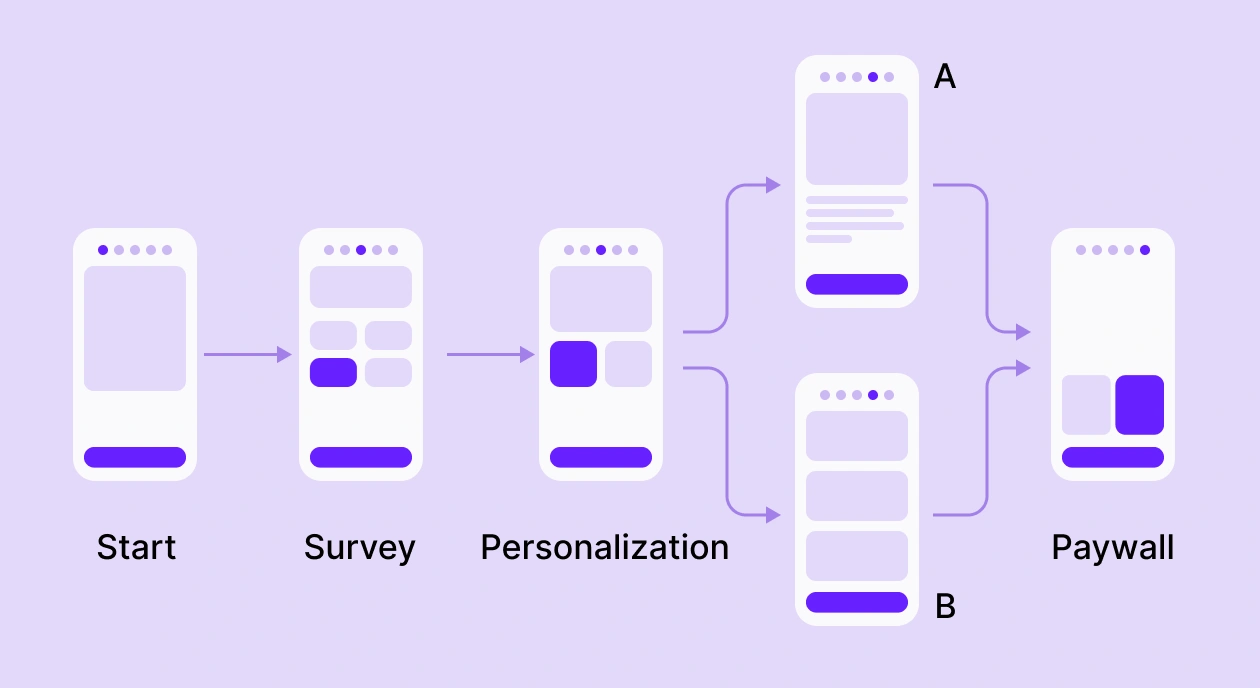
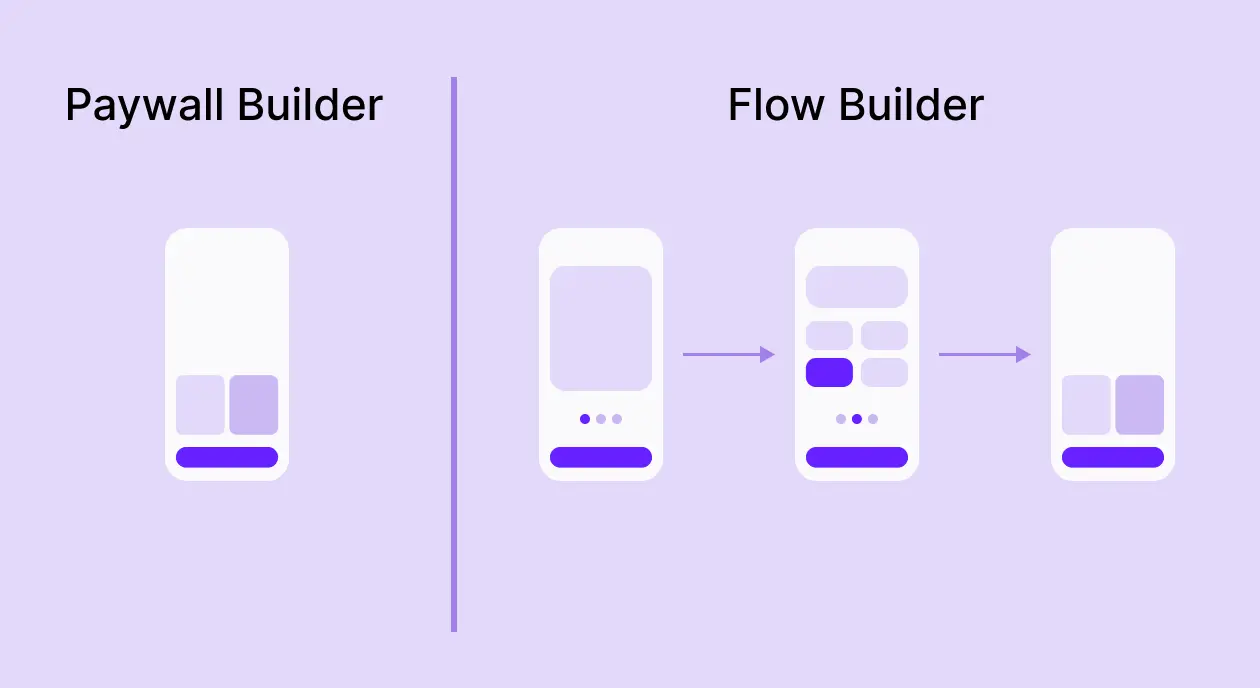
The Flow & Paywall Builder puts everything between the first open and the first payment in one editor. Build the onboarding, build the paywall, publish to live users, watch what happens, change it again. A flow is just what you get when the screens sit together: onboarding, quiz, paywall, and whatever comes after, in one sequence, you can edit end-to-end.
What can you change without a release now?
Your paywall has been editable in Paywall Builder since you set it up. What changes is the range. Quiz wording, question order, how many steps someone walks through before a price appears, the screen that follows a purchase: all of it edits the same way, publishes the same way, and reaches live users on their next session.
For most teams, that is the bigger unlock, because onboarding was the part nobody could touch. A paywall test used to take an afternoon, while an onboarding test took a release, so the onboarding stayed frozen, and the paywall absorbed every experiment you had. Put both on the same footing, and you stop optimizing the one screen you could reach.
The order of your screens is editable too. Move the quiz ahead of the value props, cut a step, add one back, and read the result next week rather than next quarter.
⚠️One date for the calendar: Paywall Builder is being deprecated starting October 1. Give yourself room to rebuild and test before then, rather than doing it under a deadline.
Can the paywall know what the user told you?
Yes, and this is where a flow earns its keep. Quiz answers and inputs become variables, and any screen further along can read them.
Someone taps "lose weight" in a two-tap quiz and reaches a paywall built around a 64kg target, fat-burning workouts, and meal plans. Someone who tapped "build muscle" sees the same two plans at the same price, framed around a +6kg goal and progressive overload. One flow, one set of products, a different page for each goal.

The effect on the paywall is the part worth noting. A user who has just named a goal arrives warmer than one who landed cold, so the same offer meets less resistance.
What happens after the paywall?
The purchase decision is not the last screen. A flow keeps going: a confirmation, a discounted second offer for someone who dismissed the first, a winback for a lapsed subscriber, a limited-time promo for a segment that stalled.

Most teams leave this space empty because building it means engineering time for something that felt optional. In one editor, it is another screen, so you can try a post-paywall offer this week and read the result next week.
Does it feel native?
It renders natively through the Adapty SDK. No web views, no loading spinner while a screen fetches, no scroll that lags a beat behind the finger.
Your users will not describe a screen as native, but they feel the difference. A janky onboarding costs you people, before they ever reach a price, and a paywall that hesitates for half a second reads as less trustworthy at the exact moment you need trust.
Why test the whole funnel instead of one screen?
A paywall test tells you which paywall converts the users who reach it. An onboarding test tells you who reaches it. Run them separately, and you can win both and still lose revenue, because the onboarding that sends more people through might send worse-qualified people.
Build two flow variants on a flow placement and run an A/B test across them, and you measure the path to purchase as one thing. One richer onboarding feeding a goal-specific paywall, one leaner, head-to-head. Per-screen metrics show where users drop, so you know which screen to fix instead of guessing.
ℹ️One limit worth knowing: comparing a new flow against your old standalone paywall is a cohort comparison across two placement types, not a single test, since cross-placement A/B tests are paywall-only today. Read them as separate cohorts, and expect the flow's share to grow as your users update.
Side by side, capability by capability:
| Capability | Paywall Builder | Flow Builder |
| Scope | One paywall screen | Multi-screen flow: onboarding, paywall, and any screen in between |
| Screens behind one placement | One | As many as the journey needs |
| Rendering | Native | Native, no web views |
| Availability | All Adapty SDKs | All Adapty SDKs |
| Elements | Text, media, products, carousels, cards, footers | All of those, plus quizzes, inputs, toggles, tabs, reviews, timers, progress bars, and loaders |
| Branching and conditional navigation | None | Yes, on user answers |
| Conditional logic and visibility | None | IF/THEN, AND/OR, show or hide |
| Variables in text | Product and pricing tags | Product tags plus quiz and input answers |
| In-screen personalization | Static content | Dynamic text from flow variables |
| A/B testing | Paywall-level, cross-placement | Flow-level, across flow variants |
| Analytics | Paywall metrics | Per-screen flow funnel |
| Localization | Yes | Yes, manual or AI |
| Offline fallback | Fallback paywall | Fallback flow |
| Updates without app release | Yes | Yes |
What about the onboarding and paywalls you run now?
Paywall Builder is being deprecated starting October 1, and new features will ship to the Flow & Paywall Builder from here. Anything you plan to keep running past that date is worth rebuilding as a flow while you have time to test it properly.
If you built your own onboarding in native code, start there. You move those screens out of the codebase and into the editor, then change or test them without shipping a release. Add a fallback flow so your users still see the screens with no connection.
How do you start?
Pick one placement and prove it before you move the rest of your funnel.
- Recreate one onboarding-plus-paywall as a flow in the editor.
- Preview it on a real device through the Adapty app: scan a QR code, no build needed.
- Create a placement with its own unique ID and attach the flow.
- Upgrade to the new SDK, fetch the flow with getFlow, and confirm a sandbox purchase.
- Run an A/B test across two flow variants, read the per-screen funnel, and fix the weakest screen.
- Republish from the dashboard, no release. Compare against your old paywall as a separate cohort while v4 adoption grows.
getFlow fetches from both flow placements and paywall placements, so your app calls the same method everywhere, and you move one placement at a time.
The bottom line: everything between the first open and the first payment belongs to you now, in one editor, on your own schedule. Change a screen, ship it, read the result, move again.