Apple is testing App Store ads that look organic. Again.


TL;DR:
- Apple is testing App Store ads with no blue background in the iOS 27.2 beta, the same design it tested and dropped in January 2026.
- Only a small "Ad" label is left.
- No release build shows the change, and Apple has announced nothing.
What the App Store ads beta shows
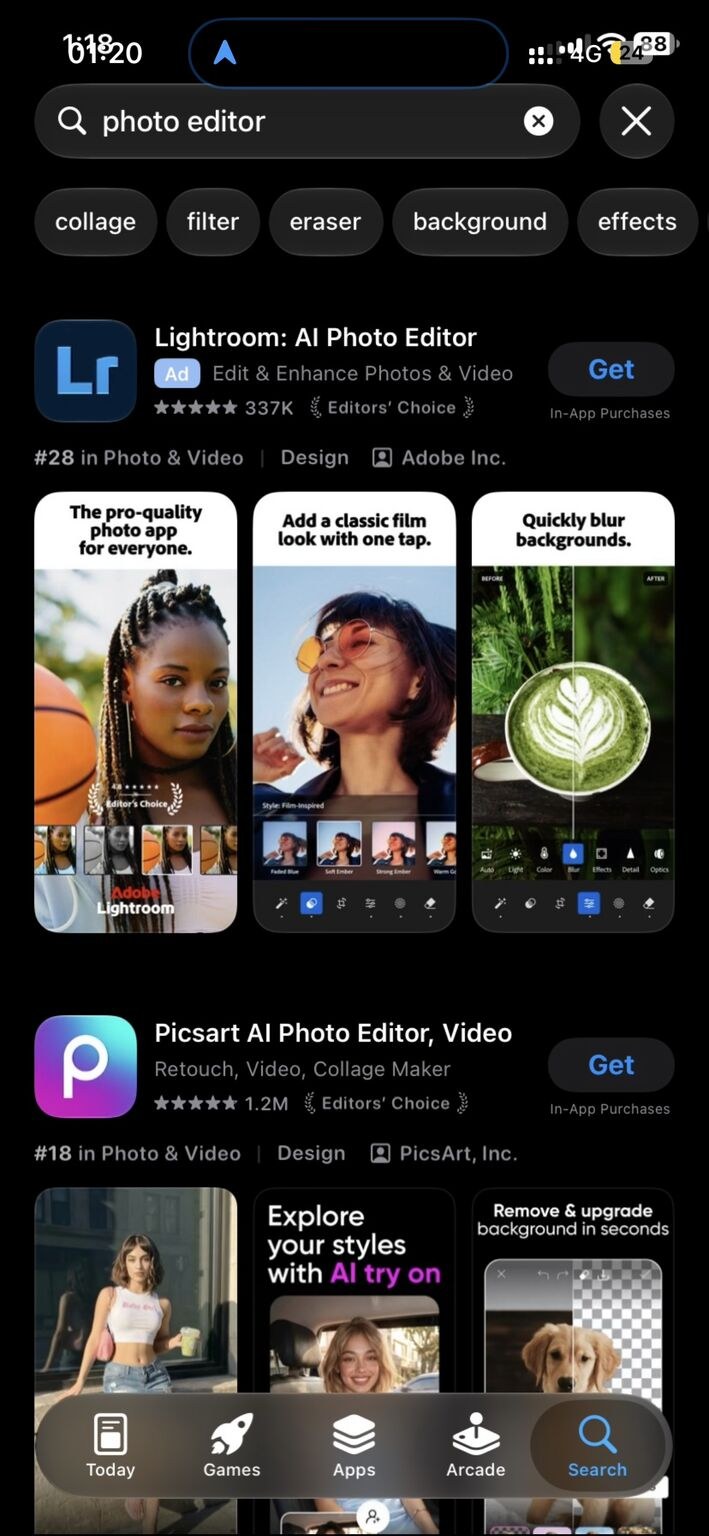
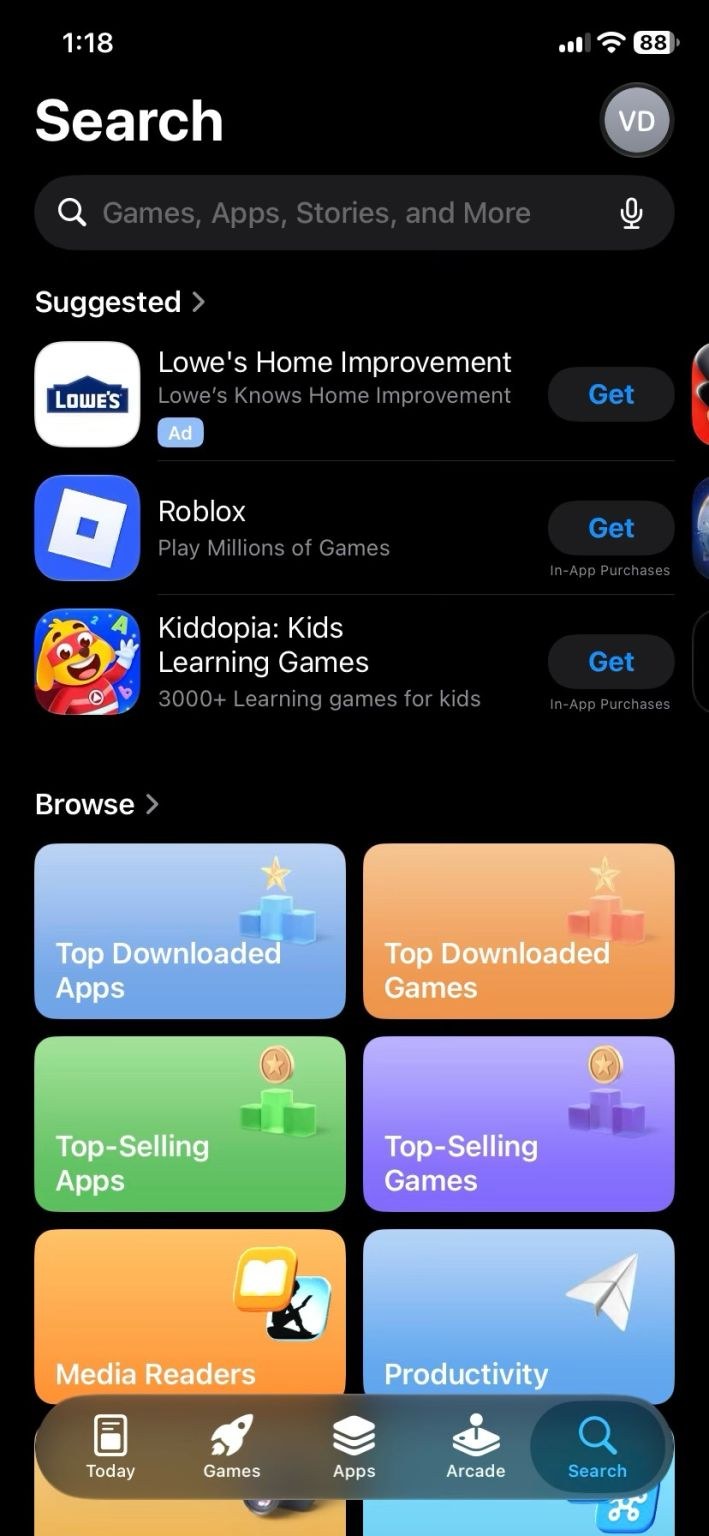
The App Store ads beta shows search results ads with no colored background. On release builds, Apple Ads search results ads still sit on a light blue block. In the beta, that block is gone. The App Store ad label is the only thing that separates a paid result from an organic one.
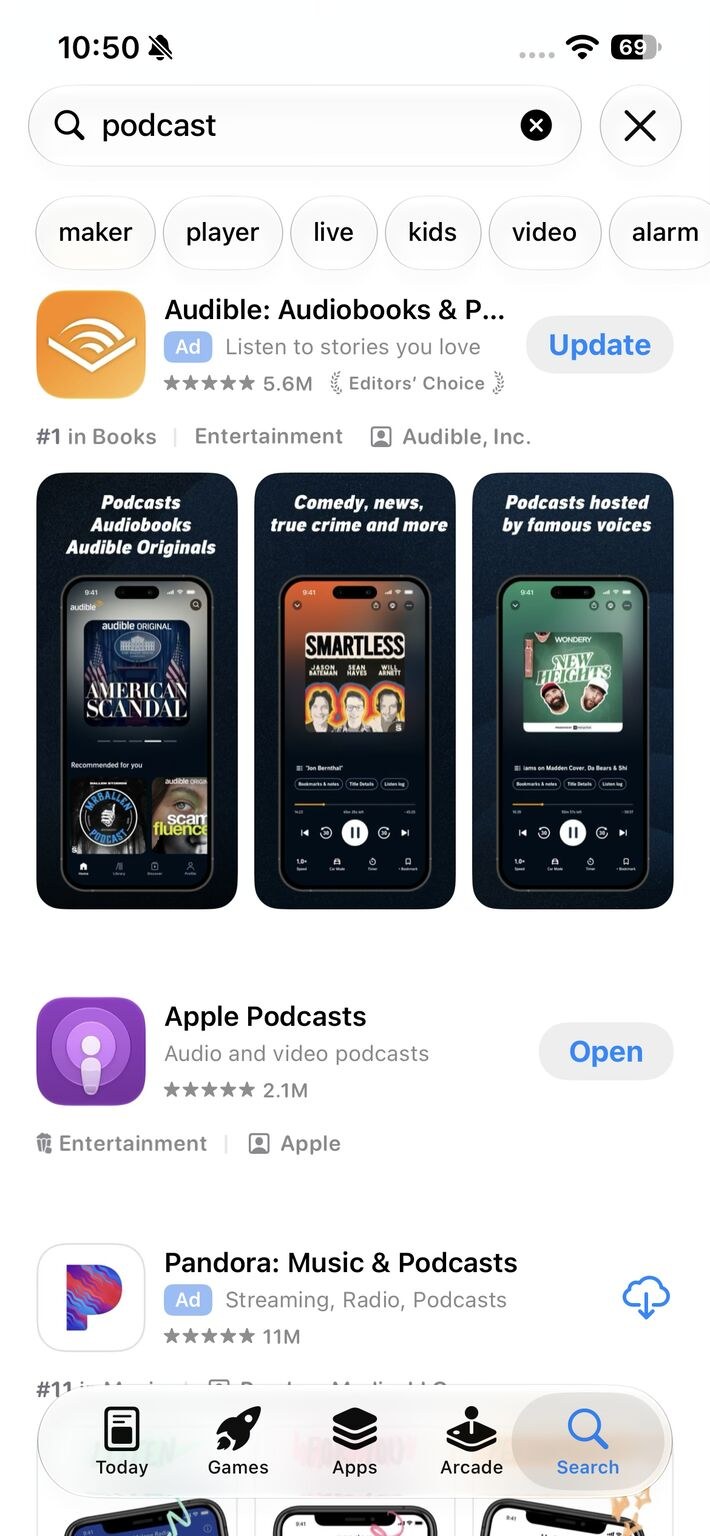
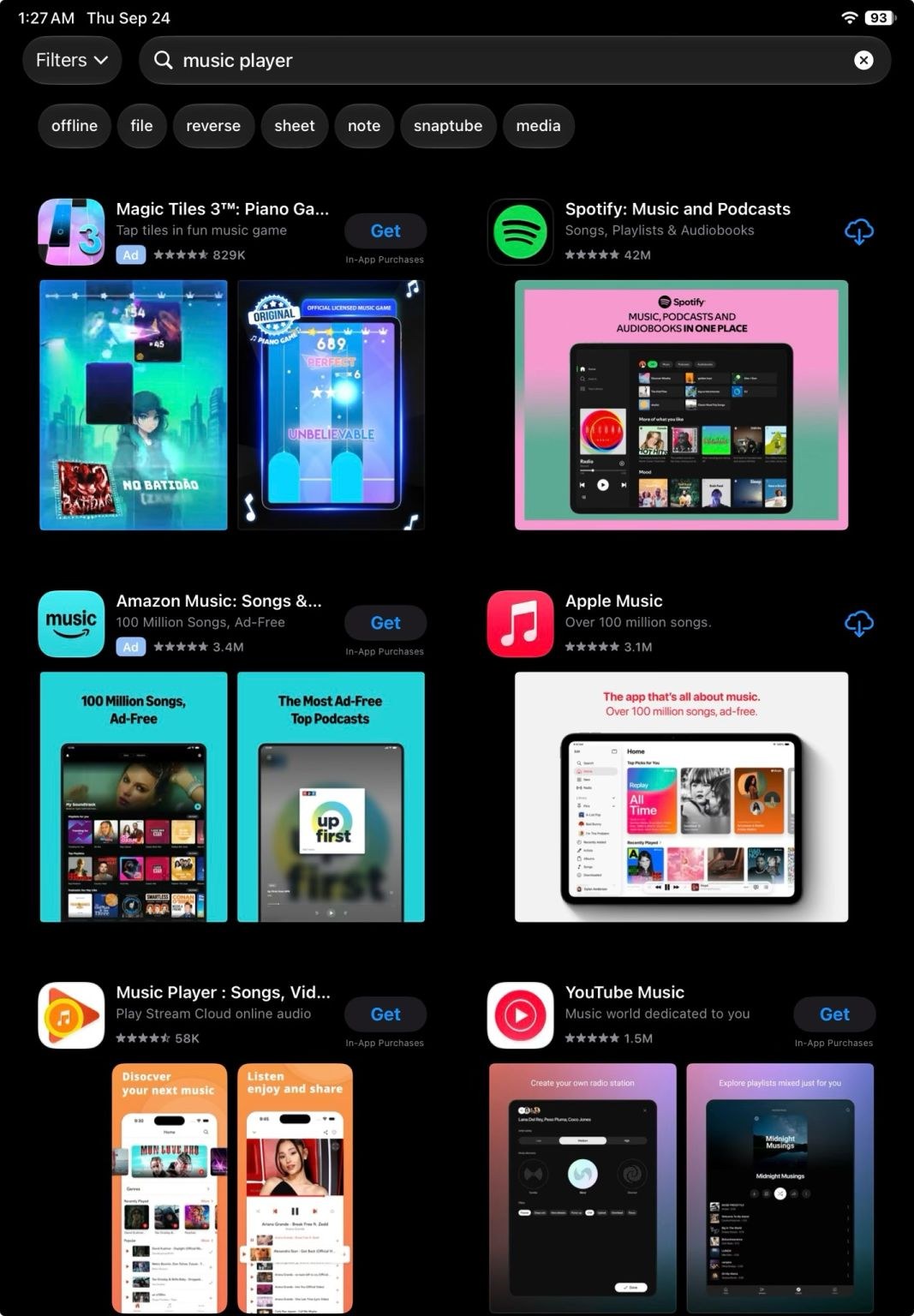
The screenshots in this article come from Valentin Bodino, taken on beta builds. Thomas Petit shared them on LinkedIn, with a tip credited to Facundo Bertellotti. They cover:
- iPhone searches for "photo editor" and "podcast", in dark and light mode;
- an iPad search for "music player";
- the Suggested list on the Search tab.
The "podcast" search also shows a second ad further down the page. That slot is one of the additional search results ads that Apple started running in March 2026.
Two things are worth keeping apart. The label still exists, so the ads are still disclosed. What changes is how fast a person can spot them. A colored block is visible at a glance. A small label needs a closer look.
Key point: In the beta, the App Store ad label is the only visual difference between a paid and an organic result.
How Apple got here: a timeline of App Store ad changes
Apple has changed App Store ads step by step, in separate announcements:
- December 2025 — Apple Ads announced more ads further down App Store search results. Apple said nearly 65% of downloads happen right after a search.
- January 2026 — some iOS 26.3 beta users saw ads without the blue background. 9to5Mac asked Apple for comment and got none. The design did not ship.
- March 2026 — additional search results ads started in the UK and Japan. By the end of March they ran in all Apple Ads markets.
- June 2026 — Apple Ads said advertisers will be able to upload their own creative for Today tab and search results ads later in the year.
- September 2026 — the no-background design is back, in the iOS 27.2 beta.
Apple has not linked these steps. Reading them as one direction is my interpretation, not Apple's.
| Status | What it covers |
| Confirmed by Apple | Additional search results ads run in all Apple Ads markets. Every ad placement carries an ad disclosure. Pricing is cost-per-tap. |
| Observed in beta only | Search results ads and Search tab ads with only an "Ad" label and no blue background, on iPhone and iPad. |
| Unconfirmed | Whether the design ships at all, in which version, and in which countries. What it does to TTR, CPT, or organic installs. |
Key point: More ad slots are confirmed; the no-background design is a beta that has already been pulled once.
What would move in your data if the design ships
Your data will not move while the design stays in beta. If it reaches release builds, three numbers will shift. None of that shift will come from your bids or your creative.
Search results ad TTR. A result that looks like the rest of the list will probably get more taps. Thomas Petit expects advertiser CTR to go up. That is his read, not measured data. My guess points the same way.
CPT. Watch it; do not predict it. Tap price follows conversion and relevance, not the bid alone. If tap rates rise across the auction, prices may settle at a new level — a hypothesis, not a forecast.
Organic App Store search installs. More taps on the paid slot can leave fewer taps for the results below it. That is a share shift, not a ranking effect. Apple Ads installs do not move organic position. This change does not create that link.
If you do not date the release, you will read the movement as your own work. Then you make a change the data never asked for.
No report gives you true organic tap share. The paid side is exact: taps and installs by day. App Store Search in App Store Connect is only a proxy for the organic side. Use daily rows, one market at a time, and matched windows. Our guide to analyzing Apple Ads data covers the basics.
Key point: If the design ships, date the release first, or you will credit or blame your own changes for a shift Apple made.
Brand keyword defense when ads look organic
Brand keyword defense matters more when an ad looks like an organic result. Apple Ads and organic App Store search are separate sources. Ranking first organically does not protect the volume. Either you take it, or a competitor does.
The visual change does not alter that logic. It raises the cost of ignoring it.
Today, a competitor bidding on your brand query shows a blue block above your organic listing. People can see it is an ad. If the background disappears, that ad will look like the first organic result for your own name. Some people will tap it without noticing.
That makes a stronger case for brand keyword defense. It does not make it mandatory.
Check three things:
- whether competitors bid on your brand queries today;
- whether the brand volume is worth buying;
- what each defensive tap costs against its return.
"Why pay for taps I get for free?" is a fair question. The answer changes once the ad above you stops looking like an ad.
If competitors already bid on your name, run a small brand campaign as a test. Measure the paid and organic installs together, not one side alone. Our Apple Ads best practices cover campaign structure for this.
Key point: A competitor ad on your brand query will look like your own top result, so decide on brand defense before release.
What to prepare while the design is still in beta
The design is still in beta, which gives you time to prepare. Use it to build a clean baseline. Without one, you cannot measure the change later.
- Export a baseline now. Search results ads by campaign and keyword: impressions, taps, TTR, CPT, CR, installs. Use daily rows for the last few weeks, or since your last major change.
- Export App Store Search downloads from App Store Connect for the same window, by day and market.
- Start a change log. Backfill it with changes you already made.
- Split out brand queries. Keep your own brand terms and any competitor brand terms apart from generic terms.
- Check who bids on your brand keywords today. If several competitors do, decide on defense before release, not after.
- Watch release notes, not beta posts. Treat the change as real only when it appears on a release build in your markets.
Keep the baseline simple: a spreadsheet with daily rows is enough.
Do not change your campaigns because of a beta. Nothing in your account needs to move until a release build shows the new design.
Export, label, wait. That is the whole job right now.
Key point: Export a dated daily baseline now; do not change campaigns until a release build shows the design.