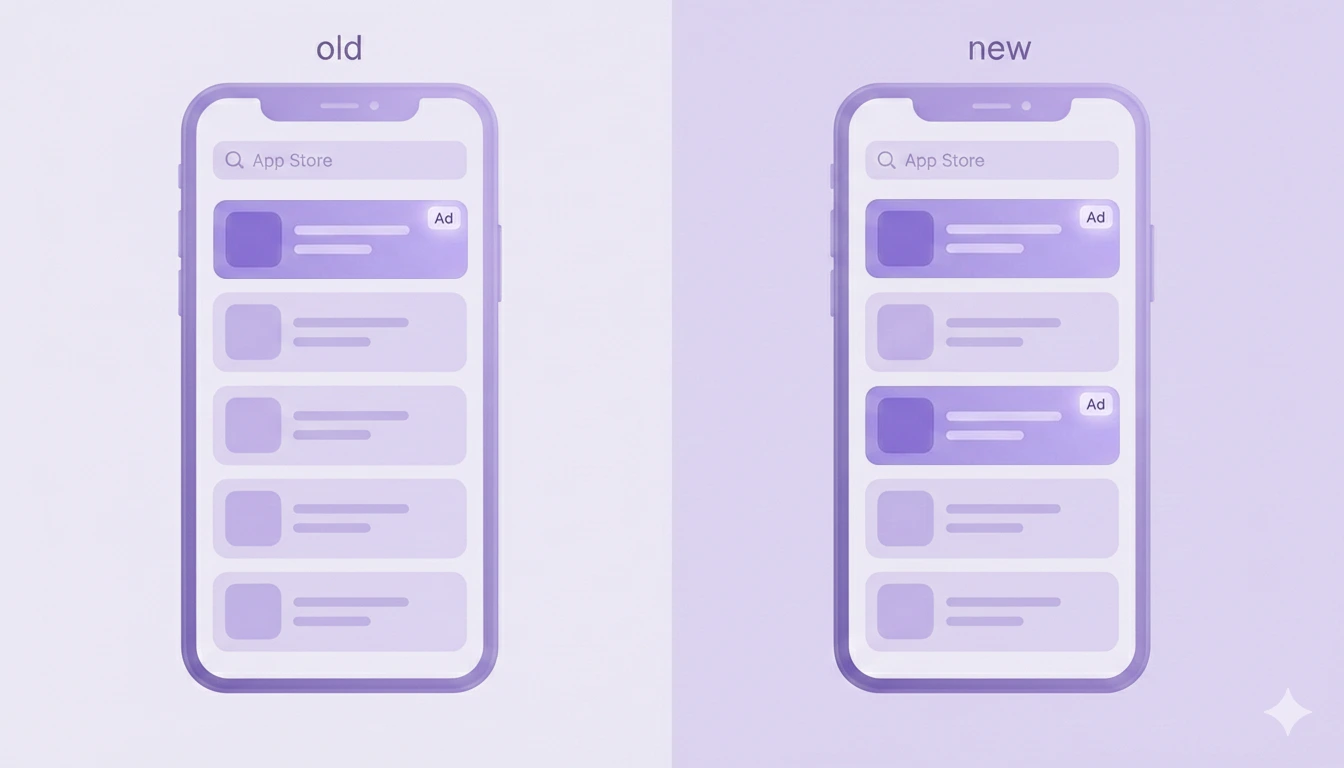
WWDC26 for subscription apps: What’s new

TL;DR:
- *You get two new App Store placements. A header image at the top of your product page and a video in search results, both landing before anyone scrolls to your screenshots.*
- *You can test store creative without shipping a build. The new Asset Library puts screenshots and headers on their own review track. Approve a new asset once, then swap it in with no release cycle.*
- *You can catch cancellations on Apple's own screen. Retention Messaging leaves beta this fall. When someone taps "Cancel," you answer with a message or a discount.*
- *New pricing shape: monthly price, annual commitment. Your customers see the smaller monthly number and stay on the hook for a year. Live now everywhere except the US and Singapore.*
- *Group and volume plans are native. Sell one subscription to a family or a whole company through Apple Business Manager. No custom billing to build.*
- Some apps won't launch on iOS 27 without code changes, Siri needs App Intents to find your app, and Xcode now runs on Apple Silicon only.
WWDC26 was an AI show. Apple rebuilt Siri and turned Xcode into a coding agent, and those carried the keynote. Plenty landed for subscription apps, too, and the App Store changes are our favorite of the bunch.
Apple gave you free store placements and a way to test creative without shipping a build. It also opened the cancellation screen, so you can reach people before they leave.
We pulled out everything that matters for growth, and what to do with each one.
What changed in the App Store?
The App Store got more visual and more testable this year. For anyone who works on growth, that's the real headline.
Your product page gets two new visual slots
Your screenshots used to be the first thing people saw. Now two things sit in front of them. Apple added a header at the top of your product page and a slot in search results next to the organic listings, and both land before anyone scrolls to your screenshots.
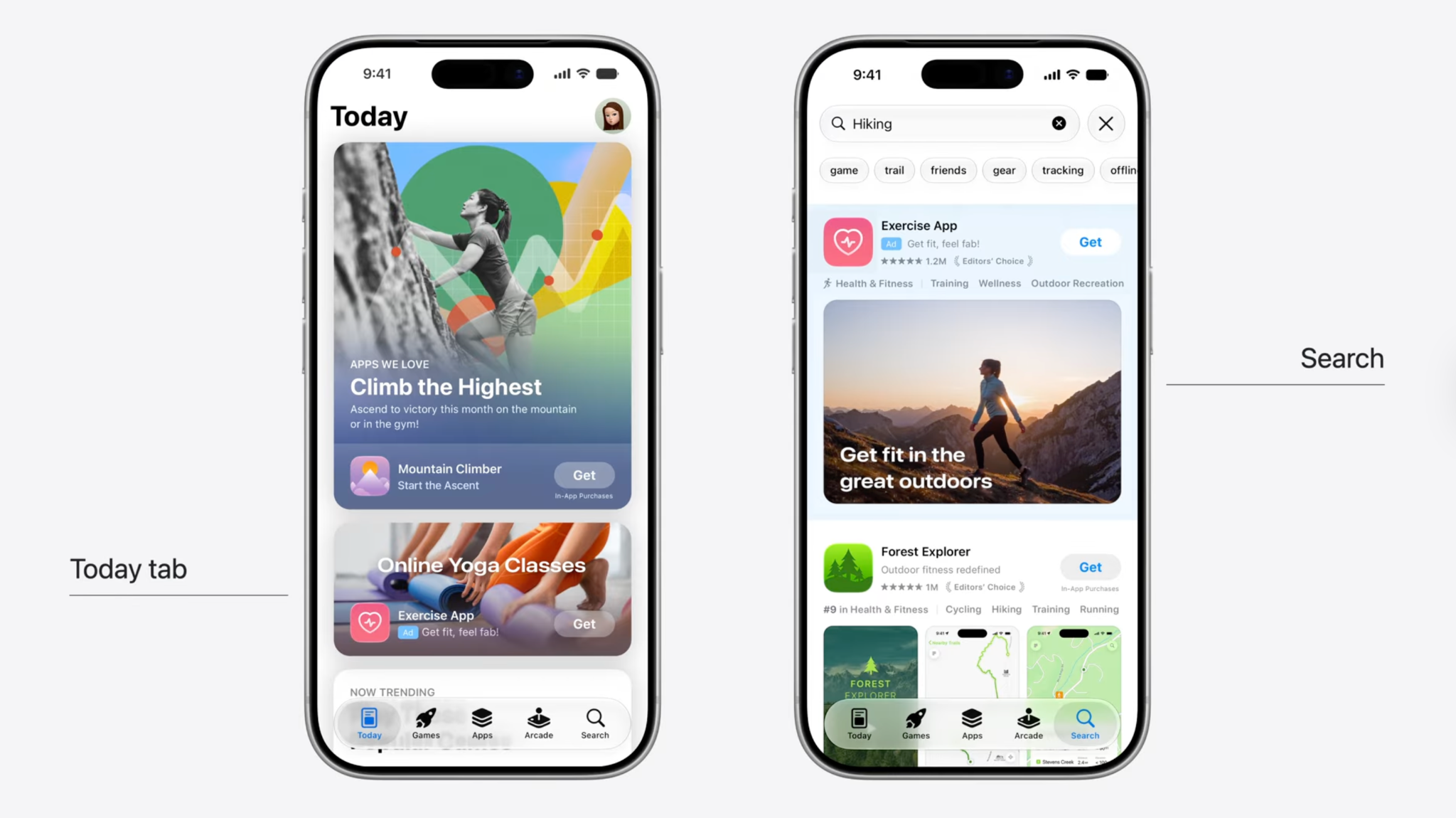
You upload them through the new Asset Library (more on that next), and you can preview the page before you submit. No spend, no bidding. These are organic placements you simply have to claim.
If you're outside the US, hold on a beat. Apple is rolling this out in English first, on a limited set of apps, with more regions and languages to follow.
→ Apple's WWDC26 session on this
You can test store creative without shipping a build
This is the one we keep coming back to. The Asset Library is a single home in App Store Connect for your screenshots, preview videos, and creative assets, and you can reuse one asset across Custom Product Pages, In-App Events, and your product page without uploading it again.
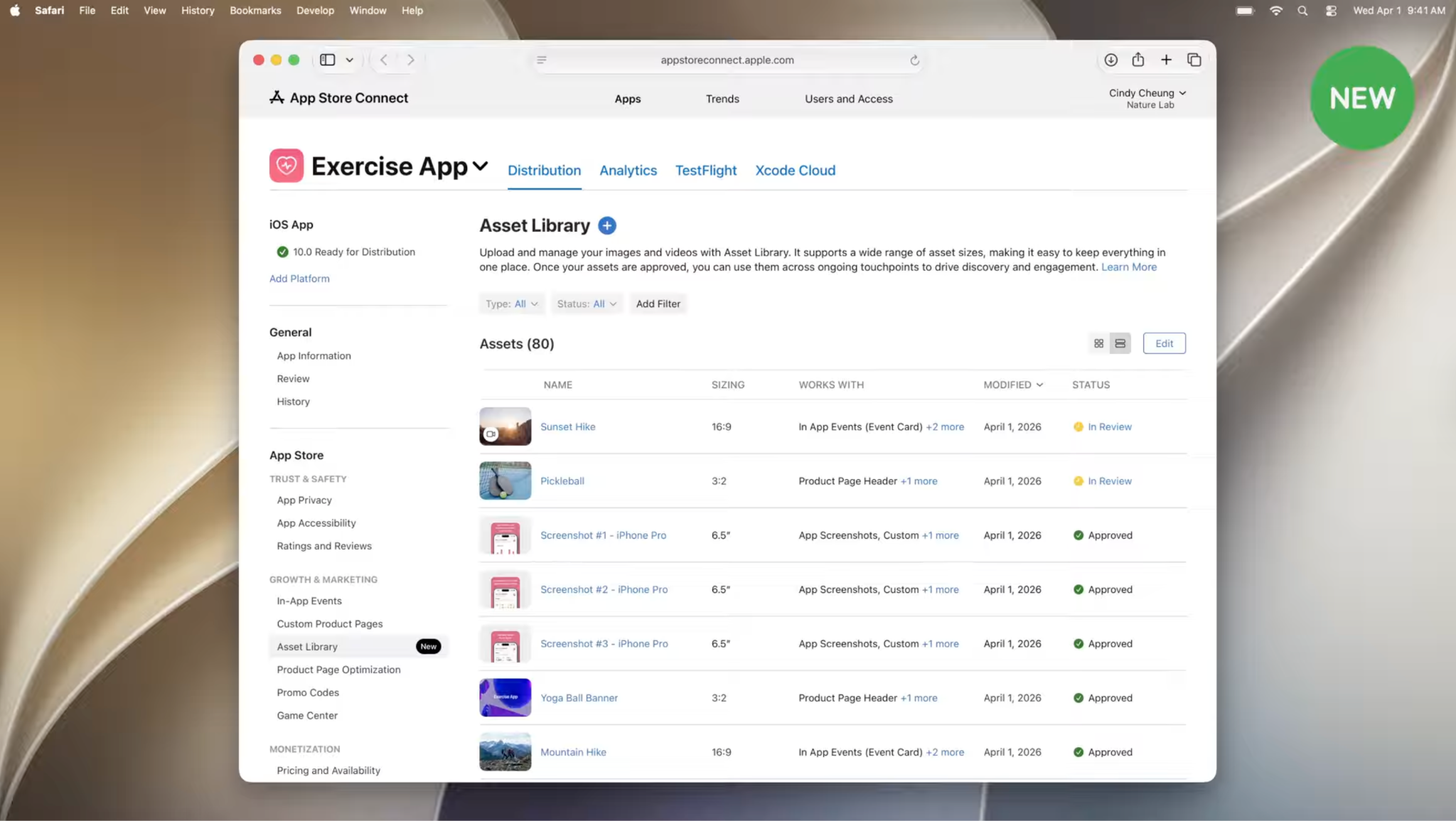
The real unlock is the review track. You submit a new asset for review on its own, separate from any app update. Once it clears, swapping to it takes no new review. Before this, changing your store creative meant building, uploading, waiting, then changing. Now you approve once and swap.
For a growth team that turns store creative into something you test instead of something you set and forget. You can rotate the header and the search creative, watch what converts, and keep the winner, all without touching your release cycle. The creative you lead with is now fast to change and easy to test, so treat it like an experiment, not a set-and-forget asset. We go deep on the Apple Ads side of this in our Apple Ads for subscription apps report.
Discovery got personal
App Store discovery used to run on keywords, categories, and Apple's editorial picks. There's a fourth path now. The App Store recommends apps based on what someone already uses, and surfaces them in Personalized Collections with names like "Apps that pair well with your photography workflow." Each one carries a short note explaining why your app showed up.
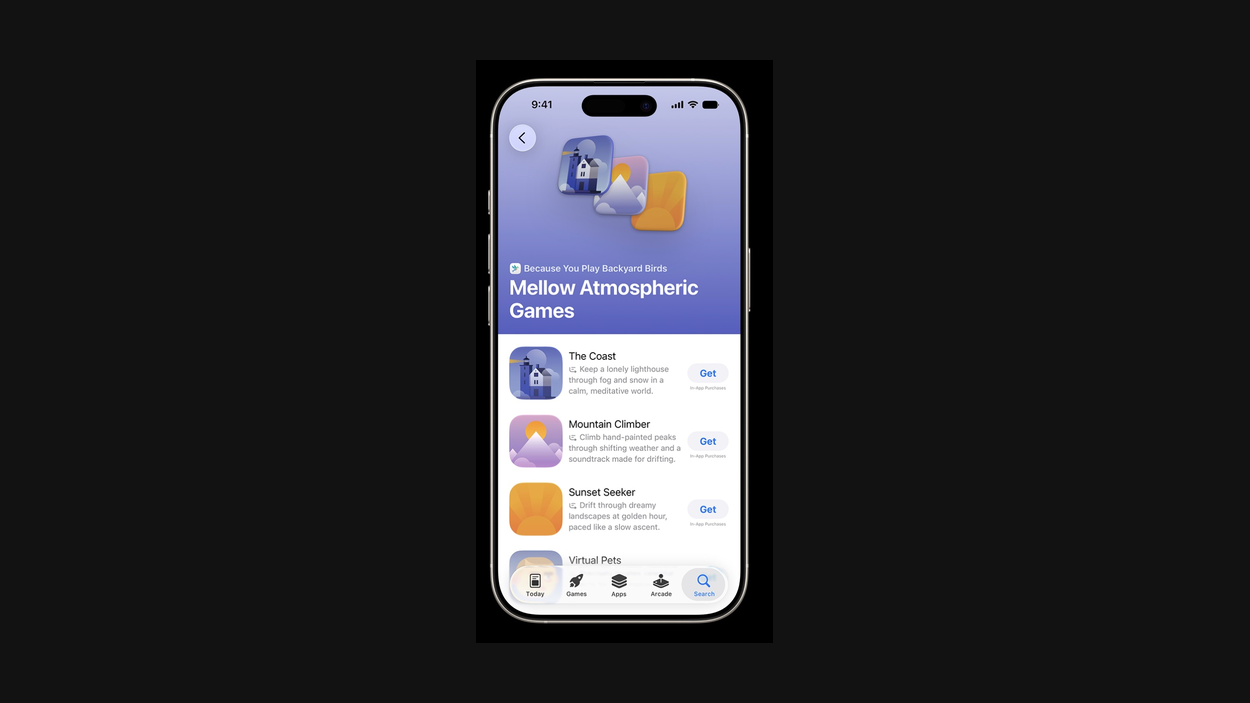
It all runs on-device, so you can't tune it directly. You can shape the input. Clean metadata and the right category still decide where you fit, and your Day 7 and Day 30 retention now feeds the ranking too. Your ASO fundamentals still matter. They just matter in a new place.
→ Apple's WWDC26 session on this
What's new for subscription apps?
Selling to a group or a whole company is native now
Two ways to sell one subscription to more than one person, both built in.
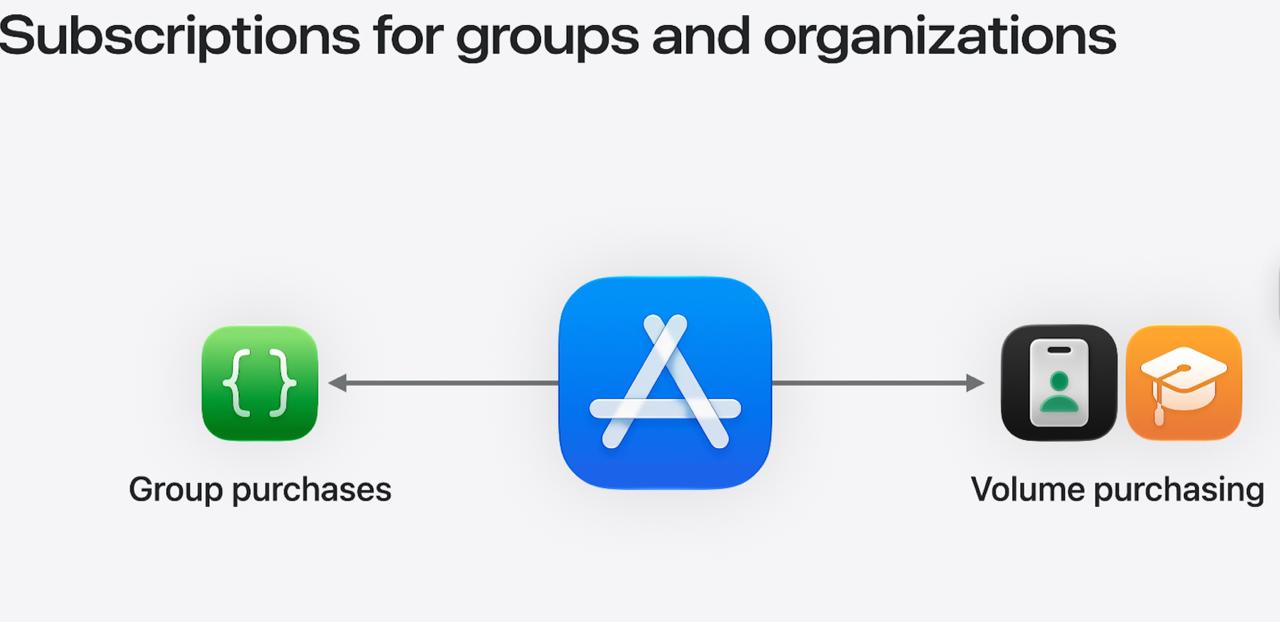
Group purchases cover families, small teams, or a few friends splitting a plan. One person buys the seats in a single transaction, then invites everyone else to use them from their own Apple Accounts.
Volume purchasing is the enterprise and education version, where a company or school buys seats in bulk through Apple Business Manager or Apple School Manager.
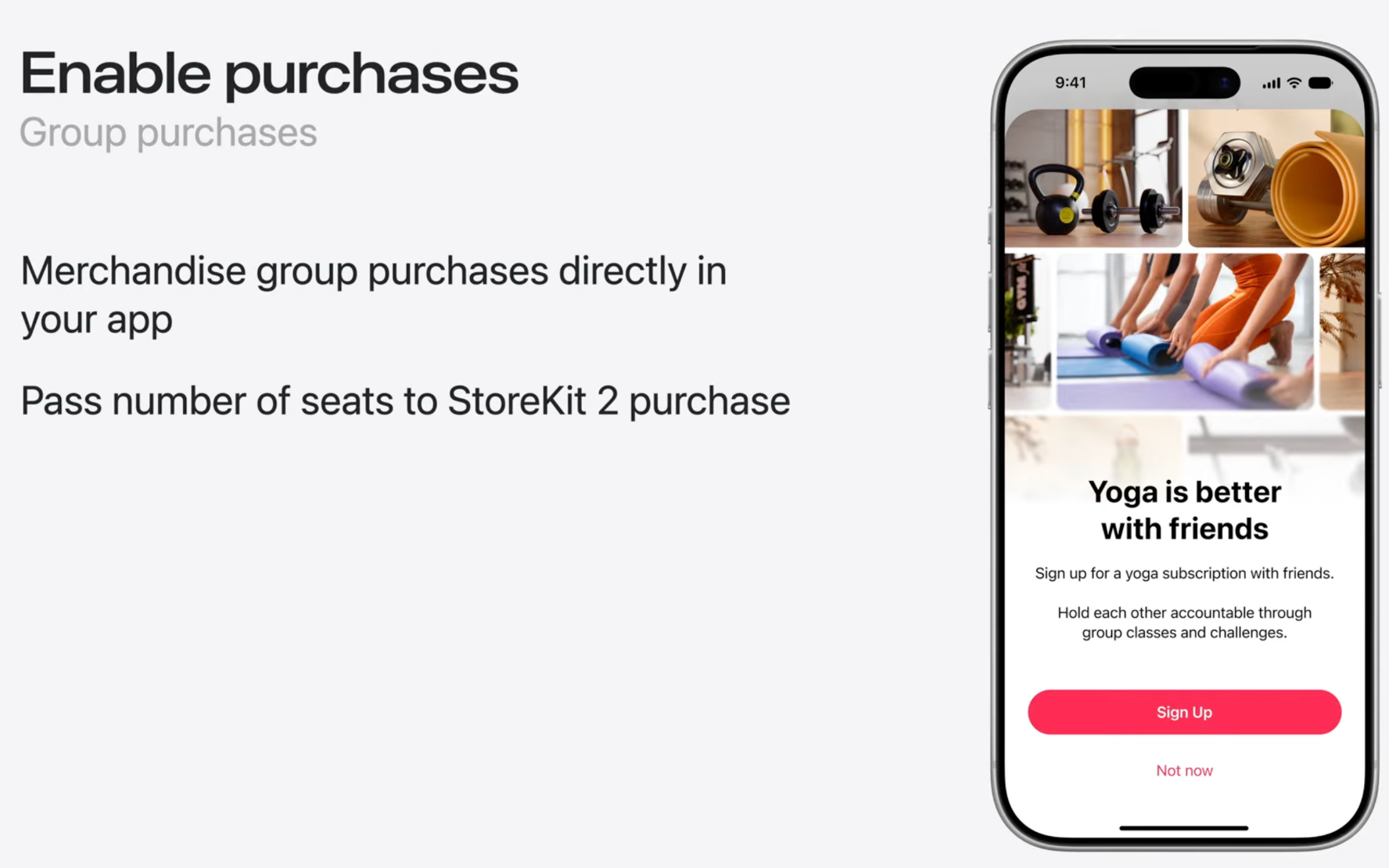
Selling one plan to a whole team used to mean building your own billing outside the App Store and tracking licenses by hand. B2B and education apps have wanted this for years. You set both up in App Store Connect. Volume purchasing ships this fall, group purchases this winter.
→Apple's WWDC26 session on this
A new pricing shape: monthly price, annual commitment
Subscriptions used to come in two ways. Pay monthly and leave anytime, or pay for a year upfront. Apple added a third, and it's a smart one. Your customers pay month by month but commit to a full year at signup. They get the smaller monthly number, you get the revenue and retention of an annual plan. Cancel early, and they keep paying until the year is up.
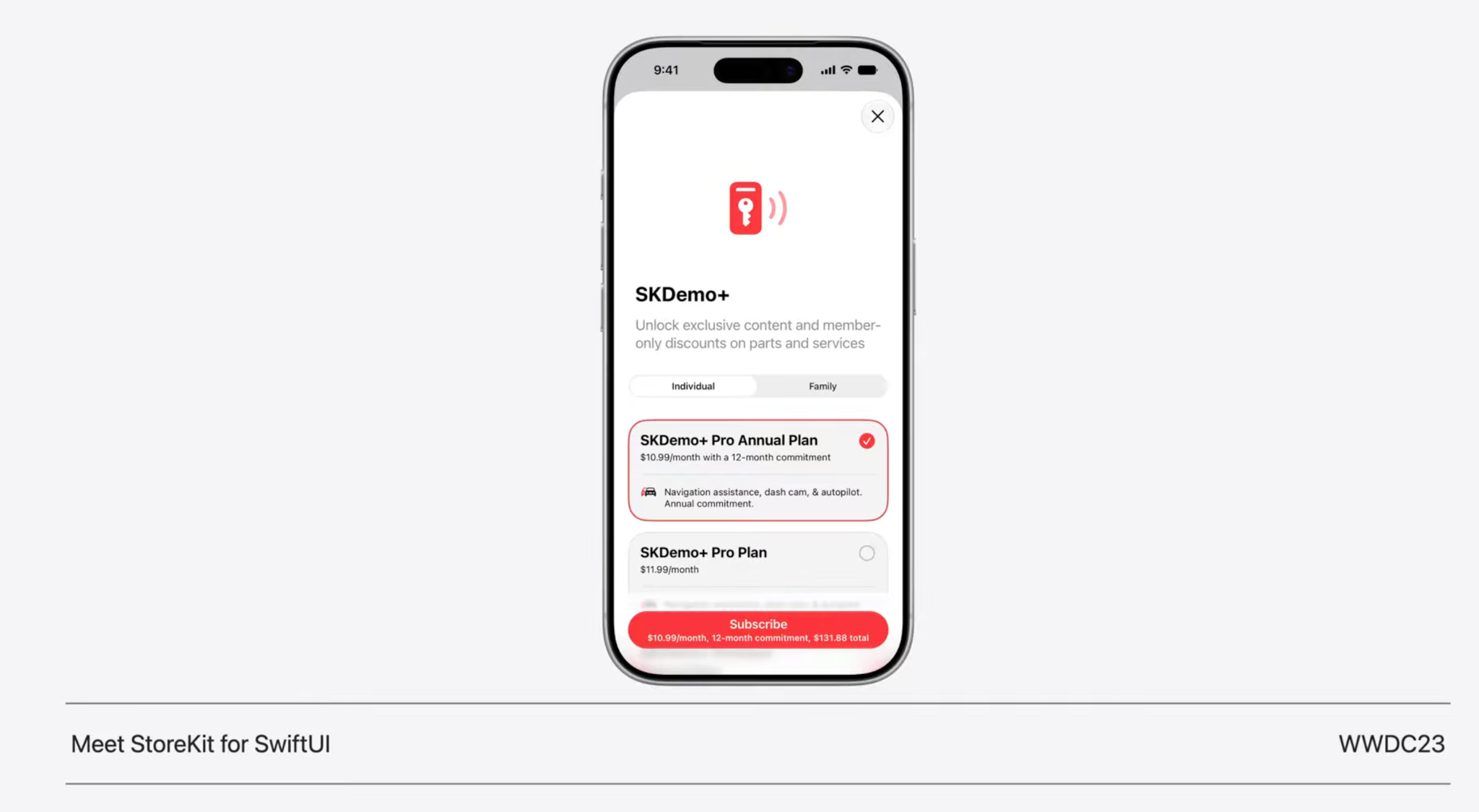
It works on one-year auto-renewable subscriptions, and you add it as a billing plan in App Store Connect. Existing subscriptions qualify. The first time someone signs up this way, Apple shows them a sheet with the payment count and cancellation terms, then handles reminders before each renewal.
It's live now, worldwide except the US and Singapore. Your users need iOS 26.4 or later.
Offer codes finally tell you what happened
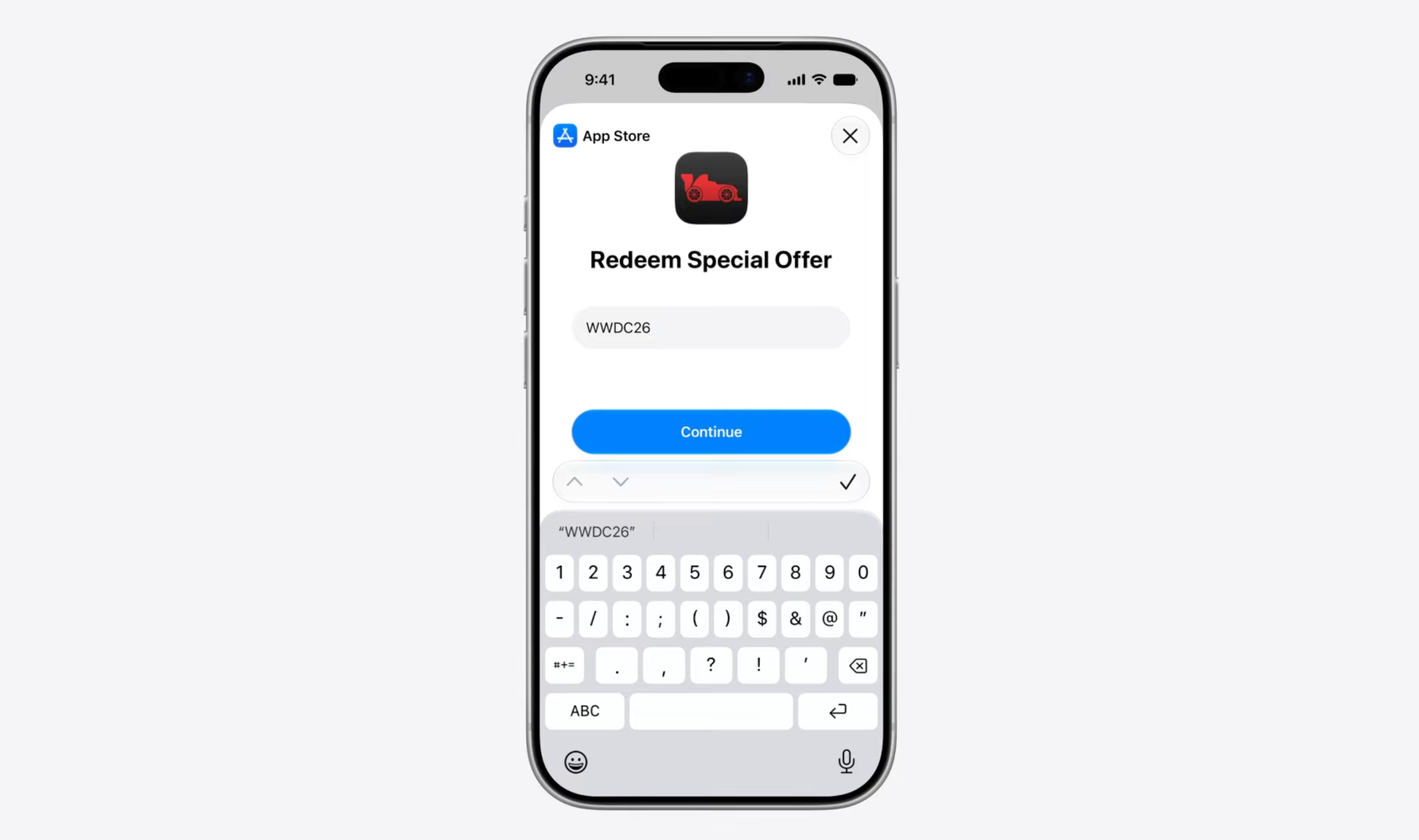
A small fix that saves real headaches. Offer codes never gave you a clean way to confirm whether a redemption went through. Now the redemption API hands back a result: A transaction when it works, an error telling you why when it doesn't. You can build real success and failure handling instead of guessing.
→ Apple's WWDC26 session on this
Bundles and Suites are coming for how you package plans
Not live yet, but worth putting on your radar. Apple is adding two ways to sell subscriptions together. A Bundle groups plans that customers can still buy separately, sold as one purchase at a better combined price. A Suite is tighter. The plans in it exist only inside the Suite, so customers can't buy them on their own. Both usually cover a related set of apps.
You can start testing the API in Xcode 27 now, but Apple is sharing the full program later in 2026. For now it's something to prototype against, not ship.
→ Apple's WWDC26 session on this
You can catch people on the cancellation screen
This one isn't new, but it's finally real for everyone. Apple announced Retention Messaging in beta last year, and at WWDC26, it graduates to general availability this fall. When someone taps "Cancel Subscription" in Settings, you can meet them right there with a message, a switch-plan nudge, or a discount.
Apple shared early numbers. Subscriptions using Retention Messaging lifted their save rate by 1.4 points on average, and the discount offers did best at 5.5 points. Your results will vary, but the direction is clear, and a few saved subscriptions a month add up fast.
You set it up two ways. The simple path lives in App Store Connect. You configure your messages and offers, and the App Store picks the right one for each subscriber on its own, no server needed.
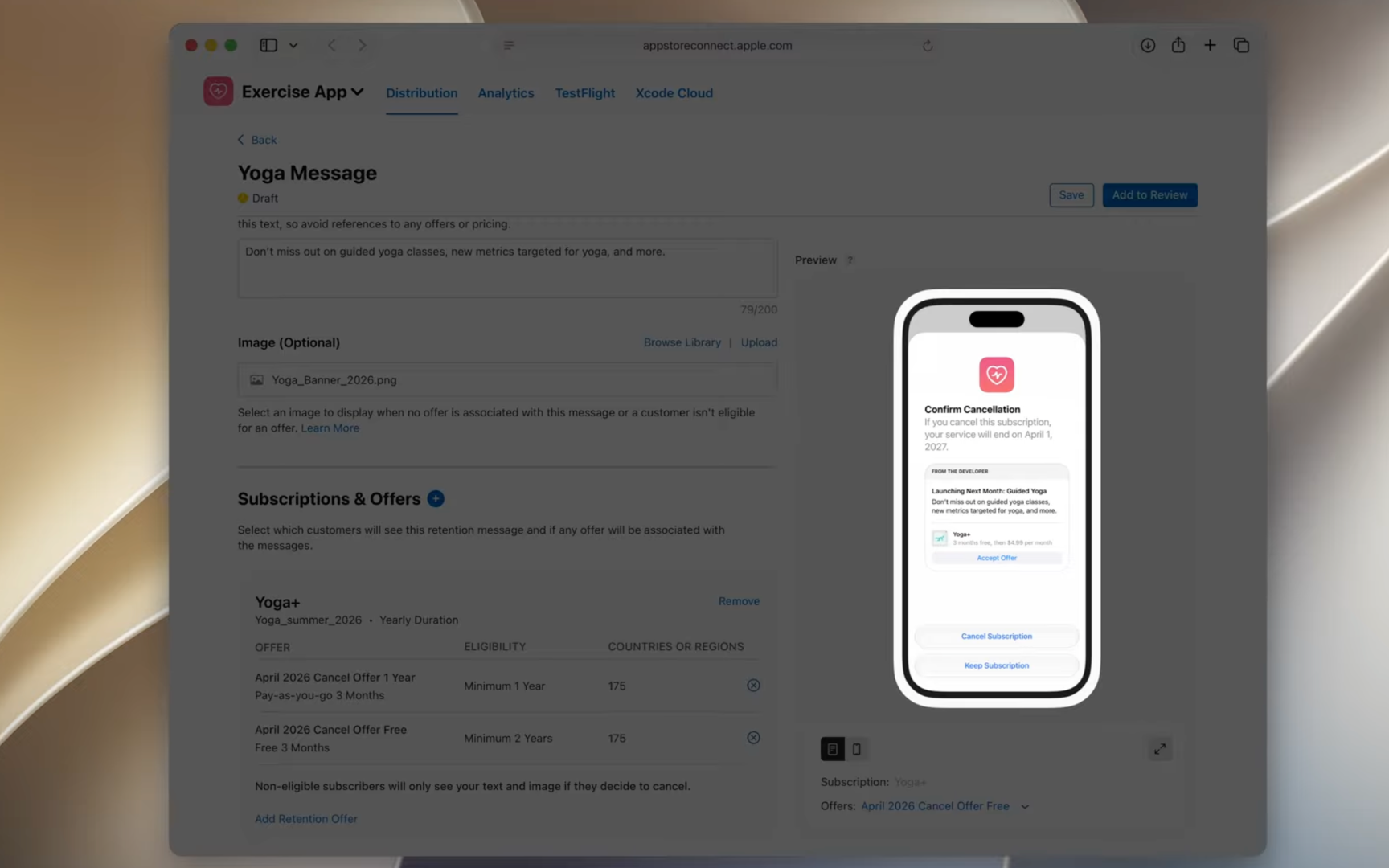
The real-time path hands control to your server, which gets 700 milliseconds to answer with a message before Apple falls back to your default. Real-time also unlocks a fourth option, the simple path skips, switch plan, where you offer a different tier instead of a discount.
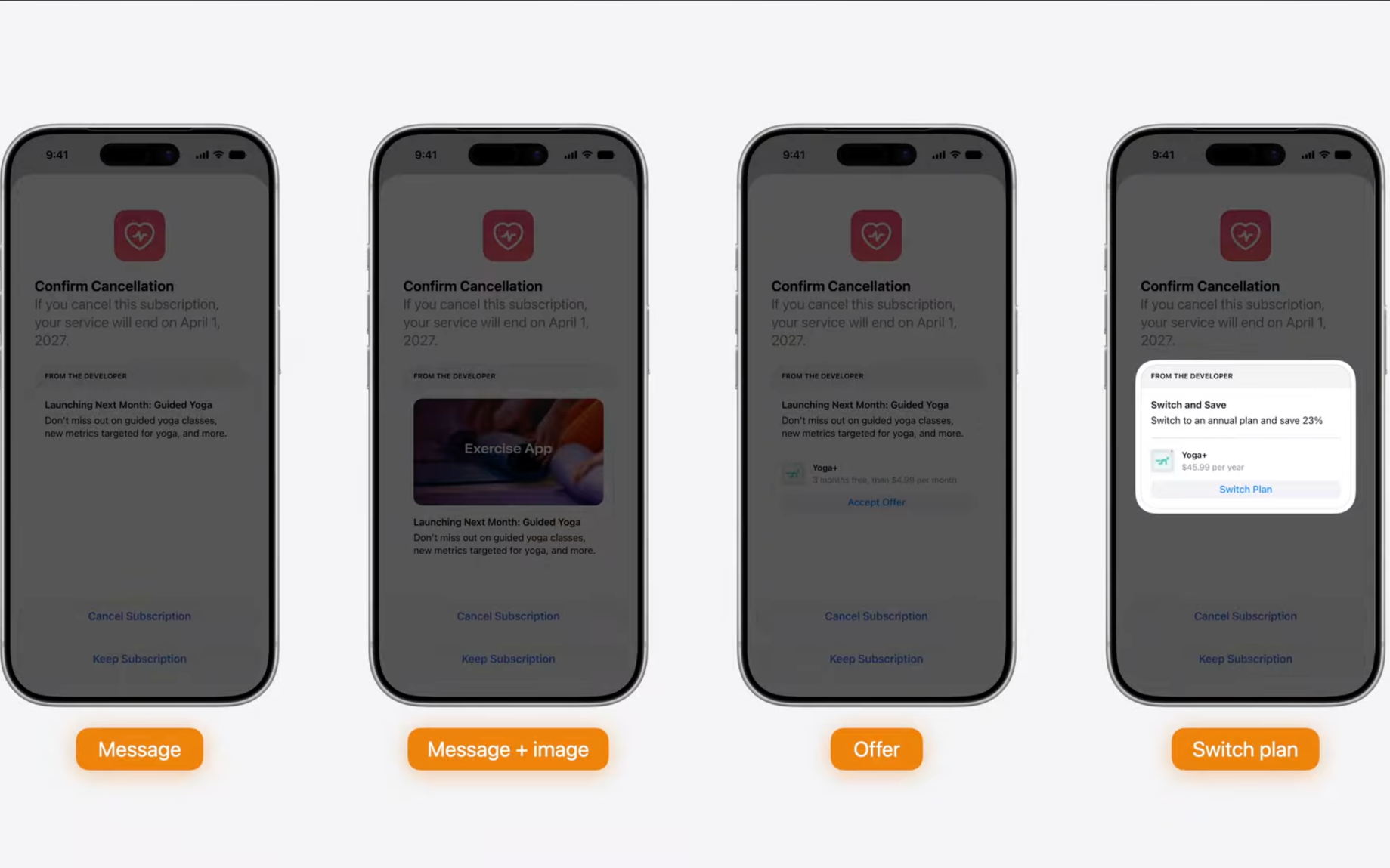
Apple keeps the screen honest. The "Cancel Subscription" button stays put, and every message gets labeled as coming from you.
We're building support for Retention Messaging on the Adapty side, so you'll be able to configure and test these flows alongside the rest of your paywall experiments rather than managing them separately.
→ Apple's WWDC26 session on this
One submission for all your IAPs
A small workflow win. You can now bundle multiple in-app purchases and subscriptions into a single App Review submission, and combine them with In-App Events, Custom Product Pages, and product page tests. Review status and messages show up in one place instead of scattered across separate submissions.
→ *Apple's WWDC26 session on this*
Before you move on
Time Allowances: check your category before July
This one's a heads-up, not an opportunity. iOS 27 lets parents set daily time limits on whole app categories, starting with Entertainment, Games, and Social Media, and restrict which categories are available at different times of day. The controls work across iPhone, iPad, and Mac through Family Sharing.
Here's the part that touches you. In July, Apple updates the age-rating questionnaire to ask whether your app includes social media features, like interaction with user-generated content through a feed. Your answer sorts your app into one of four categories: Social Media, Entertainment, Games, or Other.
A Social Media tag drops your app into a bucket that parents can cap or block during school hours. If your app has a community feed, leaderboards, or any social layer, check how you'll answer before the questionnaire changes in July. Getting categorized as Social Media when you didn't expect it can quietly cut into the hours your users have available.
Sales and Trends is going away
If your reporting runs on Sales and Trends exports, start planning the move now. Apple begins migrating that data into App Store Analytics mid-2026, starting with the Subscriptions dashboards, and removes Sales and Trends entirely after the rest follows through 2027.
App Store Analytics covers downloads, revenue, and conversion. It won't give you cohort analysis by acquisition channel, paywall performance, or LTV by segment. If those live in your exports today, treat the migration as the moment to find them a better home.
→ Adapty gives you subscription analytics filtered by channel, paywall, and cohort
What's changing across Apple's platforms?
A quick word on the AI features
Foundation Models v2 lets you add AI features that run on the device itself, free, with no API key and no per-token bill. The on-device model now reads images too, so you can caption a photo or pull the numbers off a receipt without a network call. For heavier work, there's Private Cloud Compute, a bigger Apple-hosted model you reach the same way. If you're in the Small Business Program with under 2 million first-time downloads, that one's free as well, with a daily cap per user.
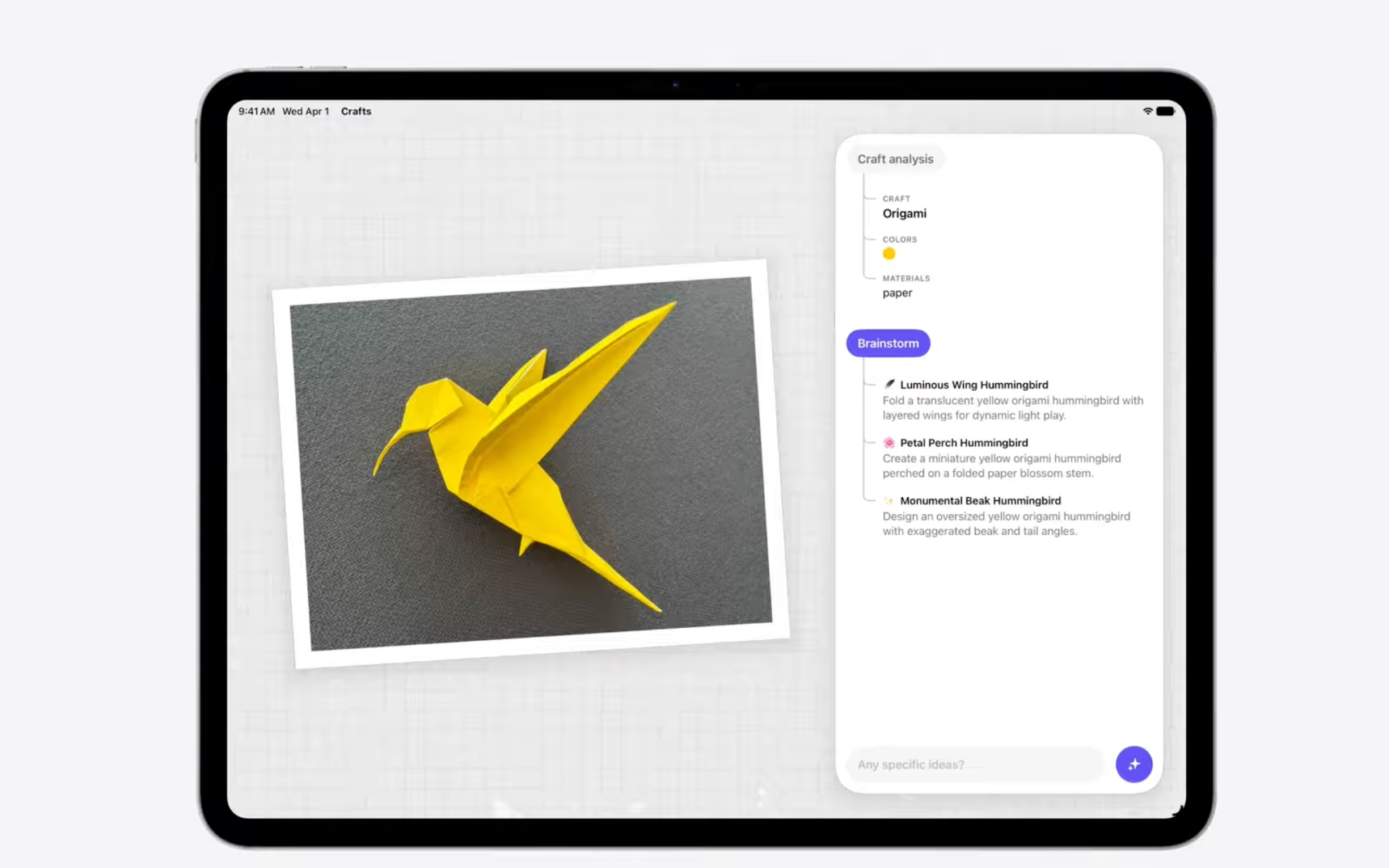
The practical read: Personalization, in-app search, and basic image understanding just got a lot cheaper to add. Features that used to need a backend and a model bill can now ride on Apple's models for free. If you've been holding an AI idea back on cost, this is the year to hand it to your devs and see what it takes.
→Apple’s WWDC26 session on this
Xcode now needs Apple Silicon
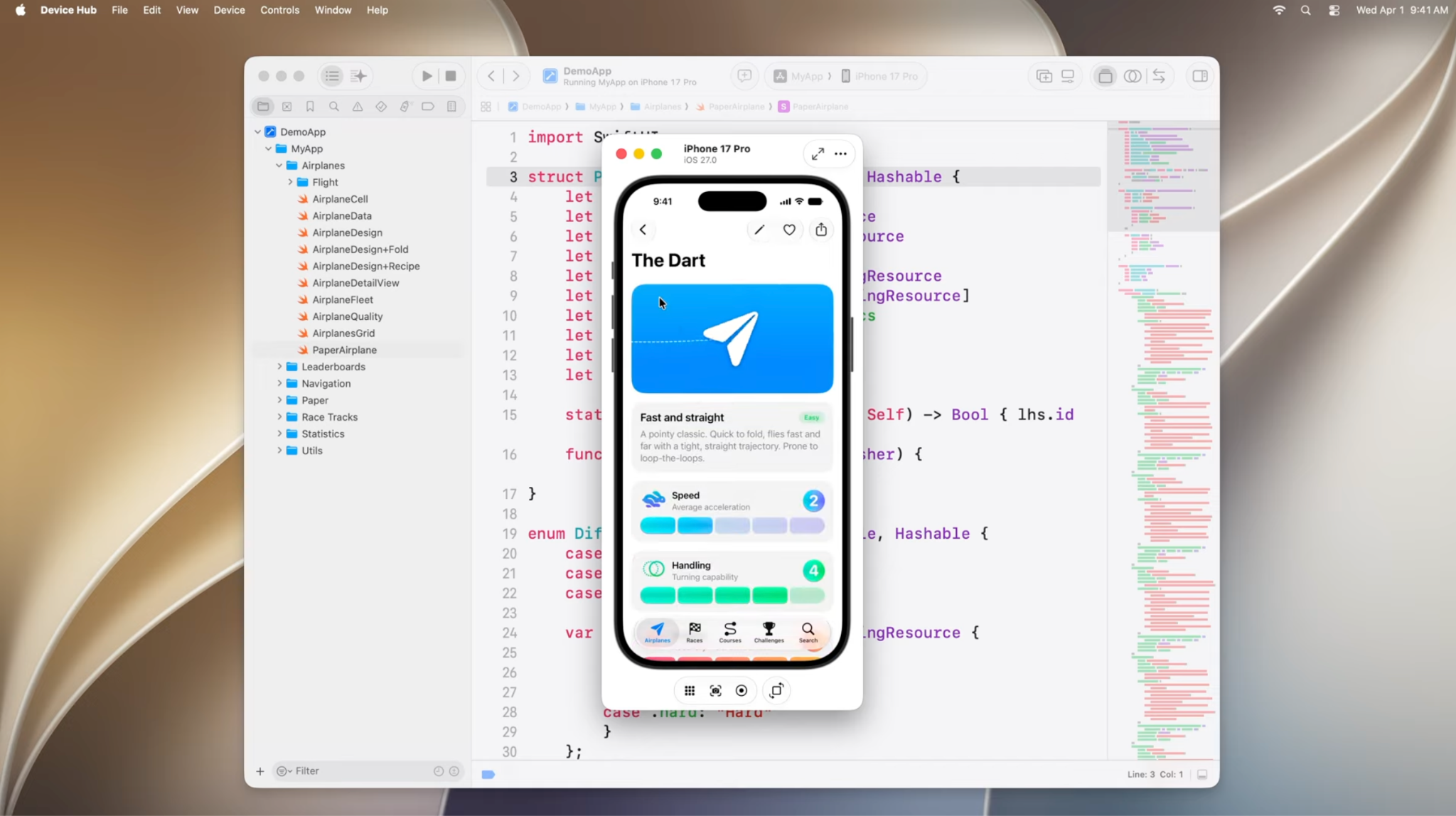
Xcode 27 won't run on Intel Macs, full stop. If you or anyone on the team is still on one, plan the hardware swap before the fall release cycle. What you get for it: the new in-Xcode coding agent, a live device preview that updates as you type, and a build that's 30% smaller.
→Apple’s WWDC26 session on this
Siri can't see your app without App Intents
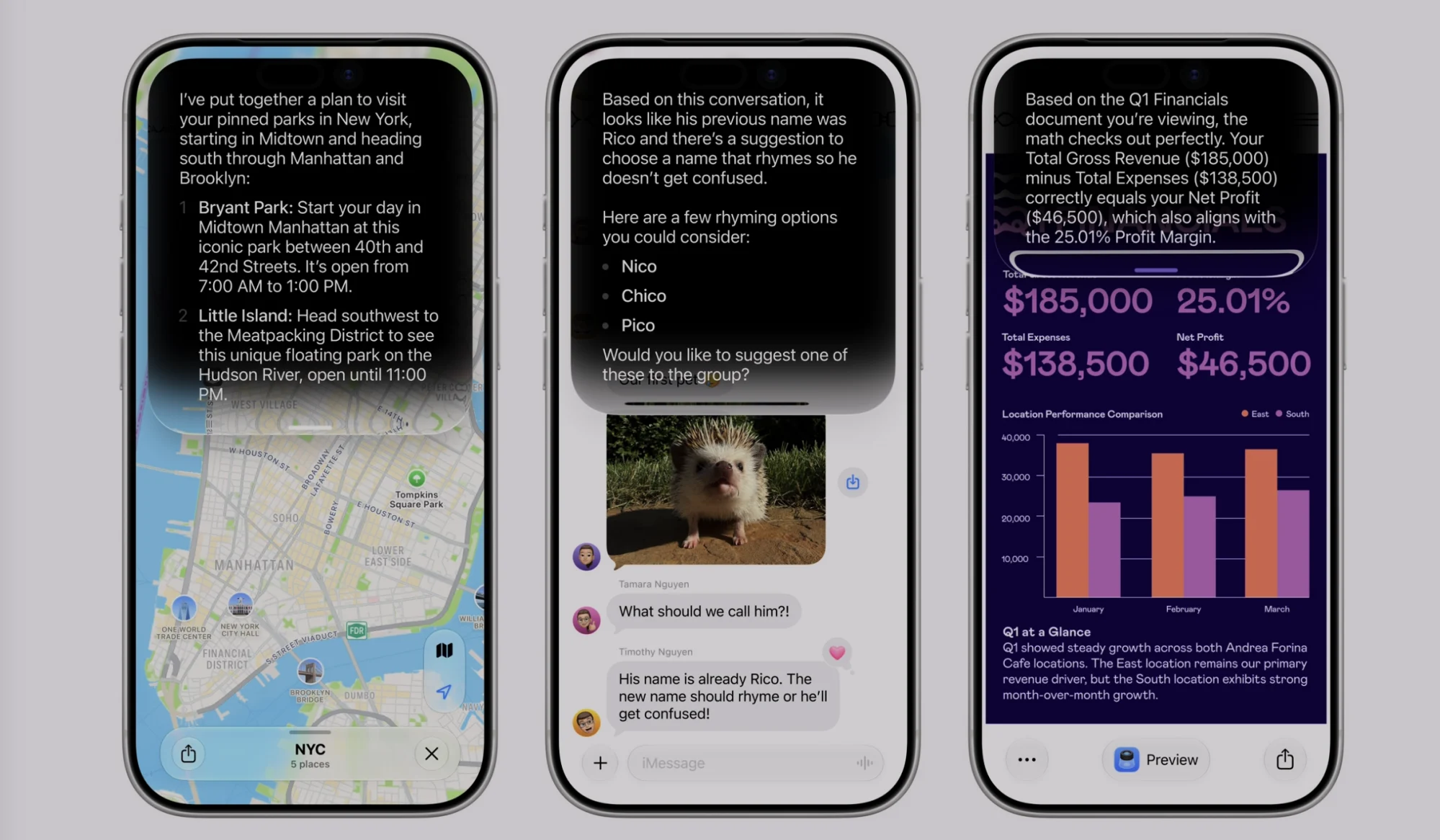
Apple deprecated SiriKit at WWDC26. To work with the new Siri or Shortcuts, you'll need App Intents. Existing SiriKit features keep working for two to three years, so nothing breaks tomorrow, but the switch is a structural rewrite. The upside makes it worth scoping early: App Intents is what makes your app addressable by the new Siri, Shortcuts, and Spotlight, so the rewrite buys you real surface area, not just compliance.
Some apps won't launch without a code change
The iOS 27 SDK requires the UIScene lifecycle. Apps that don't adopt it won't start once you build against the new SDK. For most apps, it's a contained change rather than a rebuild, and on the other side, you get the modern scene model that makes multi-window and state restoration far cleaner to handle.
And a couple worth a look
Two new layout changes are opportunities rather than homework. iOS apps can resize now, so if your layout is fixed-size, it's worth a review before the old full-screen assumption goes away. And SwiftUI and UIKit picked up adaptive layout APIs for foldables, with the iPhone Fold expected in fall 2026. Adopt them early, and your app handles the shift cleanly when the hardware lands.
→Apple’s WWDC26 session on this
WWDC26 handed you more upside than homework this year. If you do one thing, claim the free placements and start testing creative in the Asset Library. It ships without a build, so it's the fastest way to turn the keynote into revenue. The cancellation screen and the new monthly-price annual plan are the next levers worth pulling. The engineering changes carry the real deadlines, so handle UIScene first and sort your Xcode machines before fall. Bank the free wins, then scope the rest.