

React Native is an open-source framework created by Meta (formerly Facebook) that lets developers build mobile applications for iOS and Android using a single JavaScript and React codebase. Unlike web-based hybrid frameworks, React Native renders real native UI components — so apps look, feel, and perform like those built with Swift or Kotlin. Released in 2015 under the MIT license, it powers parts of Facebook, Instagram, Microsoft Office, Shopify, Discord, and Uber Eats, making it one of the most widely adopted cross-platform mobile development frameworks in the world.
What is React Native?
React Native is a JavaScript-based framework for building native mobile applications. The word “framework” means it provides a ready-made platform with pre-built components, libraries, and reference material, so developers don’t have to start every project from scratch. The word “native” means apps are rendered using each operating system’s actual UI elements — not a web view inside a wrapper — which is what allows React Native apps to behave and feel like apps written directly in Swift, Objective-C, Kotlin, or Java.
The framework was first released by Facebook’s engineering team in 2015 and is distributed under the permissive MIT license. It extends the component-based architecture of React (the popular web library) to mobile, letting front-end developers reuse their existing JavaScript and JSX skills to ship apps on phones, tablets, TVs, and even desktops.
What does “native” actually mean here?
A native application is one that is written for, and runs directly on, a specific operating system. A native iOS game runs on iOS frameworks; a native Android game runs on Android frameworks. Native apps tend to be faster and more responsive because they speak the operating system’s own language. React Native gets to this same end result through a different path: instead of asking developers to learn Swift or Kotlin, it lets them write JavaScript that is then mapped to the platform’s real native UI components at runtime.
React vs React Native
React came first. Released by Facebook in 2013, it quickly became the dominant way to build interactive front ends on the web — by 2024, around 41% of professional developers reported using it regularly. React Native arrived two years later, in 2015, as the answer to a simple question that Facebook’s engineering team kept hitting internally: could the same component-based architecture power native mobile apps? After two years of experimentation that started at a Facebook hackathon, the answer was yes.
Conceptually, the two are siblings rather than twins. They share JSX, hooks, the component lifecycle, state management patterns, and the broader React mental model. A developer who has built a React web app can read React Native code on day one. What changes is the rendering target. React renders to the browser’s DOM through a virtual representation that it diffs and patches automatically. React Native renders to the platform’s real native UI tree — UIView on iOS, ViewGroup on Android — bypassing the browser entirely.
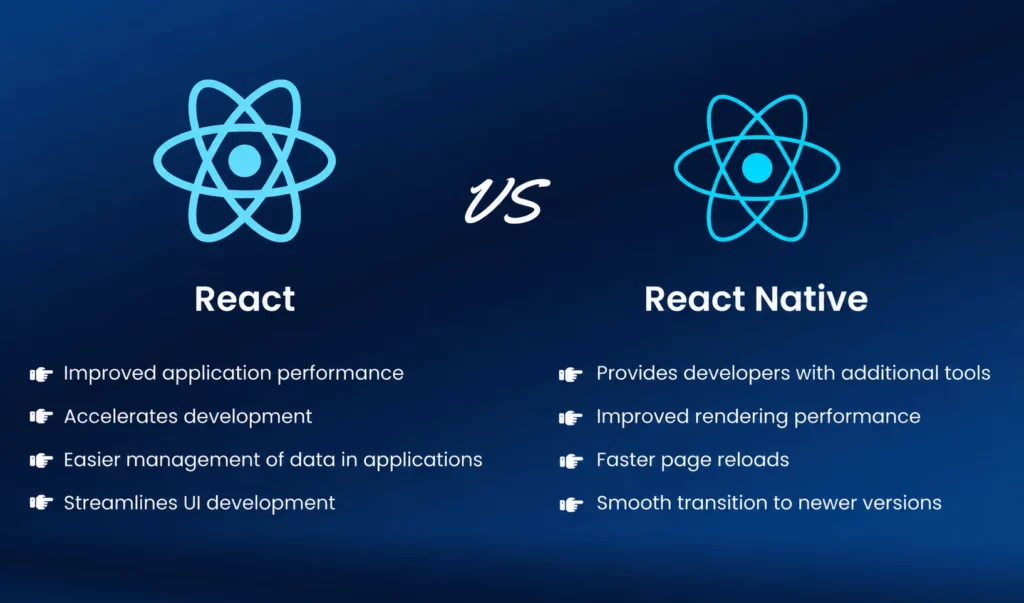
This distinction has real consequences for daily work. React developers style with CSS; React Native developers use a JavaScript-based StyleSheet API that supports a subset of CSS-like properties. React uses HTML elements (div, ul, p); React Native uses platform-agnostic primitives (View, FlatList, Text). The behavior is consistent enough that most React skills transfer cleanly, but different enough that a team usually treats React Native as its own competence to build up over a few projects.
| Aspect | React | React Native |
|---|---|---|
| Type | JavaScript library | JavaScript-based framework |
| Primary use | Front-end web development | Mobile and desktop app development |
| Rendering target | Browser DOM via virtual DOM | Native UI components on iOS and Android |
| UI elements | HTML tags such as div, ul, p | Native components such as View, Text, FlatList |
| Styling | CSS | StyleSheet API |
| Created by | Meta (Facebook) | Meta (Facebook) |
In practice, the relationship matters most when hiring or shaping a team. A front-end developer comfortable with React typically needs a few weeks to become productive in React Native, not months. The hard parts are rarely on the React side — they tend to be the native pieces underneath: store configurations, platform-specific build pipelines, native module integration, signing certificates, and the App Store and Google Play submission process.
How does React Native work?
At a high level, a React Native developer writes JavaScript and JSX (the same syntax used in React for the web), but instead of producing HTML, the code is mapped to real native UI components on each platform. A <Text> element becomes a UILabel on iOS and a TextView on Android. A <View> becomes a UIView or an Android ViewGroup. The same JavaScript runs on both platforms, but what the user sees is genuinely native.
For years, the JavaScript side communicated with native modules through an asynchronous “bridge.” Starting with version 0.76 in late 2024, React Native made its New Architecture the default, replacing the bridge with three core pieces: JSI (JavaScript Interface) for direct synchronous calls between JavaScript and native code, TurboModules for lazy-loaded native module access, and Fabric for concurrent UI rendering. The practical result is faster cold starts, smoother animations, and lower memory use compared with the legacy bridge.
Component-based architecture
React Native inherits React’s idea of composing UIs out of small, reusable components. State is managed with familiar tools such as the useState hook, useEffect, or external libraries like Redux. Lifecycle methods like componentDidMount and componentWillUnmount behave the same way they do on the web, which is why developers who already know React can transition to mobile in days rather than months.
Code sharing across platforms
A single JavaScript codebase can target both iOS and Android because most React Native components — View, Text, Image, ScrollView, FlatList — are universal. When platform-specific behavior is needed, developers use the Platform module to branch on Platform.OS, or use platform-specific file extensions (Component.ios.js and Component.android.js). When something truly native is required, native modules written in Swift, Objective-C, Kotlin, or Java can be exposed to the JavaScript layer.
Core components and features
React Native ships with a set of cross-platform primitives that map to the native UI of each operating system. Where the web uses HTML tags and CSS, React Native uses JavaScript components and inline style objects. Each of these primitives is rendered by the framework into the corresponding native widget at runtime: a <Text> element becomes a UILabel on iOS and a TextView on Android; a <View> becomes a UIView or an Android ViewGroup. The mapping is not a hack on top of a WebView — it is the framework’s core job.
Layout follows Flexbox by default, with several important differences from the web: there is no CSS grid, no float-based layouts, no inheritance of text styles down the tree, and no media queries. Most layouts are built from nested <View> containers with flex properties, and most styling lives in StyleSheet objects rather than separate CSS files. Knowing the dozen or so primitives below is essentially the same as knowing how to lay out a React Native screen.
| Component | Role | Closest web equivalent |
|---|---|---|
| View | Generic container for layout | div |
| Text | Displays text | span, p |
| Image | Renders images from local or remote sources | img |
| ScrollView | Scrollable container for small content sets | div with overflow:scroll |
| FlatList | Performant list for long data sets | ul with virtualization |
| TextInput | Editable text field | input |
| Pressable | Touch-responsive wrapper | button |
Beyond components, React Native ships with several features that meaningfully shape day-to-day development:
- Fast Refresh. Code changes appear in the running app within a second, without losing component state. This is the biggest single productivity win compared with traditional native development, where a build-and-relaunch cycle can take minutes.
- Native module bridging. Anything platform-specific — camera, GPS, biometrics, push notifications, payments — can be wrapped in a native module and called from JavaScript. Most well-known native SDKs already publish React Native wrappers, so writing custom bridging code is the exception rather than the rule.
- Third-party ecosystem. The npm registry exposes hundreds of thousands of JavaScript packages to React Native projects, including navigation libraries (React Navigation), animation libraries (Reanimated, Moti), gesture handling (Gesture Handler), and SDK wrappers for analytics, attribution, and monetization.
- Declarative UI. Like React on the web, you describe what the UI should look like for a given state, and the framework handles the updates. This eliminates a whole category of bugs related to manually keeping the UI in sync with data.
Supported platforms
React Native is primarily known for iOS and Android, but its reach extends well beyond mobile. Microsoft began adopting React Native internally for parts of Office back in 2016 and went on to maintain official forks for Windows and macOS, which means desktop support is not a hobby project but a production-grade option used by Microsoft itself across Office, Outlook, and Xbox. Community-maintained variants cover smart TVs (tvOS, Android TV) and the web, with React Native for Web powering parts of Twitter’s desktop site for years.
That said, “support” is not uniform across these platforms. iOS and Android are first-class citizens, receiving every release and every new API the moment it lands in core. Windows and macOS typically lag the core by one or two minor versions and may not include the full set of New Architecture features. TV and Web are usually another release or two behind that, and depend heavily on third-party library compatibility. For a multi-platform strategy, it pays to verify upfront that the libraries a project relies on — especially anything with native modules — actually work on each target platform.
| Platform | Maintainer | Typical use |
|---|---|---|
| iOS | Meta (core) | iPhone and iPad apps |
| Android | Meta (core) | Phone and tablet apps |
| Windows | Microsoft | Desktop apps for Windows 10 and 11 |
| macOS | Microsoft | Desktop apps for macOS |
| tvOS and Android TV | Community | Smart TV apps |
| Web | Community (React Native for Web) | Browser deployment of RN apps |
The breadth matters for product teams that need to ship across surfaces. A subscription app, for example, can share its core business logic, paywall code, and state management between iOS, Android, and (with React Native for Web) a marketing-aligned web version, while only the deepest platform-specific behavior is duplicated. This is one of the main reasons companies like Microsoft and Shopify keep investing in React Native rather than maintaining separate native teams for every surface.
Benefits of React Native
The framework’s continued popularity comes down to a handful of practical advantages that matter more on real product teams than in benchmarks. The single most cited benefit is code reuse. Wix, one of the largest production React Native apps with over a million downloads and an average rating above 4.5, reports sharing roughly 95% of its logic codebase between iOS and Android. Pinterest moved several key features to React Native specifically because, as their engineering team put it, “code sharing not only means implementation time can be saved, it also reduces the cognitive overhead of sharing context when you need multiple platform-specific engineers working on the same feature.”
The other benefits compound. Fast Refresh keeps the inner development loop tight — a JavaScript change appears in the running app within roughly a second, without losing component state, which is dramatically faster than the rebuild-and-relaunch cycle of native iOS or Android development. The npm ecosystem brings hundreds of thousands of packages within reach, including mature solutions for nearly every common mobile concern. And the New Architecture rolled out across 2024 and 2025 has closed most of the historical performance gap with native, with early adopters reporting roughly 43% faster cold starts, 39% rendering improvements, and 20–30% memory reduction compared to the legacy bridge.
| Benefit | Why it matters |
|---|---|
| Single codebase for iOS and Android | Reduces development time, headcount, and ongoing maintenance cost |
| Native rendering performance | Smooth animations and responsive UI on real devices |
| Fast Refresh | Near-instant feedback loop during development |
| JavaScript and React skill reuse | Web developers can ship mobile apps without learning Swift or Kotlin |
| Large open-source ecosystem | Ready-made libraries for navigation, state, animation, and monetization |
| Backed by Meta | Continuous investment, predictable release cadence, long-term stability |
For early-stage teams, the most consequential benefit is usually time-to-market. A two-developer team can credibly ship a polished iOS and Android app in weeks rather than months, with one codebase to maintain. For larger organizations, the appeal shifts toward hiring flexibility — the JavaScript talent pool is the largest in software, and a React developer is significantly easier to recruit than a senior Swift or Kotlin engineer in most regions.
Limitations and challenges
React Native is not a fit for every project. The trade-offs are real and worth weighing before committing. The most commonly cited pain point — communication overhead between JavaScript and native code — has been substantially reduced by the New Architecture, which replaced the asynchronous bridge with direct synchronous calls through JSI. Older articles that describe React Native as inherently slow for complex apps are largely describing the pre-2024 reality. But other constraints remain genuine.
GPU-intensive workloads — 3D rendering, augmented reality, real-time video effects, advanced camera processing — still benefit from going native. Apps that depend heavily on cutting-edge platform APIs released the same week as a new iOS or Android version may have to wait days or weeks for community libraries to catch up, where a fully native team could integrate immediately. And upgrading React Native itself across major versions is genuinely harder than upgrading a typical npm dependency, because every native module in the project has to keep pace with the core release.
| Limitation | Practical impact |
|---|---|
| Reliance on third-party libraries | Some platform APIs require community packages that may lag OS updates |
| Platform divergence | Pixel-perfect designs sometimes need branch logic per OS |
| Heavy computation | CPU- or GPU-intensive workloads may still need native modules |
| Debugging complexity | Issues can span JavaScript, native, and the runtime boundary |
| Upgrade churn | Major version upgrades require coordinated changes in native code and dependencies |
The honest summary: for the vast majority of mobile apps — productivity tools, social products, commerce, content, subscription apps, and most utilities — React Native is more than capable, and the maturity gap with native development has narrowed significantly. For games, AR/VR experiences, professional creative tools, and apps that need to be on the absolute leading edge of platform features, fully native development is still the safer bet.
Examples of apps built with React Native
React Native is used in production by some of the largest mobile apps in the world. The pattern of adoption varies considerably. Shopify went all-in: in 2020, the company committed to React Native for all new mobile projects after years of internal evaluation. Others, like Facebook and Microsoft, use it selectively. Facebook ships React Native inside the main Facebook app for specific surfaces (Marketplace, Ads Manager, parts of the news feed) while keeping other surfaces native. Microsoft uses it across Office, Outlook, and pieces of Xbox while continuing to ship native code where it makes more sense.
The list below is not exhaustive — by some estimates, React Native appears in roughly 14–15% of the top 500 apps on the App Store and Google Play combined — but it captures the diversity of categories where the framework has been proven at scale.
| App | Category |
|---|---|
| Social | |
| Social | |
| Microsoft Office | Productivity |
| Shopify | Commerce |
| Discord | Communication |
| Uber Eats | Food delivery |
| Coinbase | Finance |
| Wix | Website builder |
| Bloomberg | News and finance |
Notably absent from the list: Airbnb. Airbnb adopted React Native in 2016, ran it in production for two years across major parts of its app, and then publicly stepped back in 2018 — a widely discussed case study in cross-platform trade-offs at scale. The reasons cited at the time included slow native module development, hiring challenges, and the cost of maintaining infrastructure across both native and React Native stacks. The framework has matured considerably since then, particularly with the New Architecture, and most of the specific pain points Airbnb described have been addressed in subsequent releases.
React Native vs other mobile development frameworks
Within the cross-platform space, React Native is most often compared with Flutter, Google’s UI toolkit built around the Dart language. The two together account for the majority of new cross-platform mobile projects in 2026: Flutter holds roughly 46% of the cross-platform market share, React Native around 35–38%, with the remaining slice split across .NET MAUI, Ionic, Cordova, and a long tail of smaller frameworks. Native development with Swift or Kotlin remains the third option whenever maximum platform-specific polish, performance on the leading edge, or access to the very latest APIs is the deciding factor.
The other frameworks each occupy narrower niches. .NET MAUI is a natural fit for teams already invested in C# and the Microsoft stack, and is most often seen in enterprise environments rather than consumer apps. Ionic and Cordova use a WebView-based approach that delivers faster initial development for content-heavy apps, but generally underperforms compared to React Native or Flutter for animation-heavy or interactive interfaces. For a deeper breakdown of how the two leading cross-platform frameworks line up across performance, ecosystem, hiring, and cost in 2026, see Flutter vs React Native.
| Framework | Language | UI approach | Backed by |
|---|---|---|---|
| React Native | JavaScript / TypeScript | Real native UI components | Meta |
| Flutter | Dart | Custom rendering engine (Impeller) | |
| Swift / Kotlin (native) | Swift, Kotlin | Direct platform APIs | Apple, Google |
| .NET MAUI | C# | Native handlers per platform | Microsoft |
| Ionic / Cordova | JavaScript | WebView wrapper | Ionic, Apache |
The choice is rarely about which framework is “better” in the abstract. It is about which one matches the team’s existing skills, the app’s performance profile, the available libraries for specific integrations (analytics, attribution, payments), and the long-term hiring market in the company’s region. A team of web developers will be productive in React Native much faster than in Flutter. A team that values pixel-perfect, identical UI across both platforms with full control over every rendering detail tends to lean toward Flutter. A team building a game or AR app will usually skip both and go native.
Getting started with React Native
There are two common entry points: the React Native CLI (sometimes called “bare” React Native) and Expo. Expo is a managed toolkit on top of React Native that simplifies setup, handles a lot of the native plumbing automatically, and ships with built-in libraries for camera, location, notifications, and authentication. For most new projects in 2026, Expo with EAS Build is the recommended starting point.
A minimal setup looks like this:
- Install Node.js and a package manager (npm or Yarn).
- Install the Expo CLI or the React Native CLI.
- Create a new project with
npx create-expo-app MyAppornpx react-native init MyApp. - Run the app with
npx expo start(Expo) ornpx react-native run-ios/run-android(bare).
From there, the typical toolchain includes React Navigation for screen routing, an SDK or two for analytics and attribution, and platform-specific configuration for the App Store and Google Play.
React Native and in-app purchases
One area where React Native does not ship a built-in solution is monetization. There is no native React Native API for in-app purchases or subscriptions — those still go through Apple’s StoreKit and Google Play Billing, which means a React Native app needs either a wrapper library or a third-party SDK to handle them. Popular options include the open-source react-native-iap and expo-iap packages, as well as managed services like Adapty’s react-native-adapty SDK, which adds server-side receipt validation, paywall configuration, A/B testing, and subscription analytics on top of the native store APIs. For a full walkthrough, see the React Native in-app purchases tutorial.
FAQ
react-native-iap, expo-iap, or Adapty’s React Native SDK) to integrate Apple StoreKit and Google Play Billing into a React Native app.