TL;DR
Apple started rejecting apps using toggle paywalls (where users flip a switch to add/remove free trials) in January 2026, citing Guideline 3.1.2 – even though the pattern doubled revenue for many apps. The enforcement is iOS-only, so the toggle still works on Android/web.
In mid-January 2026, Apple started mass-rejecting apps with toggle paywalls. There was no announcement, no updated documentation, no grace period — developers just started getting identical rejection notices citing Guideline 3.1.2.
If you’re running the annual-vs-weekly toggle that’s been converting like crazy since 2022, your next update is probably getting flagged. The toggle paywall is dead on iOS. Here’s what happened, why Apple finally cracked down, and what works now.
What are toggle paywalls?
I first saw toggle paywalls around 2022 when I was working on the Productive app. The pattern was simple: show one subscription offer with a toggle that switches between annual (no trial) and weekly (with trial). Toggle defaults to off — annual plan, immediate payment.
Most users never touched the toggle. They saw the annual price, thought it looked cheaper than weekly, and subscribed. Instant paid subscriber.
The pattern stayed relatively quiet until 2024, when top apps across categories started implementing it. Meditation apps, fitness trackers, productivity tools — suddenly, you could see the same toggle design everywhere. Once people noticed the pattern in successful apps, it spread fast.
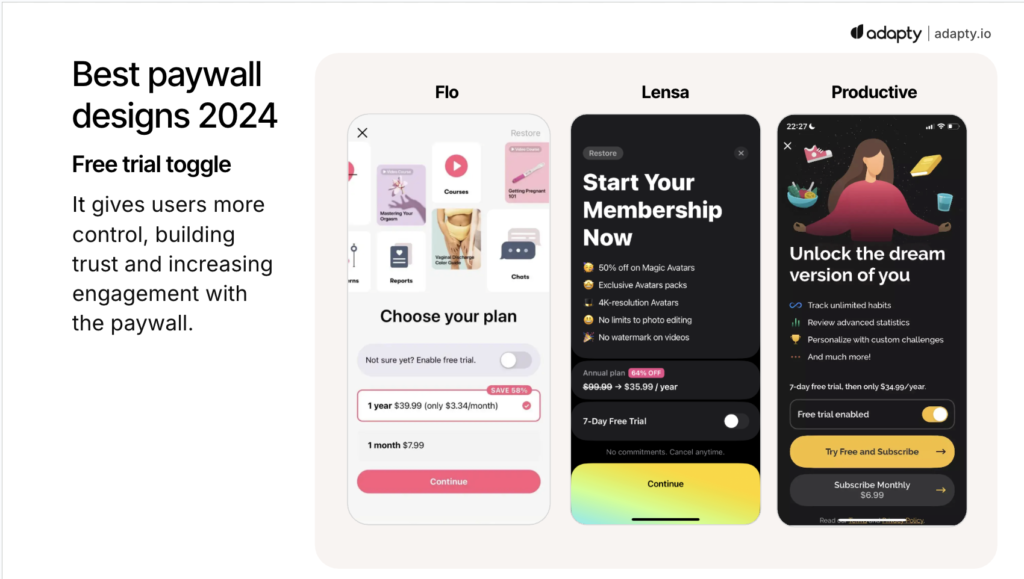
Slide from our webinar on best paywall designs in 2024
What’s Apple’s exact rejection message?
Starting mid-January, developers began receiving identical rejections under Guideline 3.1.2. The wording is consistent across cases:
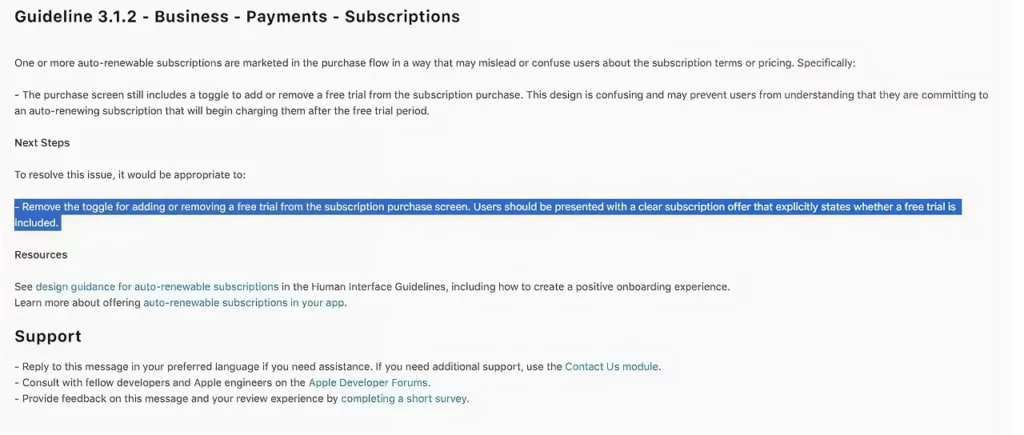
Appeals aren’t working. Even apps that were previously approved with toggles can’t push updates until they remove them.
Why did Apple suddenly crack down?
Apple is Apple, so we can only assume. Most likely, the pattern got too visible. When a few apps quietly use something, Apple doesn’t notice. When it becomes the standard design across top apps in every category, it becomes a problem they need to address.
Apple’s official line is user confusion. The toggle hides trials from users who don’t engage with it. Could also be refund rates, platform control, optics around “subscription tricks,” or some combination.
At the end of the day, it’s Apple’s platform and Apple’s rules. Trial toggles are effectively dead on iOS, though they’re still very much alive on Android and web paywalls.
What converts instead of toggles?
Show how the trial actually works
Instead of hiding what happens after someone subscribes, show them exactly: Today: full access. Day 5: reminder. Day 7: You’re charged.
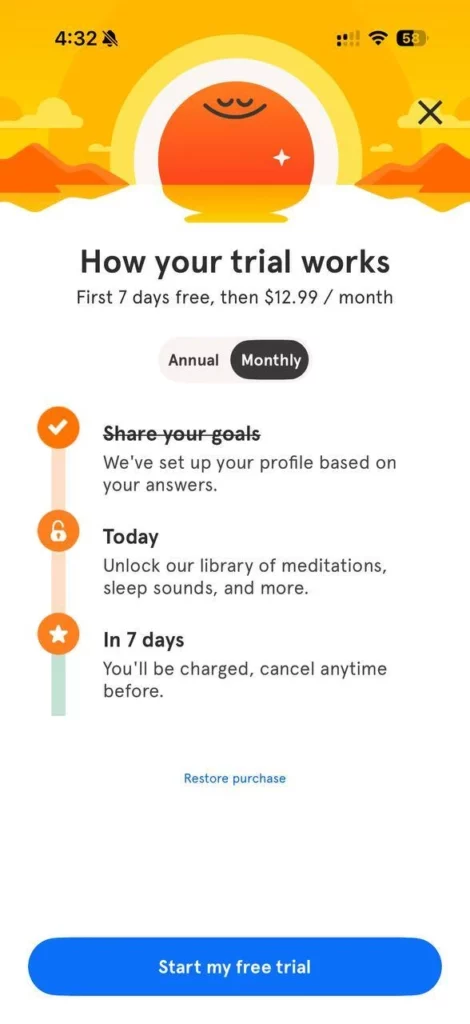
Transparency beats clever mechanics. Show the trial timeline clearly, and confusion disappears
Show all your plans side-by-side
Three plans side-by-side: weekly with trial, monthly, annual. Badge the trial clearly. No toggle needed – just package selection. Price anchoring still works. Annual looks like the obvious choice next to weekly pricing. And you’re not hiding anything behind UI that most users never touch.
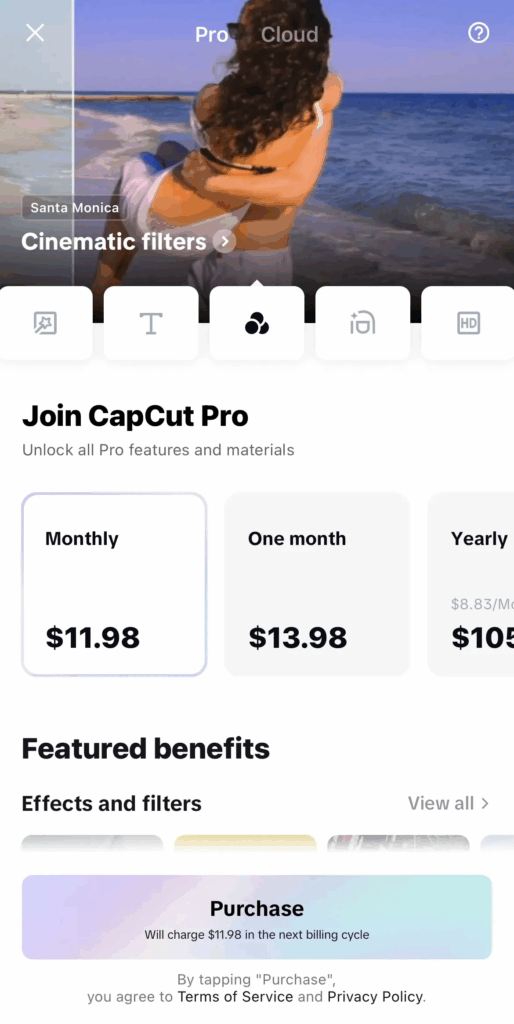
Side-by-side plans keep pricing transparent while preserving anchoring
Show value before price
Put social proof and actual outcomes before pricing. App Store rating, real user results, specific transformations. Make the value obvious, then show the price.
Only works if you have legitimate proof points. Don’t fake it. Users smell bullshit, and Apple will reject you for misleading claims.
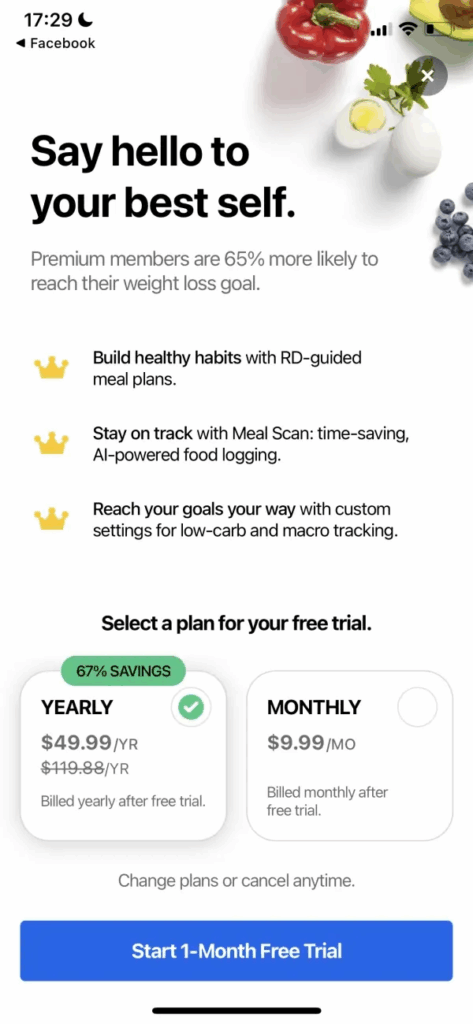
Sell the result before the subscription. If the value is real, the price doesn’t need tricks
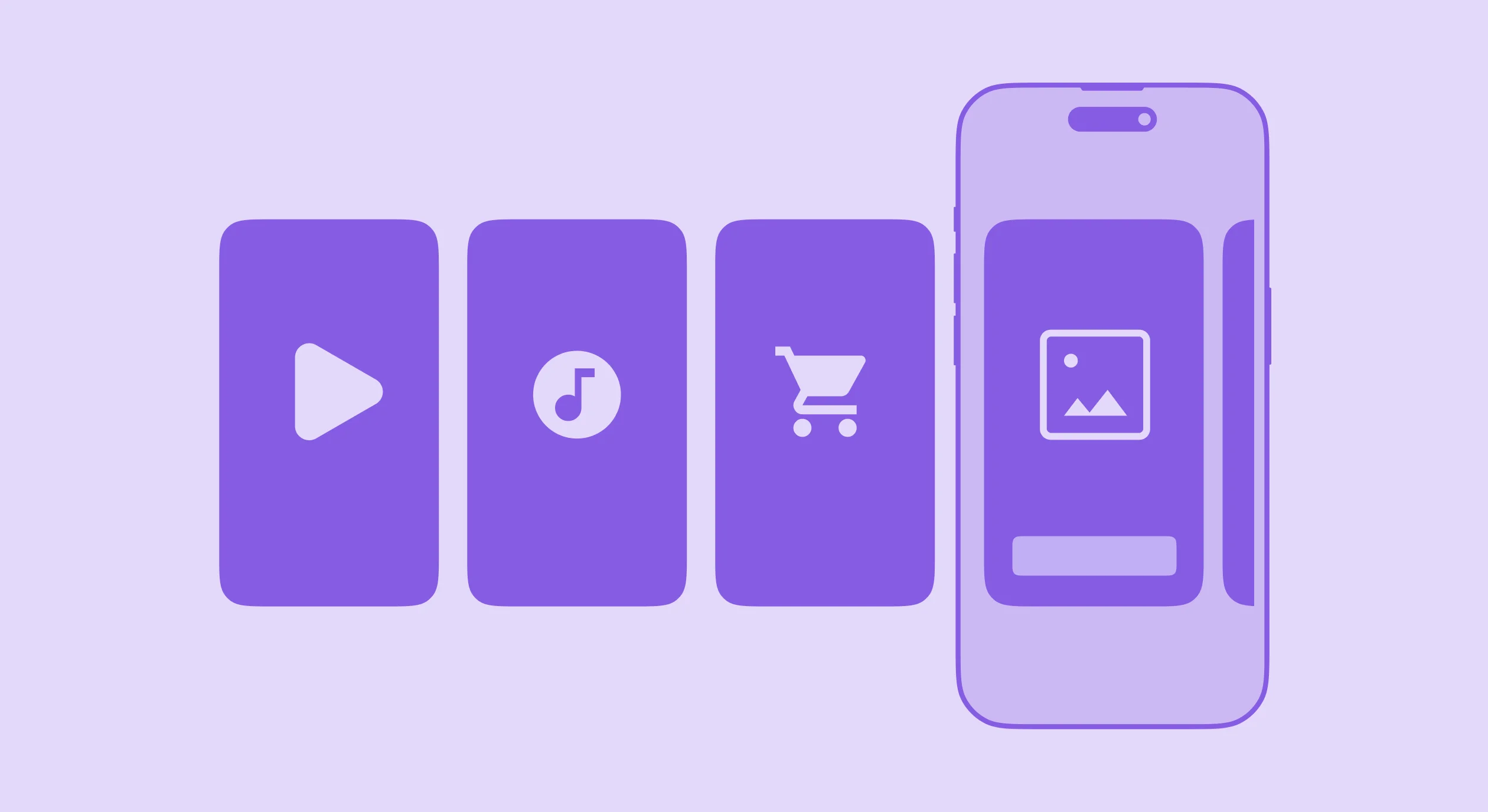
Show different paywalls to different users
Eligible users see trial-focused messaging. Ineligible users see a direct purchase with an annual savings emphasis. Requires dev work, but it’s explicitly compliant and converts well.
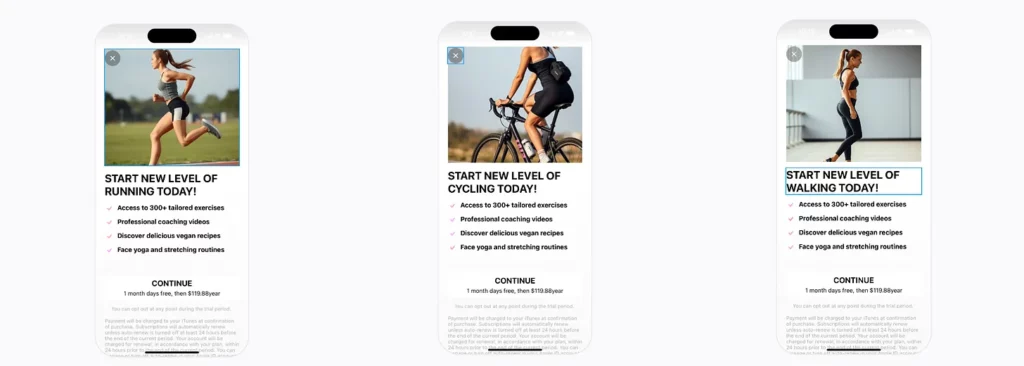
Segment the message, not the product. Trial for eligible users, direct purchase for the rest.
→ Check the guide on setting this up
Show a second offer on dismissal
Show a different offer when users dismiss the paywall. Lower price, longer trial, or monthly after they rejected the annual. But Apple’s watching these more closely now, too. Don’t trap users.
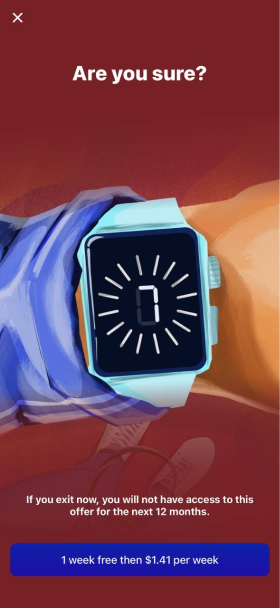
Exit intent is still intent. Present an alternative offer without crossing into dark patterns
Was the toggle doing all the work?
Not entirely. Look, the toggle worked; there’s no denying that. But it wasn’t the only thing driving conversions.
A lot of the lift came from standard conversion psychology that you can still use:
- Annual price shown as normalized monthly cost
- “Most Popular” badge on the annual plan
- Larger visual weight on annual vs weekly
- Smart price anchoring
These are all white-hat tactics that work with or without a toggle. The toggle got the attention, but these design choices did a lot of the actual work.
You can keep these elements in whatever paywall you build next.
What does this mean for your app?
The toggle paywall made a lot of developers a lot of money. It was a good run.
But Apple’s platform, Apple’s rules. This is probably fine. The toggle worked because it was a bit sneaky, hiding trials from users who didn’t engage with the UI. That’s not great UX, even if it converted well.
The apps that’ll do fine are the ones focused on actual value, not clever UI tricks. Transparent paywalls that make users want to subscribe beat paywalls that trick them into it, both in conversion and in retention.
So yeah, pour one out for the toggle. Then test the alternatives and move on.
Need help testing your new paywall design? Grab our paywall testing checklist. It covers everything from trial messaging to price anchoring to visual hierarchy.