
In 2026, the mobile app ecosystem runs on data — but data doesn’t collect itself. Between Apple’s privacy overhaul, Google deprecating Privacy Sandbox on Android, and rising user acquisition costs, choosing the right analytics and attribution stack is no longer optional. It’s the difference between flying blind and making every marketing dollar count. This guide breaks down the essential services your app needs across attribution, product analytics, push notifications, ASO, crash reporting, and subscription management — with current pricing, comparison tables, and practical advice for building a stack that works.
The biggest shift in mobile analytics since this article was first published is the privacy revolution. Apple’s App Tracking Transparency (ATT), introduced with iOS 14.5, fundamentally changed how attribution works. Most users opt out of tracking when given the choice, making device-level attribution far more difficult. As of 2026, ATT opt-in rates hover around 25–35% across the industry.
On the iOS side, Apple has moved from SKAdNetwork (SKAN) to AdAttributionKit (AAK) — a newer framework that supports attribution across the App Store and alternative app marketplaces, adds re-engagement tracking, and offers a developer mode for easier testing. Unlike SKAN, AdAttributionKit provides up to 64 conversion value signals and supports multiple postback windows. On Android, Google launched its Privacy Sandbox initiative to reduce reliance on Google Advertising ID (GAID), but deprecated it in October 2025.
For now, Android attribution still relies on GAID, but the long-term direction is clearly toward privacy-first measurement. What does this mean in practice? Traditional user-level multi-touch attribution is no longer feasible on iOS. Marketers who adapt to aggregated data, optimize conversion schemas for SKAN/AAK postback windows, and invest in probabilistic modeling and mobile app analytics infrastructure will outperform those still trying to replicate pre-ATT workflows.
Attribution tools
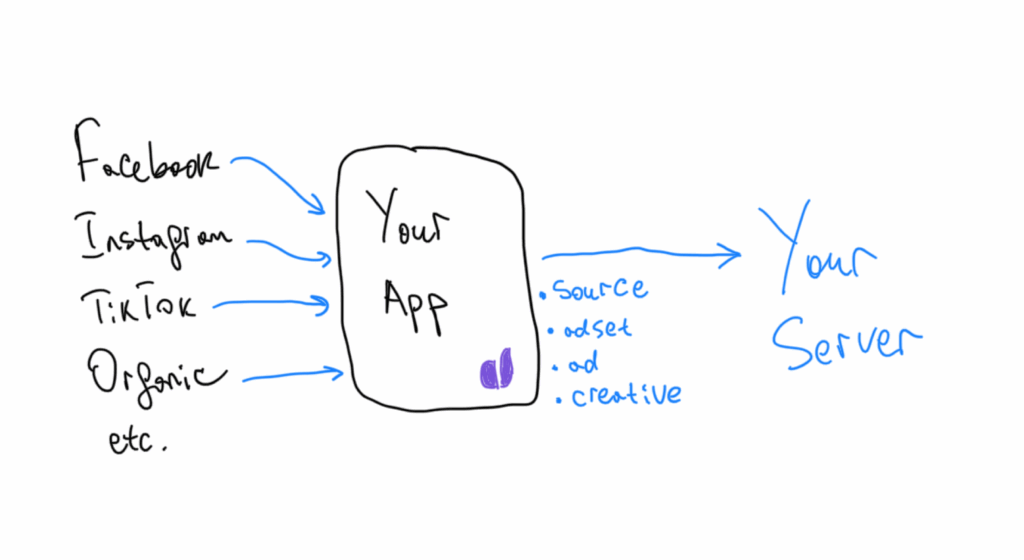
Attribution connects users with the traffic channels that brought them to your app. When you’re buying paid installs, you need a Mobile Measurement Partner (MMP) to tell you which campaign, ad network, or creative drove each install — and whether that user went on to generate revenue.
Who to choose
The market is dominated by a handful of players, all of which now support Apple’s AdAttributionKit and provide probabilistic modeling for non-consented iOS users. AppsFlyer remains the largest by market share. Adjust (now affiliated with AppLovin) offers strong fraud prevention. Branch focuses on deep linking alongside attribution. Tenjin positions itself as budget-friendly for indie developers. Singular combines attribution with ROI analytics and creative reporting.
Attribution tools comparison
| Tool | Pricing model | Free tier | AAK support | Fraud protection |
| AppsFlyer | $0.07 per conversion | Yes (Zero plan) | Full | Yes (Protect360) |
| Adjust | Subscription (custom) | No | Full | Yes |
| Branch | Custom | Yes (limited) | Full | Limited |
| Tenjin | Per attribution | Yes | Yes | Limited |
| Singular | Custom | No | Full | Yes |
How much does attribution cost
Most attribution providers charge per conversion event (installs, in-app purchases, sign-ups). AppsFlyer’s Growth plan charges $0.07 per conversion. For a rough estimate: if you spend $10,000/month on ads at a $2 CPI, that’s 5,000 installs × $0.07 = $350/month in attribution costs alone. This can add 3–7% to your effective CPI, so it’s worth negotiating volume discounts early.
Keep in mind that you pay for attributed installs regardless of whether those users convert to paying customers. AppsFlyer also offers a free-for-life Zero plan that covers basic attribution and is a solid starting point for indie developers and small teams. For larger apps, expect enterprise custom pricing in the range of $1,000–5,000/month depending on volume and feature set.
Product analytics
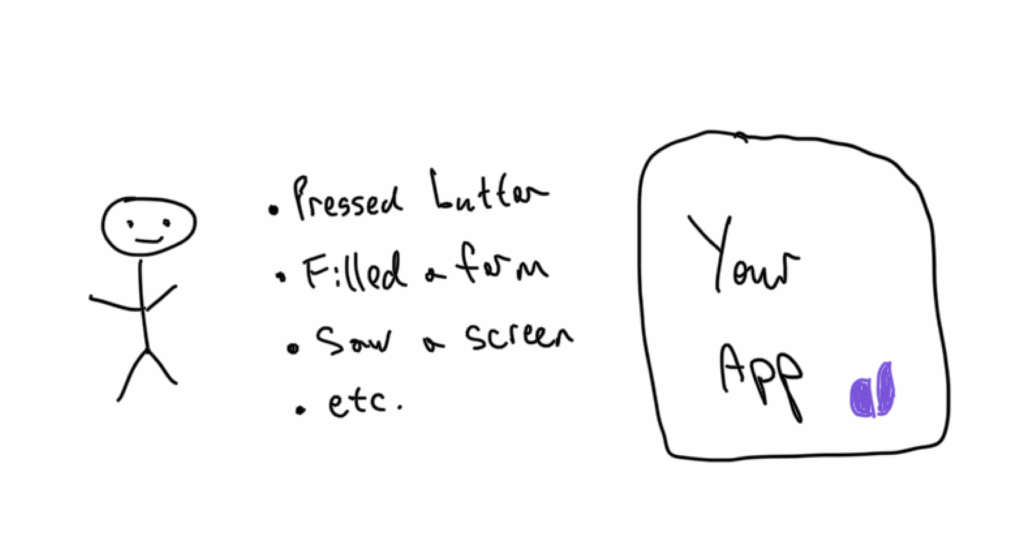
Product analytics answers a different question than attribution: not where users came from, but what they do once they’re inside your app. It covers event tracking, funnel analysis, cohort retention, user segmentation, and behavioral insights. Together with attribution, it forms the core of any serious analytics stack.
Who to choose
Amplitude and Mixpanel remain the two dominant dedicated product analytics platforms.
PostHog has gained traction as an open-source all-in-one alternative that bundles analytics with A/B testing, feature flags, and session replays.
Firebase Analytics (powered by Google Analytics 4) is a free option that works especially well if you’re already using other Firebase services.
UXCam specializes in mobile-only session replays and heatmaps. Countly appeals to teams in strict regulatory environments (GDPR, HIPAA) because it supports self-hosting with full data ownership.
CleverTap (which absorbed Leanplum) combines analytics with engagement automation.
Product analytics tools comparison
| Tool | Free tier | Session replay | A/B testing | Pricing starts |
| Amplitude | Up to 10M events/mo | No | Yes | $49/mo (Plus) |
| Mixpanel | Up to 20M events/mo | No | No | $28/mo |
| PostHog | Up to 1M events/mo | Yes | Yes | Usage-based |
| Firebase / GA4 | Unlimited (basic) | No | Via Remote Config | Free / GA360 from $50K/yr |
| UXCam | Up to 2,500 sessions/mo | Yes | No | Custom |
| Countly | Up to 1K MAU | No | Yes | $80/mo |
| CleverTap | Limited (Essentials) | No | Yes | $75/mo |
How much does product analytics cost
The good news is that free tiers are generous enough for most early-stage apps. Firebase Analytics is free with no practical cap on events.
Mixpanel’s free plan supports up to 20 million events per month. Amplitude gives you 10 million events. PostHog provides 1 million free events with transparent usage-based pricing after that. Once you outgrow free tiers, paid plans typically start at $28–49/month and scale with event volume. At enterprise scale, expect $2,000–10,000/month depending on the platform and your data volume.
A common strategy is to start by tracking everything, then prune unnecessary events as costs grow — keeping only the events tied to conversion rate optimization and retention analysis.
Push notification and engagement platforms
Push notifications serve two purposes: product-driven triggers (like notifying a user their ride has arrived) and marketing campaigns (like re-engagement offers for lapsed subscribers). The best platforms combine both with campaign automation, audience segmentation, and multi-channel support across push, email, SMS, and in-app messages.

Who to choose
Firebase Cloud Messaging (FCM) is the baseline option — free, reliable, and sufficient for basic product pushes. For marketing automation and campaign management, OneSignal, CleverTap, and Pushwoosh offer progressively more sophisticated workflow builders, A/B testing, and targeting capabilities. Intercom remains strong for SaaS-style in-app messaging but is less common in consumer mobile apps.
Push notification platforms comparison
| Tool | Free tier | Channels | Campaign automation | Pricing starts |
| Firebase Cloud Messaging | Unlimited | Push | Basic | Free |
| OneSignal | 10K subscribers | Push, email, SMS, in-app | Yes | Custom (Growth plan) |
| CleverTap | Limited | Push, email, SMS, in-app, WhatsApp | Advanced | $75/mo |
| Pushwoosh | 1K devices | Push, email, in-app | Yes | Custom |
If you have more than 100K MAU, budget at least $500–1,000/month for a full-featured engagement platform. Pricing scales with subscriber count and message volume, so costs can grow quickly.
ASO tools
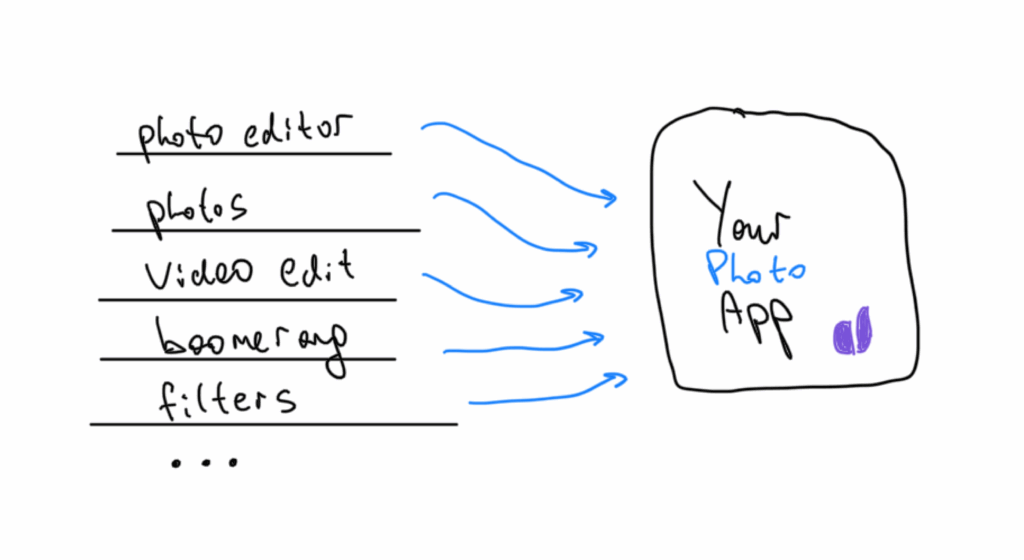
App Store Optimization (ASO) is the organic growth lever — when a user searches for an app in the App Store or Google Play, ASO determines whether yours shows up and how high it ranks. ASO tools help you track keyword rankings, monitor competitors, optimize metadata, and measure the impact of visual asset changes. As mobile app trends shift toward AI-powered search and personalized recommendations, ASO is evolving too, but keyword optimization remains the foundation.
Who to choose
App Radar offers solid keyword research with helpful tutorials for teams new to ASO. ASODesk provides deep keyword analytics with localization support. Data.ai (formerly App Annie) is the industry standard for market intelligence, combining ASO data with competitor benchmarks and download estimates. Sensor Tower is a close competitor to Data.ai with strong keyword tracking and ad intelligence. AppFollow focuses on review management alongside ASO, which is useful for teams that want to combine reputation monitoring with keyword optimization.
How much does it cost
Pricing varies by tool and scale. App Radar starts at €58/month. ASODesk has plans from around $40/month. Data.ai offers a free tier for basic insights, with custom enterprise pricing for full access. Sensor Tower is enterprise-only with custom quotes. For a small to mid-size app, budget $50–300/month for a dedicated ASO tool.
Crash analytics
Crash analytics is the most straightforward category in this list — you need it, it’s usually free, and there’s a clear industry standard. Crash reports tell you why your app stopped working, which devices and OS versions are affected, and how many users are impacted. This is baseline hygiene that every development team should have in place from day one.
Who to choose
Firebase Crashlytics is the de facto standard. It’s free, integrates seamlessly with the rest of the Firebase suite, and provides real-time crash reporting with stack traces, device metadata, and issue grouping.
Sentry is a strong alternative if you need broader error monitoring beyond crashes — it covers performance monitoring, profiling, and supports a wider range of platforms including web backends.
Splunk (formerly AppDynamics) serves enterprise teams that need application performance management across the full stack.
For most mobile teams, Firebase Crashlytics is the right choice. It’s free, reliable, and does exactly what you need.
Subscription management and revenue analytics
If your app monetizes through subscriptions or in-app purchases, you need a dedicated layer that sits between your app and the app stores to handle payments, receipt validation, entitlement management, and revenue analytics.
This is where Adapty fits in. Building subscription infrastructure in-house is deceptively complex. You need to handle receipt validation for both Apple and Google, manage subscription states (active, expired, grace period, billing retry), match user IDs to transactions, send events to your analytics and attribution systems, and support paywall A/B testing.
A custom implementation typically takes 4–6 months of engineering time for a team of three to four developers. Adapty handles all of this out of the box and adds tools specifically designed to grow subscription revenue. The no-code Paywall Builder lets you create, test, and deploy paywalls without releasing app updates.
Built-in A/B testing measures paywall performance against subscription metrics like trial-to-paid conversion and LTV. Autopilot uses machine learning to automatically optimize paywall pricing and placement. Refund Saver helps recover revenue by intercepting refund requests before they’re processed.
Apple Ads Manager integration connects your Apple Search Ads spend directly to subscription outcomes. Adapty integrates with all the major attribution and analytics platforms mentioned in this article — AppsFlyer, Adjust, Branch, Amplitude, Mixpanel, and others — so your subscription analytics flows directly into your existing data stack.
How to choose the right stack
There is no single stack that fits every app, but there is a minimum viable analytics setup that every serious mobile team should have in place. Start with three essentials: an attribution provider (AppsFlyer or Adjust for paid acquisition; Branch if deep linking is a priority), a product analytics platform (Amplitude or Mixpanel for dedicated analytics; Firebase if you want a free all-in-one), and crash analytics (Firebase Crashlytics).
These three give you visibility into where users come from, what they do, and when things break. Add layers as you grow: push notification automation when you’re ready for re-engagement campaigns, ASO tools when organic is a meaningful channel, and subscription management when paywall optimization becomes a growth lever.
The key principle is that attribution and product analytics serve different purposes. Attribution tells you which channels deliver the highest-quality users. Product analytics tells you what those users do inside your app. You need both to make informed decisions about acquisition spend and product development. And if you’re running a subscription app, adding a dedicated subscription layer like Adapty gives you the revenue analytics and experimentation tools that generic platforms don’t provide.