What Adapty shipped in Q1 2026: the features that change how you grow

TL;DR:
- You can now set up and manage your entire Adapty account from the terminal — no dashboard required
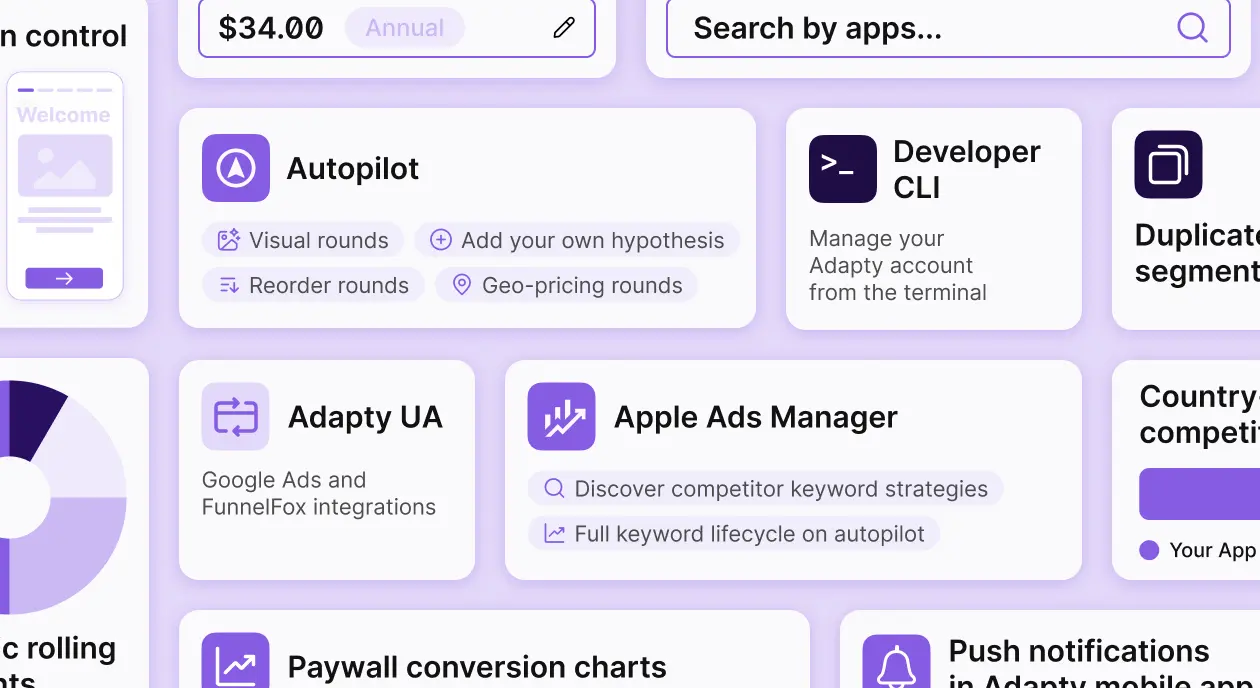
- Autopilot expanded to cover geo-pricing, paywall design experiments, competitor data, and custom hypotheses
- Apple Ads has automation rules that handle keyword management without manual report exports
- Country pricing syncs directly to App Store Connect and Google Play from the Adapty dashboard
- Paywall conversion charts and billing recovery metrics closed two long-standing analytics gaps
Three months. Two major product surfaces rebuilt. One entirely new tool. The through-line across Q1: less manual work between data and action — and for developers, a fundamentally different way to set up and manage Adapty.
Here's what shipped, and what it means for how you work.
Can you set up Adapty without touching the dashboard?
Yes. The Developer CLI lets you manage your Adapty account entirely from the terminal. Install it, authenticate once, and every configuration step — app creation, access levels, products, paywalls, placements — runs as a command.
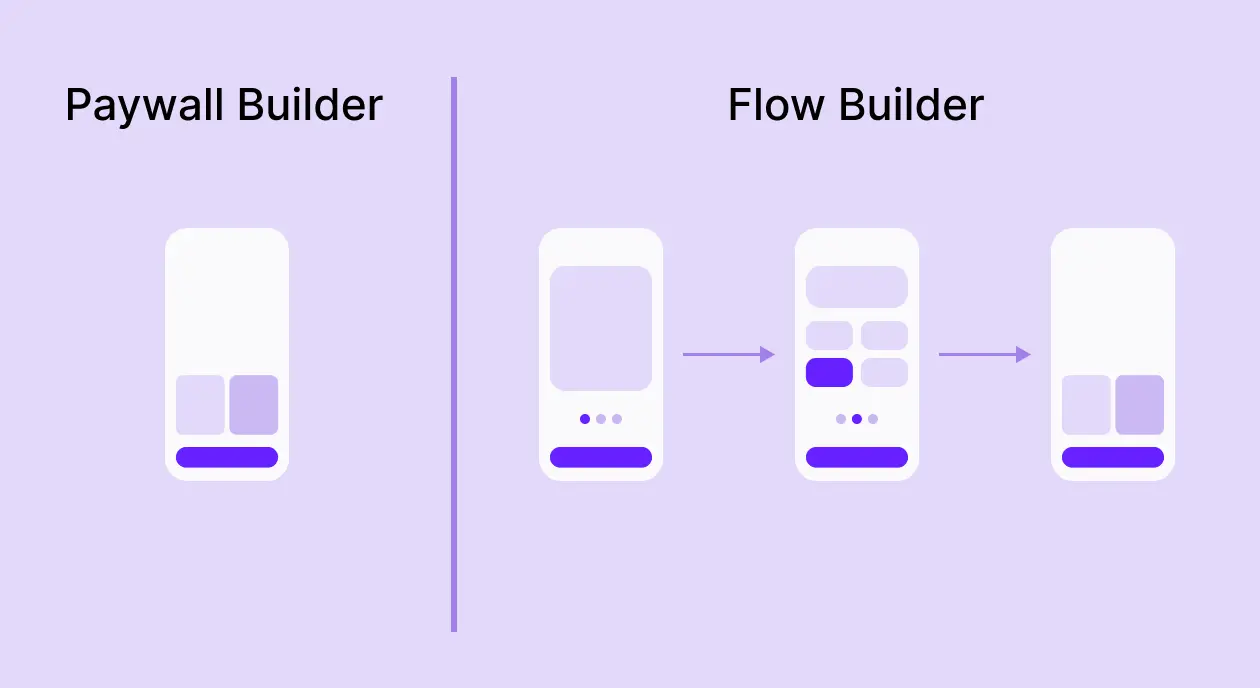
After the commands run, every entity is visible in the Adapty dashboard. You can open the no-code Paywall Builder and design the visual layer on top of the structure you just created in the terminal.
The architecture of this matters. The only string you hardcode in your app code is the placement ID. Everything Adapty controls — which paywall shows at that placement, which products it contains, which audience sees it — you manage from the dashboard or via the CLI, without a new app release. The CLI gives you a scriptable path to that entire setup.
Who this is actually for
Three workflows get meaningfully faster.
- Developers who treat infrastructure as code. If you provision environments with scripts and want your Adapty configuration to live in version control alongside everything else, the CLI makes that possible. Staging mirrors production in a few commands. Onboarding a second app that shares the same product structure takes minutes, not a dashboard session.
- Teams using AI coding assistants. There's an Adapty CLI skill — a structured context file for tools like Cursor or Copilot — so your AI assistant can run the full setup sequence without needing to navigate the reference docs. Feed it the skill, describe what you want to build, and it handles the commands.
- Multi-app portfolios. Managing five apps through a dashboard means five separate manual setups. With the CLI, you script it once and parameterize the pieces that differ between apps.
The quickstart takes you from zero to a live placement — app, access level, product, paywall, placement — in seven commands. Full reference is here.
How much can you trust Autopilot now?
Autopilot shipped its most significant updates since launch. It covers more of what you'd run manually, it surfaces competitors you weren't watching, and you can now override the plan with your own logic.
See how competitors price in your markets
Most competitor pricing research stops at "what are they charging in the App Store?" Autopilot goes further. It analyzes your top five revenue countries and shows you competitor prices and category benchmarks for each — so if 10% of your revenue comes from Japan, you see how competitors price there and how your category converts in that market specifically. Pricing decisions become market-by-market, not one-size-fits-all.
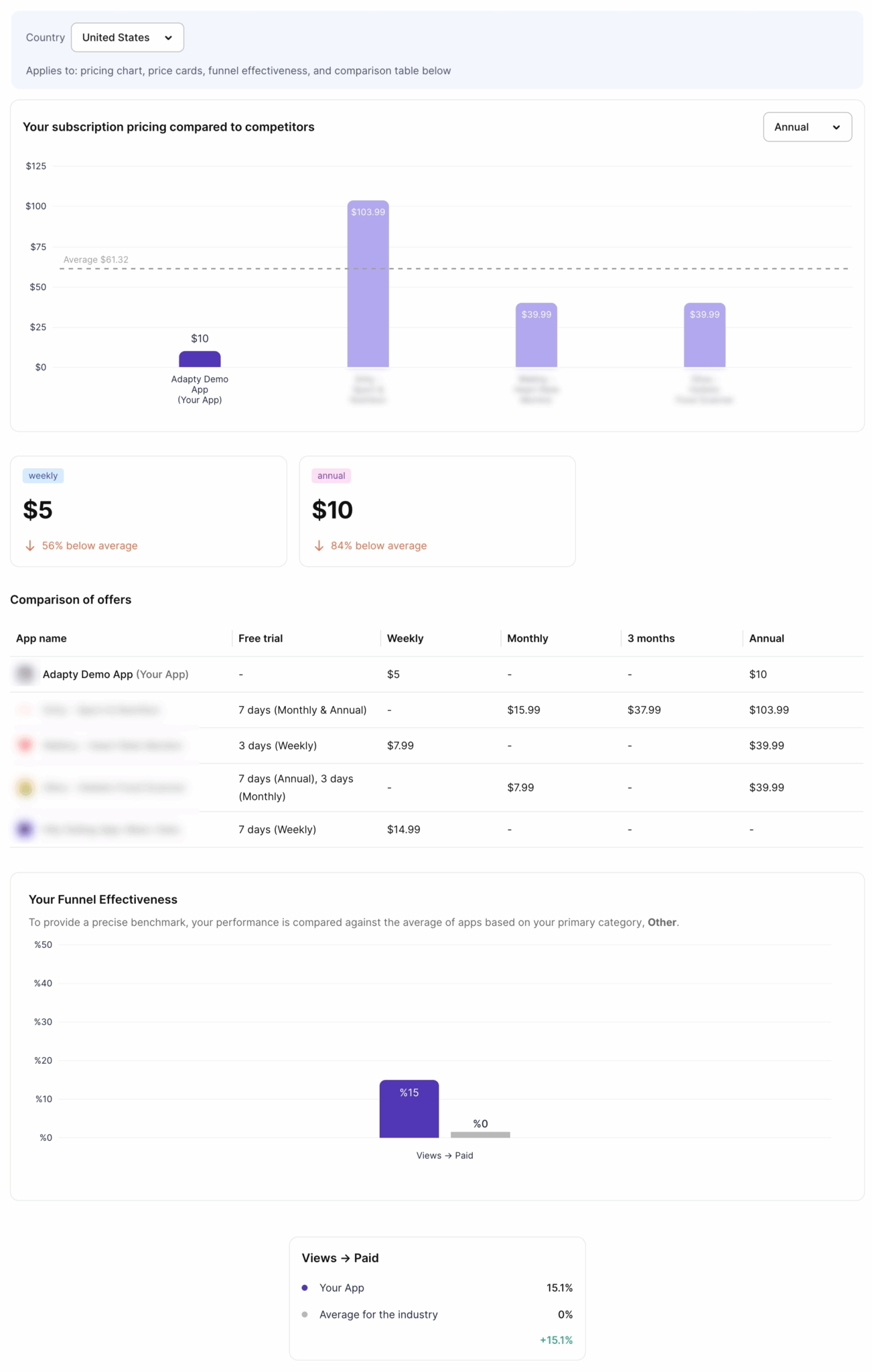
It also suggests competitors you might have missed during setup. If you only benchmarked against two or three apps you already knew about, Autopilot surfaces additional relevant apps from your category — so you start with a stronger benchmark from the beginning, without manually searching the App Store.
Launch geo-pricing tests per country
Autopilot recommends a specific price in local currency for each of your top markets, based on conversion data and purchasing power. Pick a country, see the recommended price, and launch an A/B test directly from the same screen. One app, five countries, five parallel experiments — none of them touching your core market.
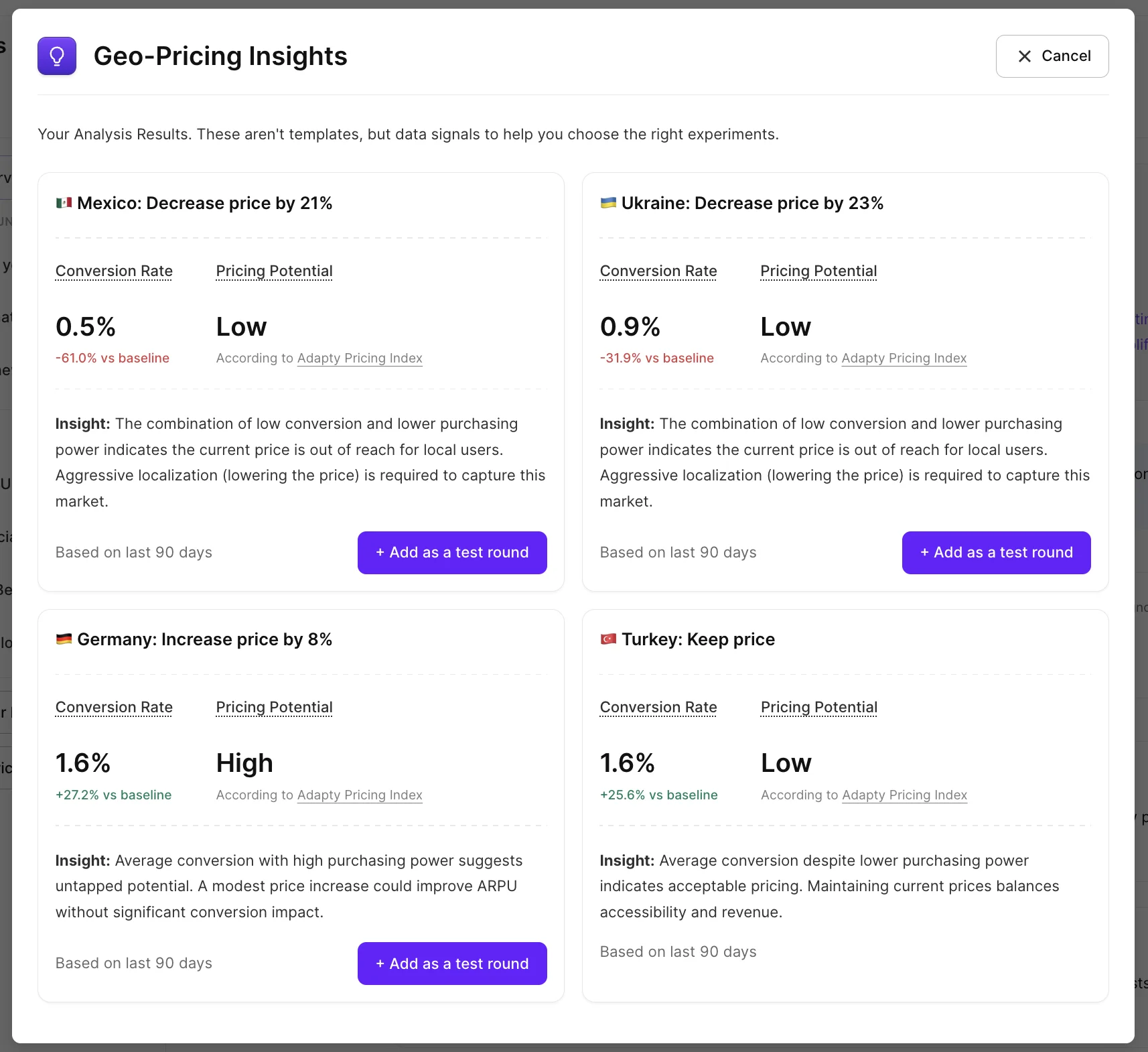
Localization tests win 62.3% of the time in experiments — the highest win rate of any test type. Geo-pricing rounds give you the infrastructure to run them at the cadence that actually compounds.
Get visual test ideas backed by proven patterns
Autopilot now recommends paywall design changes alongside pricing experiments — trial toggles, urgency timers, social proof placement, and more — each with clear reasoning on when the pattern performs well. Visual tests carry lower risk than price changes and often produce faster conversion lifts, which makes them a good place to start while a pricing experiment runs in parallel.
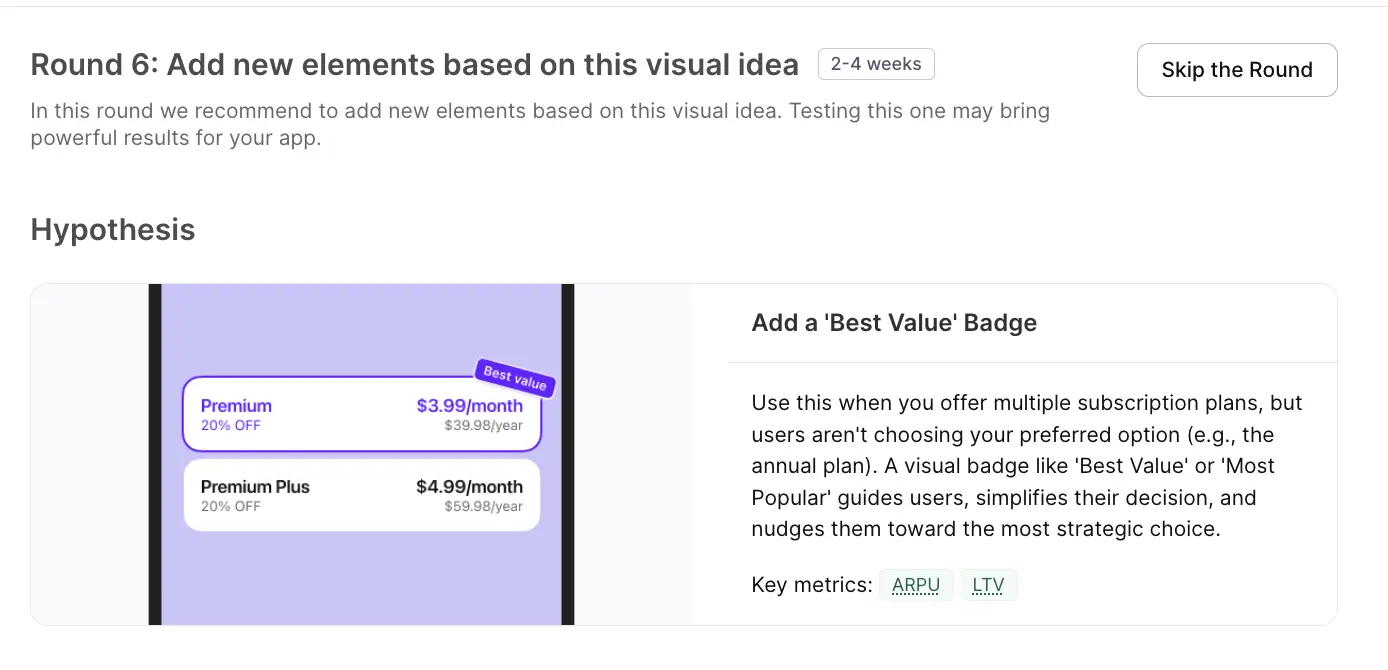
Adapty is also working on AI-powered paywall analysis — an automated visual review that flags specific design issues and recommends fixes. That's shipping soon.
Build your own testing roadmap
You can add your own hypotheses to the plan alongside Autopilot's recommendations — monetization or visual, with target metrics and products involved. Then drag the entire queue into whatever order matches your priorities. If you want to run a quick paywall experiment before a geo-pricing test, you decide the sequence. Autopilot generates the base plan; you own the order.
The net result: Autopilot went from "price optimization with some automation" to a structured, editable experimentation backlog covering pricing, geo-pricing, and paywall design in a single view.
What's new in Apple Ads Manager?
Q1 brought the biggest update to Apple Ads Manager since launch: market intelligence, a full keyword lifecycle automation layer, and a new overview dashboard.
See what your competitors are bidding on
Finding the right Apple Ads keywords has always been part science, part guesswork. Market Intelligence changes the starting point. Pick your competitors — or discover new ones by entering a relevant keyword and seeing who ranks organically — and Adapty shows you which keywords they're running ads on, across 50+ countries.
You can see competitor keyword strategies grouped by country or by app, find the most contested terms in your category, and spot long-tail gaps nobody's covering yet. Long-tail keywords (specific, lower-competition phrases like "budget meal planner for families") often deliver lower CPAs and better ROAS than high-volume head terms. You can also check whether competitors are bidding on your brand keywords — and in which countries — before deciding how to defend.
The practical value: it replaces Discovery campaigns as your keyword research method. Instead of spending the budget to find what works, you look at what's working for competitors and start from there.
Full keyword lifecycle on autopilot
Rule-based automation now covers the entire keyword lifecycle, not just bid changes.
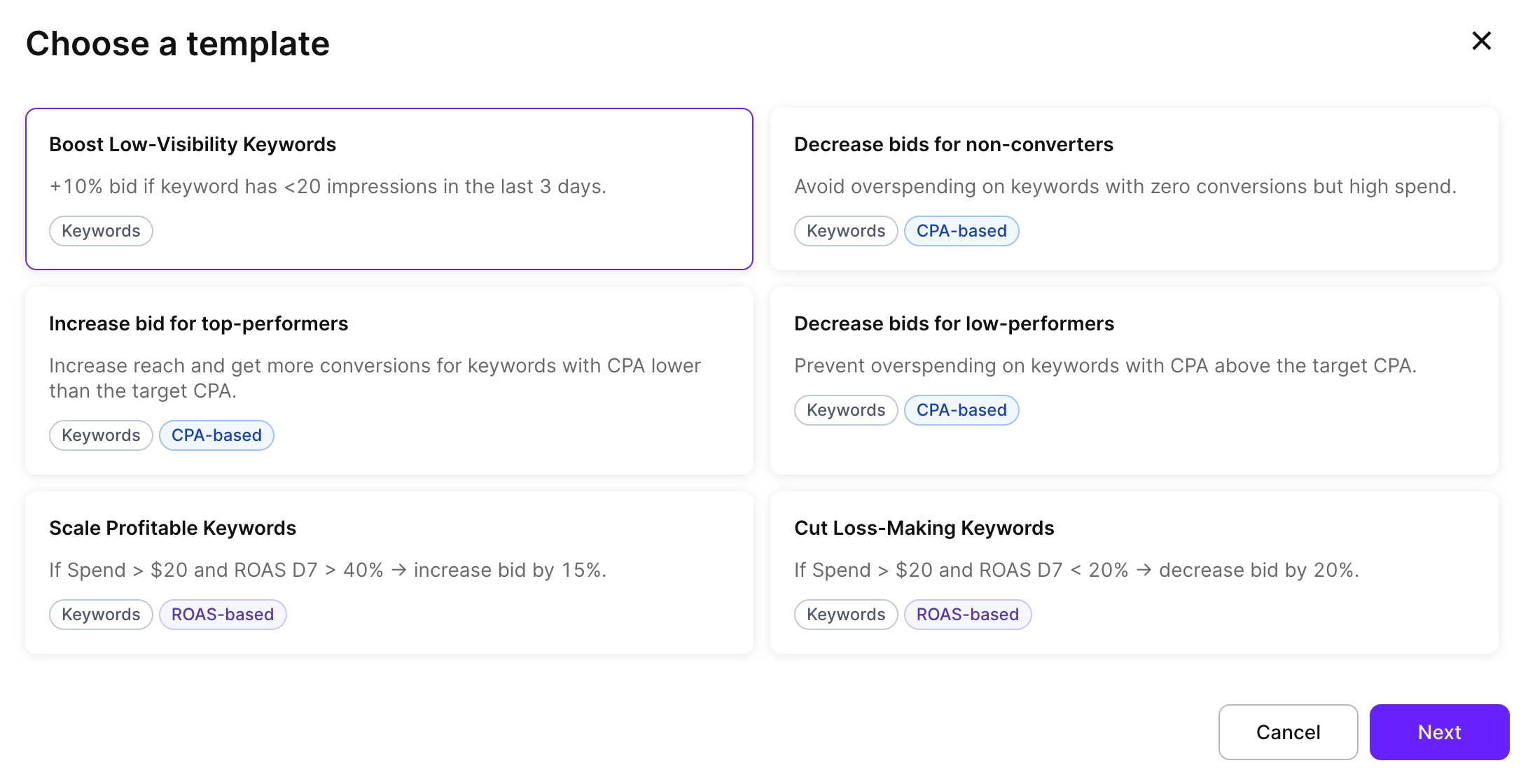
Enable Keyword — automatically re-enable a paused keyword when conditions are met. If a keyword looked weak early but its D31 or D61 ROAS (available through Adapty's cohort data) turns out to be strong, the rule brings it back. Good keywords get a second chance, backed by data rather than a gut call.
Pause Keyword — pause keywords that underperform against a threshold you set (for example: spend over $100 with zero conversions). Budget waste that previously went unnoticed over weekends gets caught automatically.
Add as Keyword to… — copy a keyword to another ad group with your preferred bid and match type. When a keyword hits your CPA target in a test campaign, the rule moves it to your scale campaign automatically. Your testing-to-scaling pipeline runs without manual intervention.
Add as Negative Keyword to… — negate keywords at the ad group or campaign level. Keep Discovery and Max Conversion campaigns clean by auto-negating any keyword already running as an exact match elsewhere. The same action applies to search terms: set a rule (for example: 50+ impressions and zero taps) and stop paying for traffic that doesn't convert.
Bid history on keyword charts
Every CPT bid change now shows as a marker on the keyword performance chart, with the exact bid amount. You can visually correlate bid changes with shifts in impressions, taps, and CPA — all on one chart. For teams where multiple people manage the same campaigns, the chart becomes a changelog: every change is visible, and its impact is traceable.
For teams already running Apple Ads attribution through Adapty to track keyword-level ROAS, bid history closes the loop between the decisions you made and the results they produced.
New overview page
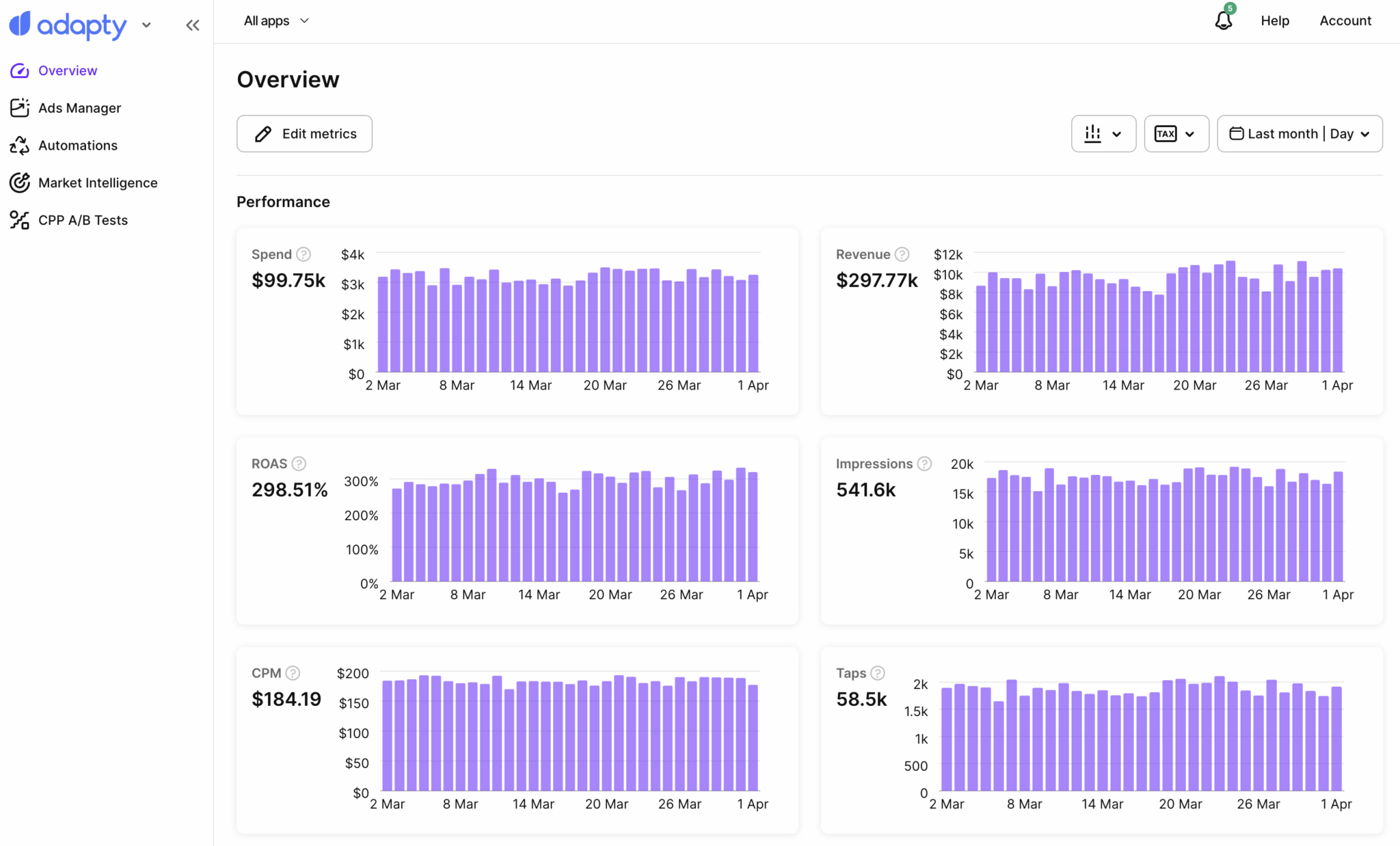
A dedicated Overview page now shows spend, revenue, ROAS, impressions, CPM, taps, TTR, downloads, CPA, and download rate — each with a daily trend chart. You filter by a specific app or view your entire account, customize which metrics appear and in what order, and switch time ranges. It's the "how are things going?" dashboard that takes five seconds to read.
Coming soon: CPP A/B testing
Apple lets you create up to 70 Custom Product Pages per app — alternative App Store pages with different screenshots, descriptions, and previews. The problem: there's no native way to test which one converts better for your ads.
CPP A/B Testing in Ads Manager assigns multiple product pages to the same keywords, splits traffic automatically, and identifies a winner at 90%+ statistical confidence. The key difference from manual testing: it measures ROAS, not just download rate. A page that drives more installs isn't always the page that drives more paying subscribers. Adapty connects product page performance to subscription revenue, so you optimize for the metric that actually matters.
Beta access opens soon — reach out to your account manager to get on the list.
Why do we keep expanding Adapty UA
Apple Ads Manager gives you keyword-level ROAS and subscription attribution for the App Store. But most subscription apps don't run on one channel. Meta, TikTok, Google Ads — your acquisition mix is spread across platforms, each with its own reporting logic, its own attribution model, and no obvious way to compare performance against actual revenue.
The result is a workflow most UA teams know well: pull spend from Meta Ads Manager, pull installs from your MMP, pull subscription data from wherever you track it, line them up in a spreadsheet, and try to answer the question that actually matters — which campaign drove paying subscribers, not just downloads.
Adapty UA exists to collapse that workflow into one place. This quarter it got two new integrations — Google Ads and FunnelFox — which means it now covers the four channels where most subscription app budgets actually go: Meta, TikTok, Google Ads, and FunnelFox, alongside Apple Ads Manager for App Store campaigns.
How it connects the dots
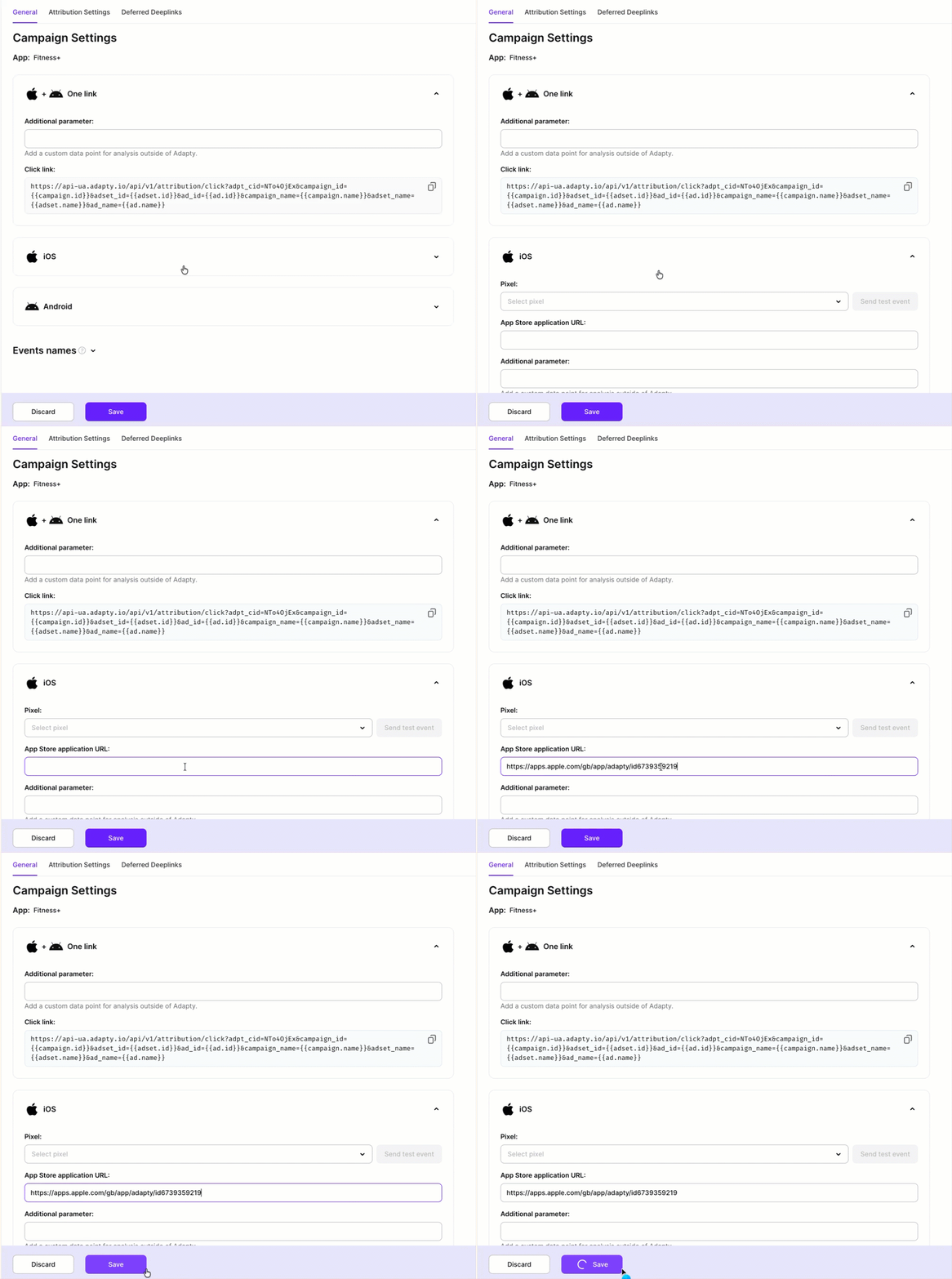
The attribution model is straightforward. You generate a tracking link in Adapty UA and attach it to your ad as the destination URL. The link carries campaign parameters through the click — platform, campaign, ad set, and creative. When the user installs and opens the app, the Adapty SDK sends an install event, and Adapty matches it back to the specific campaign that drove it.
From that point, every subscription event that the user generates — trial start, paid conversion, renewal, churn — gets connected to the originating campaign. You end up with what most MMP setups can't give you natively: campaign-level ROAS and LTV calculated against actual subscription revenue, not proxy events.
What you see in the dashboard
The analytics dashboard shows spend, installs, revenue, ROAS, and LTV across all your connected channels in a single view. Cohort breakdowns let you track how user groups from specific campaigns perform at D7, D31, and D61 — so you're not just measuring who installed, but who stayed and paid. You group by campaign, ad set, country, or time period, save views as presets, and export raw data to CSV when you need to go deeper.
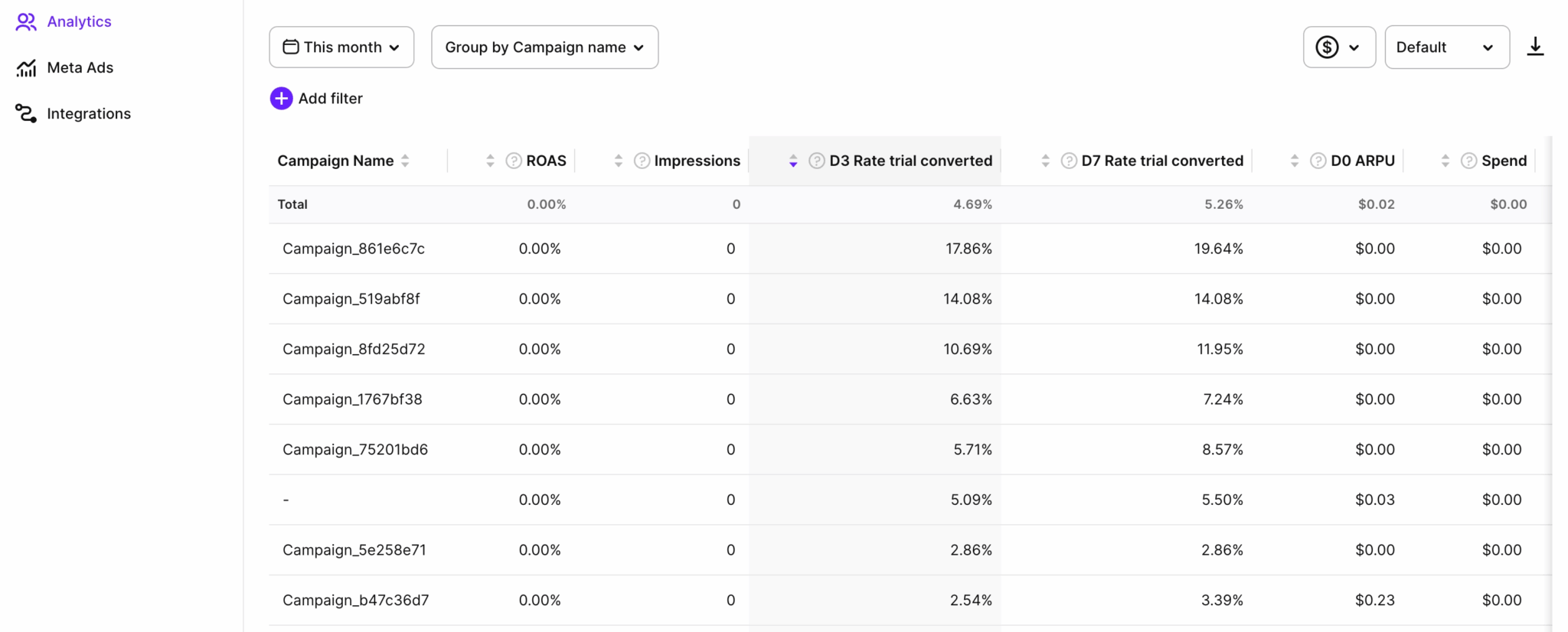
The practical shift: two campaigns with identical CPIs can have completely different business outcomes if one drives users who convert to paid and renew, and the other drives users who churn on Day 3. CPI doesn't surface that. ROAS and cohort LTV do — and now both are available per campaign, per channel, without a reconciliation spreadsheet.
How does country pricing work now?
You set prices per country directly in the Adapty dashboard. Adapty syncs changes to App Store Connect and Google Play automatically. Every update logs to the audit trail, so no change goes untracked.
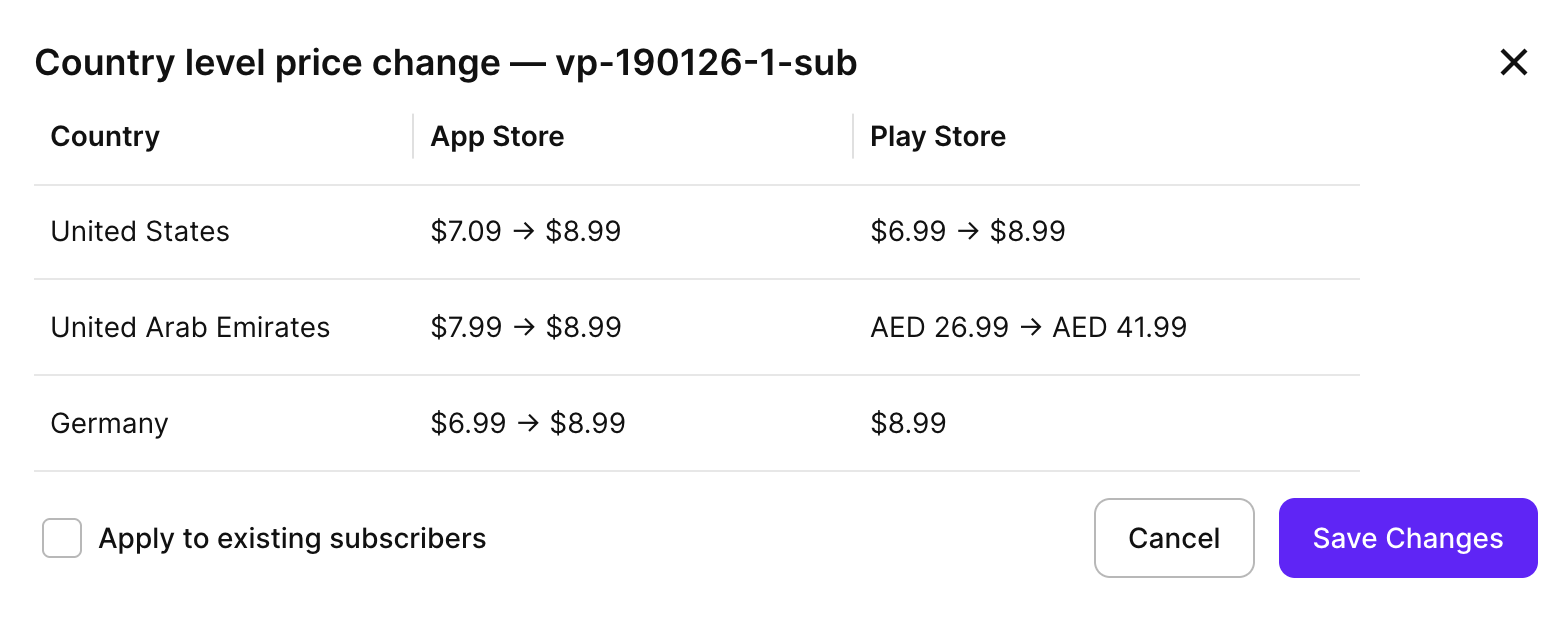
The practical change: pricing decisions now live in Adapty alongside the data that informs them. Autopilot's geo-pricing recommendation is right there. The paywall using that product is right there. You're not navigating between three tools to action one insight.
For context on why this matters at scale: Switzerland generates the highest median 12-month LTV globally at $28.50 per user, while India sits at 0.6x the US baseline and Turkey at 0.7x. Charging the same price across those markets leaves money in one place and creates friction in another. Country-specific pricing via the dashboard makes it practical to act on that, without a separate App Store Connect session for each change.
What's new in analytics?
Paywall conversion charts show Paywall view → Trial and Paywall view → Paid. Before this, connecting paywall views to conversion rates required funnel analysis or data exports. These are now first-class charts, filterable by placement — which means you can finally answer "is this specific paywall underperforming?" without exporting data to answer it.
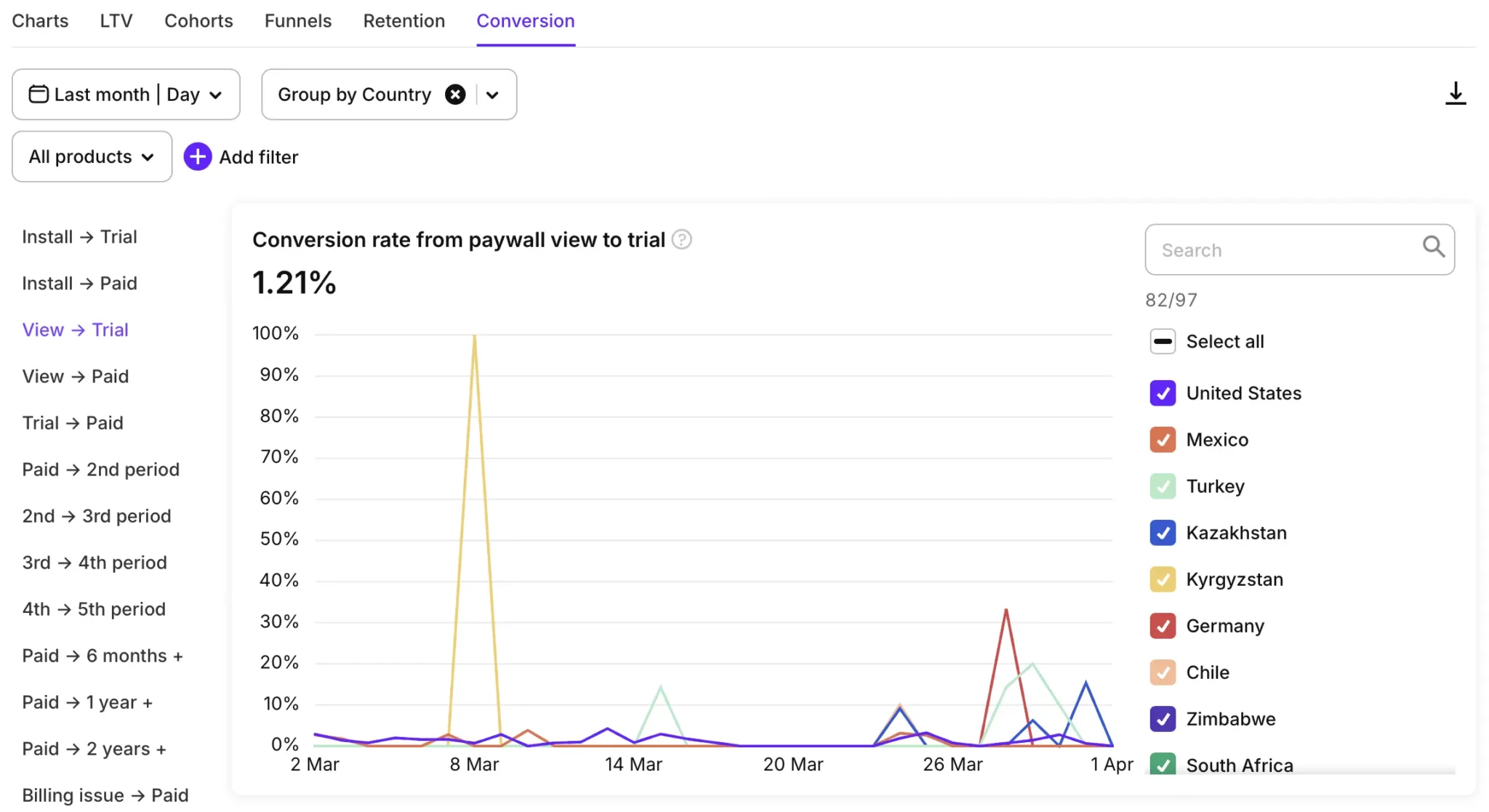
90% of trial starts happen on Day 0, according to SOIS 2026 data. If your onboarding paywall isn't converting in the first session, no re-engagement sequence makes up for it. The new charts make that visible in real time.
Billing recovery metrics — Billing issue converted, Billing issue converted revenue, Grace period converted, Grace period converted revenue — tell you how much revenue your retry logic and grace period campaigns actually recover. Most teams tracking this were doing it with event exports or third-party tools.
Duplicate segments save rebuilding from scratch when running multiple campaigns or A/B tests with overlapping audience criteria. Copy an existing segment, adjust the one filter that changes, and move on.
What else shipped?
A few items that didn't fit the themes above but are worth flagging:
Onboarding version control: full version history for onboarding, with rollback. Iterate on flows without the risk of a bad deploy being permanent.
LLM-assisted SDK integration guides: step-by-step implementation guides for iOS, Android, React Native, Flutter, Unity, Kotlin Multiplatform, and Capacitor — structured so your AI coding assistant follows them without needing the full reference. The Kotlin Multiplatform SDK 3.15 added onboarding support and web paywalls. The Capacitor SDK hit production-ready status this quarter.
Push notifications in the Adapty iOS app: configure alerts for 14 event types from your phone — trial started, billing issue, subscription cancelled, refund — without being at a dashboard.
The bottom line
The CLI gave developers a scriptable path to Adapty setup that works in CI/CD, with AI assistants, and across multi-app portfolios. Autopilot expanded from price testing to a full experimentation backlog covering design, geo-pricing, and competitor context. Apple Ads automation removed a manual optimization loop that cost time every week.
If you've been running subscription infrastructure manually — or evaluating Adapty and waiting for the developer tooling to catch up — this is the quarter to look again.