The 2nd tutorial of our series on implementing in-app purchases on iOS. In this part, we'll show you how to create a simple paywall as well as how to initialize and process the products we've previously configured.
In our second installment, we continue our series dedicated to iOS in-app purchases. In the previous part, we discussed the process of creating in-app purchases and their configuration. You can read all the tutorials following the links below:
In this part, we'll show you how to create a simple paywall as well as how to initialize and process the products we've previously configured.
Creating an in-app subscription screen
Any app that uses in-app purchases has a paywall. Apple provides some guidelines that determine must-have elements. At this step, we’ll implement just some of them to give you a sense of that to do next.
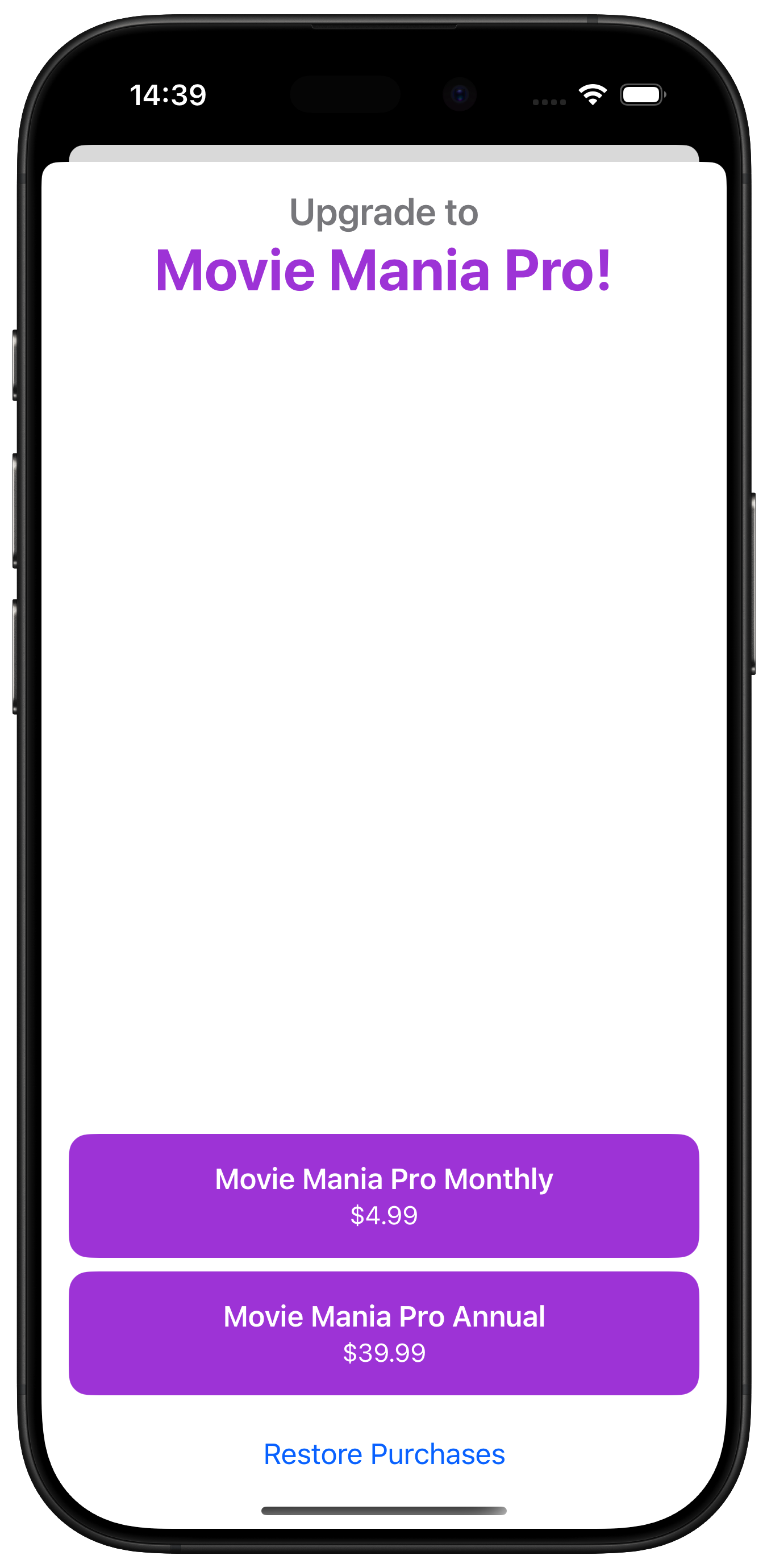
Our screen will have the following:
Header with premium description
Subscription activation buttons with local currency and title
Restore purchases button. This element is necessary for all the applications that use subscriptions or non-consumable purchases.
I've used SwiftUI to build a simple Paywall view. Your paywall view will likely be more complex, but for purposes of this article, we're keeping it simple.
Show purchase information using Product
After quickly familiarizing yourself with Apple's documentation on the Product type, let's build our PaywallView. It receives basic product info from the IAPSubscriptionManager, but there isn't any purchasing logic yet. We'll add that soon.
An environment variable that connects to our injected subscription manager.
Some text views to display the copy at the top.
A ForEach that displays the buttons.
A restore button which is a requirement when presenting non consumables or subscriptions.
This button style will let you easily create the purchase buttons with standard formatting and styling.
struct BlockButtonStyle: ButtonStyle { let textColor: Color let bgColor: Color func makeBody(configuration: Configuration) -> some View { HStack { configuration.label .foregroundColor(textColor) .font(.headline) } .padding() .frame(maxWidth: .infinity) .background(bgColor.cornerRadius(12)) .scaleEffect(configuration.isPressed ? 0.95 : 1) }}
Swift
Subscription Manager
The IAPSubscriptionManager provides a nice interface to all things related to the products and managing their purchase by a user. Right now it only provides the products for display, but we'll add to this as we go. The type aliases are simply to make it easier to reference the related APIs.
import Foundationimport OSLogimport StoreKittypealias Transaction = StoreKit.Transactiontypealias SubStatus = StoreKit.Product.SubscriptionInfo.Statustypealias RenewalInfo = StoreKit.Product.SubscriptionInfo.RenewalInfotypealias RenewalState = StoreKit.Product.SubscriptionInfo.RenewalState@Observablefinal class IAPSubscriptionManager { private(set) var subscriptions: [Product] = [] private(set) var currentSubscription: Product? private(set) var status: SubStatus? private let logger = Logger(subsystem: "io.adapty.MovieMania", category: "IAP Helper Service") private let identifiers: [String] = ["movie.mania.pro.1y", "movie.mania.pro.1m"] @MainActor func getProducts() async { do { subscriptions = try await Product.products(for: identifiers) } catch { logger.error("Products could not be fetched: \\(error.localizedDescription)") } }}
Swift
Making a Purchase
Let's add some error handling to our code. I've created a StoreError enum to handle error cases. It implements the Error protocol to interoperate with error handling code.
enum StoreError: Error { case failedVerification case purchaseInProgress case productNotFound case unknown}
Swift
All errors on the StoreKit level will be caught as a single error. To get more information about the error types, check the documentation.
The purchase(_:) function allows you to process a purchase request for a particular subscription product. It attempts to process the purchase, and handles the result returned.
Add this function to your IAPSubscriptionManager:
@MainActorfunc purchase(_ product: Product) async throws -> Bool { let result = try await product.purchase() switch result { case .success(let verificationResult): // 1 switch verificationResult { case .verified(let transaction): // 2 //Deliver content to the user. await updateSubscriptionStatus(with: transaction) //Always finish a transaction. await transaction.finish() return true case .unverified: // 3 throw StoreError.failedVerification } case .userCancelled, .pending: // 4 // account verification needed, or parental approval needed return false @unknown default: return false }}
Swift
Let's dig into the above to understand what's going on:
Most times, you get a successful purchase, which will provide an associated verification result.
If the purchase comes back verified, it means the StoreKit automatic verification checks passed. You should unlock premium functionality at this point.
If the purchase is unverified, we throw the failedVerification error message.
If the user canceled the request, or a child device is pending verification of the purchase from a parent's device, you might get this result.
To process the result of the purchase, we need to implement the updateSubscriptionStatus method:
@MainActorfunc updateSubscriptionStatus(with transaction: Transaction?) async { do { // 1 guard let product = subscriptions.first, let statuses = try await product.subscription?.status else { return } // 2 for status in statuses { switch status.state { case .expired, .revoked: continue default: // 3 let renewalInfo = try checkVerified(status.renewalInfo) // 4 guard let foundSubscription = subscriptions.first(where: { $0.id == renewalInfo.currentProductID }) else { continue } // 5 self.status = status currentSubscription = foundSubscription break } } } catch { logger.error("Could not update subscription status: \\(error.localizedDescription)") }}// 6func checkVerified<T>(_ result: VerificationResult<T>) throws -> T { // Check if the transaction passes StoreKit verification. switch result { case .unverified: // StoreKit has parsed the JWS but failed verification. Don't deliver content to the user. throw StoreError.failedVerification case .verified(let safe): // If the transaction is verified, unwrap and return it. return safe }}
Swift
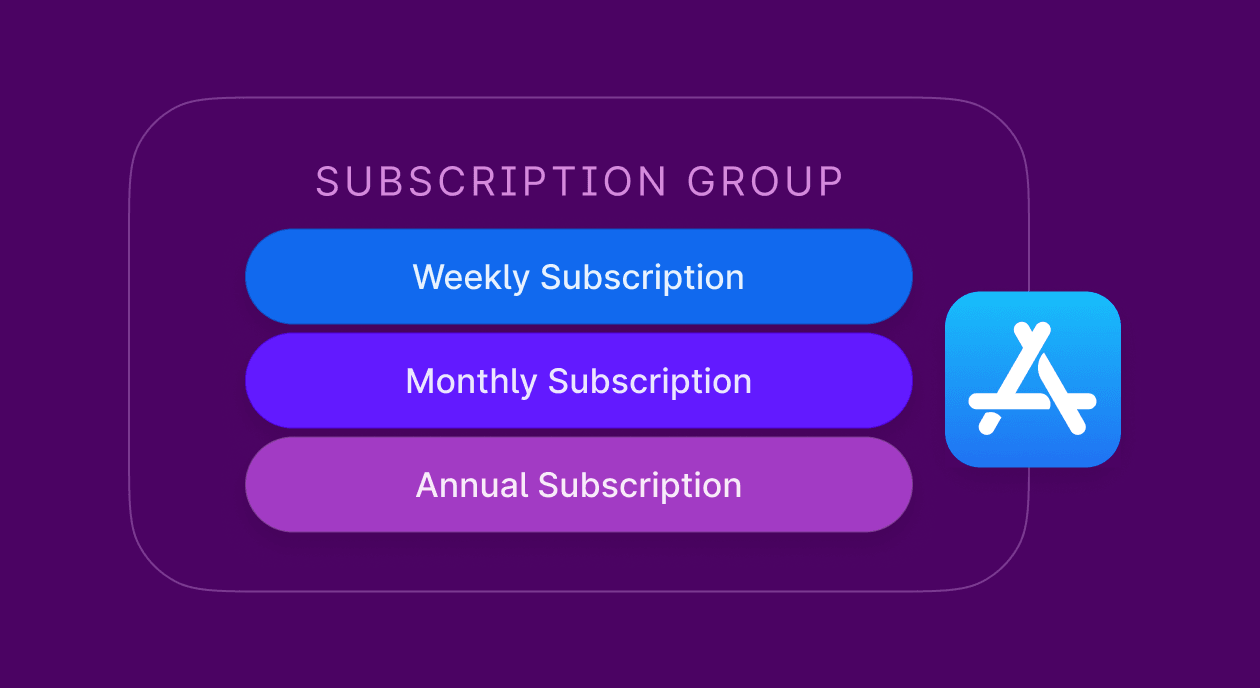
Since we only have one subscription group, the status returned applies to every subscription in the group.
You may receive multiple statuses if the subscription is part of family sharing.
Once you find a status that isn't revoked or expired, extract the renewalInfo from the verificationResult.
Match the currentProductID in the renewalInfo with a product ID from your list of subscriptions.
Finally, update your properties to store the status, and the active subscription.
The checkVerified(_:) function allows you to verify the renewalInfo and unwrap its contents.
Listening for Purchases Made
The last step inside the subscription manager is to set up a listener for transactions that happen outside the context of the purchase function. This step is heavily recommended by Apple and you'll actually get a runtime warning if you don't implement it.
I've posted the complete IAPSubscriptionManager class below to allow you to see everything we've built so far. I'll call out the changes to implement the listener underneath the code block.
import Foundationimport OSLogimport StoreKittypealias Transaction = StoreKit.Transactiontypealias SubStatus = StoreKit.Product.SubscriptionInfo.Statustypealias RenewalInfo = StoreKit.Product.SubscriptionInfo.RenewalInfotypealias RenewalState = StoreKit.Product.SubscriptionInfo.RenewalStateenum StoreError: Error { case failedVerification case purchaseInProgress case productNotFound case unknown}@Observablefinal class IAPSubscriptionManager { private(set) var subscriptions: [Product] = [] private(set) var currentSubscription: Product? private(set) var status: SubStatus? private let logger = Logger(subsystem: "io.adapty.MovieMania", category: "IAP Helper Service") private let identifiers: [String] = ["movie.mania.pro.1y", "movie.mania.pro.1m"] // 1 var updates: Task<Void, Error>? = nil // 2 init() { updates = newTransactionsListenerTask() Task { await getProducts() await updateSubscriptionStatus() } } // 3 deinit { updates?.cancel() } // 4 private func newTransactionsListenerTask() -> Task<Void, Error> { Task(priority: .background) { for await verificationResult in Transaction.updates { self.handle(updatedTransaction: verificationResult) } } } // 5 private func handle(updatedTransaction verificationResult: VerificationResult<Transaction>) { guard case .verified(let transaction) = verificationResult else { return } Task { await updateSubscriptionStatus() await transaction.finish() } } @MainActor func getProducts() async { do { subscriptions = try await Product.products(for: identifiers) } catch { logger.error("Products could not be fetched: \\(error.localizedDescription)") } } @MainActor func purchase(_ product: Product) async throws -> Bool { let result = try await product.purchase() switch result { case .success(let verificationResult): switch verificationResult { case .verified(let transaction): // Deliver content to the user. await updateSubscriptionStatus() // Always finish a transaction. await transaction.finish() return true case .unverified: throw StoreError.failedVerification } case .userCancelled, .pending: // account verification needed, or parental approval needed return false @unknown default: return false } } @MainActor func updateSubscriptionStatus() async { do { /// Since we only have 1 subscription group, the status returned applies to every sub in the group. guard let product = subscriptions.first, let statuses = try await product.subscription?.status else { return } for status in statuses { switch status.state { case .expired, .revoked: continue default: let renewalInfo = try checkVerified(status.renewalInfo) guard let foundSubscription = subscriptions.first(where: { $0.id == renewalInfo.currentProductID }) else { continue } self.status = status currentSubscription = foundSubscription break } } } catch { logger.error("Could not update subscription status: \\(error.localizedDescription)") } } func checkVerified<T>(_ result: VerificationResult<T>) throws -> T { switch result { case .unverified: throw StoreError.failedVerification case .verified(let safe): return safe } }}
Bash
This is the task that will run and listen for updates to subscriptions.
The init() function accomplishes three things: start up the listener task, fetch the products, and update the subscription status. The last step helps to ensure functionality is unlocked due to a previous subscription purchase.
deinit() ensures the task is killed when the app closes.
newTransactionsListenerTask() sets up a listener task to listen for transactions from StoreKit that happen outside the context of the purchase method.
handle(updatedTransaction:) processes any received transactions fro the listener in much the same way that the purchase method works.
Wire the Button to the Purchase Process
All that's left is to wire up the button's action closure to call the purchase method from our subscription manager and handle the result. Edit your button in the Paywall.swift file to look like the following:
We now have a functioning basic paywall. In the next part, we will discuss the ways to test the purchase mechanism, and how to design a paywall to pass the App Store review.
Unlock the potential of App Store Connect in 2026 with our comprehensive guide tailored for developers and marketers. Discover insider tips, the latest features, and strategies to optimize your app's visibility and performance. Whether you're launching a new app or aiming to boost your existing app's reach, this guide is your roadmap to success in the App Store ecosystem.
Custom product pages stopped being an ad tool when Apple opened them to organic search. What changed, and the keyword rule that decides whether they work.
How the bar raiser, the final interview for every role at Adapty, works: why it exists, what we dig for, where most candidates fail and how to prepare. Written by our CEO.