When teams choose between native and hybrid app development, they often frame the decision as a trade-off between speed and quality. Hybrid apps promise faster launches and lower costs, while native apps are associated with performance and polish. But in practice, the difference runs much deeper.
Your choice affects how your app feels in users’ hands, how reliably it scales, how secure user data is, and how much freedom your product team has in the long run. Many apps start hybrid and later migrate to native – not because hybrid “doesn’t work,” but because its limitations become visible as the product matures.
To make an informed decision, it’s important to understand what native and hybrid apps really are, how they behave under the hood, and where each approach shines or breaks down.
What is a native app?
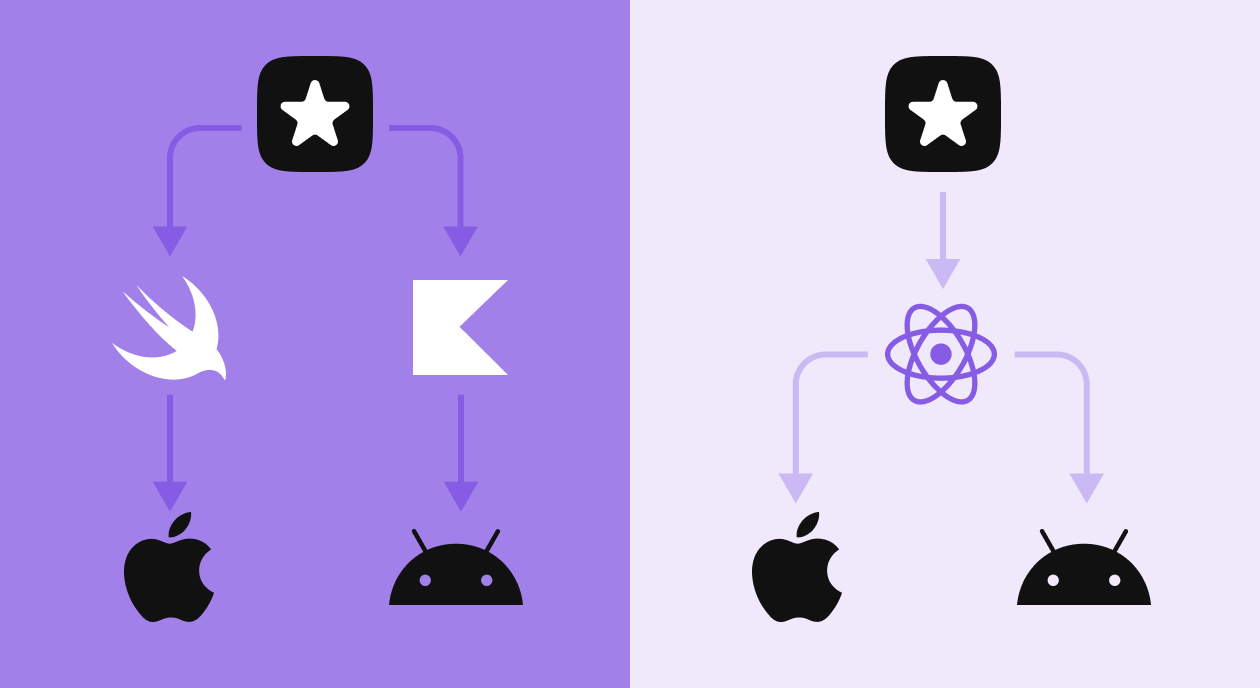
A native app is an application built specifically for a single platform using that platform’s official programming languages, frameworks, and tools. For iOS, this means Swift or Objective-C with Apple’s SDKs. For Android, Kotlin or Java with Android’s native APIs.
Because native apps are designed to run directly on the operating system, they communicate with device hardware and system services without intermediaries. This results in faster execution, smoother animations, and more predictable behavior — especially in complex or resource-intensive scenarios.
Native development also means designing the app according to platform conventions. Navigation patterns, gestures, typography, and system behaviors follow what users already expect from iOS or Android, reducing friction and cognitive load.
Examples of well-known native apps
Many of the world’s most-used apps rely on native development to deliver consistent performance at scale:
- Instagram uses native capabilities for camera access, video processing, and smooth feed scrolling.
- WhatsApp depends on native background processes for reliable messaging and notifications.
- Spotify relies on native audio handling for offline playback and background streaming.
- Google Maps uses deep integration with GPS, sensors, and real-time system services.
These apps operate in performance-sensitive environments where even small delays or UI glitches impact user trust.
Pros and cons of native apps
| Advantages | Disadvantages |
| Maximum performance and responsiveness | Higher development and maintenance cost |
| Fully native look and feel | Separate codebases for iOS and Android |
| Full access to device hardware and OS APIs | Longer initial development cycle |
| Better stability and security | Requires specialized platform expertise |
What are the core features of a native app?
Native apps are defined by how deeply they integrate with the operating system.
They can access hardware features such as cameras, microphones, GPS, accelerometers, biometric sensors, and Bluetooth with minimal overhead. This makes them ideal for apps that depend on real-time data, media processing, or background activity.
Native frameworks also provide system-level UI components that automatically adapt to OS updates, accessibility settings, and device variations. Features like haptic feedback, system gestures, push notifications, widgets, and offline modes work seamlessly because they’re part of the platform itself.
As a result, native apps are typically more reliable, more scalable, and easier to optimize at a low level.
What is a hybrid app?
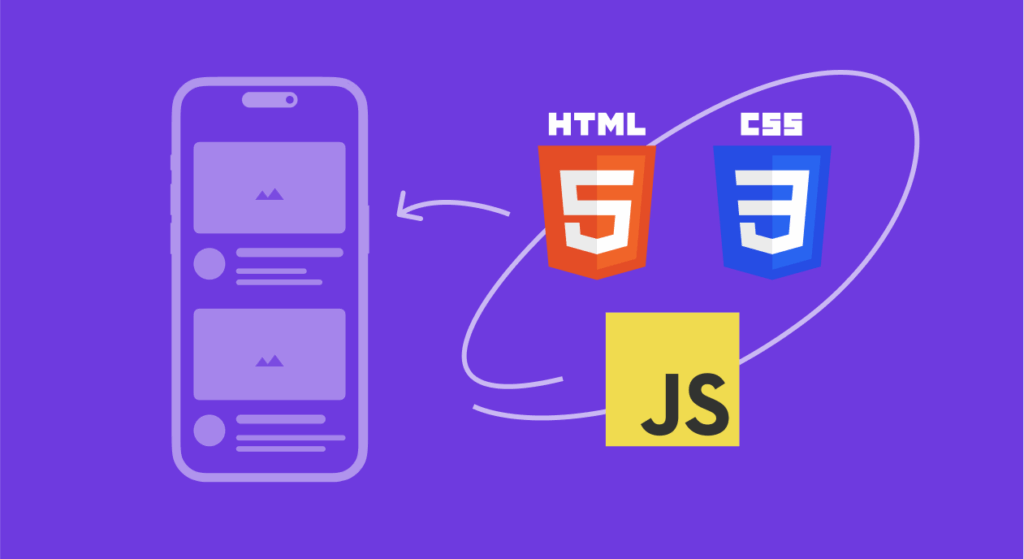
A hybrid app combines web technologies with a native wrapper. Instead of building the interface and logic entirely with platform-specific tools, developers write most of the app using HTML, CSS, and JavaScript (or similar abstractions), then package it to run on multiple platforms.
Frameworks such as React Native, Flutter, Ionic, and Cordova provide a bridge between web-based code and native device features. This allows a single codebase to power both iOS and Android apps, with limited native extensions where needed.
Hybrid apps aim to reduce development effort and speed up delivery, especially when the app’s core functionality is similar across platforms.
Examples of well-known hybrid apps
Hybrid development is often used selectively, even by large companies:
- Uber Eats uses shared cross-platform logic while relying on native modules for critical flows.
- Twitter (X) incorporates hybrid components for faster iteration in less performance-sensitive areas.
- Gmail relies on web-based rendering for content-heavy screens inside a native shell.
- Airbnb previously used a hybrid approach to accelerate feature development before moving back to native.
These examples highlight a common pattern: hybrid works well where speed matters more than deep system integration.
Pros and cons of hybrid apps
| Advantages | Disadvantages |
| Faster development with shared code | Performance overhead due to abstraction |
| Lower upfront cost | Limited access to the latest native APIs |
| Easier cross-platform updates | UX can feel less polished |
| Smaller teams can ship faster | Debugging and optimization can be harder |
What are the core features of a hybrid app?
Hybrid apps are built around efficiency and reuse.
Their biggest strength is a shared codebase, which simplifies development and maintenance. Business logic, UI components, and workflows can be reused across platforms, reducing duplication and speeding up iteration.
Hybrid frameworks also allow for faster updates, since many changes don’t require full platform-specific rewrites. This makes them attractive for MVPs, internal tools, and content-driven apps where time-to-market is critical.
However, hybrid apps rely on bridges to access native features, which introduces latency and limits how deeply the app can integrate with the OS.
Native vs. hybrid apps: Key differences
| Criteria | Native apps | Hybrid apps |
| Performance | High, OS-level | Medium, framework-dependent |
| User experience | Fully native | Near-native |
| Codebase | Separate per platform | Mostly shared |
| Hardware access | Full | Partial |
| Scalability | Strong | Moderate |
| Development speed | Slower | Faster |
| Best use case | Complex, long-term products | MVPs, simpler apps |
Native vs hybrid apps: In-depth breakdown
User experience
Native apps: Native apps deliver a smooth and consistent user experience by following platform-specific design guidelines. Animations, gestures, navigation patterns, and UI feedback feel natural because they are built using native UI components.
Hybrid apps: Hybrid apps can achieve a near-native experience, but subtle inconsistencies often appear. Transitions, scrolling, and gestures may feel less fluid, especially in complex interfaces or animation-heavy screens.
Winner: Native apps
Reason: Native apps are designed to fully match platform UX standards, which results in a more intuitive, responsive, and familiar experience for users.
Accessibility
Native apps: Native apps offer strong accessibility support through built-in OS features such as screen readers, dynamic font scaling, voice control, and system-level accessibility APIs.
Hybrid apps: Hybrid apps support basic accessibility features, but coverage may be limited. Advanced accessibility options often require additional customization and may lag behind native implementations.
Winner: Native apps
Reason: Native frameworks provide deeper and more reliable access to accessibility tools, ensuring better usability for users with different needs.
Maintenance and updates
Native apps: Native apps require maintaining separate codebases for each platform. Updates, bug fixes, and feature releases often need to be implemented and tested independently on iOS and Android.
Hybrid apps: Hybrid apps use a shared codebase, which simplifies maintenance. Updates can be rolled out faster and more consistently across platforms, reducing development effort.
Winner: Hybrid apps
Reason: A single codebase allows faster updates, easier maintenance, and lower operational overhead.
Security
Native apps: Native apps benefit from direct access to OS-level security features such as secure storage, encryption libraries, biometric authentication, and sandboxing.
Hybrid apps: Hybrid apps rely on additional abstraction layers and plugins, which can introduce security risks if not properly maintained or updated.
Winner: Native apps
Reason: Native apps integrate more tightly with platform security mechanisms, making them a safer choice for apps handling sensitive data.
Time to market
Native apps: Native development typically takes longer due to separate platform implementations, platform-specific testing, and higher development complexity.
Hybrid apps: Hybrid apps allow faster development by reusing code across platforms, enabling teams to launch MVPs and new features more quickly.
Winner: Hybrid apps
Reason: Shared codebases significantly reduce development time and speed up product launches.
Developer expertise
Native apps: Native development requires platform-specific expertise, often meaning separate iOS and Android developers with deep knowledge of each ecosystem.
Hybrid apps: Hybrid apps can be built by developers with web or cross-platform experience, reducing the need for specialized platform engineers.
Winner: Hybrid apps
Reason: Hybrid frameworks lower the entry barrier and allow smaller teams to build cross-platform apps efficiently.
Cost of development
Native apps: Developing and maintaining native apps usually involves higher costs due to multiple codebases, longer development cycles, and specialized talent.
Hybrid apps: Hybrid apps reduce development and maintenance costs by sharing most of the code across platforms and shortening development timelines.
Winner: Hybrid apps
Reason: Lower engineering effort and faster development make hybrid apps more cost-effective, especially for startups and MVPs.
Native app vs hybrid app: Choosing the right approach
The decision ultimately depends on your product’s goals and lifecycle stage.
Native development is the better choice if your app is performance-critical, relies heavily on device capabilities, or represents a long-term strategic product. Hybrid development works well when speed, experimentation, and cost efficiency are the priority.
Many successful companies start hybrid to validate ideas, then move to native as their product matures. The key is understanding the trade-offs early – and choosing intentionally.