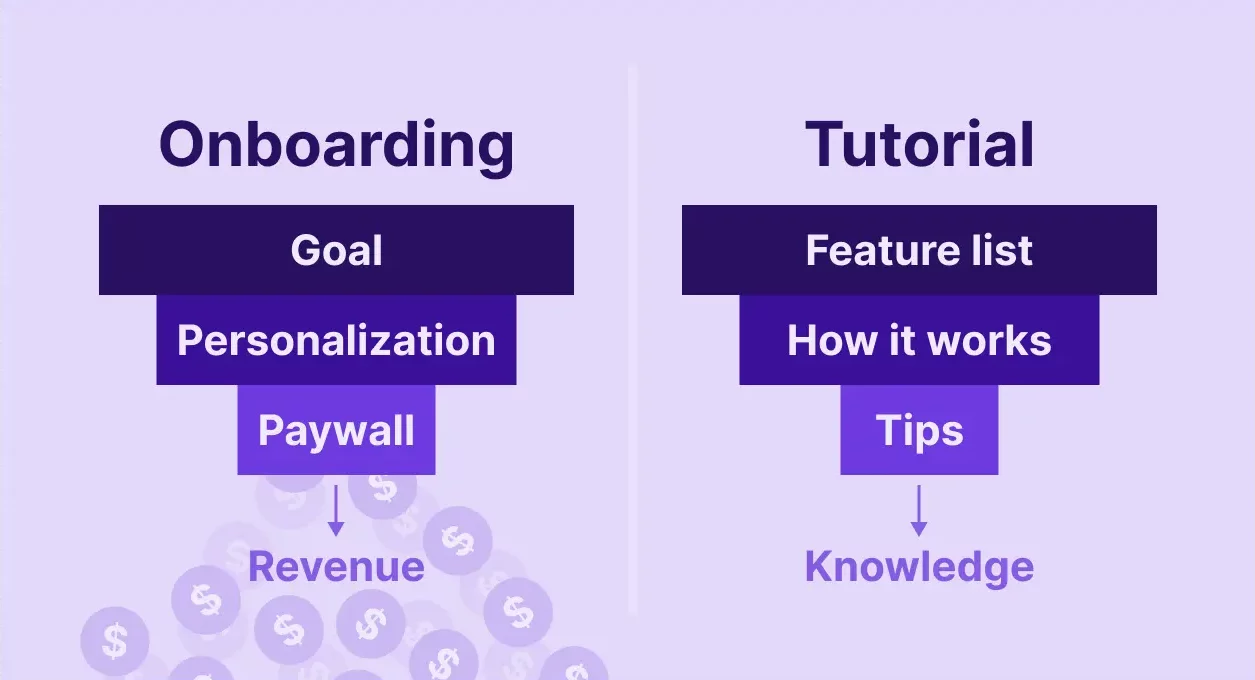
Most mobile apps treat onboarding like a product tour. Walk users through features. Show them where the buttons are. Explain how things work.
That’s backwards.
Here’s what actually happens: 80% of your subscription revenue comes from the first paywall. Most users subscribe before they ever use your core product. Users don’t care about your features. They care about solving their problem.
App onboarding’s job isn’t to teach. It’s to sell that promise so effectively that users pull out their credit card before they’ve recorded a single workout, edited a single photo, or transcribed a single meeting.
Your app onboarding starts three clicks ago
The common wisdom says onboarding begins after installation. Wrong.
App onboarding starts the moment someone sees your ad. The creative they clicked, the App Store description they skimmed, the reviews they scrolled — all of it shapes the context users bring into your app. They’ve already formed expectations before your first screen loads.
Most users don’t fully understand what your app does when they install it. They liked the visual. They recognized a problem. They clicked.
By the time users open your app, they’ve already decided what it does. Your onboarding either matches that or breaks it. Apps that nail this create a seamless narrative from ad to App Store to first paywall. Miss the mark, and users delete within 60 seconds.
The store page problem
Your App Store page exists in a measurement black box. You can A/B test the screenshots. You can see install conversion. But you can’t track how long users spent there, which elements they looked at, or what convinced them to download.
The bottom line: Optimize your store page, but don’t consider it measurable onboarding. Real onboarding — the kind you can instrument, test, and improve — starts inside your app.
Your rating count matters more than anything else on that page. More ratings mean higher scores, which means better install conversion, which means more users reaching your actual onboarding. Which brings me to a counterintuitive tactic I’ll cover later.
The 90% rule for app onboarding completion
Your app onboarding completion rate should hit 90-95%. That means 90-95% of users who start onboarding make it all the way to your first paywall.
If your completion rate is lower, something’s fundamentally broken. Either your app onboarding is too long, too confusing, or too disconnected from what users expected when they installed.
High completion rates happen when you stop trying to teach and focus on qualifying users and understanding what they want. You’re asking users what they want to accomplish, showing them how your app solves that specific problem, and presenting the subscription offer while their intent is highest.
Track drop-off screen by screen. If you see a 20% drop on screen 4, that screen is broken. Fix it or cut it.
Why do some apps use 50-screen onboarding flows?
Here’s the counterintuitive part: some of the highest-converting apps have 40-50 screen onboarding flows that take 10+ minutes to complete.
BetterMe does this. Fitness and habit apps do this. Even some B2B tools do this.
Long app onboarding works when:
- Your category is emotionally resonant (fitness, relationships, money, health)
- The time investment creates psychological commitment
- You’re capturing detailed preferences that enable real personalization
- Users who complete long onboarding have dramatically higher LTV
Fewer users finish onboarding, but those who do convert at much higher rates and stick around longer. You’re self-selecting for motivated users who are genuinely bought into solving their problem.
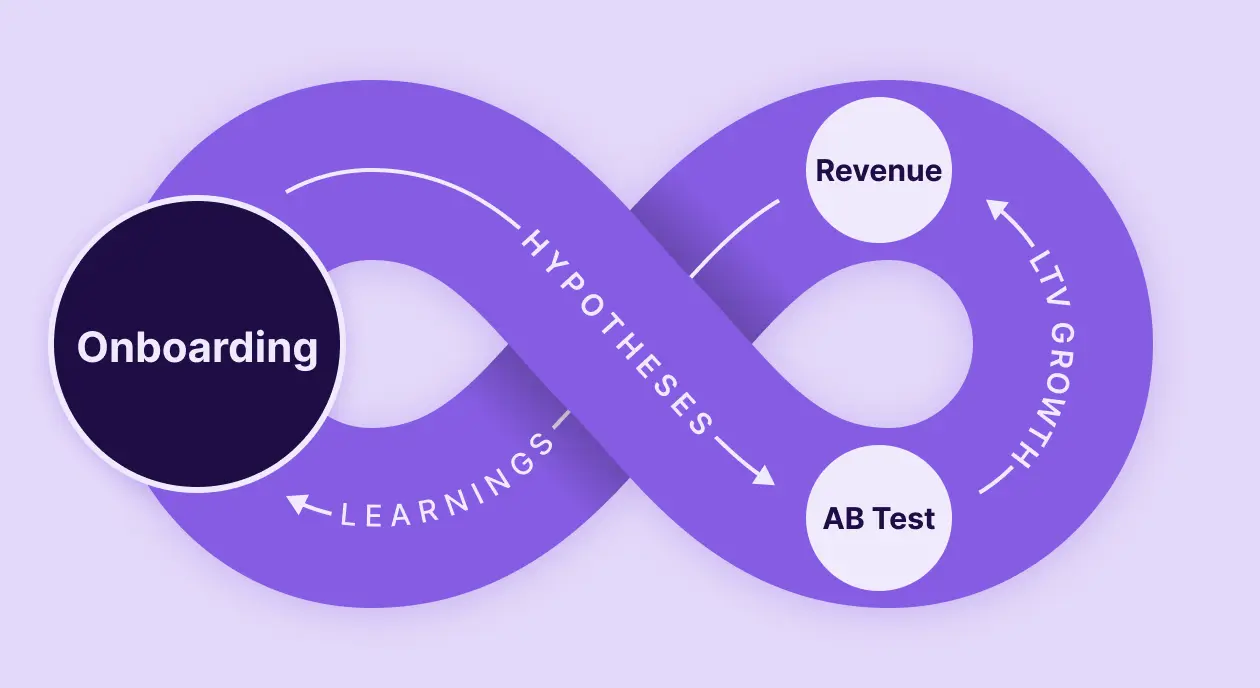
Don’t obsess over completion rate alone. What matters is completion rate × conversion rate × LTV. If a 10-minute onboarding produces users with 3x higher LTV despite 30% lower completion, that’s a massive win.
What high-converting onboarding does differently
Onboarding that drives subscription revenue does three things well:
1. It’s interactive, not explanatory
Bad onboarding tells users what the app does. Good onboarding asks users what they want to accomplish and shows them the solution.
Example: habit apps asking you to press your finger on screen for 5 seconds to “commit” to your goal. This feels ridiculous. It has zero functional purpose. And it works incredibly well in emotionally-driven categories because the friction creates investment.
Small amounts of friction — when they’re meaningful — increase commitment. Not every screen needs to be frictionless. Sometimes you want users to pause and think.
2. It personalizes based on answers
If you’re asking users questions during onboarding, you must show them content, features, and pricing relevant to their answers.
Someone who says they want to “lose 20 pounds in 3 months” should see different messaging than someone who wants to “maintain current fitness level.” Different pain points, different social proof, different subscription offers.
Most apps collect this data and then display the same generic paywall to everyone. Huge missed opportunity.
3. It uses social proof throughout
Ratings, testimonials, user counts, success stories — these should be woven through onboarding, not just dumped on the final paywall screen.
“Join 2M users” on screen 2. A testimonial on screen 5. A specific success metric on screen 8. Each reinforces that other people have solved this problem using your app.
This works everywhere — B2C, B2B, subscription apps, freemium tools. Social proof reduces perceived risk, which directly increases conversion.
The first paywall is where you win or lose
Let’s come back to that 80% number: roughly 80% of subscription revenue comes from the first paywall shown after onboarding.
Users haven’t tried your core product yet. They haven’t generated a result. They haven’t proven to themselves that your app works.
But they’ve just spent 2-10 minutes telling you about their problem, seeing how you solve it, and building intent. That intent is perishable. If they leave to “think about it,” most never come back.
This is why onboarding optimization has such a direct impact on revenue. Improve your onboarding completion rate from 85% to 92%, and you just put 7% more users in front of your highest-converting paywall. Even a small lift compounds into meaningful revenue growth.
The counterintuitive rating request
Most apps ask users to rate them after they’ve experienced value. Logical. But most users never reach that point.
Here’s the hack: ask for a rating during or immediately after onboarding, before they’ve used the product.
Frame it as helping spread the word about an app they’re excited to use. Show strong social proof. Most users who made it through onboarding are bought-in enough to give 5 stars.
More ratings boost your App Store conversion. Better conversion means more installs. More installs mean more users hitting your paywall. The loop feeds itself.
How to measure onboarding success?
Different metrics matter at different stages:
Core onboarding metrics:
- Completion rate (should be 90-95% for B2C)
- Time to complete (track but don’t optimize for speed alone)
- Drop-off by screen (identifies broken experiences)
Business outcome metrics:
- First paywall conversion rate
- Trial start rate
- Activation rate (B2B)
- D7, D14, D30 retention
- Predicted LTV by cohort
The last one matters most. Time spent in onboarding doesn’t matter. Individual screen performance doesn’t matter. What matters is whether users who complete your onboarding become valuable, retained customers.
If a 10-minute onboarding produces higher LTV customers than a 2-minute onboarding, the 10-minute version wins even if fewer people complete it.
High-performing vs. Low-performing onboarding
| Element | High-performing | Low-performing |
|---|---|---|
| Focus | User’s problem and desired outcome | App features and how they work |
| Completion Rate | 90-95% (B2C) | Below 80% |
| Personalization | Adapts content based on user answers | Shows everyone the same flow |
| Social Proof | Integrated throughout | Only on final screen or absent |
| First Paywall | Right after onboarding | Delayed or shown after trial starts |
| CTA | Specific to user’s stated goal | Generic “Start Free Trial” |
| Friction | Strategically placed for commitment | Too much (confusing) or too little |
| Measurement | Tracks completion, conversion, LTV | Only tracks installation metrics |
The bottom line
Onboarding sells. Tutorials teach. Don’t confuse the two. The apps that win at this:
- Start building context before installation
- Use onboarding to qualify and personalize
- Optimize for business outcomes (LTV), not just completion rate
- Show the first paywall immediately after onboarding
- Measure everything and iterate based on cohort performance
Want to test different onboarding flows without waiting for App Store review? Adapty’s Onboarding Builder lets you create, launch, and A/B test onboarding experiences without code — and see how they impact subscription conversion in real-time.
Based on a conversation with Kirill Potekhin (CPO at Adapty) on the Podlodka podcast.