Did you know that one-third of mobile app developers use cross-platform development frameworks for building their apps? Understandably so. When you use a cross-platform mobile app development framework to create your app, you don’t need to create two separate Android and iOS apps. You create just one cross-platform app, and it runs seamlessly on all your target platforms. As a result, your development and maintenance resources reduce significantly when you get to use a single codebase to deliver apps on multiple operating systems, also known as WORA (Write once, run anywhere!).
Launching new features is also much simpler, as you don’t need to develop them individually for each platform. Just write your code once, and it’s ready to go for both your Android and iOS apps.
But to make the most of cross-platform mobile app development frameworks, you need to start with the right one. And to help you do just that, today we’re rounding up the best mobile app development frameworks for 2025 and beyond. But before we see the best mobile app development frameworks you could use to build your app, let’s first quickly see what a mobile app development framework is, how it works, its different types, and its benefits.
Market share trends (2019-2025)
| Framework | 2019 | 2020 | 2021 | 2023 | Trend |
|---|---|---|---|---|---|
| Flutter | 30% | 39% | 42% | 46% | ↑ Growing |
| React Native | 42% | 42% | 38% | 35% | ↓ Declining |
| Cordova | 29% | 16% | 16% | 10% | ↓ Legacy |
| Unity | 15% | 13% | 11% | 12% | → Stable |
What is a mobile app development framework?
Simply put, a mobile app development framework is a set of different ready-to-use or customizable components (like UI design, code, and functionalities) that can serve different parts of a mobile app.
So what does this actually look like for a real app?
If you wanted to, say, add the sign in with Google functionality to your app and used a framework like Flutter to build your app, you wouldn’t have to develop it from scratch.
You could simply use Flutter’s Google Sign-in plugin, and you’d be good to go in just a few steps.
Likewise, if you wanted to add the sign in with Apple app functionality, you’d add the cross-platform’s Apple Sign-in plugin, and that’s all.
Essentially, you never have to start from scratch when you work with native or cross-platform frameworks for creating your app.
Types of mobile app frameworks
When it comes to developing mobile apps, you have two kinds of frameworks:
- Native mobile app frameworks: These are frameworks that let you design an app for a specific platform. So if you’re looking to launch an iOS-only app, you could go with an app development framework like Swiftic (which originally launched as an iOS native app development framework). Native platforms can be handy for developers who want to launch an app exclusively for a single app store.
- Cross-platform mobile app frameworks: These are frameworks that let you use a single codebase to build all the app versions that you need. So if you use a cross-platform mobile app development framework, you need to build just one app, and you can get it to work seamlessly as both an iOS app and an Android app. You don’t need to build two apps. Cross-platform apps are also called hybrid apps.
Advantages of using cross-platform mobile app development frameworks
For app developers that want to launch their apps on both the app stores, cross-platform mobile frameworks offer a host of benefits.
- Code reuse: The key benefit of using cross-platform mobile app development frameworks is that you can reuse your code across the App Store and Google Play. Apps that use such frameworks share almost 100% of their code.
- Faster app development: You can ship new features much faster when you only need to develop them once! Overall, you need less time to launch new functionalities and also get to save on your engineering bandwidth.
- Consistent experiences: Modern cross-platform mobile app development frameworks are designed to help you deliver truly native experiences that feel consistent across both mobile operating systems. So your Android and iOS apps will feel the same.
Let’s now look at the top mobile app development frameworks that you could use in 2026.
Top 10 mobile app development frameworks in 2026
1. Flutter
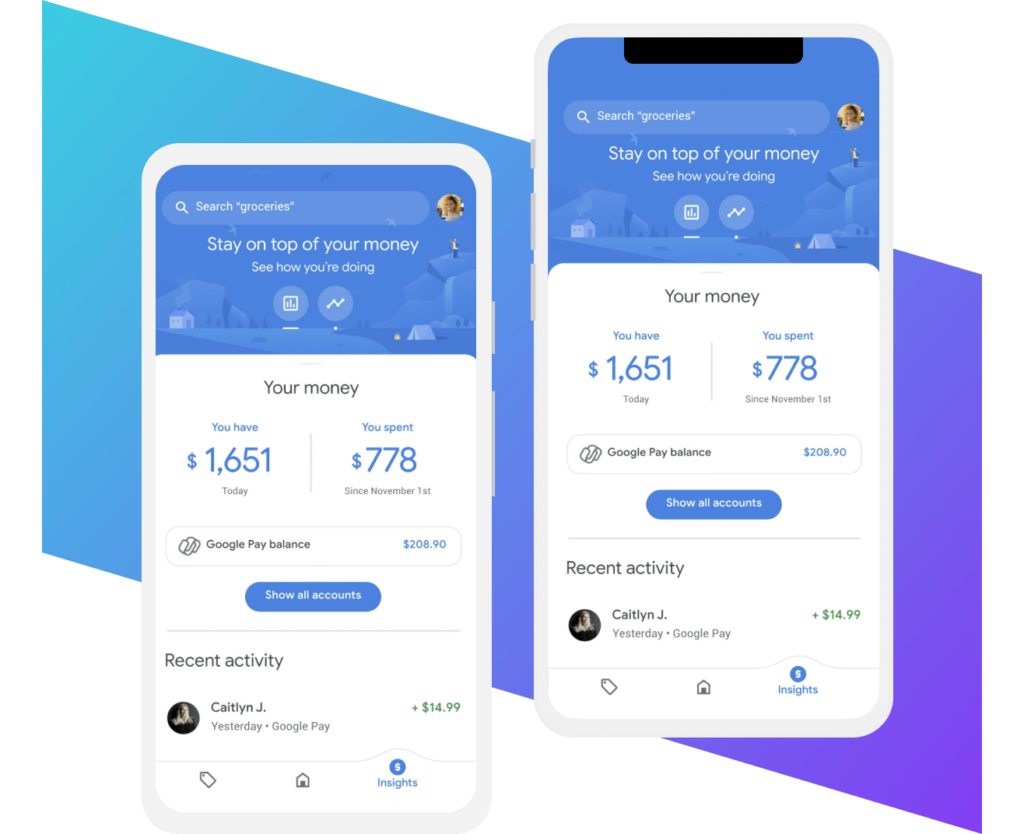
Developed and maintained by Google, Flutter is the most popular mobile app development framework of 2026. With 46% of developers using this open source framework (with its adoption increasing steadily each year, up from 30% in 2019), Flutter seems to be replacing React Native as the cross-platform development framework of choice for mobile developers.
With Flutter, when you want to add a new feature to your app, you don’t need to do your development work twice, once for each platform (iOS and Android). You only need to develop it once. And Flutter will ensure that it runs “natively” on both the target operating systems. Flutter actually seems to be doing well at helping mobile developers deliver seamless iOS and Android experiences – all from a single codebase.
Also, Flutter is great for teams of all sizes. For Reflectly, an app serving millions of users and built by only two engineers, Flutter cut the development time by half while rendering beautiful app experiences on both Android and iOS from a single codebase. Before going with Flutter, Reflectly used some other cross-platform framework, but the experiences it delivered weren’t native, so the team made the switch:
When Google reengineered its Google Pay app to use Flutter, building new features only took about 1.2 times as much work (and not 2X!).
And when eBay wanted to launch a new app to handle its auto vertical, eBay’s engineering team decided to go with Flutter and launch a single app instead of building two native apps to cover both the platforms. The team shares how Flutter helps it use the same code to power app experiences on both the app stores and how it supports sharing code for everything “from the UI, business logic, domain models, analytics, network stack, and even the CI pipeline.“
Flutter’s key features:
- Flutter shines at creating adaptive apps. This means that Flutter ensures that platform-specific behavior — for example, scrolling that differs significantly across iOS and Android — feels native to each platform despite the app experience being served from the same codebase.
- With Flutter, you get 100s of pre-made visual, layout, structural, platform, and interactive widgets to build your app.
- Flutter’s hot reloading allows you to speed up development by letting you add updated source code to your app and see its effects in real time without impacting the rest of your app, allowing you to test and debug easily.
Flutter uses Dart. So if you want to work with this platform, you need to learn Dart. This is one reason that a lot of developers hesitate to use Flutter, as the language is unfamiliar.
Also read: How to add in-app purchases to apps using Flutter
Flutter looks like the future of cross-platform development frameworks for mobile apps. You can actually add Flutter to an existing app if you want to take it for a spin before rebuilding your app with it. Check out Flutter’s Add to app feature for more.
2. React Native
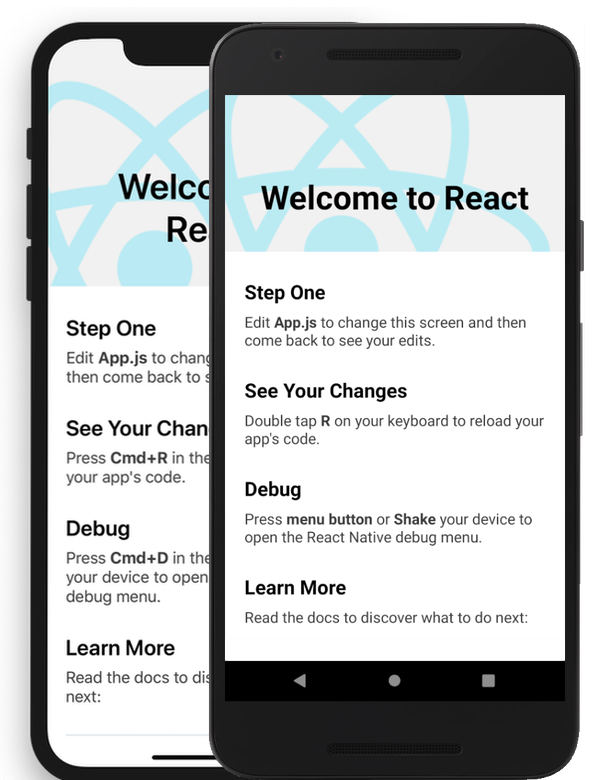
Facebook’s React Native has been the most popular cross-platform mobile development framework for several years, especially until Flutter launched and became popular. As of now, it’s second only to Flutter, with 35% of mobile developers using it to build cross-platform apps.
From being one of the early adopters of the framework to being an official partner, the website builder company Wix trusts React Native to deliver consistent app experiences to its Android and iOS users from a single code base. React Native was the natural choice for the cross-platform mobile framework for Wix, as Wix’s website building tool (which is its main solution!) used React. That said, Wix remains one of the biggest React Native applications with over a million downloads and an average rating of >4.5. Clearly, React Native offers good performance. With React Native, Wix is able to share about 95% of its logic codebase between iOS and Android. Like Wix, a lot of (web) apps that use React default to React Native for delivering their apps.
Also, like Flutter, you don’t need to rebuild your app from scratch if you want to use React Native. You can choose the experiences you want to deliver through it. The social media platform Pinterest moved to React Native to ship only a bunch of its key features and functionalities as React Native showed the potential to speed up its development without compromising on the end user experience. Moving to React Native reduced the team’s logistical overhead too: “React Native enables us to share code between platforms. Code sharing not only means implementation time can be saved, it also reduces the cognitive overhead of sharing context when you need multiple platform-specific engineers working on the same feature. In other words, less time is required for standups and meetings, as well as fewer inconsistencies between the platforms.”
The eCommerce solution Shopify, in contrast, has been migrating its full native mobile apps to the React Native framework. Once Shopify added React Native to its development mix, it started adding newer experiences (features and functionalities) via React Native while also moving over its existing app(s) to the framework in the background.
React Native’s key features:
- With its platform-agnostic native components, React Native lets you design app experiences that seamlessly adapt to any platform you want to render your app on.
- React Native’s Fast Refresh feature lets you try changes on the fly, speeding up your development and debugging processes.
- When done right, using React Native lets you reuse almost all of your code and results in significant engineering resources savings.
In all, React Native is a mature and proven mobile app cross-platform framework that can handle complex apps and serve at scale and is backed by a thriving dev community. Apps built with React Native can also be made to be very secure. This, too, is a key consideration when choosing this framework.
React Native uses JavaScript. This is one reason developers who want to start with a mobile framework prefer React Native, as they’re already quite familiar with JavaScript.
Also read: How to add in-app purchases to apps using React Native
3. Unity

Unity is more of a game engine — powering 70% of the top mobile games — than a framework. So what’s the difference between an app engine and an app framework? Well, both are umbrella terms, but a game engine does a lot more than a framework and doubles up as a framework. Also, loosely, in the gaming world, the terms “gaming framework” and “game engine” are often used interchangeably.
Given that games are one of the most popular app niches, Unity is one of the most popular “mobile frameworks.” It’s the third most-used cross-platform mobile app development framework in 2026. Unity has consistently maintained its user base. About 12% of mobile app developers use Unity. This usage has been consistent since 2019 and has actually improved after taking a dip in the last two years.
Unity helps build games that work well across a host of operating systems: Android, iOS, Mac, Windows, and gaming consoles. Packed with high-quality assets (that include almost everything you need for creating slick 2D and 3D games, right from slick graphics to animations and sounds) and backed by a community of millions of developers, Unity is easily the most mature gaming framework.
All that said, Unity’s pro license can be expensive for freelance or indie app game developers.
Also read: Adding in-app purchases to apps using Unity
4. Xamarin (.NET MAUI)
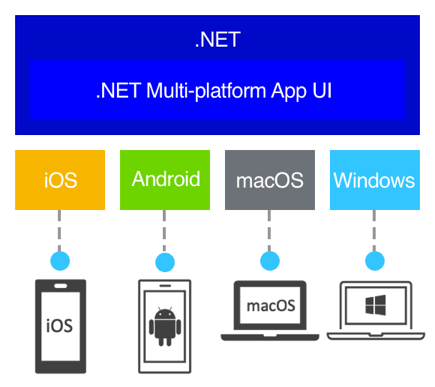
The third most-used cross-development mobile app framework, Xamarin, is now part of the .NET platform. So the latest update on Xamarin is that it has evolved into Microsoft .NET MAUI (short for .NET Multi-platform App UI). Apps using Xamarin are actually in the process of migrating to .NET MAUI.
With .NET MAUI, you get to use a single C# codebase and render beautiful app experiences across a host of operating systems including iOS and Android. If you want to build an app using Xamarin, which is now .NET MAUI, here’s a quick intro:
Key features:
- For any code you create with this cross-platform framework, XAML automatically creates native controls for your different target devices, which means your development time reduces significantly.
- As with other cross-platform mobile frameworks, with .NET MAUI, too, you use a single shared code base, business logic models, view models, and databases, among other resources, across all your target platforms.
- This platform simplifies how you access a target platform’s APIs by unifying a host of platform APIs into a single API.
5. Kotlin Multiplatform
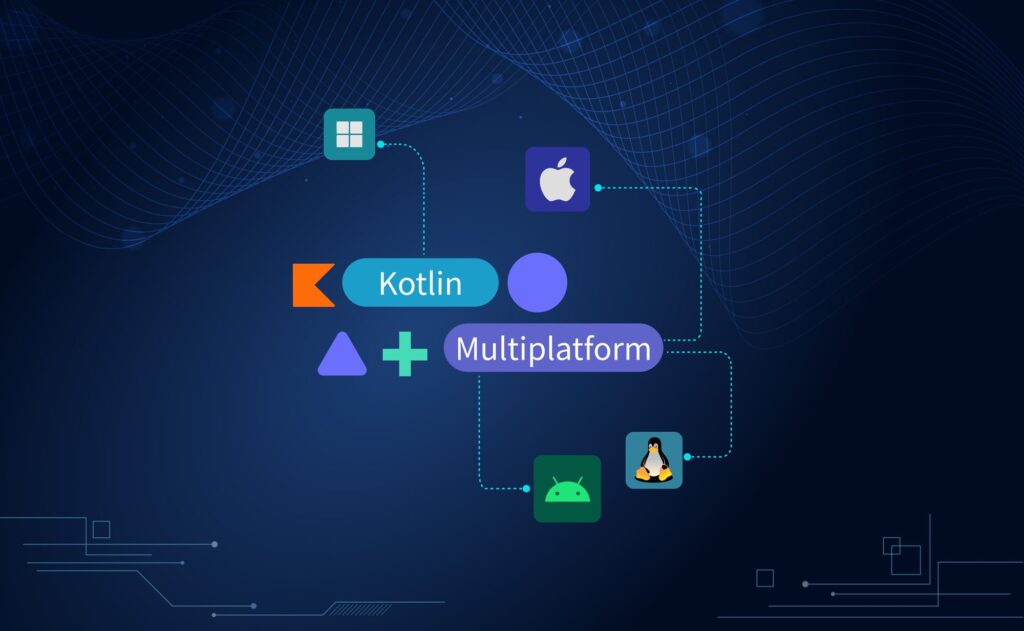
Developed by JetBrains with strong backing from Google, Kotlin Multiplatform (KMP) has emerged as a powerful solution for teams that want to share business logic across platforms while keeping their UI fully native. Unlike Flutter or React Native, KMP doesn’t force you into a single UI framework — you can use SwiftUI on iOS and Jetpack Compose on Android, sharing only the code that makes sense to share.
The real game-changer came in May 2025 when JetBrains released Compose Multiplatform 1.8.0, marking stable iOS support. This means you can now share up to 96% of your code — including UI — if you choose to go that route. But the beauty of KMP is flexibility: you can start by sharing just your networking layer or data models, then gradually expand as your team gets comfortable.
Major companies are already betting big on Kotlin Multiplatform. Netflix uses it for their mobile apps, McDonald’s rebuilt their global ordering experience with it, and Cash App relies on KMP to keep their Android and iOS apps in sync. Philips and Forbes have also made the switch.
Kotlin Multiplatform’s key features:
- KMP lets you share business logic (networking, caching, data validation) while keeping platform-specific UI, giving you the best of both worlds: code reuse without sacrificing native user experience.
- With Compose Multiplatform, you can optionally share UI code across Android, iOS, desktop, and web — all from a single Kotlin codebase.
- Direct access to platform APIs means no waiting for framework updates. Need a new iOS 18 feature? Just call it directly from your Kotlin code.
- Gradual adoption is built into the philosophy. You can add KMP to an existing app module by module, without rewriting everything.
Kotlin Multiplatform uses Kotlin, which Android developers already know and love. iOS developers will need to learn Kotlin, but its similarity to Swift makes the transition relatively smooth. The tooling continues to improve, with enhanced support in both Android Studio and Xcode.
Also read: How to add in-app purchases to apps using Android SDK
6. SwiftUI
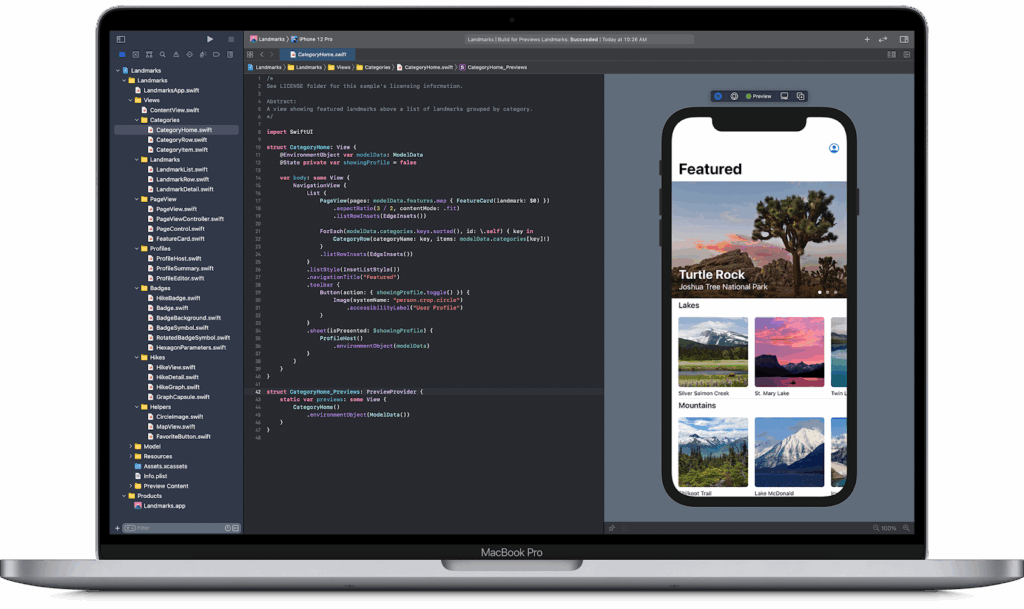
Apple’s SwiftUI represents a fundamental shift in how iOS apps are built. Launched in 2019 and maturing rapidly with each iOS release, SwiftUI replaces the imperative UIKit approach with a declarative syntax that lets you describe what your UI should look like, not how to build it step by step.
For teams focused exclusively on the Apple ecosystem, SwiftUI is increasingly becoming the default choice. It works across iOS, iPadOS, macOS, watchOS, and tvOS from a single codebase, making it ideal for developers who want to deliver a cohesive experience across all Apple devices.
SwiftUI’s adoption has accelerated significantly. Apple themselves use it extensively in their own apps, and major companies like Airbnb, Twitter (now X), and Lyft have integrated SwiftUI into their iOS development workflow.
SwiftUI’s key features:
- The declarative syntax dramatically reduces boilerplate code. What used to take dozens of lines in UIKit can often be expressed in just a few lines with SwiftUI.
- Live previews in Xcode let you see your UI changes in real-time without building and running the app, speeding up the design iteration process.
- SwiftUI integrates seamlessly with UIKit, so you can adopt it incrementally in existing apps without a full rewrite.
- Built-in support for animations, gestures, and accessibility makes it easier to create polished, inclusive app experiences.
SwiftUI uses Swift, Apple’s modern programming language. If you’re already developing for iOS, you likely know Swift. The learning curve for SwiftUI itself is manageable, though mastering its reactive patterns takes time.
The main limitation? SwiftUI is Apple-only. If you need Android support, you’ll need a separate codebase or a cross-platform solution.
Also read: How to add in-app purchases to apps using iOS SDK
7. Jetpack Compose
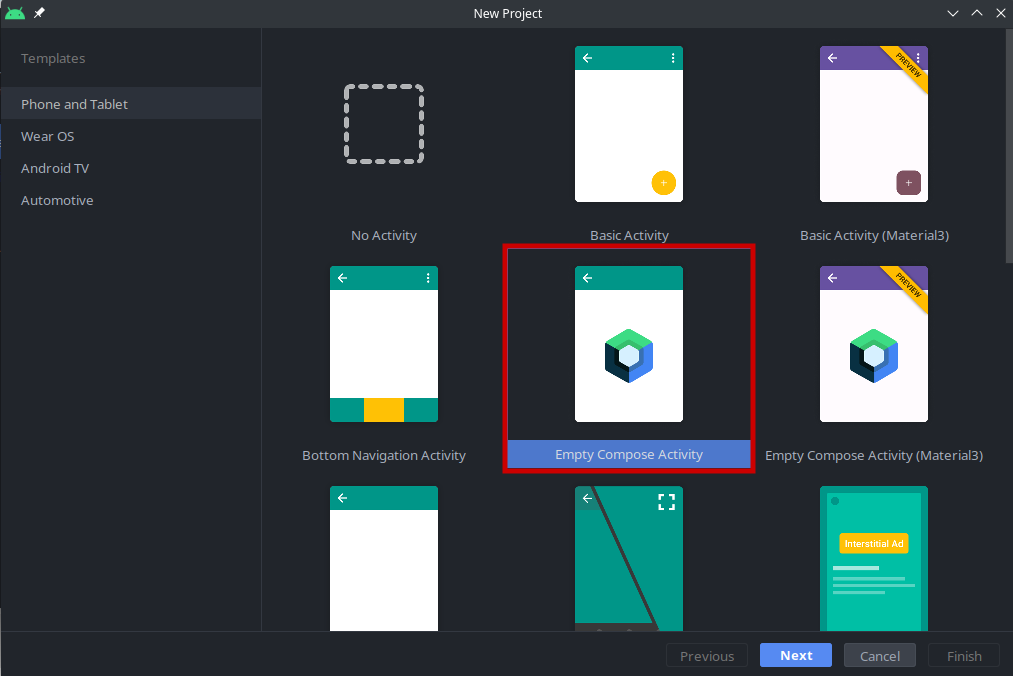
Jetpack Compose is Google’s modern toolkit for building native Android UI. Released as stable in 2021, it brings the same declarative approach to Android that SwiftUI brought to iOS. If you’ve been building Android apps with XML layouts, Compose will feel like a breath of fresh air.
The adoption has been remarkable. Google reports that most of the top 1,000 apps on Google Play have already integrated Jetpack Compose. Twitter/X, Airbnb, Reddit, Lyft, and the Google Play Store itself are all built with Compose. It’s clear that Compose isn’t just the future of Android development — it’s the present.
What makes Compose particularly compelling is its integration with the broader Jetpack library ecosystem. You get seamless compatibility with ViewModel, Navigation, Room, and other libraries you’re likely already using.
Jetpack Compose’s key features:
- Less code, fewer bugs. Compose eliminates the need for XML layouts and findViewById calls, reducing boilerplate and potential error sources.
- The preview feature in Android Studio lets you see your composables rendered in real-time, including interactive previews where you can test different states.
- Compose works with your existing Android codebase. You can use Compose views inside XML layouts and vice versa, enabling gradual migration.
- Powerful theming and Material Design 3 support make it easy to create apps that look great and follow modern design guidelines.
Jetpack Compose uses Kotlin (though Java interop is possible, Kotlin is strongly recommended). If you’re an Android developer, learning Compose is now essential — it’s where the ecosystem is heading.
While Compose is Android-only by default, JetBrains’ Compose Multiplatform extends it to iOS, desktop, and web, giving you a path to cross-platform development if needed.
8. Capacitor
Capacitor is Ionic’s modern successor to Apache Cordova, designed for teams that want to turn web apps into native mobile apps. If you’ve built a web application using React, Angular, Vue, or any other web framework, Capacitor lets you package it as a native iOS and Android app with access to device features.
Think of Capacitor as a bridge between web and native. Your app runs in a native WebView, but unlike pure web apps, you get access to native APIs — camera, filesystem, push notifications, biometrics, and more. For teams with strong web development expertise, this approach can be significantly faster than learning native development from scratch.
Capacitor has been gaining ground as developers migrate away from the aging Cordova ecosystem. Companies like Burger King, Popeyes, and Tim Hortons (all under the same parent company) use Capacitor for their mobile apps, as do Sworkit and MarketWatch.
Capacitor’s key features:
- Use your existing web skills (HTML, CSS, JavaScript) and favorite web frameworks to build mobile apps. No need to learn Swift, Kotlin, or Dart.
- Capacitor plugins provide access to native device features while maintaining a consistent JavaScript API. If a plugin doesn’t exist, you can write custom native code.
- Unlike Cordova, Capacitor gives you full control over the native project files. You can add native code, modify configurations, and use any native SDK directly.
- Progressive Web App (PWA) support means you can deploy the same codebase as a web app, iOS app, and Android app.
Capacitor works with JavaScript/TypeScript and integrates with any web framework. For teams already using React, Vue, or Angular, the learning curve is minimal — you’re essentially just adding a native wrapper around your existing web app.
The trade-off is performance. WebView-based apps won’t match the smoothness of truly native or Flutter apps for complex animations and graphics. But for content-heavy apps, business tools, and e-commerce applications, Capacitor delivers solid results with significantly less development effort.
Also read: How to add in-app purchases using Capacitor
9. Cordova
Apache Cordova is — or used to be — another popular open-source cross-platform mobile app development framework. However, its popularity seems to be dropping, with usage going down from 29% in 2019 to just 10% in 2025.
That said, Cordova still has its share of users, including some of the biggest names like Walmart. Cordova fans love how easy it is to create cross-platform apps with the framework using technologies they’re already comfortable with: HTML, Javascript, and CSS.
While this worked well earlier, you’ve now got more modern cross-platform development frameworks that do more.
While we’re talking about Apache Cordova, let’s talk about PhoneGap too.
Back in 2011, Adobe had acquired a mobile application development framework developed by Notibi. It was this framework that Adobe rebranded as PhoneGap. This same framework was later made available as Apache Cordova, after Adobe donated it to the Apache foundation, as an open source framework. Apache pulled the plug on Cordova in 2020.
10. Ionic
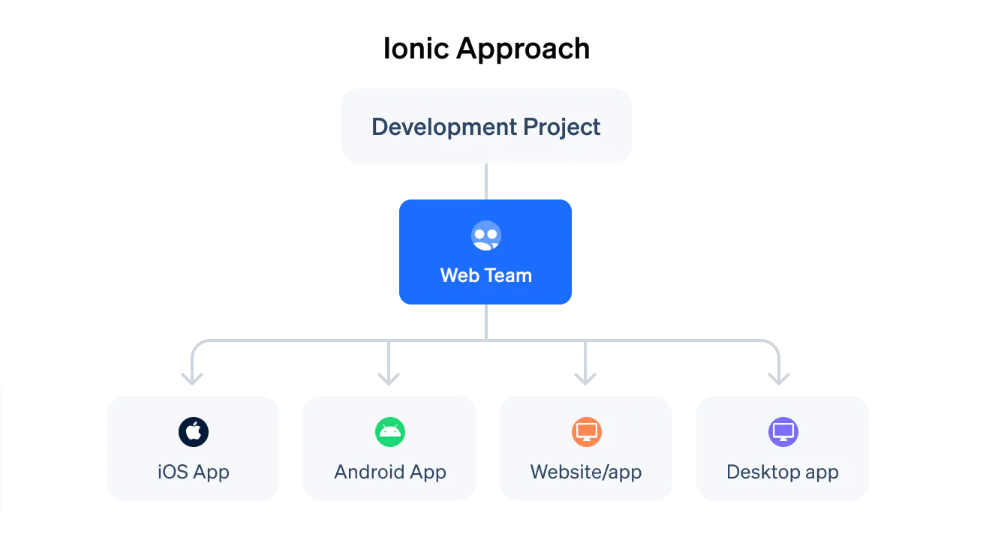
Ionic is another popular front-end, cross-platform mobile app development framework. Initially, Ionic only focused on offering UI components for building cross-platform apps. However, it worked great with the Apache Cordova framework, and by using both the Ionic and Apache Cordova frameworks together, you could do a lot more. Later, however, Ionic developed Capacitor, its own solution for replacing Apache Cordova, for developers who wanted to extend the Ionic framework for building cross-platform apps.
Ionic remains a popular mobile app development framework, and if you’ve a web app using any of the other popular frameworks like Angular or Vue, you can easily build native apps for it using Ionic and Capacitor. In fact, Ionic’s cofounder explains that web-first apps that want to deliver seamless experiences on Android and iOS devices should ideally use Ionic over React Native, as Ionic is built for such Progressive Web Apps.
Key features:
- Ionic comes with a host of UI components that let you build your app quickly.
- Ionic offers pre-built iOS and Material Design themes, so you can deliver native app experiences on both mobile operating systems.
- Ionic’s slick builder lets you preview your app as you code it right inside your web browser for both Android and iOS.
Mobile app development frameworks comparison table
| Framework | Language | Platforms | Market Share | Best For | Learning Curve |
|---|---|---|---|---|---|
| Flutter | Dart | iOS, Android, Web, Desktop | 42-46% | Beautiful UI, fast prototyping, MVPs | Medium (Dart) |
| React Native | JavaScript/TypeScript | iOS, Android | 35-38% | JS teams, web-to-mobile, large apps | Low (if JS known) |
| Kotlin Multiplatform | Kotlin | iOS, Android, Web, Desktop, Server | Growing rapidly | Shared logic + native UI, enterprise | Medium-High |
| Unity | C# | iOS, Android, Consoles, PC, Web | 12% (games) | Games, 2D/3D graphics, AR/VR | High |
| .NET MAUI | C#/XAML | iOS, Android, Windows, macOS | 9% | .NET teams, enterprise Windows apps | Medium (C#) |
| Ionic + Capacitor | HTML/CSS/JS | iOS, Android, PWA | 8% | Web devs, PWAs, hybrid apps | Low (web skills) |
| SwiftUI (Native) | Swift | Apple platforms only | N/A (native) | iOS-first, premium Apple apps | Medium |
| Jetpack Compose (Native) | Kotlin | Android only | N/A (native) | Android-first, modern Android apps | Medium |
Wrapping it up…
So there you have them! The top cross-platform mobile app development platforms for 2026 and beyond!
If you’re looking to launch an app in both the app stores, consider using a cross-platform mobile framework from the start. As you might have read through the user stories, doing so saves significant development and maintenance resources.
And if you already have an app and are looking to streamline its development and maintenance and save resources, consider adding a framework to your development mix. Many apps start adding newer functionalities via frameworks while gradually porting the rest of the app over to them.
About Adapty: If you want to offer in-app purchases and subscriptions inside your app, you need to develop an extensive in-app payments infrastructure. But you don’t have to… with Adapty. Adapty offers a robust in-app payments infrastructure that you can simply add to your app in under an hour. Adapty also offers seamless integration with the top mobile app development frameworks that you just saw, like Flutter, React Native, and Unity, among others, and makes your app monetization even easier. Check out Adapty.