Your app’s rating is more than just a number – it’s the difference between thriving and disappearing into the abyss of millions of apps. With over 2 million apps on the App Store and 3.3 million on Google Play, standing out requires more than great functionality. The numbers tell a stark story: apps with ratings below 3.5 stars see dramatically reduced visibility, while those maintaining 4+ star ratings enjoy substantially higher conversion rates and download velocity.
Here’s what makes this critical: 77% of users read at least one review before downloading a free app, and a staggering 80% do so before downloading paid apps. Even more telling, apps are 65% more likely to receive a negative review after a bad experience than a positive review after a good one – creating an uphill battle that requires strategic intervention.
But there’s good news. The App Store conversion rate from page view to install averages 33.7%, and apps with 4.5+ star ratings are twice as likely to appear in the top 50 search results. This guide will show you exactly how to tip those odds in your favor.
What is an app review?
An app review is user-generated feedback that appears on your app’s listing page in app stores. It typically consists of two components: a star rating (1-5 stars) and written commentary about the user’s experience. While ratings provide a quick numerical snapshot, reviews offer detailed insights into what users love, hate, or wish they could change about your app.
Reviews serve multiple audiences simultaneously. For potential users, they’re social proof that helps inform download decisions. For app stores, they’re ranking signals that influence search visibility and featuring opportunities. For developers, they’re invaluable data points that reveal bugs, UX issues, and feature requests you might never discover through internal testing alone.
The distinction between ratings and reviews matters. A user can submit a star rating without writing a review, but every review includes a rating. Most apps have far more ratings than written reviews – which makes sense, given that tapping stars takes seconds while writing meaningful feedback requires effort.
Why are app reviews important for App Store success?
App reviews and ratings create a powerful feedback loop that impacts virtually every aspect of your app’s performance. Let’s break down exactly how they move the needle.
Impact of reviews on your ranking
Both the App Store and Google Play algorithms consider reviews as ranking factors, though they weigh them differently. Apps with higher ratings and review velocity tend to rank better for relevant keywords, creating a virtuous cycle of discovery.
Ratings below 3.5 stars trigger sharp drops in keyword visibility on the App Store. Meanwhile, apps maintaining 4+ stars see substantially improved search rankings and are twice as likely to break into top 50 positions. The algorithm interprets positive reviews as signals of quality and user satisfaction – two factors app stores prioritize when deciding which apps to surface.
Review recency and response rates also matter. Google Play’s algorithm now emphasizes recent ratings over older ones, allowing apps that have improved to recover their ratings faster. Apps that respond to reviews signal active development and customer care, which can positively influence featuring decisions.
Featured placements represent the holy grail of app discovery, and strong review profiles are often prerequisites. Apps with consistently high ratings and positive sentiment are dramatically more likely to be selected for editorial features, category highlights, and curated collections.
Impact reviews on conversion
Reviews directly influence the decision-making process of users who land on your app store page. They serve as powerful social proof that either builds trust or raises red flags.
The data is unequivocal: apps with 4.1-4.9 star ratings hit the sweet spot for conversions. Surprisingly, perfect 5-star ratings can trigger skepticism (users wonder if they’re fake), while anything below 4 stars raises serious concerns. Each half-star increase in rating correlates with measurable improvements in conversion rates.
Written reviews provide the context ratings alone cannot. They answer questions potential users have: Does this app actually work? Will it solve my specific problem? What are the downsides? Detailed positive reviews that mention specific features or use cases act as mini-testimonials that validate download decisions.
The psychology here is straightforward. Most users approach new app downloads with healthy skepticism – they’ve been burned by promising apps that underdelivered. Reviews from people like them reduce perceived risk and provide confidence that the app is worth their time and storage space.
| Star rating | Conversion impact | User trust level |
|---|---|---|
| 4.5 – 5.0 | Highest conversions, 2x more likely to rank in top 50 | Very high (5.0 may seem suspicious) |
| 4.0 – 4.4 | Strong conversions, optimal credibility | High |
| 3.5 – 3.9 | Moderate conversions, some hesitation | Medium |
| 3.0 – 3.4 | Significant drop in downloads | Low |
| Below 3.0 | Dramatic visibility loss, very few downloads | Very low |
10 strategies to get more app reviews and improve app ratings
1. Time your review requests strategically
The golden rule of requesting reviews: ask when users are happy. Timing isn’t just important – it’s everything. Request reviews immediately after positive experiences like completing a task, achieving a milestone, unlocking a feature, or receiving excellent customer support.
These moments create emotional momentum. The user feels satisfied, accomplished, or relieved, and they’re most likely to transfer those positive feelings into a review. Contrast this with random prompts or requests during frustrating moments, which practically guarantee negative feedback.
For subscription apps, consider timing around value realization moments – after a user successfully completes their first workflow using your premium features, or when they receive their first meaningful result. Gaming apps should prompt after level completions or achievements. Fitness apps should celebrate workout streaks. The pattern is universal: tie review requests to moments of success.
Avoid asking too early. Users who’ve only spent minutes with your app lack the experience to provide meaningful feedback. Similarly, don’t ask too frequently – iOS allows only three review prompts per year per user, so make each one count.
| App type | Best moments to ask | Moments to avoid |
|---|---|---|
| Gaming | After level completion, achievement unlock, winning streak | Mid-game, after losing, during tutorial |
| Fitness | After workout streak, personal record, goal achieved | During workout, after missed days |
| Productivity | After task completed, project milestone, time saved | During onboarding, while loading |
| E-commerce | After successful delivery, positive support interaction | After failed payment, shipping delay |
| Subscription | After value realization, feature discovery | Immediately after paywall, before trial ends |
2. Use in-app review APIs for frictionless submissions
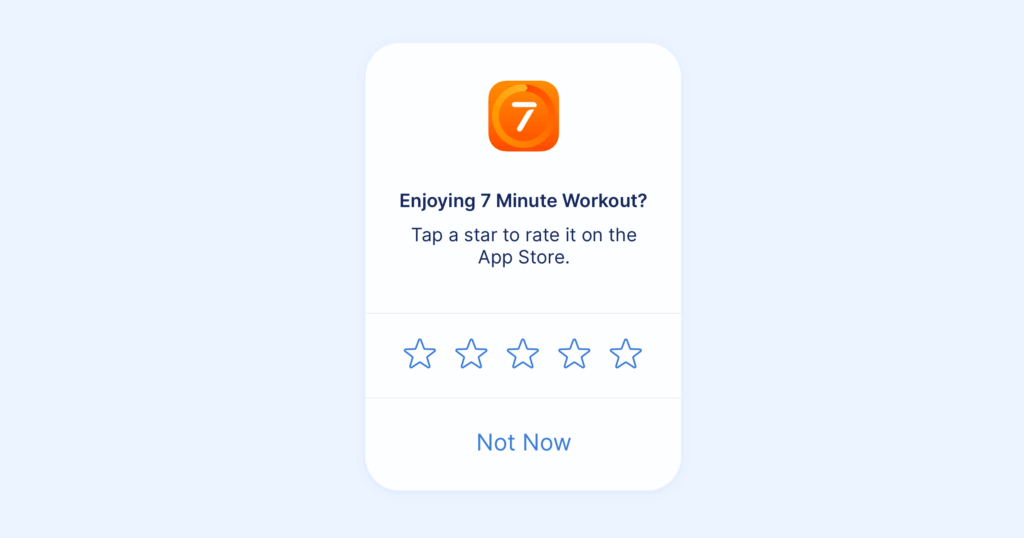
The easiest way to kill a potential review is making users jump through hoops. Apple’s StoreKit and Google Play’s In-App Review API allow users to submit ratings and reviews without ever leaving your app, dramatically reducing friction and improving response rates.
These native APIs present familiar, trusted interfaces that users recognize from the app stores themselves. The process takes seconds: users select stars, optionally write a review, and submit – all without losing their place in your app. Compare this to traditional approaches that redirect users to the app store, requiring them to find your app listing, navigate to reviews, and then find their way back.
Implementation is straightforward for developers, and the payoff is substantial. Apps using in-app review prompts typically see 2-3x higher review submission rates compared to external redirects. The reduced friction means users who might have abandoned the process during a redirect will actually complete their review.
Pro tip: You can still direct users to the full app store listing for more complex feedback, but use the native APIs for quick ratings and brief reviews.
3. Create a two-tier feedback system
Not every user with feedback should be pushed to public app stores. Implement a strategic filter that captures dissatisfied users before they broadcast negative reviews.
Start with a satisfaction check: “How would you rate your experience?” or “Are you enjoying the app?” Users who respond positively get directed to app store review prompts. Users who respond negatively receive an in-app feedback form or customer support contact option.
This approach serves multiple purposes. First, it reduces negative review counts by giving frustrated users a constructive outlet for their concerns. Second, it provides early warning about issues before they become public relations problems. Third, it creates opportunities to solve problems and potentially convert unhappy users into promoters.
The key is genuine intent. This isn’t about suppressing criticism – it’s about channeling feedback to the most productive destination. Use the private feedback to actually improve your app, then follow up with users once you’ve addressed their concerns. Some will update their reviews; others will become advocates who tell stories about how responsive your team is.
4. Leverage email and push campaigns thoughtfully
While in-app prompts capture active users, email and push notifications reach those who might not be currently using your app. These channels work especially well for targeting power users who’ve demonstrated high engagement but haven’t yet left reviews.
Personalization is critical. Generic “Please review our app” messages get ignored. Instead, craft messages that reference specific user successes: “Congratulations on completing your 50th workout! Mind sharing your experience?” or “You’ve saved 10 hours this month using [Feature]. Would you recommend us to others?”
Timing matters here too. Send these requests after notable updates that improve functionality users care about, or following significant user achievements or milestones. Avoid sending review requests during onboarding or immediately after signup – these users lack the experience to provide meaningful feedback.
Respect frequency limits. If a user ignores your first request, don’t immediately send another. Wait weeks or months, or tie subsequent requests to new achievements rather than pestering users.
5. Respond to all reviews promptly and professionally
Review responses serve multiple purposes. They show potential users you’re actively engaged and care about feedback. They provide opportunities to address concerns raised in negative reviews. They thank users who took time to leave positive feedback. And they can actually improve your app store ranking.
For negative reviews, respond within 24-48 hours when possible. Acknowledge the specific issue, apologize if appropriate, and explain what you’re doing about it. Provide contact information for follow-up if the issue requires troubleshooting. Avoid defensive or argumentative tones – even when reviews feel unfair. Remember that potential users are watching how you handle criticism.
For positive reviews, simple personalized thank-yous go far. Mention specific features the reviewer praised. Let them know you’re working on improvements they suggested. These responses reinforce positive sentiment and encourage other users to leave reviews.
Pro tip: Create response templates for common issues, but personalize each one. Users can spot copy-paste responses, which undermine the authenticity you’re trying to demonstrate.
6. Implement automation and review management tools
Manually managing reviews across platforms becomes overwhelming as your app scales. Automation tools centralize feedback, enable bulk responses, and help you identify trends and patterns.
Tools like AppTweak’s App Reviews Manager allow you to set up topic tagging rules that automatically categorize reviews by theme – bugs, feature requests, pricing concerns, etc. This organization helps you prioritize what to address and track sentiment over time.
Bulk reply functionality lets you respond to multiple similar reviews efficiently without sacrificing personalization. You can create templates for common issues and customize them with user-specific details before sending.
These platforms also provide analytics showing review velocity, sentiment trends, rating distributions, and keyword mentions. This data helps you understand what’s working, what’s not, and where to focus improvement efforts.
7. Make review requests part of your UX design
Rather than treating review prompts as afterthoughts, integrate them thoughtfully into your user experience. Place “Rate Us” options in logical locations, settings menus, profile pages, or post-transaction screens, where users can provide feedback whenever the mood strikes.
Passive placement won’t generate massive volumes of reviews, but it captures willing reviewers without disrupting anyone’s experience. It also provides an outlet for users who want to leave feedback but haven’t been prompted yet.
Consider adding review reminders to empty states or transitional moments in your app. If a user is waiting for something to load or process, a subtle “Enjoying the app? Leave us a review” message turns dead time into opportunity.
The key is balance. These invitations should feel natural, never intrusive. They should enhance rather than interrupt the user experience.
8. Showcase reviews as social proof
Don’t limit reviews to app stores. Feature positive reviews in your marketing materials, on your website, in onboarding flows, and in email campaigns. This strategy serves dual purposes: it validates your app for potential users while encouraging more reviews from existing users who want to be featured.
Create a reviews page on your website with your highest-rated testimonials. Pull quotes that mention specific features or benefits and use them in marketing copy. With permission, showcase user stories that highlight transformative results they’ve achieved with your app.
This visibility demonstrates that you value user feedback and creates aspirational motivation – other users might want to be featured too. It also provides rich content for potential users researching your app outside of app stores.
9. Provide incentives ethically and transparently
Incentives can boost review volume, but they must be implemented carefully to avoid violating app store policies. Never offer rewards specifically for positive reviews – this creates fake feedback that undermines trust and violates terms of service.
Instead, reward any honest review. Offer access to premium features, content unlocks, or entries into drawings for users who provide feedback – positive or negative. This approach increases review volume without biasing sentiment.
Gamification can also encourage reviews without crossing ethical lines. Award points, badges, or progress toward loyalty rewards for users who share their experiences. Frame reviews as part of community participation rather than transactions.
Be transparent about incentives. Disclose that users received compensation for their reviews, and ensure your policies comply with app store guidelines and relevant regulations.
10. Improve your app based on feedback
The most effective long-term strategy for positive reviews is shipping an app people genuinely love. Reviews provide roadmap insights – use them.
Analyze reviews systematically to identify patterns. If multiple users mention the same bug, prioritize fixing it. If users consistently request a feature, add it to your development queue. If reviews highlight UX confusion, redesign those flows.
Close the feedback loop by communicating changes. When you release updates addressing user concerns, mention it in release notes and through in-app announcements. Reach out to users who left negative reviews about fixed issues and let them know you addressed their feedback.
This approach transforms reviews from mere ranking signals into strategic business intelligence. Users who see their feedback implemented become advocates. Those who were frustrated often update their reviews when issues are resolved.
Top 5 reasons why your app gets negative reviews
1. Technical issues and crashes
Nothing frustrates users faster than apps that crash, freeze, or fail to load. Technical instability signals poor quality control and wastes users’ time. Even a single crash during a critical moment—like mid-transaction or when saving important data – can trigger an angry review.
Research shows that 40% of users abandon apps that crash, and many immediately leave negative reviews. These issues are particularly damaging because they prevent users from experiencing your app’s value proposition, regardless of how great your features might be.
Solution: Implement comprehensive crash reporting and monitoring. Test thoroughly across devices, OS versions, and network conditions. Prioritize stability over new features – users would rather have a reliable app with fewer features than a buggy one with many.
2. Poor onboarding and UX confusion
Users expect intuitive experiences that require minimal learning curves. When your app’s interface confuses them or critical features remain hidden, frustration builds quickly. Poor onboarding that fails to demonstrate value within the first session almost guarantees poor reviews.
First impressions matter enormously. If users can’t figure out how to accomplish their goals within minutes, they’ll assume your app isn’t for them – and they’ll tell others in reviews. Navigation confusion, unclear CTAs, and buried features all contribute to negative sentiment.
Solution: Test your onboarding with real users. Create guided tours that demonstrate core functionality. Use progressive disclosure to prevent overwhelming new users. Monitor where users drop off and redesign those flows.
3. Aggressive monetization and pricing concerns
Users understand that apps need to make money, but they despise feeling tricked or pressured. Paywalls that appear too early, essential features locked behind subscriptions, intrusive ads, and unclear pricing all generate negative reviews and immediate uninstalls.
The most common complaint is about “bait and switch” tactics – apps that appear functional in app stores but reveal limited utility without payment immediately upon opening. Users also resent discovering that the free version is essentially a demo with no useful functionality.
Solution: Be transparent about pricing and limitations upfront. Allow users to experience genuine value before requesting payment. If using freemium models, ensure the free tier provides real utility. For subscriptions, clearly communicate what users get and offer appropriate trial periods.
4. Lack of expected features or functionality
When your app’s description or screenshots promise features that don’t exist or don’t work as expected, users feel deceived. Similarly, if apps in your category typically include certain functionality and yours doesn’t, users will view it as incomplete.
This disconnect between expectation and reality generates particularly harsh reviews because users feel misled. They downloaded your app expecting specific capabilities and discovered you don’t deliver what they needed.
Solution: Ensure your app store listing accurately represents your app’s current capabilities. Don’t oversell or showcase features that aren’t fully functional. Regularly update listings to reflect your app’s actual state. When users request features, acknowledge them and communicate your development roadmap.
5. Poor customer support and ignored feedback
Users who encounter problems want to feel heard and supported. When they can’t find help, receive slow responses, or get generic unhelpful answers, their frustration escalates into negative reviews. Even worse is when developers never respond to reviews or feedback – users interpret silence as not caring.
Support quality directly impacts review sentiment. Users who receive helpful, timely support often update negative reviews to positive ones. Those who feel ignored or dismissed become vocal critics who warn others away from your app.
Solution: Make customer support easily accessible within your app. Provide multiple contact options. Respond to inquiries quickly – within 24 hours when possible. Train support staff to be empathetic and solution-focused. Most importantly, respond to app store reviews, especially negative ones, demonstrating that you’re listening.
| Problem | % of negative reviews | Solution | Recovery time |
|---|---|---|---|
| Crashes & bugs | ~40% | Crash monitoring, hotfixes | 1-2 weeks |
| Poor UX/onboarding | ~25% | User testing, guided tours | 2-4 weeks |
| Aggressive monetization | ~20% | Transparent pricing, trial periods | Immediate |
| Missing features | ~10% | Feature prioritization, communication | Varies |
| Poor support | ~5% | Faster response times, empathy training | Immediate |
App Store vs Google Play Store: How reviews are different
While both platforms use ratings and reviews to inform users and influence rankings, they handle them differently in ways that affect your strategy.
Rating calculations: The App Store calculates your average rating based on all received ratings across all versions. Google Play emphasizes ratings from your current version, giving more weight to recent feedback. This means Google Play apps can recover from poor ratings faster when they release updates.
Review management: Both platforms allow developers to respond to reviews, but Google Play offers more flexibility. On Google Play, you can edit your responses after posting them. The App Store locks responses once submitted, requiring more careful consideration before hitting send.
Reset capabilities: Apple allows developers to reset their app’s rating with each version update through App Store Connect, though existing reviews remain visible. This feature helps apps recover from initial poor launches or major overhauls. Google Play doesn’t offer rating resets, but the algorithmic emphasis on recent ratings provides similar recovery opportunities.
Review prompting limits: iOS restricts apps to three review prompts per user per year, preventing aggressive request strategies. Google Play has no strict limit but discourages excessive prompting. Both platforms throttle how frequently the review prompt appears based on user behavior.
Displaying reviews: Both stores prominently feature ratings and reviews on app listing pages, but they prioritize them differently. The App Store shows the overall rating alongside distribution bars showing rating breakdowns. Google Play provides more prominent positioning for recent reviews and highlights developer responses.
Strategic implications: On Google Play, prioritize encouraging reviews after updates that fix major issues – the algorithm will reward improved recent ratings. On the App Store, consider using your rating reset option strategically when releasing major version updates that fundamentally improve your app.
| Feature | App Store (iOS) | Google Play (Android) |
|---|---|---|
| Rating calculation | All-time average | Weighted toward recent ratings |
| Review prompts limit | 3 per user per year | No strict limit |
| Rating reset option | Yes (per version) | No |
| Response editing | No (locked after submit) | Yes |
| Recovery speed | Slower (requires reset) | Faster (algorithm adjusts) |
How to use app reviews to market your app
Reviews aren’t just ranking signals – they’re powerful marketing assets you can leverage across channels.
Social media content: Screenshot and share exceptional reviews on your social media channels. These authentic testimonials from real users carry more weight than any marketing copy you could write. Create graphics highlighting powerful quotes or compile “Review Roundup” posts showcasing multiple positive reviews.
Website and landing pages: Feature your highest-rated reviews prominently on your website homepage, landing pages, and sales materials. Use star ratings and user quotes to build immediate credibility with visitors. Consider implementing review widgets that pull real-time ratings from app stores.
Email marketing: Include customer testimonials from reviews in your email campaigns. When promoting new features, showcase reviews that specifically praised those features. Use reviews to address common objections – if prospects worry about ease of use, share reviews that highlight your app’s intuitive interface.
App store optimization: Analyze keywords users mention frequently in positive reviews. These phrases represent how your happiest customers describe your app’s value, making them ideal keywords to incorporate into your app store listing description and metadata.
Product development messaging: When you release updates addressing user-requested features or fixing issues mentioned in reviews, explicitly call this out. Include phrases like “You asked, we listened” in release notes. This demonstrates responsiveness and encourages more users to provide feedback, knowing you actually implement it.
Sales enablement: For B2B apps, compile relevant reviews into case study materials and sales presentations. Prospects trust peer reviews from users in similar industries or use cases. Create segmented collections of reviews by user type, company size, or use case to match different prospect needs.
Paid advertising: Incorporate review quotes into your ad creative. Display your star rating in ad copy where possible (Facebook’s App Install Ads automatically pull ratings). Reviews provide social proof that can dramatically improve ad performance and lower acquisition costs.
The key is authenticity. Never fabricate reviews or take quotes out of context. Use reviews as they were written, crediting users when appropriate (with permission). The power of reviews in marketing comes from their genuine, unsolicited nature – preserve that authenticity.