App Store custom product pages: how to use them in 2026

TL;DR:
- Custom product pages stopped being an ads-only tool in July 2025, when Apple let you assign keywords to individual pages. They now surface in organic App Store search, which moves them out of your media plan and into your ASO work.
- The lift is larger than most teams assume, and it compounds. Across more than 1 million Apple Ads ad groups, CPPs raised tap-through rate from 9.72% to 10.90% and tap-to-install conversion from 63.91% to 70.05%. Same impressions, 22.9% more installs.
- One rule governs the entire keyword strategy: each keyword combination belongs to exactly one page. Map your keyword field before you assign anything, or your pages compete with each other, and one of them gets nothing.
- Apple gives you 70 slots and no way to test them against each other. Judge pages on revenue per variant rather than downloads, because the page that wins on installs often loses on subscribers.
Custom product pages are alternate versions of your App Store listing. Each one carries its own screenshots, preview videos, promotional text, keywords, and deep link, and each gets a unique URL. You can publish up to 70 per app and point them at a specific segment, campaign, or search term while your default page stays live.
What if you could boost your app's conversions across all your segments, channels, and campaigns? Custom product pages let you have tailored conversations with all your key user segments. They help you leverage channels like paid advertising, influencer marketing, and organic App Store search by matching your app listing to what users expect to see.
They also improve conversions from your growth campaigns by aligning your product page with the marketing message that brought users there. In this guide, we'll cover what custom product pages are, how they work, and how you can add them to your app marketing mix. We'll also cover what Apple changed in 2025, and what is landing in fall 2026.
What are custom product pages?
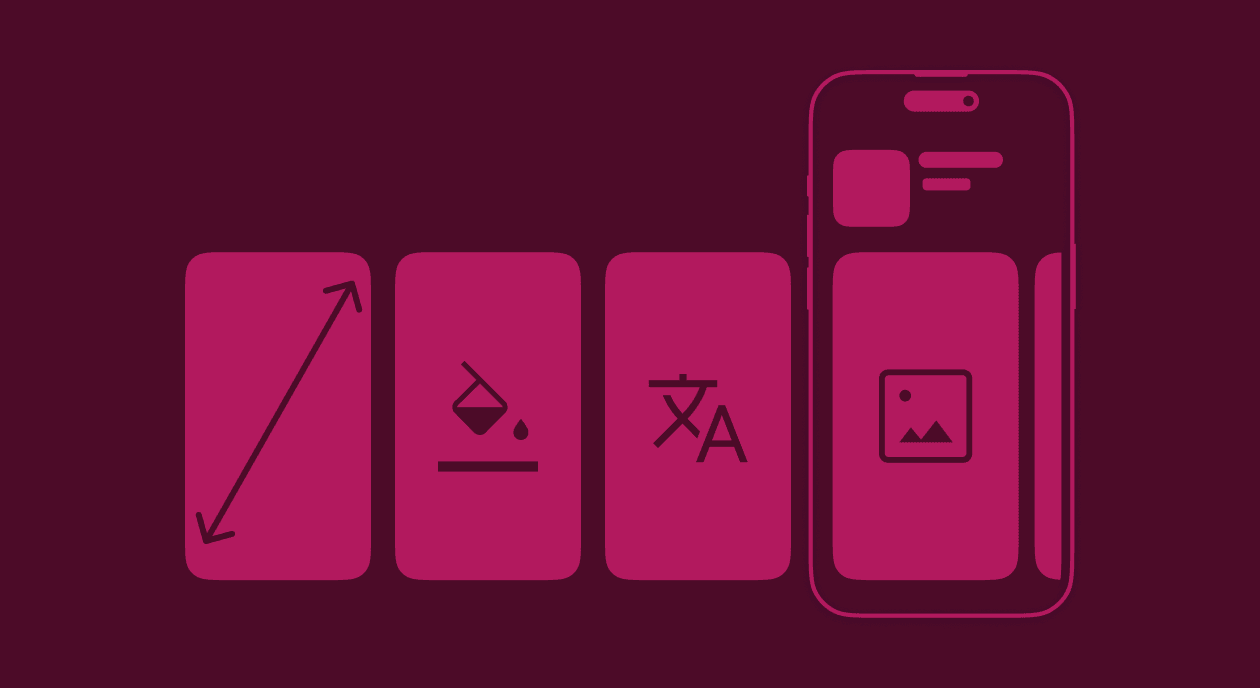
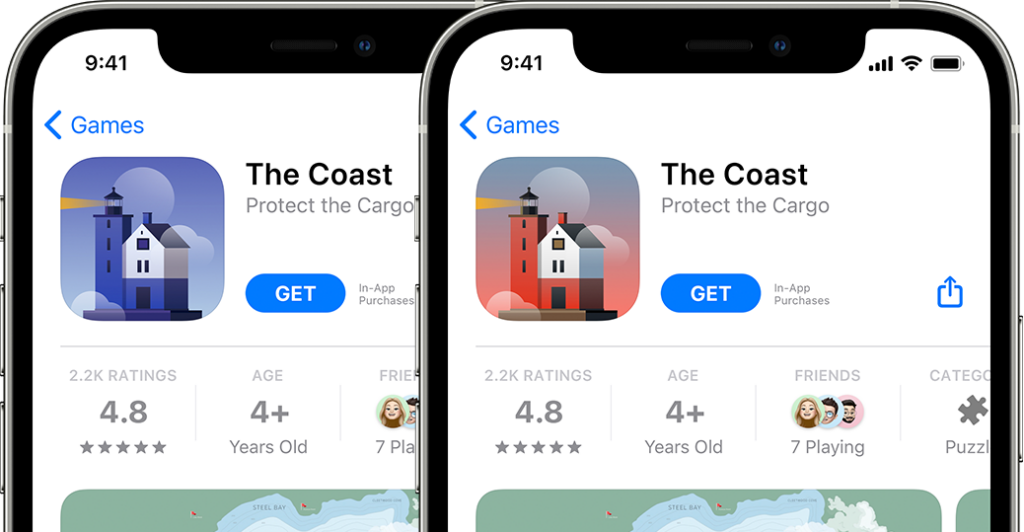
Each custom product page is independent. It gets its own URL, its own screenshot gallery, its own app preview videos, and its own promotional text. Your app name, icon, subtitle, description, ratings, and privacy details stay the same across every page, because those are pulled from your default listing.
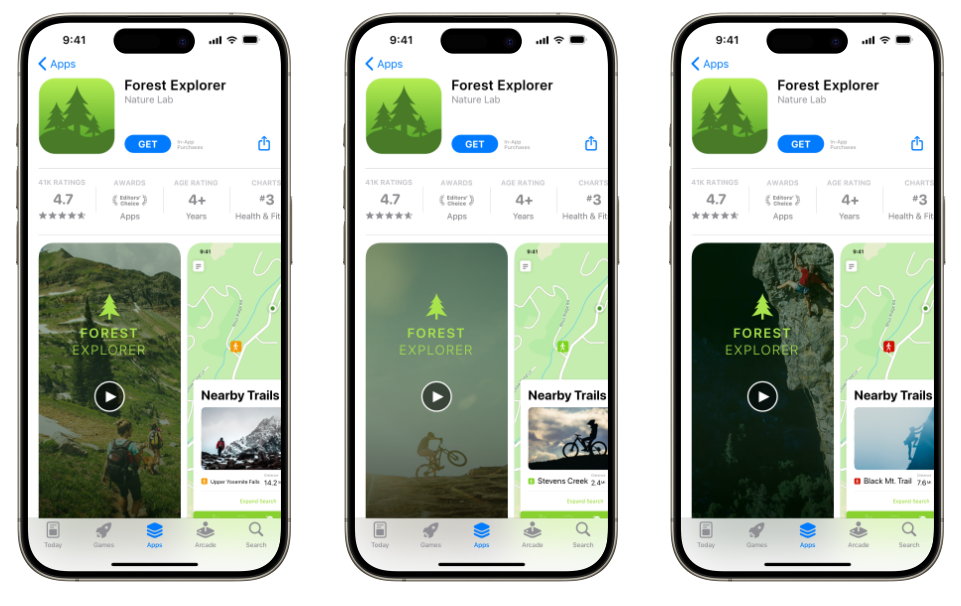
Here's a quick example. Imagine you have an outdoor activity app. You could create three custom product pages, one highlighting hiking trails for hikers, one showcasing bike routes for cyclists, and one focused on climbing spots for climbers. Each page speaks to a different audience with creatives and copy that match their interests. Assign each page its own keywords and the right version can now surface in organic App Store search, not just behind a link you share.
What changed in 2025
Apple made two structural changes to custom product pages in 2025. If you set up CPPs when they first launched and haven't revisited them since, here's what moved.
Limit increased from 35 to 70
As of October 29, 2025, you can create and publish up to 70 custom product pages per app. That gives you room for experimentation, localization, and campaign-specific pages without running out of slots.
Organic search visibility through keyword assignment
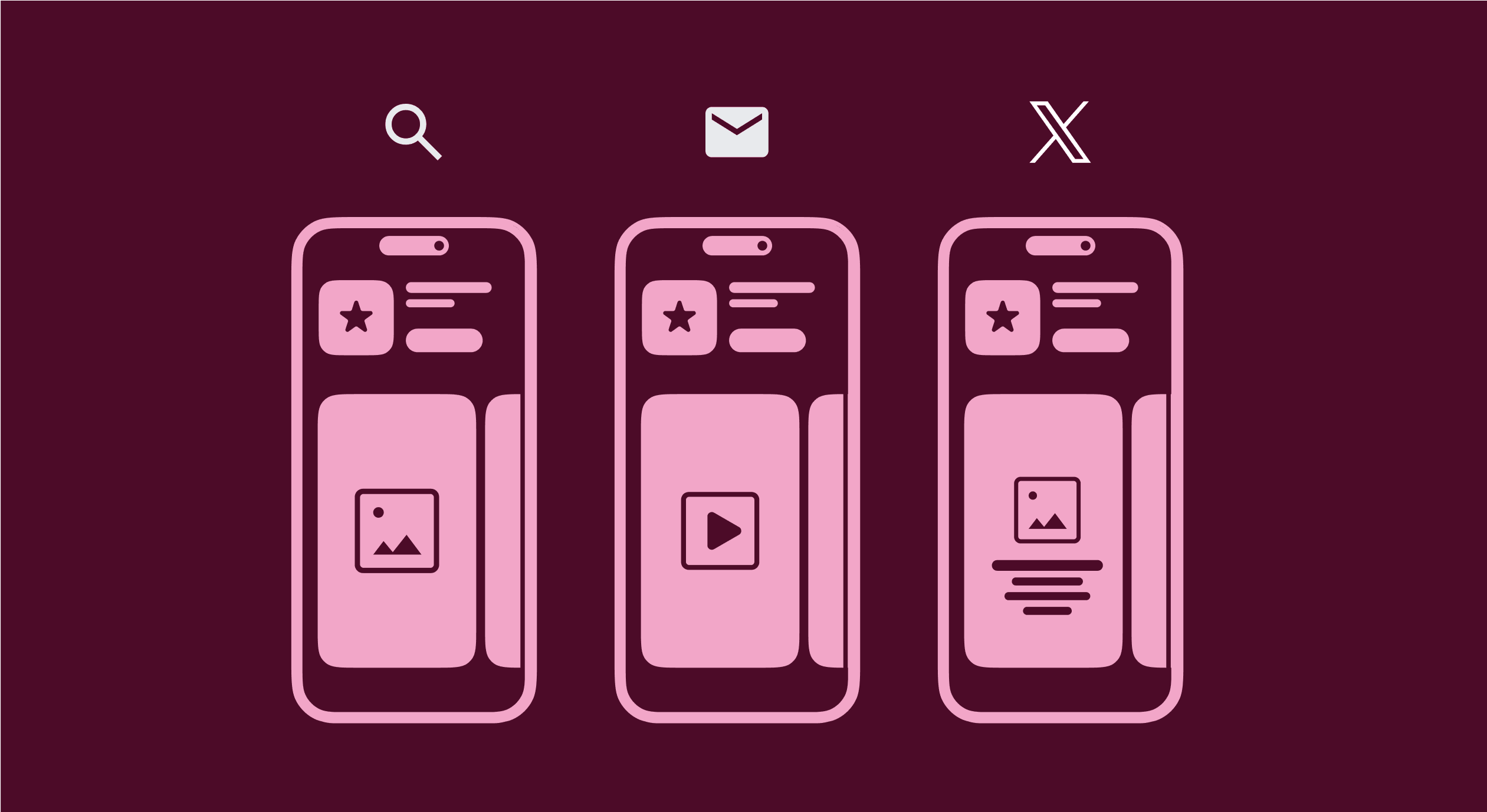
This is the biggest change since CPPs launched. Apple announced it at WWDC25 and rolled it out on July 30, 2025. You can now assign keywords from your keyword field to specific custom product pages in App Store Connect. When your app ranks for those keywords, your custom product page can appear in organic search results instead of your default page. Before this, CPPs were only reachable through unique URLs and Apple Ads. Now they're a genuine organic discovery tool, which makes them part of your ASO strategy.
Apple applies one constraint that shapes the whole strategy: each keyword combination must be unique to a single custom product page. Two pages cannot claim the same combination. Map your keyword field across your pages before you assign anything, because overlap means one page takes the query and the other takes nothing. Start with the segments where search intent is most distinct, then work outward.
Deep linking support
On iOS 18 and iPadOS 18 or later, you can assign a deep link to each custom product page. When users tap "Open" on your CPP, they land on a specific destination inside your app rather than the home screen. That shortens the path from discovery to engagement.
Expanded App Store Connect analytics
Apple rolled out over 100 new metrics in App Store Connect, giving you granular data for each custom product page. You can track App Store metrics (impressions, page views, conversion rate), download metrics (first-time downloads, redownloads), sales metrics (in-app purchases, proceeds), and usage metrics (sessions, active devices, deletions). You can also filter by source type to compare organic, Apple Ads, and referral traffic for each page.
Pre-order support
Apps available for pre-order can now use custom product pages, which let you tailor pre-launch marketing to different audiences.
What's coming for custom product pages in fall 2026
Apple announced a second wave of changes at WWDC 2026.
Asset Library
App Store Connect is getting one place to hold your images, videos, app previews, and screenshots. You upload an asset once, submit it for approval on its own schedule, then pull it into any product page you build later. Today, each custom product page needs its own upload and its own review cycle. After Asset Library ships, you upload a screenshot set once and reuse it across all 70 pages. Apple names custom product pages and In-App Events as the first two places it connects. Coming fall 2026.
Creative assets beyond screenshots
Apple is adding image and video formats that sit outside your screenshot gallery. They cover your brand, seasonal content, and new releases rather than showing the app in use. These assets appear in product page headers, in App Store search results, in Apple Ads, and on your custom product pages, and you can test them through product page optimization. Apple says fuller production guidance will arrive in late summer. Coming fall 2026.

Product page preview
A new App Store Connect tool renders your product page before you publish it, covering the header, app name, description, screenshots, and search-results creative. For CPP work, this removes the guesswork from a review cycle you can't preview today. Coming fall 2026.
Custom product pages in a combined submission
App Store Connect is grouping review items. You'll be able to submit In-App Purchases, In-App Events, custom product pages, and product page optimization tests as one package and track them in a single status view. Independent CPP submission stays available, so this adds an option rather than replacing the workflow in Step 8 below. App Store Connect web and API support will arrive later in the summer of 2026.
What you can and can't customize
Not everything on a custom product page is editable. Here's what you control and what stays the same across all your pages:
| Element | Customizable? | Notes |
| Screenshots | ✅ Yes | Up to 10 per page |
| App preview videos | ✅ Yes | Up to 3 per page |
| Promotional text | ✅ Yes | Up to 170 characters |
| Keywords | ✅ Yes | For organic search visibility |
| Deep links | ✅ Yes | iOS 18+ required |
| App name | ❌ No | Same across all pages |
| App icon | ❌ No | Same across all pages |
| Subtitle | ❌ No | Same across all pages |
| Description | ❌ No | Same across all pages |
| Ratings and reviews | ❌ No | Pulled from the default page |
| In-app purchase info | ❌ No | Consistent across all pages |
| Privacy info | ❌ No | Consistent across all pages |
For guidance on preparing your visual assets, check out our guides on App Store screenshot best practices and App Store screenshot sizes and requirements.
Use cases for custom product pages
Improving conversions at the segment level
The most important use case is boosting conversions across your key user segments. Whatever type of app you offer, chances are you're marketing to several distinct groups. Say you have a productivity app. Within your broader audience, you might have professionals looking for better work-life balance, homemakers wanting to reclaim time in their day, and freelancers managing projects. These segments have different motivations, so they convert better when you write copy that speaks to their goals, highlight features built for them, and show previews tailored to their use case.
Custom product pages are how you build those personalized landing pages. With keyword assignment, the right page can now surface in organic search when users look for relevant terms, not only when you send them a direct link.
Set up custom product pages for your most important segments only. Being able to create 70 pages doesn't mean you should. Focus on the segments, features, or campaigns with the biggest conversion impact.
Optimizing channel performance
Custom product pages let you align your App Store listing with the channel a user came from. If you're running influencer marketing, create a dedicated CPP for each influencer's audience. Referral traffic they send will see exactly what the influencer promised, so freelancers see the app's utility for freelance work, and homemakers see how it helps with household management.
The same logic applies across your other channels. You can create channel-specific CPPs for Meta, TikTok, Snapchat, YouTube, email campaigns, and your website. Each channel carries a different audience with different expectations, and matching the App Store page to the channel message improves the whole journey.
Running Apple Ads campaigns
Custom product pages integrate tightly with Apple Search Ads. Three placements use them:
Search results ads. Create ad variations using different custom product pages, each tailored to specific keywords. When users search those terms, they see screenshots and previews from your CPP rather than your default page, which lifts both tap-through and conversion rates.
Today tab ads. This high-visibility placement uses a custom product page as its tap destination. Assets from the linked CPP animate in the background behind your app icon.
Search tab ads. These appear when users first open the search tab and can also link to a custom product page as the tap destination.
Placement economics shifted in March 2026, when Apple added a second ad slot inside App Store search results. Organic results now sit lower on the page, which raises the value of every organic impression you still win. That makes keyword-assigned CPPs more useful, not less.
Improving ROI from campaigns
Custom product pages improve ROI from seasonal and themed campaigns. If you're running a holiday marketing campaign, create a CPP that reflects the theme with festive graphics and holiday-specific content. Users arriving from your holiday ads see what they expect, which lifts conversions. Once the campaign ends, disable the page. Anyone clicking an old link goes to your default listing automatically. CPPs persist until you remove them, so you can also reuse seasonal pages year after year and compare performance across seasons.
Localizing for different markets
Each custom product page supports up to three localized versions, and those localizations count as one CPP against your 70-page limit. A travel app could build localized CPPs for Japan featuring cherry blossoms and local landmarks, and a CPP for Brazil emphasizing Carnival travel deals. Pair localized metadata with localized CPPs, and you get a customized organic funnel per region.
How to set up custom product pages
Step 1: Open App Store Connect. Go to "My Apps" and select your app.
Step 2: Navigate to custom product pages. In the left sidebar, click "Custom Product Pages.
Step 3: Create a new page. Click "Create Custom Product Page." You can start blank or copy your default product page. Give it a descriptive name based on the audience segment, campaign, or feature it targets, for example, "Holiday-2026-Promo" or "Freelancers-Time-Tracking."
Step 4: Customize your assets. Upload the screenshots (up to 10), app preview videos (up to 3), and promotional text (up to 170 characters) for this page. Make sure your screenshots follow App Store guidelines and align with the messaging of the campaign or segment this page targets.
Step 5: Assign keywords (optional). If you want this CPP in organic search results, assign relevant keywords from your keyword field. Check your other pages first, because each keyword combination can only belong to one CPP.
Step 6: Add a deep link (optional). For iOS 18+ users, set a deep link that opens specific content inside your app.
Step 7: Localize as needed. Add localized versions for the languages or regions you serve.
Step 8: Submit for review. Custom product pages require App Store review, and you can submit them independently of an app version update. Click "Add to Review" and confirm.
Step 9: Monitor performance. Once live, track the page in App Analytics inside App Store Connect. For Apple's technical documentation, see the official setup guide in App Store Connect Help.
How to use custom product pages with Apple Ads
Custom product pages do their best work paired with Apple Ads, because they let you match ad creative to the page users land on.
| Apple Ads placement | How CPPs are used | Key benefit |
| Search results | Create ad variations with keyword-specific creatives | Higher tap-through and conversion rates |
| Today tab | CPP serves as a tap destination with an animated background | High-visibility brand campaigns |
| Search tab | CPP serves as a tap destination | Captures browsing users early |
Create your custom product pages in App Store Connect first, then link them to your campaigns. In Apple Ads Advanced, you select a previously created CPP as the destination for a new ad variation at the ad group level. This alignment between ad creative and landing page is the main reason CPPs deliver measurable performance gains. When users see the same message in the ad and on the product page, friction drops and conversions rise.
Custom product pages vs. product page optimizations
Both tools improve your App Store presence, and they serve different purposes.
| Feature | Custom product pages | Product page optimizations |
| Purpose | Targeted experiences for specific audiences or campaigns | A/B test default page elements for all users |
| Number of variants | Up to 70 | Up to 3 treatments |
| Customizable elements | Screenshots, previews, promo text, deep links, keywords | Icon, screenshots, previews |
| URL structure | Each gets a unique URL | Uses default URL |
| Discovery | Via unique URL, Apple Ads, and organic search (with keywords) | Organic search (random assignment to treatments) |
| Traffic assignment | Manual or campaign-based | Automatic split testing |
| Duration | Permanent until disabled or deleted | Up to 90 days |
| Analytics | Per-page metrics in App Analytics | Treatment vs. control comparison |
Think of custom product pages as always-on optimizations for specific audiences, channels, and campaigns. Product page optimizations are experiments you run to validate a hypothesis about your default page: the icon, the main screenshots, and the core message. Both have their place in your overall app store optimization strategy.
Performance benchmarks: what results to expect
We measured this across more than 1 million Apple Ads ad groups in our State of Apple Ads 2026 report. Ad groups pointing at a keyword-matched custom product page produced 23% more downloads than ad groups pointing at the default page, on the same spend and the same keywords.
The lift splits across the funnel. Tap-through rate rises from 9.7% to 10.9%, and tap-to-install conversion rises from 63.9% to 70.1%. The two multiply rather than add, which is where the 23% comes from.
We broke down where that lift comes from, which markets leak without it, and when CPPs fail to deliver in Do Apple Ads custom product pages work?.
Third-party benchmarks point in the same direction:
| Metric | Data | Source |
| Average conversion lift from CPPs | Apple Developer | |
| Tap-to-install conversion rate | 70.05% | +9.6% |
| Installs per 100 impressions | 7.63 | AppTweak ASO benchmark report |
Case studies reinforce the pattern. CBS Sports saw a 20% conversion rate increase after creating custom product pages with seasonal content aligned to their brand. State of Survival achieved a 33% conversion rate increase and 14% lower cost per install by aligning CPP screenshots with their marketing creatives. SoundCloud reported a 39% reduction in cost per install and a 58% increase in conversions using CPPs as ad variations in Apple Ads.
How to test custom product pages against each other
Apple gives you per-page analytics and no way to A/B test custom product pages inside Apple Ads. You can see how each page performed, but not whether the gap between two pages is real or noise, because traffic isn't split evenly, and the pages rarely run under matched conditions.
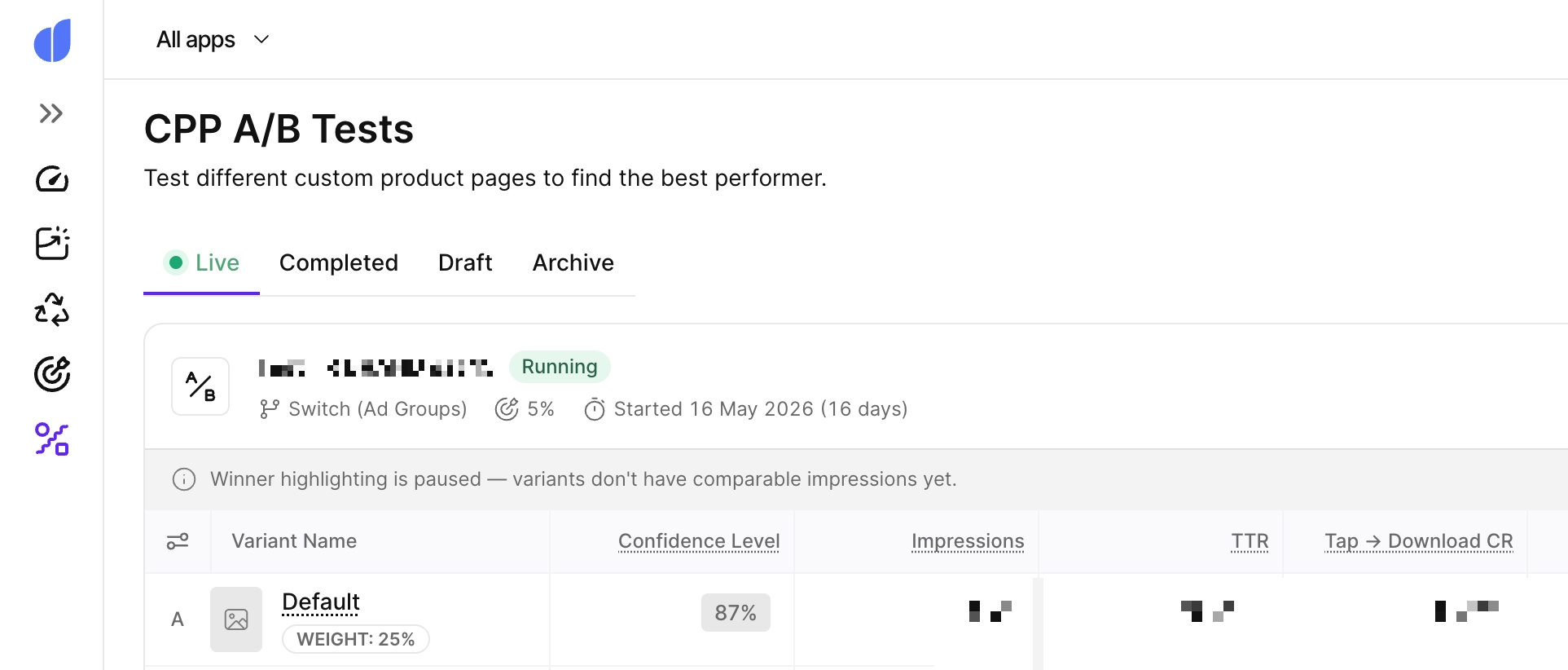
Adapty's Ads Manager runs CPP A/B tests using an ad group switch method. You pick 2 to 4 variants and can include your default product page as the control. The system clones your source ad group once per variant, rotates which clone is active on a schedule, and keeps rotating until every variant holds a comparable share of impressions.
Three settings control how the test runs:
Switch interval. Hourly suits ad groups above 5,000 impressions a day and finishes in days. Daily suits normal traffic and finishes in weeks. Weekly covers anything under 400 impressions a day and runs for months.
Desired precision. The smallest conversion-rate difference the test can detect is from 1% to 5%. Use 1% to 2% when you expect small differences and have high-traffic ad groups. Use 5% when you expect a clear winner and want the answer fast.
Confidence level. From 80% to 99%, defaulting to 90%. A variant is only marked as the winner once it leads on the primary metric at 95% confidence or higher.
Your source ad group needs at least 28 days of history with impressions, taps, and installs before you can start, because that history sets the sample size and the duration estimate.
The reporting goes past installs. Alongside TTR, tap-to-download rate, CPT, and CPA, each variant reports paid users, paid conversion rate, ARPPU, revenue, ROAS, and cohort retention curves. That matters because the page that wins on installs isn't always the page that wins on revenue. A page that promises everything converts more downloads and fewer subscribers.
Custom product pages don't work by themselves
Custom product pages only work if you send traffic to them or activate them for organic search. For paid channels, link each CPP to the right campaign, whether that's Apple Ads, Meta, TikTok, or another platform. For influencer marketing, share the unique CPP URLs so referral traffic lands on the right page.
For organic search, assign relevant keywords in App Store Connect so the right CPP appears when users search those terms. And for your own channels, use CPP links in email campaigns, blog posts, and social promotions.
Custom product pages are a conversion optimization tool. You still need to do the work of driving qualified users to them.
Short-term vs. long-term analysis
Use custom product pages well, and you'll see user acquisition improve across segments, channels, and campaigns. Those are top-of-funnel metrics. To understand the real value of users acquired through custom product pages, tie the analysis to bottom-funnel metrics: retention rates, average revenue per user, and customer lifetime value (LTV) for each segment.
That means monitoring in-app spending behavior, engagement patterns, and churn rates for users who came through custom product pages. If certain CPPs attract users with higher LTV, double down on those pages and the campaigns feeding them.
Adapty's CPP A/B tests report ARPPU, revenue, ROAS, and cohort retention per variant, not just downloads. That's the difference between knowing which page got more installs and knowing which page got more subscribers.
Common mistakes to avoid
Creating CPPs without a clear strategy. Don't create pages just to fill the 70-slot limit. Every CPP should have a defined audience, campaign, or keyword target. Start with your highest-impact segments and expand from there.
Not aligning CPP creatives with ad creatives. The whole point of CPPs is consistency between what users see in your ad and what they see on the product page. If there's a disconnect, conversions suffer.
Ignoring keyword assignment for organic search. Since mid-2025, keyword assignment is available for CPPs. If you're not using it, you're missing free organic visibility for your tailored pages.
Forgetting to localize. Each CPP supports up to three localized versions that count as a single page. If you operate in multiple markets, localization can dramatically improve relevance and conversion rates.
Not tracking performance per CPP. Without monitoring each page's metrics individually, you can't tell which pages are working and which need improvement. Use the expanded App Store Connect analytics to compare performance across all your CPPs.
Letting seasonal pages go stale. If you created a holiday CPP last year, review and refresh it before the next season. Update screenshots, promotional text, and any date-specific references.
App Store custom product pages vs. Google Play custom store listings
If you publish on both platforms, it helps to know how Apple's CPPs compare to Google Play's custom store listings:
| Feature | App Store (CPPs) | Google Play (CSLs) |
| Maximum variants | 70 | 50 |
| Organic search visibility | Yes, via keyword assignment (since 2025) | Yes, via country/language targeting |
| Customizable elements | Screenshots, previews, promo text, deep links | Name, descriptions, screenshots, feature graphic, promo video |
| Icon customization | No | No |
| Targeting options | Keywords, unique URLs, Apple Ads | Country, language, referrer, ad group, user state |
| Unique URLs | Yes | Yes |
| Deep linking | Yes (iOS 18+) | Varies by implementation |
Both platforms offer solid page customization. Google Play has had custom store listings longer and allows more metadata flexibility, including app name and description changes. Apple's 2025 updates, especially keyword-based organic search visibility, closed much of the gap. If you run cross-platform campaigns, align your CPPs and CSLs around the same audience segments and creative strategy.
Wrapping up
Custom product pages started as an advertising tool and became one of the most useful conversion features in the App Store. The 2025 updates made them relevant to organic ASO as well as paid acquisition, and the fall 2026 changes will cut the production cost of running a lot of them.
The data support the investment. Apps using custom product pages see higher conversion rates, lower acquisition costs, and better campaign ROI.
Start with your highest-impact segments and campaigns. Build a few targeted CPPs, map your keywords so no combination overlaps, connect the pages to your ads, and measure performance. Then iterate.
Don't stop at installs. The users worth acquiring are the ones who stay and pay, and the page that wins on downloads isn't always the one that wins on revenue. Run a CPP A/B test in Adapty's Ads Manager and judge your pages on ROAS.