If you’ve developed a mobile app, you’re familiar with the financial reality: platform commissions of 15-30% significantly impact your bottom line. With Stripe charging just 2.9% + $0.30 per transaction, many developers wonder if this could be a viable alternative.
The answer has fundamentally changed. Following landmark court rulings in the Epic Games cases against both Apple and Google, developers in the United States now have unprecedented freedom to use alternative payment systems like Stripe for digital goods. This guide covers everything you need to know about the current state of in-app payments across both platforms.
Timeline: How we got here
The mobile payment landscape has undergone dramatic changes since Epic Games filed its antitrust lawsuits in 2020. Here’s how the key events unfolded:
- August 2020: Epic Games bypasses Apple’s payment system in Fortnite, leading to removal from App Store and lawsuits against both Apple and Google
- September 2021: Judge Gonzalez Rogers rules Apple’s anti-steering policies violate California competition law
- March 2024: Apple introduces changes for EU apps under the Digital Markets Act (DMA)
- December 2023: Jury rules against Google in Epic v. Google, finding monopoly in Android app distribution
- April 2025: Judge finds Apple “willfully” violated 2021 injunction; EU fines Apple €500M for DMA violations
- May 2025: Apple updates App Store Guidelines for US; Fortnite returns to iOS with external payments
- October 2025: Google opens Play Store to alternative billing systems in the US
- December 2025: Appeals court partially modifies Apple injunction; case returns to district court to determine fair commission rate
Current payment rules by region
iOS — United States
Following the April 2025 ruling and December 2025 appeals court decision, developers can now include buttons or links directing users to external payment options. The key developments:
- Apps can include external payment links without Apple blocking or restricting their placement
- Apple cannot charge commission on purchases made outside the App Store (pending final court determination)
- Apple can only show a neutral message stating users are leaving for an external site
- Most apps must still offer IAP alongside external options (except “reader” apps like Spotify and Kindle)
Important: The December 2025 appeals court ruling stated that Apple may eventually charge some commission, but its amount must be determined by the district court. Until then, Apple cannot collect fees on external payments.
Android — United States
As of October 29, 2025, Google has opened the Play Store to alternative payment systems for US users. This is arguably more developer-friendly than iOS:
- Developers can integrate third-party payment systems directly in-app (not just link-out)
- Google Play Billing is no longer required for digital goods
- Developers can communicate about pricing and availability outside the Play Store
- Different pricing for different payment methods is allowed
- Links to external app stores are permitted
Note: These changes are effective until November 1, 2027, per the court injunction. Google plans to introduce fees of 9-20% for alternative billing, but exact timing is uncertain pending a January 2026 settlement hearing.
European Union (DMA)
The Digital Markets Act, enforced since March 2024, requires Apple and Google to allow alternative payment systems and app marketplaces. Key points:
- Alternative app marketplaces are allowed (Epic Games Store launched in EU in August 2024)
- External payment links are permitted with some restrictions
- Apple charges a Core Technology Commission (CTC) of 5% on digital goods sold through alternative systems
- The European Commission fined Apple €500 million in April 2025 for anti-steering violations
Rest of world
Outside the US and EU, traditional rules largely apply:
- UK: Similar regulations expected in late 2025-2026 under the Digital Markets, Competition and Consumers Act
- South Korea: Has its own regulations allowing alternative payments since 2021
- Other regions: IAP requirements still apply; check local regulations
Fee comparison by region
| Region | Apple | Stripe | Status | |
|---|---|---|---|---|
| USA | 0%* | 0-20%** | 2.9% + $0.30 | ✅ External payments allowed |
| EU (DMA) | 5% CTC + fees | Varies | 2.9% + $0.30 | ✅ External payments allowed |
| UK | 15-30% | 15-30% | 2.9% + $0.30 | ⏳ Changes expected 2025-26 |
| Other | 15-30% | 15-30% | 2.9% + $0.30 | ❌ IAP required |
*Pending court determination of fair rate. **Currently 0%, fees of 9-20% expected.
When can you use Stripe for in-app purchases?
1. Physical goods and real-world services
Yes, you can use Stripe freely — worldwide. If your app sells physical products (clothing, electronics, books) or real-world services (rides, cleaning, food delivery), you’ve always been free to use Stripe or any other payment processor. Food delivery apps like DoorDash and Uber Eats use external payment processors without issue.
2. Digital content in the United States
Yes, with both iOS and Android. As of late 2025, you can use Stripe for digital goods in US apps:
- iOS: Link users to external checkout (web-based)
- Android: Integrate Stripe directly in-app or link to external checkout
3. Digital content in EU
Yes, but with additional platform fees. Under DMA, you can use external payments but Apple still charges a 5% Core Technology Commission. Calculate whether the savings justify the complexity.
4. Subscriptions (cross-platform)
Yes, with strategic implementation. Many developers sell subscriptions both in-app and on the web. You can use Stripe to process web payments and unlock access across all devices where the user is logged in.
Potential savings with Stripe
For a subscription-based app, the fee difference is substantial:
| Price | App Store 30% | App Store 15% | Stripe | Savings vs 30% | Savings vs 15% |
|---|---|---|---|---|---|
| $4.99/mo | $1.50 | $0.75 | $0.44 | $1.06 (71%) | $0.31 (41%) |
| $9.99/mo | $3.00 | $1.50 | $0.59 | $2.41 (80%) | $0.91 (61%) |
| $19.99/mo | $6.00 | $3.00 | $0.88 | $5.12 (85%) | $2.12 (71%) |
| $49.99/mo | $15.00 | $7.50 | $1.75 | $13.25 (88%) | $5.75 (77%) |
Complete Stripe fee breakdown
Stripe’s fees go beyond the base 2.9% + $0.30:
| Fee type | Amount |
|---|---|
| Standard online transaction (US cards) | 2.9% + $0.30 |
| International cards | +1.5% |
| Currency conversion | +1% |
| In-person (Stripe Terminal) | 2.7% + $0.05 |
| ACH Direct Debit | 0.8% (max $5) |
| Dispute fee | $15 |
| Dispute counter fee (since June 2025) | $15 (refundable if won) |
| Instant Payout | +1% |
Payout timeline comparison
| Platform | Typical payout time | Notes |
|---|---|---|
| Apple App Store | 30-45 days | After fiscal period ends |
| Google Play | 15-30 days | 15 days with history |
| Stripe (standard) | 2-7 days | Varies by country |
| Stripe Instant Payout | Minutes | +1% fee |
Implementing external payment options
Many developers are now integrating Stripe through a three-part strategy:
Technical implementation
Below is a basic SwiftUI view that demonstrates the flow for creating a personalized checkout experience on the web. This example is a starting point and does not include comprehensive error handling or UX refinements, so you’ll need to adapt it for your specific use case.
Swift

import Foundation
import SwiftUI
import StoreKit

struct SubscribeView: View {
  @State var serverMgr: ServerManager = ServerManager()
  @State var paymentComplete = false
  @State var checkoutURL: URL? = nil

  var body: some View {
    content
      .task {
        do {
          checkoutURL = try await serverMgr.createCheckoutURL()
        } catch {
          // Handle error more gracefully
          print(error)
        }
      }
      .onOpenURL { url in
        // Handle the universal link from Checkout.
        if url.absoluteString.contains("success") {
          // The payment was completed.
          // Show a success page and fetch the latest
          // customer entitlements from your server.
          paymentComplete = true
        }
      }
  }

  @ViewBuilder
  var content: some View {
    // Check if payments are blocked by Parental Controls or MDM on this device.
    if !AppStore.canMakePayments {
      Text("Payments are disabled on this device.")
    } else {
      if paymentComplete {
        Text("Payment complete!")
      } else {
        Button {
          if let checkoutURL {
            UIApplication.shared.open(checkoutURL, options: [:], completionHandler: nil)
          }
        } label: {
          Text("Subscribe Now")
        }
      }
    }
  }
}To facilitate the individualized URL you need to present the external checkout, you’ll need to do two things:
- Provide an endpoint on your server to log the user in and get a session token.
- Use that session token with another server endpoint to get an individualized checkout URL.
The Swift code below enables your app to interact with the necessary endpoints, providing the data required to make the SwiftUI view work. You’ll need to implement the server-side logic on your own backend. Stripe offers detailed guides for this, including language-specific examples. The code here has been adapted from their documentation and updated for Swift Concurrency.
Swift

@Observable
final class ServerManager {
enum ServerError: Error {
case invalidLoginURL
case invalidCheckoutURL
}

struct LoginResponse: Decodable {
let token: String
}

struct CheckoutResponse: Decodable {
let url: URL
}

// The cached login token
var token: String?

/// Run this first to log into your server to correlate this mobile user
/// with their web profile. This is important to establish continuity of service
/// after they make a purchase.
func login() async throws {
guard let loginURL = URL(string: "https://example.com/login") else {
throw ServerError.invalidLoginURL
}
let request = URLRequest(url: loginURL)

let (data, _) = try await URLSession.shared.data(for: request)
let loginResponse = try JSONDecoder().decode(LoginResponse.self, from: data)
self.token = loginResponse.token

}

/// Run this after running login() to get a specific checkout url
/// for this user.
func createCheckoutURL() async throws -> URL {
guard let token,
let checkoutURL = URL(string: "https://example.com/create-checkout-session?token=(token)") else {
throw ServerError.invalidCheckoutURL
}
let request = URLRequest(url: checkoutURL)

let (data, _) = try await URLSession.shared.data(for: request)
let checkoutResponse = try JSONDecoder().decode(CheckoutResponse.self, from: data)
return checkoutResponse.url

}
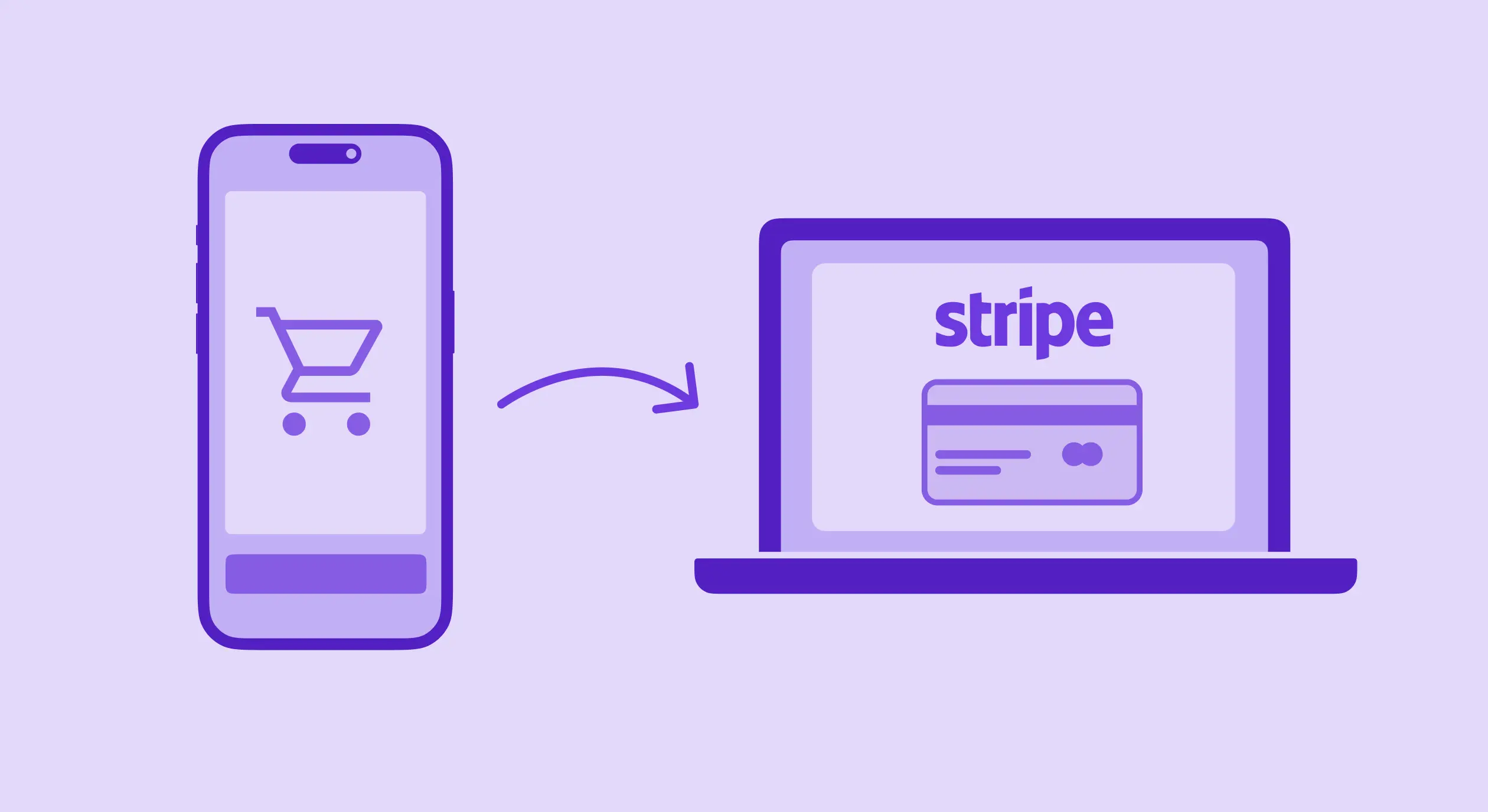
}When a user taps the button, your app creates a checkout session on your server and then opens the user’s browser to complete the payment through Stripe.
Payment option
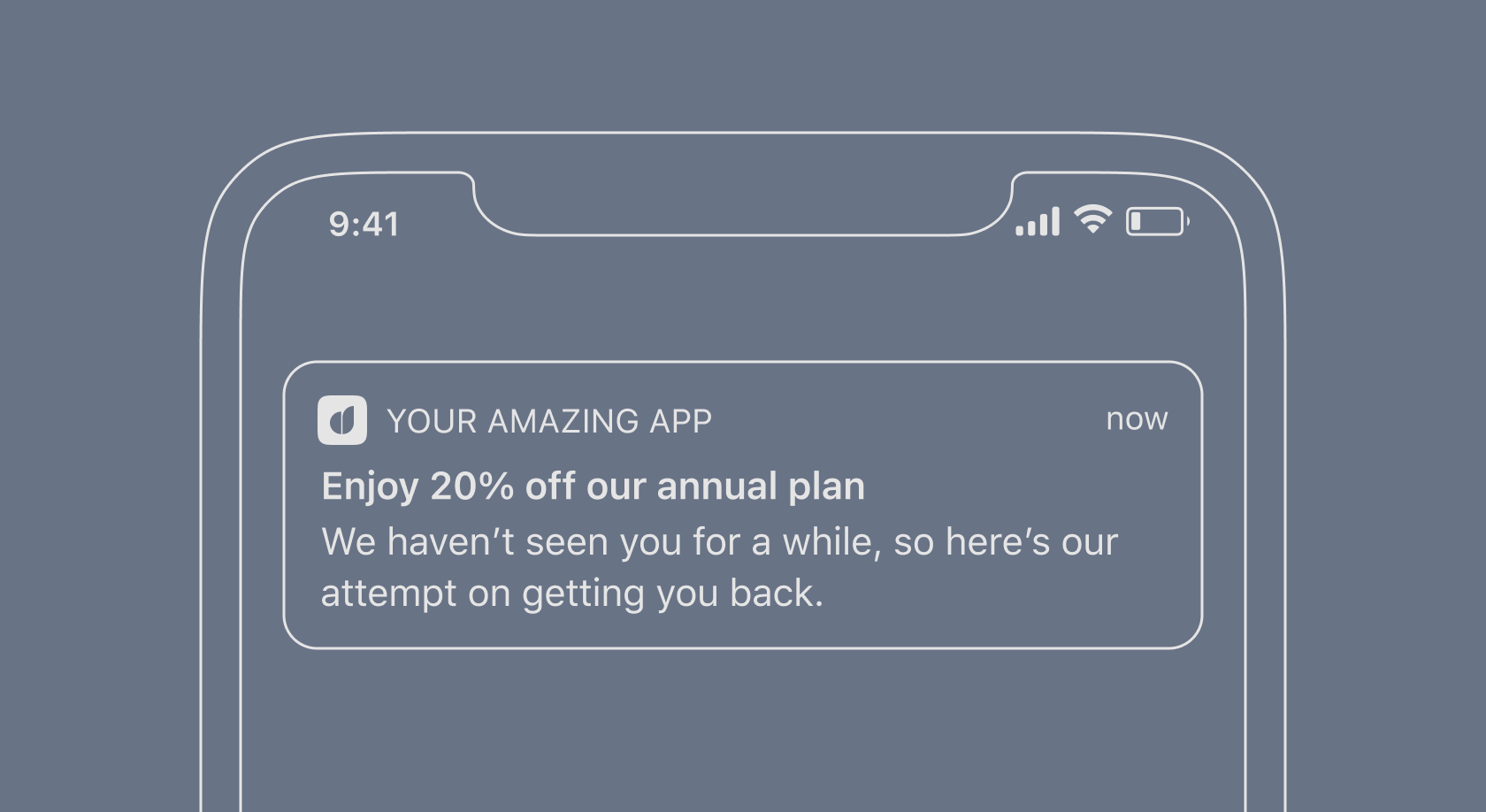
Using different pricing strategies for web and in-app purchases creates opportunities for experimentation. You can offer lower prices on the web to encourage users to switch to external payment methods or set premium prices in-app for the most loyal customers.
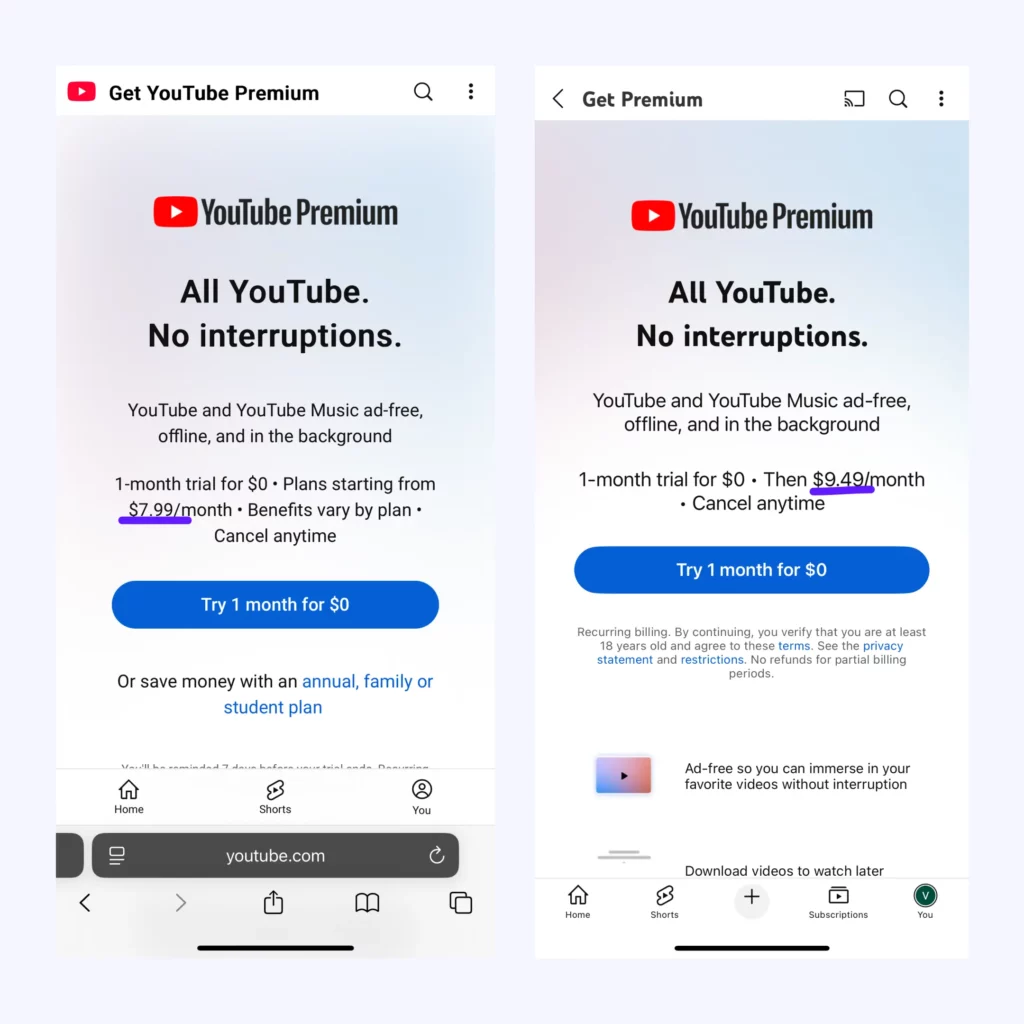
YouTube Premium offers different rates for web and in-app purchases, highlighting the potential for better margins and experimentation.
This flexibility allows you to optimize ARPU and test pricing hypotheses without platform restrictions.
User experience considerations
The critical challenge is smoothing the transition between your app and the external payment flow. What you can do:
- Create a seamless visual transition to the browser.
- Implement Universal Links to bring users back automatically.
- Test multiple approaches to find what converts best for their specific users.
One important tip: Save the user’s selection state so that when they return from the web payment, they can pick up right where they left off.
Benefits of using Stripe for in-app purchases
When allowed by platform rules, Stripe offers several advantages:
- Lower fees. Stripe’s transaction fees are 2.9% + $0.30 per credit card charge versus Apple and Google’s 15% or 30% cut of revenue. For a $10 monthly subscription, that’s approximately $0.59 with Stripe versus $1.50-$3.00 with platform fees.
- Greater flexibility. Using Stripe allows you to manage pricing, subscriptions, and the user experience in ways that Apple and Google’s frameworks don’t support. You can set up features like dynamic pricing, adjusting prices depending on the user’s history or what else is in their cart.
- Better analytics. Stripe gives you deeper access to payment analytics than Apple and Google provide. Through Stripe, you can view more data about payments and your users.
- Faster payouts. Unlike Apple’s 30-60 day payout cycle, web processors like Stripe and Paddle typically pay out within days. This means faster cash flow and a shorter payback window for paid acquisition.
Potential risks and considerations
Before implementing Stripe for in-app purchases, consider these factors:
Regional restrictions
The April 2025 ruling in the Epic v. Apple case specifically applies to the United States App Store only. This means:
- Apps distributed through the US App Store can include links to external payment systems.
- Apps in other countries’ App Stores may still be prohibited from linking to external payment options.
- Developers with global audiences need different implementation strategies for different regions.
- The same app might need different versions depending on the user’s location.
Consider creating region-specific builds or implementing dynamic payment options based on the user’s location.
Implementation complexity
Using Stripe instead of Apple’s in-app purchases introduces several technical complexities:
Server-side development requirements
- You must set up and maintain your own server to create Stripe checkout sessions.
- Your server needs to process webhooks from Stripe to confirm successful payments.
- Purchase verification systems must be built to validate user entitlements.
Cross-platform account management
- User accounts must be maintained across your app and website.
- Purchase history and subscription status need to sync across platforms.
- Password reset and account recovery flows become your responsibility.
Security considerations
- Payment data security becomes your responsibility.
- Server infrastructure requires proper security hardening.
- Compliance with payment card industry (PCI) standards.
Consider whether you have the technical resources to implement and maintain this infrastructure. If not, integration platforms can handle much of this complexity.
User experience challenges
Implementing external payment options introduces significant user experience challenges:
Conversion impact of app exits
- Users must leave your app to complete payment.
- Each additional step typically reduces conversion rates by 20-30%.
- Some users may abandon the purchase when redirected outside the app.
User expectations and friction points
- Regular app users expect the simplicity of native payments.
- External payment flows create cognitive load for users.
- Different payment UIs can cause confusion and uncertainty.
Optimization strategies
- A/B testing different presentations of payment options is essential.
- Clear explanations of the price difference can improve external payment adoption.
- Universal Links provide crucial return paths to your app post-payment.
- Saving cart/selection state is necessary for users who abandon the external flow.
Simplifying integration with Adapty
For developers seeking to streamline Stripe integration, third-party tools can significantly reduce implementation complexity.
Adapty, available in the Stripe App Marketplace, offers a simplified integration process:
- Install the Adapty app to your Stripe account.
- Copy your Stripe API keys.
- Paste them into Adapty.
- Skip manual webhook configuration as it’s handled automatically.

This approach eliminates much of the server-side development typically required when working with Stripe directly, making it accessible even for teams with limited technical resources.
The integration also provides unified analytics across all payment sources:
- Track web-based Stripe payments alongside app store purchases in a single dashboard.
- View consolidated subscription metrics without building custom analytics.
- Automatically grant access to paid features when users log in across devices.
- A/B test different payment flows without additional coding.
Looking ahead: The future of mobile payments
- January 2026: Court hearing on Epic v. Google settlement that may formalize fee structures
- 2026: District court to determine Apple’s fair commission rate for external payments
- Late 2025-2026: UK expected to implement similar regulations under DMCC Act
- November 2027: Google’s current injunction compliance period expires
The current moment is unique: both iOS and Android in the US allow external payments with minimal or no platform fees. This window may not last forever, so developers interested in this approach should consider acting sooner rather than later.
Is Stripe right for your app?
The answer depends on your specific situation:
For physical goods or real-world services: Yes, use Stripe freely. This has always been permitted and remains the simplest use case.
For digital goods in the U.S. after May 2025: Yes, you can now link to external checkout. The new ruling gives you freedom to direct users to Stripe from within your app.
For global digital goods: Follow platform-specific guidelines. Each region has different rules, so research thoroughly or use region-specific implementations.
For subscription businesses: Consider a hybrid approach. Offer both native IAP and Stripe options to maximize conversion and minimize platform fees.
The landscape is evolving in favor of developer choice and flexibility. By staying informed about the latest platform policies and implementing payment systems strategically, you can optimize both user experience and your bottom line.
Your next step: Evaluate your app’s category, target regions, and technical resources to determine if Stripe integration is right for you. If it is, consider using integration platforms like Adapty to accelerate implementation.
→ Book a friendly call with our team to find out more on Stripe integration.
This article was last updated on May 9, 2025, and reflects the current App Store policies as of this date. Always check the latest platform guidelines before implementing payment systems in your app.
FAQ
- Create a button in your app that triggers a server request.
- Set up a server to create Stripe checkout sessions.
- Open the checkout URL in a browser using
UIApplication.shared.open(url) - Implement Universal Links to return users to your app after payment.
- Verify payment status via Stripe webhooks.
- Creating a user account system.
- Storing purchase entitlements in a database.
- Verifying user status on login.
- Synchronizing subscription status across platforms.
- Install the platform’s app to your Stripe account.
- Copy and paste your API keys.
- Let the platform handle webhook configuration.
- Use their SDK to verify purchase status in your app.
- Create a seamless visual transition to the browser.
- Clearly explain the price benefit.
- Implement Universal Links for automatic return to the app.
- Save user selection state during the payment process.
- A/B test different presentations of payment options.