Pricing is one of the few product decisions that directly affects every growth metric at once, including conversion, retention, lifetime value, and revenue predictability. Yet for many app teams, it’s still treated as a late-stage decision or a copy-paste from competitors.
The reality is simple: the same app can succeed or fail depending on how its pricing is designed and communicated. That’s why choosing the right model should be based on what users actually need and what they’re willing to pay, not some arbitrary number.
In this article, we break down the most effective app pricing approaches, the monetization models that drive real profit, and a practical step-by-step framework for choosing the right pricing strategy for your app.
What is an app pricing model?
An app pricing model determines how your app generates revenue from the value it provides. It specifies when users pay, what they pay for, and how frequently.
But pricing affects more than transactions. It sets user expectations, affects retention, and often decides whether an app becomes a sustainable business.
A good pricing model supports growth: users grasp the value, revenue becomes predictable, and monetization fits naturally into the experience. A bad one creates friction, reduces conversions, and caps your potential.
Pricing decisions deserve attention early. They’re central to product strategy.
Key app pricing approaches
Before choosing a specific monetization model, it’s useful to understand the broader pricing approaches that shape how prices are set and perceived.
Value-based pricing
Value-based pricing starts with one question: how much is this problem worth to the user? Instead of looking at costs or competitors, the price reflects the impact your app delivers – saved time, improved health, higher income, or better performance.
This approach works especially well for productivity, finance, health, and B2B-style apps, where value compounds over time. The challenge is that value must be communicated clearly. If users don’t immediately understand why your app matters, even a fair price will feel expensive.
Examples
- Headspace / Calm: users don’t pay for “audio files”; they pay for better sleep, less anxiety, and daily consistency.
- Notion: the price is justified by productivity and coordination benefits, not page count.
- Strava: the premium tier is sold as performance improvement and deeper training insights.
Competitor-based pricing
Competitor-based pricing uses the market as a reference point. You look at similar apps, identify the common price range, and position yourself within it.
It’s a safe starting point, particularly in crowded categories like fitness, meditation, or photo editing. However, it rarely leads to category leadership. When everyone prices the same, pricing stops being a differentiator. In that case, growth depends entirely on features and marketing.
Examples
- Photo editors: apps cluster around similar monthly pricing, with small differences in annual discounts.
- Fitness apps: many converge on the same “monthly + yearly -60%” pattern because users already have an anchor.
- Language learning: most products mirror each other’s tiers (monthly/annual/family) to reduce decision friction.
Psychological pricing
Psychological pricing focuses on how prices feel, not how they’re calculated. A weekly price can feel cheaper than a monthly one. A higher-tier plan can make the middle option look more reasonable. Even a single cent can change perception.
This approach doesn’t create value on its own, but it can significantly improve conversion when applied thoughtfully, especially on paywalls.
Examples
- $9.99 vs $10: classic charm pricing still works in app stores because decisions are fast.
- Weekly pricing (e.g., ~$4.99/week): makes a subscription feel “small” even if the monthly equivalent is high.
- Anchoring: showing a high tier first (“Pro $19.99”) makes the mid tier (“Plus $9.99”) look like a bargain.
- Decoy tier: a third option designed to push users toward the plan you actually want them to choose.
Tiered pricing
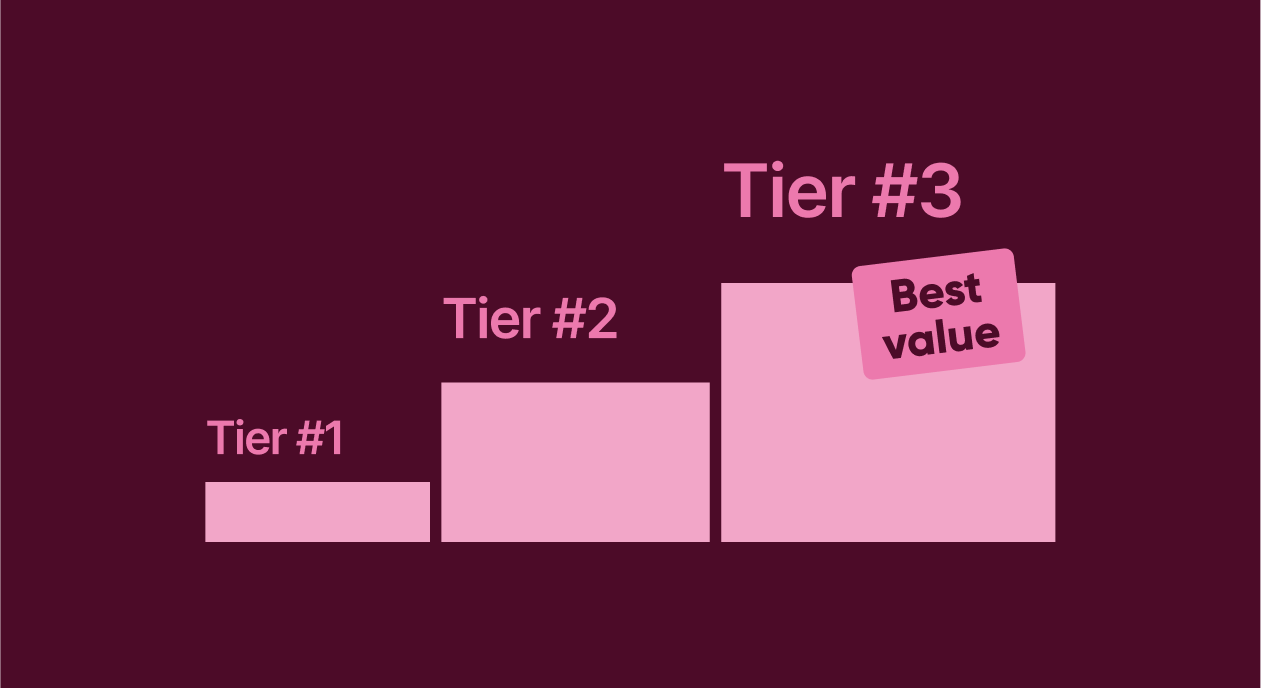
Tiered pricing offers multiple plans designed for different user segments. Instead of forcing everyone into the same box, you let users self-select based on needs and willingness to pay.
When done right, tiers increase both conversion and lifetime value. When done poorly, they confuse users and slow down decisions.
Examples
- Canva: Free → Pro → Teams (each tier speaks to a different job-to-be-done).
- Notion: Free/Plus/Business/Enterprise maps cleanly to personal vs team needs.
- Meditation apps: “Monthly” + “Yearly” is already a tier system; some add “Family” for higher ARPU.
Pay-as-you-go
Pay-as-you-go pricing charges users only for what they actually use. It feels fair and transparent, which makes it attractive for AI tools, APIs, and usage-heavy apps.
The tradeoff is predictability. Revenue fluctuates, and forecasting becomes harder. For that reason, many apps eventually combine this model with subscriptions.
Examples
- AI apps selling credits (e.g., 100 generations, 200 prompts, 50 exports).
- Document scanning apps charging per export pack.
- Background removal / media processing charging per render or per minute processed.
5 profit-driving app pricing models
With those approaches in mind, let’s look at the most common pricing models used by successful apps today.
1. Freemium
Freemium apps offer a functional free version and reserve advanced features for paying users. This model is designed for growth first and monetization second.
It works best when the free version demonstrates real value, but the paid version removes meaningful limitations. The biggest risk is generosity: if the free tier is too good, users never upgrade.
Advantages
- Strong top-of-funnel growth (low barrier to try)
- Organic sharing works better (users can invite others for free)
- Lets users build habit before paying
Disadvantages
- You may attract many users with low intent to pay
- Requires careful feature gating (too generous = no upgrades)
- Support and infra costs grow with free users
| App | Free experience | Paid value |
| Spotify | Ads, limited skips | Offline, no ads |
| Notion | Personal use | Team features, AI |
| Duolingo | Free lessons | No ads, premium perks |
2. Subscription-based
Subscriptions are the backbone of modern app monetization. Users pay regularly – weekly, monthly, or yearly – in exchange for ongoing value.
This model aligns revenue with retention: as long as users stay, revenue continues. The downside is churn. If users stop perceiving value, they cancel quickly, so it’s crucial to focus on onboarding and paywall optimization.
Advantages
- Predictable revenue and easier forecasting
- Higher LTV when retention is strong
- Enables continuous product investment
Disadvantages
- Churn is the enemy: value must be sustained every month
- Higher expectations (users demand updates and support)
- Paywall + onboarding must be excellent, or trials won’t convert
| App | Price | Billing |
| Headspace | $12.99 | Monthly |
| Calm | $69.99 | Yearly |
| Strava | $11.99 | Monthly |
3. One-time purchase
With a one-time purchase, users pay once and unlock the full app. It’s simple, transparent, and often converts well.
The limitation is scale. Without recurring revenue, growth depends entirely on new users. For this reason, the model works best for niche tools with clear, static value.
Advantages
- Simple decision: pay once, no commitment anxiety
- Strong conversion for clear, “tool-like” value
- Great for niche professional apps
Disadvantages
- Revenue ceiling is capped by new users
- Harder to fund ongoing development
- Discounts become your main lever (which can hurt brand value)
| App | Price | Category |
| Procreate | $12.99 | Design |
| Forest | $4.99 | Productivity |
| LumaFusion | $29.99 | Video editing |
4. In-app purchases
In-app purchases allow users to buy content, upgrades, or virtual goods inside the app. This model is especially powerful in games and social apps, where engagement loops drive repeated spending.
It can generate massive revenue, but it requires careful balance. Poorly designed IAPs feel manipulative and damage trust.
Advantages
- High upside (especially with strong engagement loops)
- Flexible monetization: you can sell to different willingness-to-pay levels
- Works well with social status, progression, or collection mechanics
Disadvantages
- Requires careful economy design (easy to imbalance)
- Revenue can be volatile (seasonality + whales)
- Aggressive monetization can reduce trust and retention
| App | Purchase type | Purpose |
| Clash Royale | Currency | Progression |
| Tinder | Boosts | Visibility |
| TikTok | Coins | Creator support |
5. Paymium
Paymium combines an upfront payment with additional monetization inside the app. Users pay to enter, then pay more for extended value.
It filters out low-intent users and raises ARPU, but it also raises expectations. Users who pay upfront expect quality and long-term support.
Advantages
- Filters out low-intent users and improves ARPU
- Better unit economics early (you earn from day one)
- Works well for premium niches where quality matters
Disadvantages
- Harder to grow fast (paid entry reduces installs)
- Users expect perfection immediately
- If onboarding or value is unclear, refunds spike
| App | Entry price | Extra monetization |
| Minecraft | $6.99 | Skins |
| Facetune | Paid app | Subscription |
| Enlight | Paid app | Presets |
How to choose the right app pricing model
1. Define your goals, audience, and KPIs
Start with the business truth: what are you optimizing for right now?
- Need fast growth? A low-friction model (freemium, trials) often wins.
- Need predictable revenue? Subscriptions are usually the default.
- Building a niche professional tool? One-time purchase or paymium can outperform everything else.
Lock 3–5 KPIs that will guide decisions consistently: conversion to paid, trial-to-paid, churn, ARPU, and LTV.
2. Measure your app costs
Before pricing, calculate your baseline: what it costs to acquire and serve a user.
Include UA, platform fees, support, infrastructure, and content production (if relevant). This step prevents the most common mistake: scaling installs while losing money.
A simple sanity check: if CAC grows, can your pricing still recover it within an acceptable payback window?
3. Define how users see your app’s value
Your pricing model should match how value is experienced.
If value is immediate and “one-and-done” (like a specialized tool), a one-time purchase can make sense. If value increases with time (health, learning, productivity), subscriptions are a better fit. If value is per action (AI generations, exports), pay-as-you-go can feel fair.
This is also where you decide what’s “free” and what’s “paid” – and what the user must experience before you ask for money.
4. Define how popular the app category is
Category maturity changes pricing rules.
In crowded categories, users have strong price anchors and low patience. You’ll need clearer differentiation, sharper positioning, and a familiar pricing format. In emerging categories, you can charge more, but you must explain more.
This step helps you avoid designing pricing in a vacuum.
5. Check what your competitors charge
Now look sideways – not to copy, but to learn the baseline expectations.
Analyze competitor paywalls: their tiers, trial lengths, annual discounts, and feature gating. The goal is to understand what users have already been trained to accept – and where you can stand out (simpler tiers, better yearly value, stronger premium story).
6. Select your app pricing model
Only now choose the model – and keep it testable.
For most consumer subscription apps, a strong default is: freemium + subscription with monthly and yearly plans. For tools, one-time or paymium can work. For usage-driven products, consider credits or metered usage.
You don’t need to choose ‘the perfect model.’ You just need one you can iterate on without breaking the product experience.
7. Validate with experiments and iterate
Treat pricing as a growth system, not a one-time decision.
Test paywall design, trial length, plan order, price points, and onboarding-to-paywall flow. Many apps find that the largest lift doesn’t come from changing the model but from improving how the model is presented and when users encounter it.
This is where tools like Adapty become a revenue multiplier: you can run faster experiments, learn from real revenue data, and roll winners out at scale.
Boost your app revenue with Adapty
Choosing a pricing model is only the beginning. The real growth happens through continuous testing and optimization.
Adapty helps subscription apps turn pricing into a measurable, scalable growth lever. With no-code paywalls, real-time analytics, and advanced A/B testing, teams can experiment without shipping new releases.
App onboarding builder
Pricing doesn’t start at the paywall. It starts with onboarding.
With Adapty’s Onboarding Builder, you can personalize user flows, highlight relevant value, and qualify intent before asking for payment, increasing conversion and reducing early churn.
When pricing, onboarding, and testing work together, monetization stops being guesswork.
Autopilot
Adapty Autopilot takes optimization further by automatically reallocating traffic to the best-performing paywalls based on real revenue, not just conversions. It learns which variants drive higher LTV and scales them automatically.